Introduction
Mad Titan Sports is one of the most powerful free sports addons available on Kodi right now — and if you’re serious about watching live sports without paying for cable, this is the addon you need to install today.
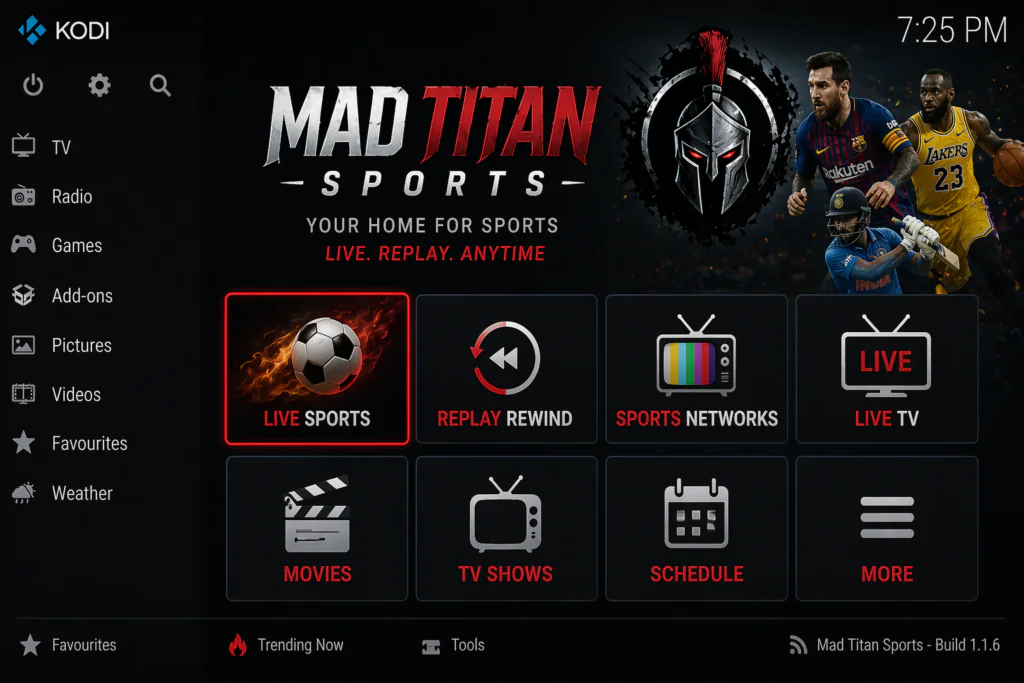
Mad Titan Sports gives you access to live NFL, NBA, MLB, NHL, soccer, UFC, boxing, wrestling, motorsport, tennis, and much more — all inside Kodi, all completely free. On top of that it includes replays, highlights, live TV channels, movies, and TV shows — making it one of the most complete all-in-one Kodi addons available in 2026.
What separates Mad Titan Sports from most free sports addons is its Real-Debrid integration. Pair it with a Real-Debrid account and stream quality jumps dramatically — HD streams, almost zero buffering, multiple reliable links every time.
In this guide I’ll walk you through the complete installation from scratch, Real-Debrid setup, and what to do when things go wrong. Let’s get into it.
What Is Mad Titan Sports on Kodi?
Mad Titan Sports is a dedicated sports and live TV addon for Kodi, version 2.0. It’s hosted in the Magnetic Repository — one of the most established third-party Kodi repositories available.
Unlike single-sport or single-category addons, Mad Titan Sports V2.0 is a full all-in-one addon. It covers live sports, replays, highlights, live TV channels sorted by country, movies, TV shows, music, sports documentaries — all in one place.
The addon is particularly strong for US sports fans. NFL, NBA, MLB, and NHL coverage is excellent with multiple stream links per game. But it also covers international sports thoroughly — Premier League football, cricket, rugby, tennis, darts, and more.
It supports Real-Debrid for premium stream quality, Trakt for watch history tracking, and even has its own EPG integration for a live TV guide experience.
What Can You Watch?
Mad Titan Sports covers more content than almost any other free Kodi sports addon.
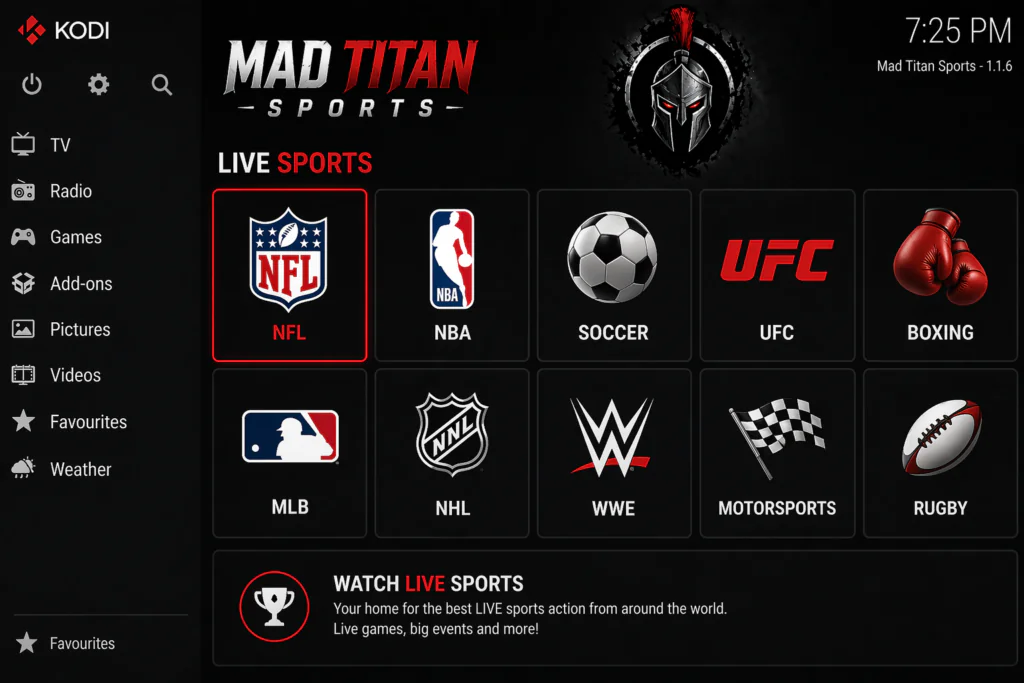
Live sports:
- NFL — American football including regular season and playoffs
- NBA — basketball live games
- MLB — baseball
- NHL — ice hockey
- Soccer — Premier League, La Liga, Champions League, and more
- UFC and MMA — live fight cards
- Boxing — major fight nights
- Wrestling — WWE and AEW
- Tennis — Grand Slams and ATP/WTA events
- Rugby — union and league
- Motorsport — Formula 1 and NASCAR
- Golf — majors and tour events
- Cricket — international matches
Additional content:
- Replay Rewind — watch replays of games you missed
- Highlights — short clips and match summaries
- Sports Networks — dedicated sports channel streams
- Live TV — hundreds of channels sorted by country
- Movies and TV Shows — on-demand content
- Sports Docs — sports documentaries
- Music — radio and music streams
Features of Mad Titan Sports
Here’s what makes this addon stand out from the competition:
- Live sports from every major US and international league
- Replay Rewind — watch any game after it ends
- Highlights section — quick clips for every sport
- Real-Debrid integration — dramatically improves stream quality
- Trakt integration — sync your watch history across devices
- Live TV channels — hundreds of channels sorted by country
- Movies and TV shows — full on-demand library
- Sports Docs — documentary content for sports fans
- EPG support — TV guide via PVR IPTV Simple Client
- Multiple stream links per event — backup if one fails
- Regular updates via the Magnetic Repository
- Compatible with Kodi 20 Nexus and Kodi 21 Omega
- Works on Android TV boxes, Fire Stick, Windows, Mac, and Raspberry Pi
The Replay Rewind section is something most guides never highlight — but it’s genuinely one of the most useful features. Missed the game? Open Replay Rewind, find it, and watch the full match on demand.
Is Mad Titan Sports Safe and Legal?
Let me give you a straight answer here.
The Mad Titan Sports repository has been scanned multiple times with VirusTotal and comes back completely clean — no malware, no suspicious files, nothing harmful in the installation process.
The legal question is more nuanced. Mad Titan Sports pulls streams from free streaming websites across the internet. Some of those streams are legally licensed and free to watch. Others may be broadcasting copyrighted sports events — particularly premium league games normally behind a paywall — without proper authorization.
The addon doesn’t host any content itself. It simply finds and plays links that exist elsewhere on the internet. The responsibility for what you watch as the end user sits with you.
For general privacy while streaming, using a VPN is sensible. Not because of fear, but because it keeps your connection private and prevents ISP throttling. You can read more about why online privacy matters at the EFF’s guide at eff.org/issues/privacy.
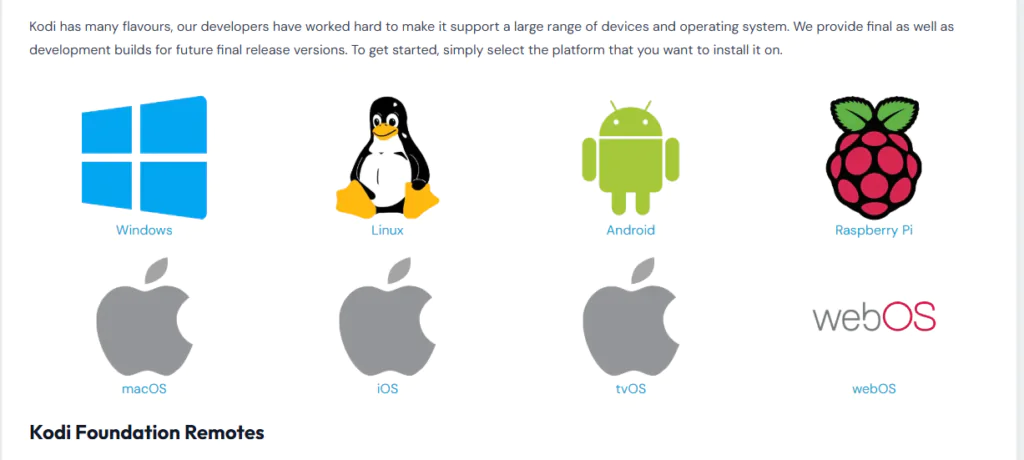
Before you start, make sure Kodi is installed. Download it free from the official Kodi website at kodi.tv.
Requirements Before You Start
Make sure you have these ready:
- Kodi 20 (Nexus) or Kodi 21 (Omega) installed on your device
- A stable internet connection — at least 10 Mbps for HD sports streaming
- Unknown Sources enabled in Kodi settings — I’ll show you how
- A compatible device — Android TV box, Fire Stick, Windows PC, Mac, or Raspberry Pi
- Optionally, a Real-Debrid account for premium stream quality — plans start from around €3/month at real-debrid.com
If you’ve never installed a Kodi addon before, check out this beginner guide on how to install Kodi addons first.
Step-by-Step Installation Guide for Mad Titan Sports
Follow each step carefully. The whole process takes under 10 minutes.
Step 1: Enable Unknown Sources in Kodi
- Open Kodi on your device
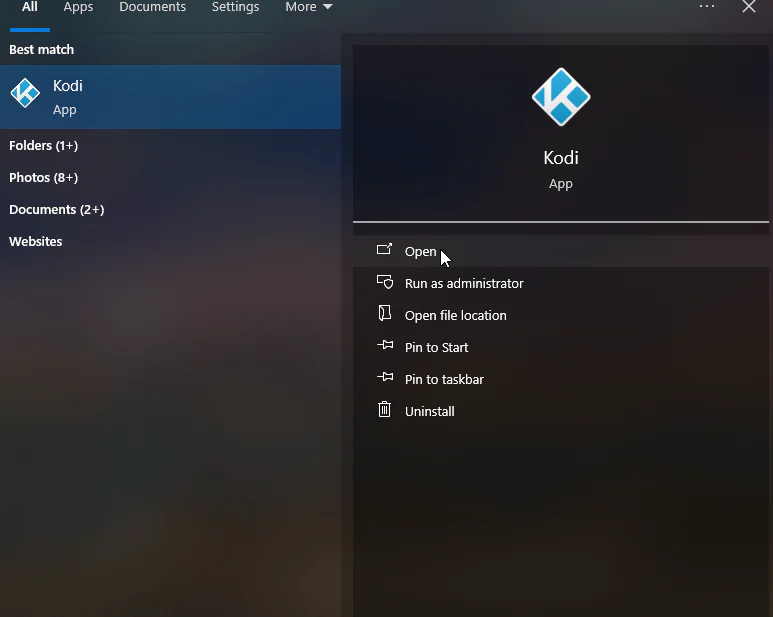
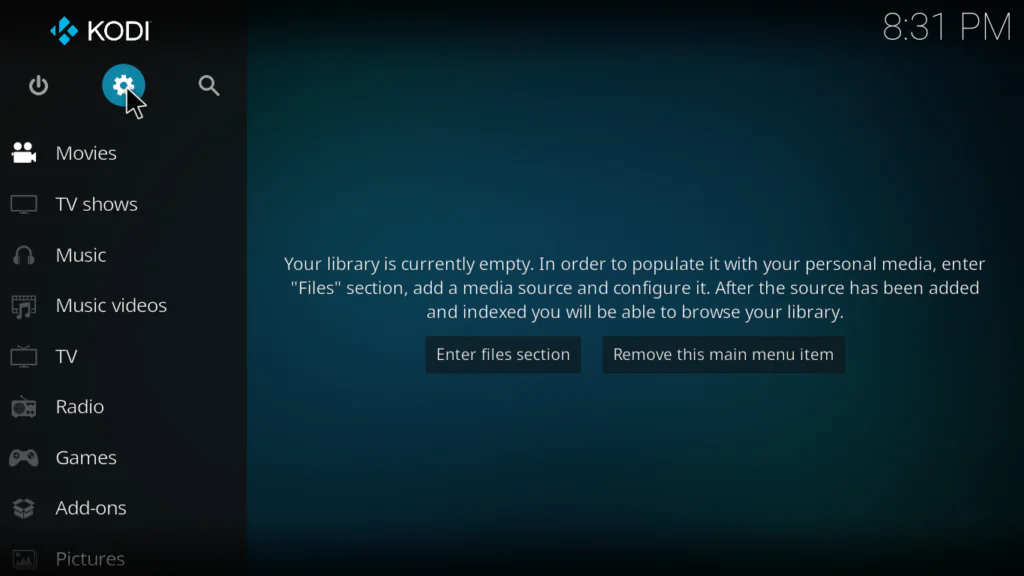
- Click the gear icon at the top left to open Settings
- Click System
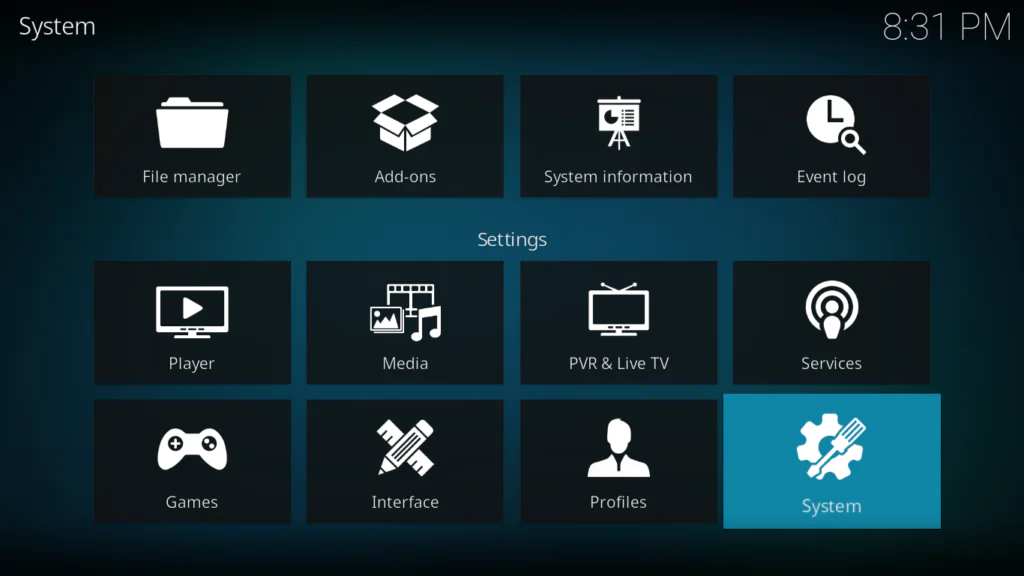
- Select Add-ons from the left menu
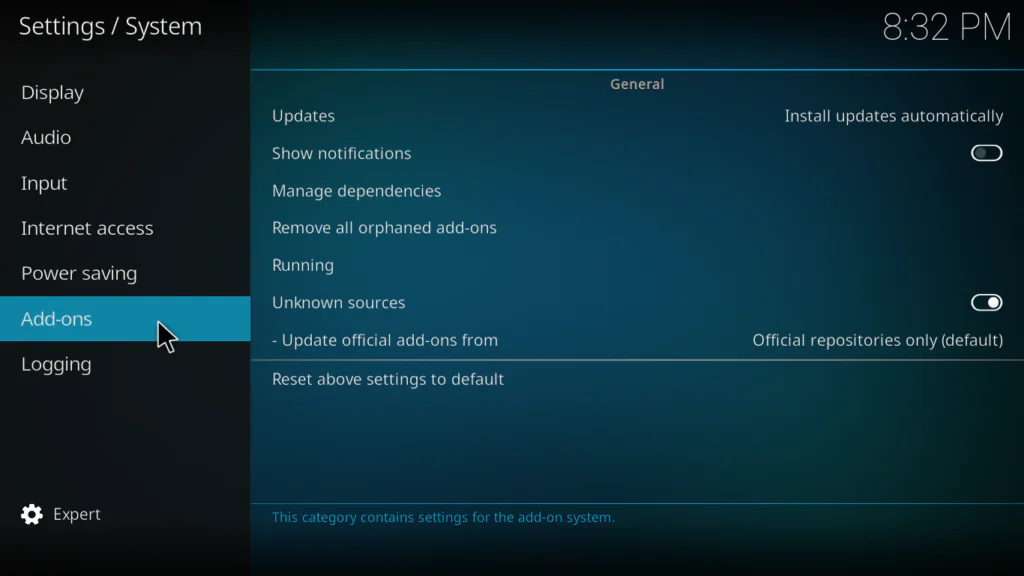
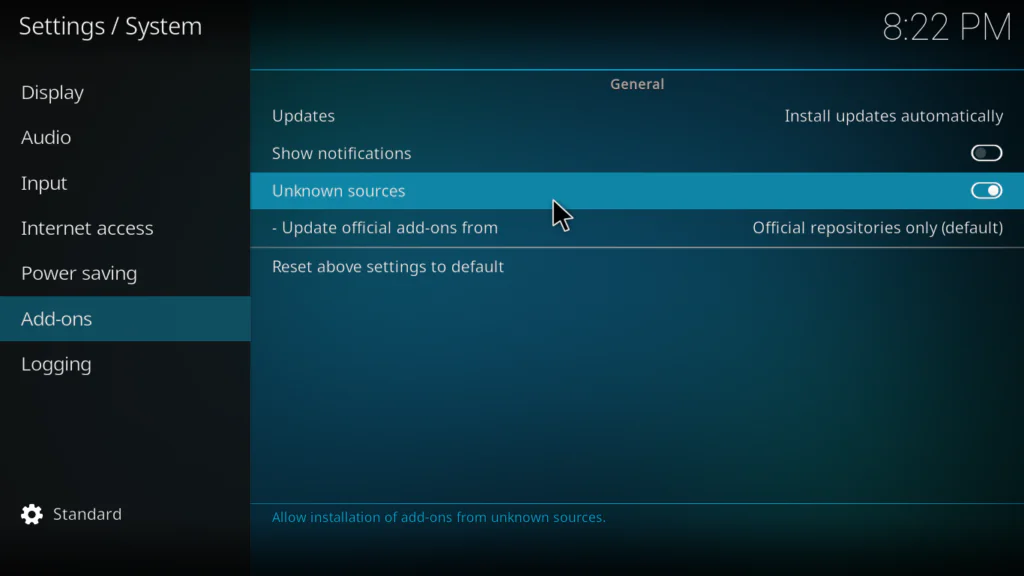
- Toggle Unknown Sources to ON
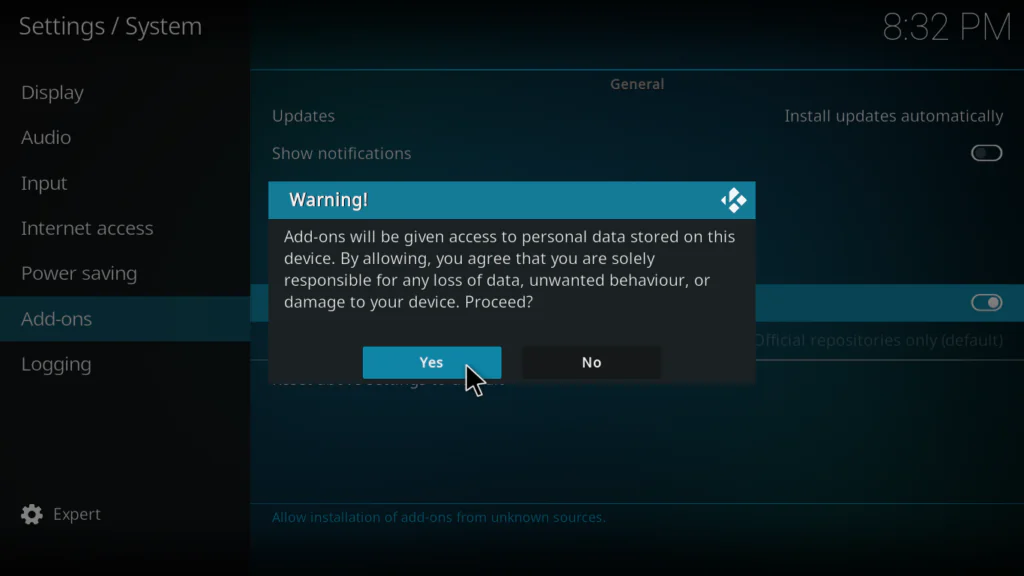
- Click Yes on the warning popup
Step 2: Add the Magnetic Repository in File Manager
Mad Titan Sports lives in the Magnetic Repository. The URL must be typed exactly.
- Go back to the main Settings screen
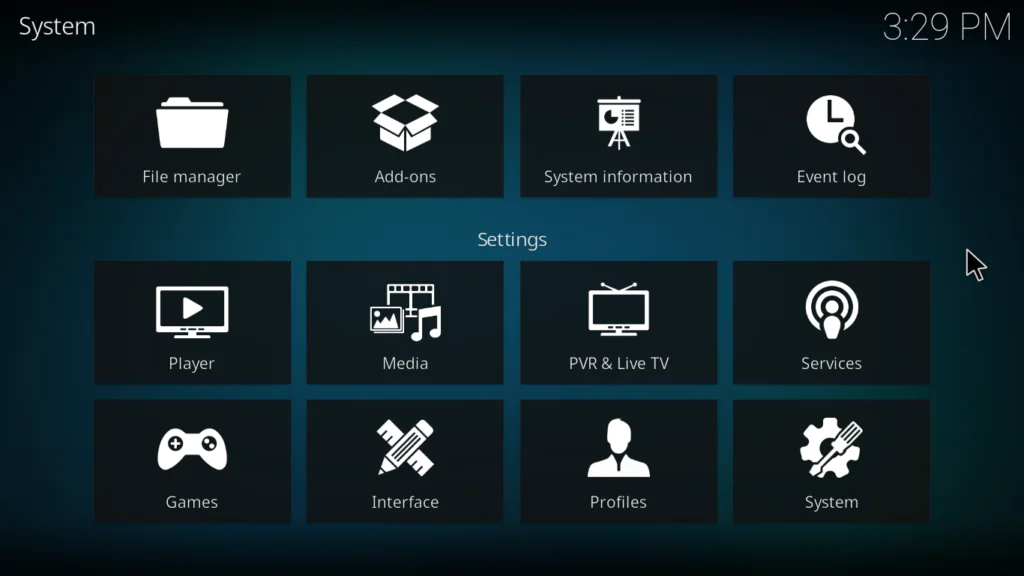
- Click File Manager
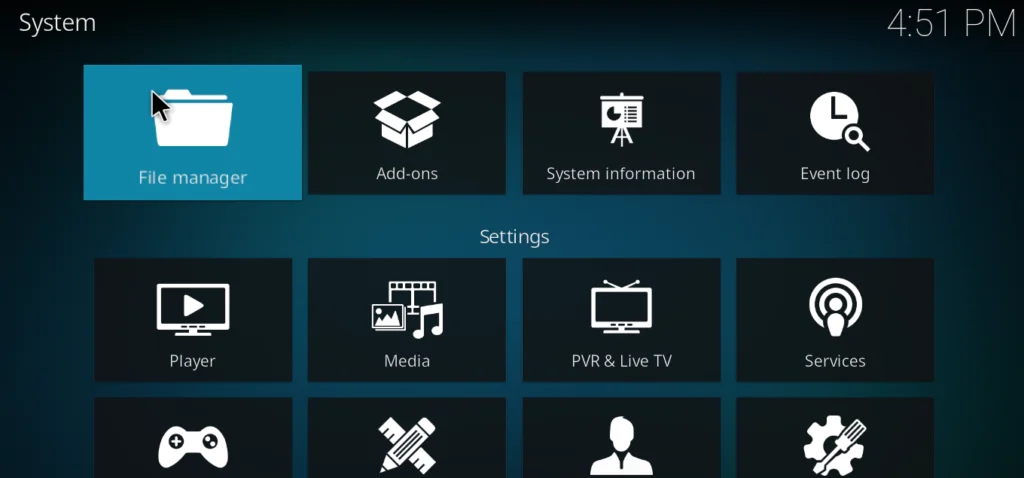
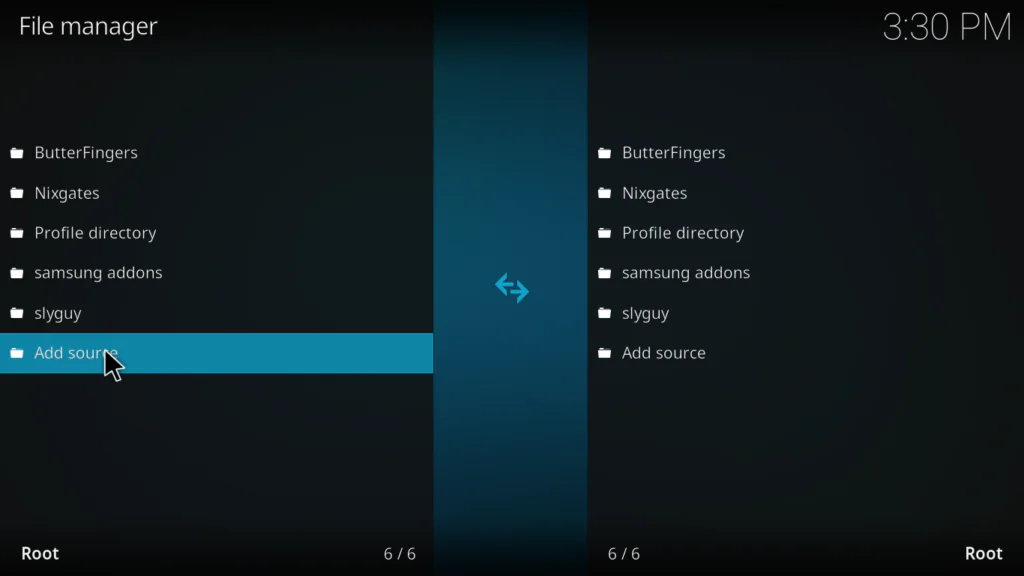
- Double-click Add Source on the left panel
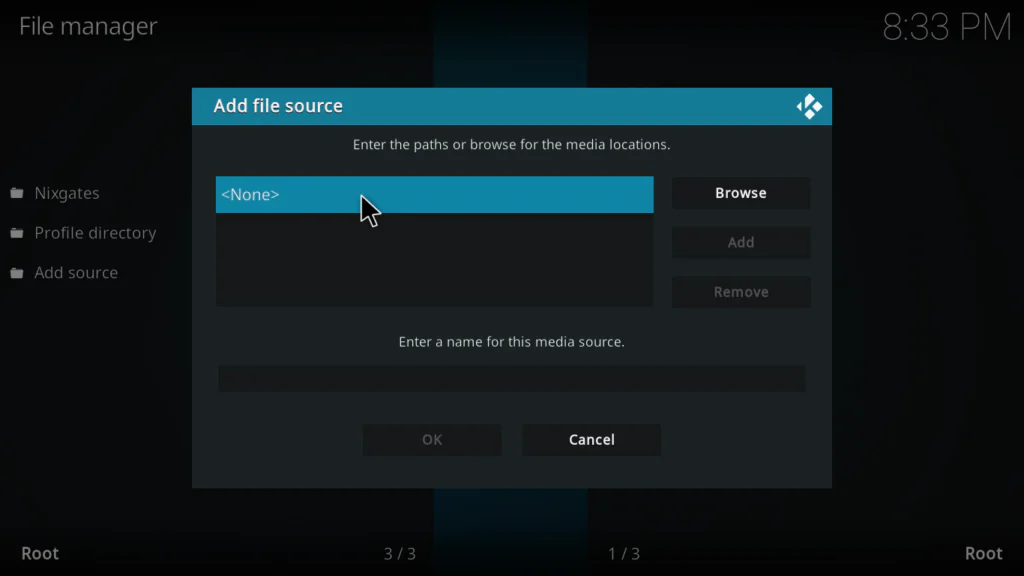
- Click where it says None
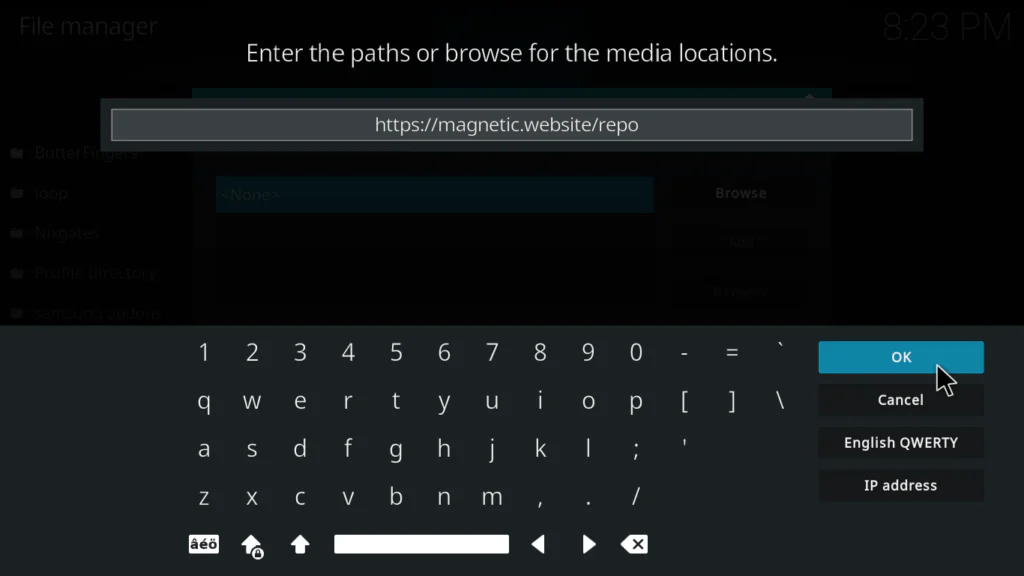
- Type this URL exactly: https://magnetic.website/repo
- In the name field below type: magnetic
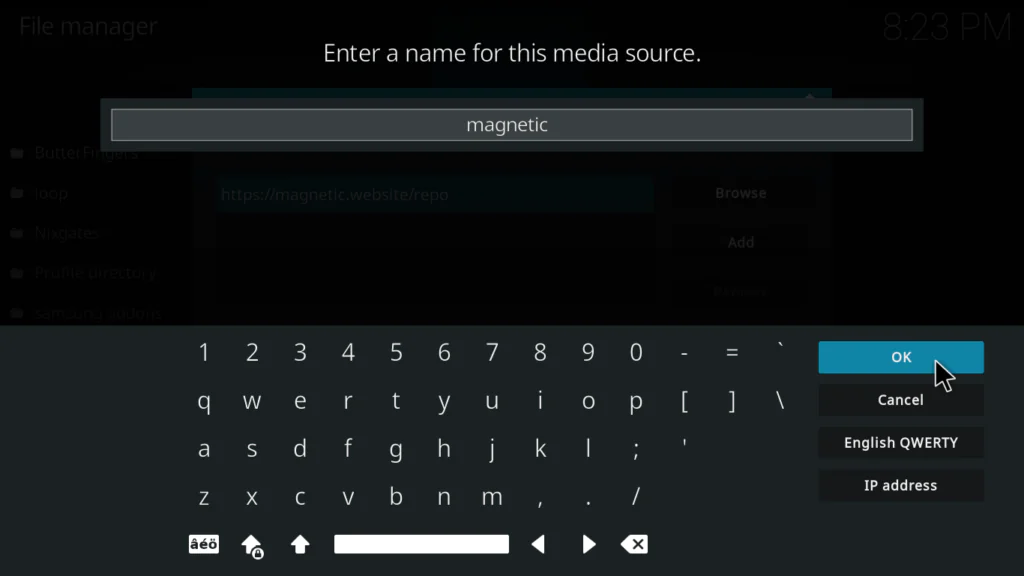
- Click OK to confirm
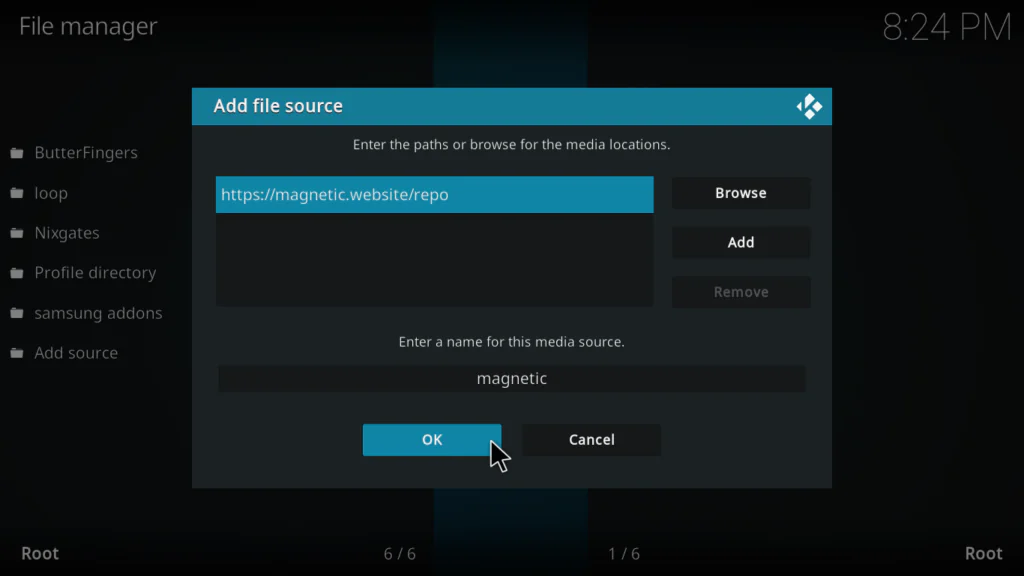
Step 3: Install the Magnetic Repository Zip File
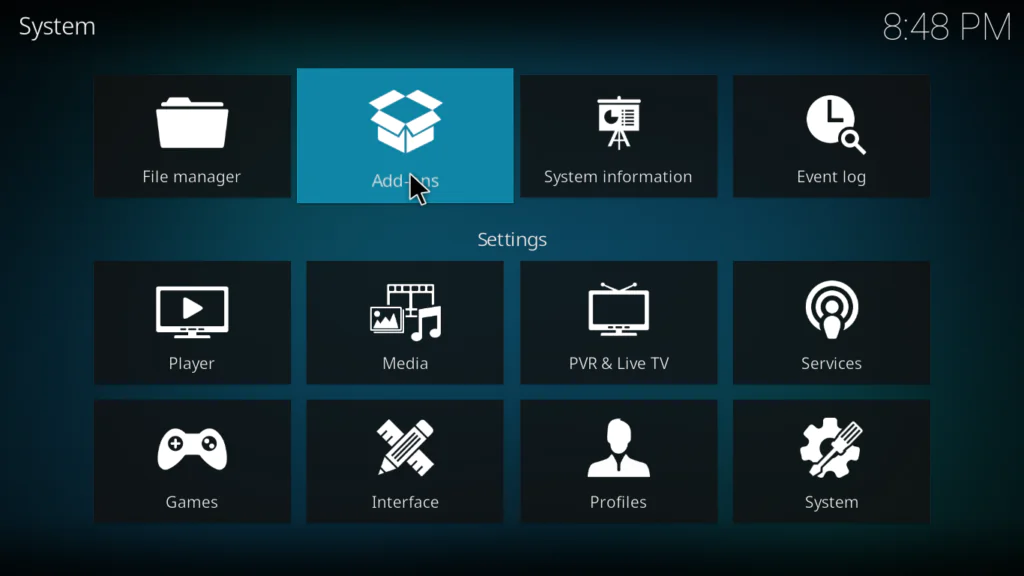
- Go back to the Kodi system screen
- Click Add-ons
- Select Install from zip file
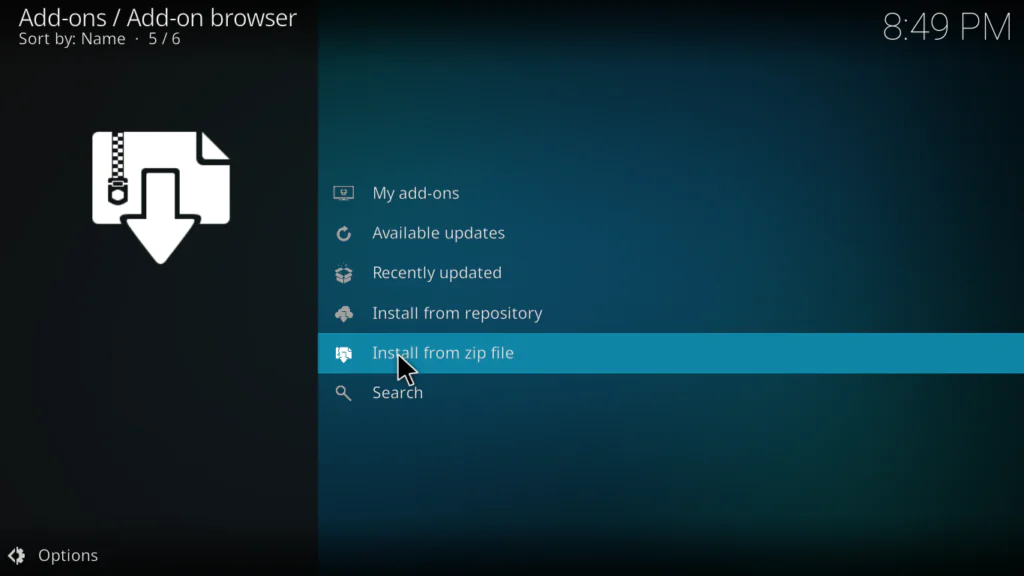
- Find and click magnetic from the file browser
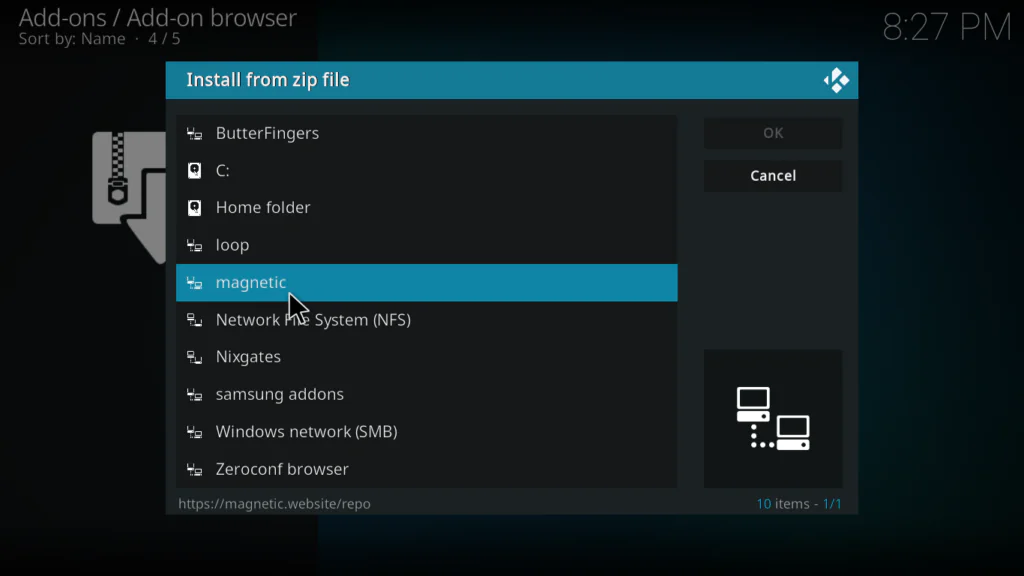
- Select the repository zip file from the list
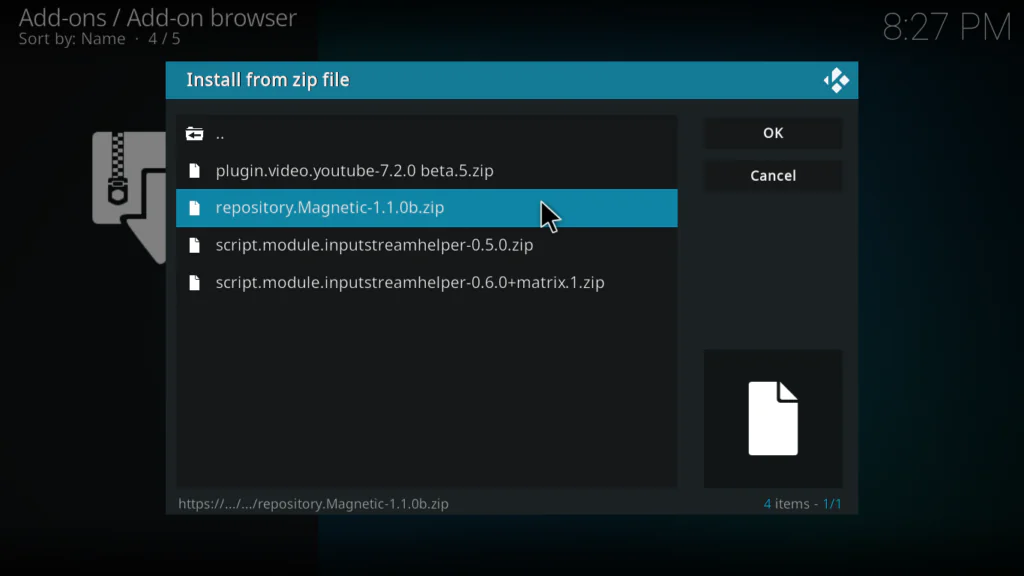
- Wait for the Repo Installed notification in the top right corner
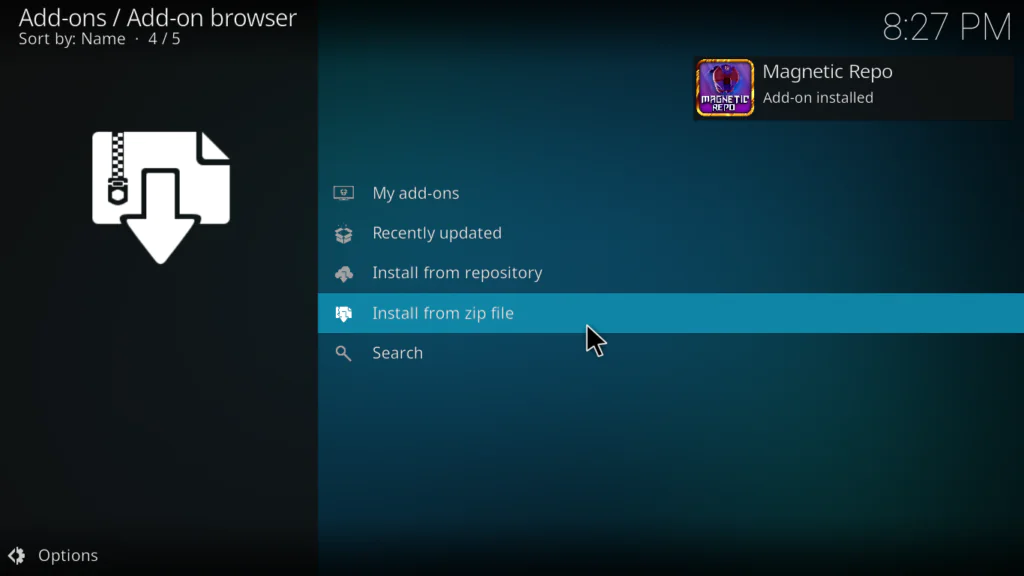
Step 4: Install Mad Titan Sports from the Repository
- Still in the Package Installer, click Install from repository
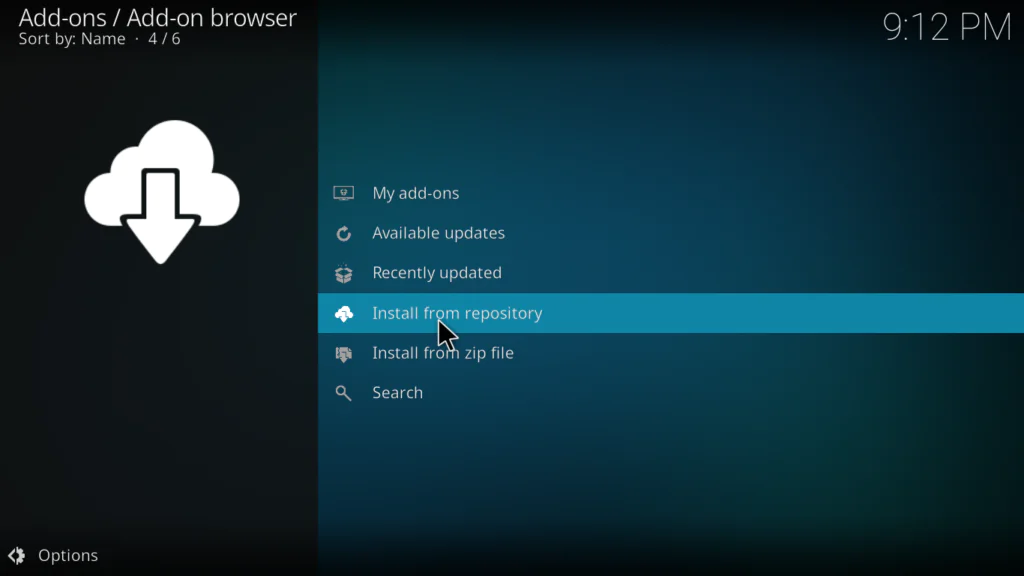
- Find and click Magnetic Repository from the list
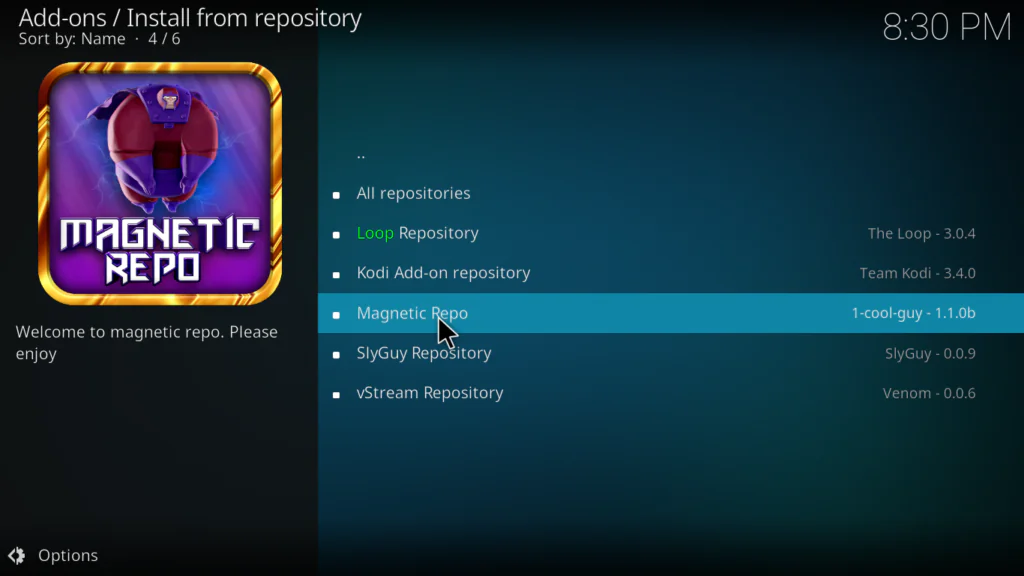
- Click Video Add-ons
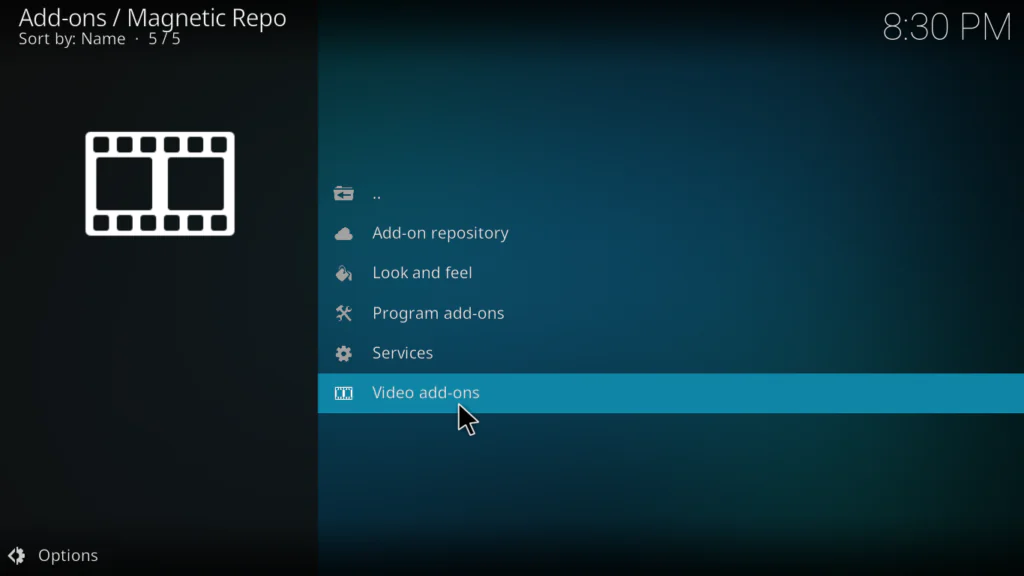
- Find Mad Titan Sports in the list and click on it
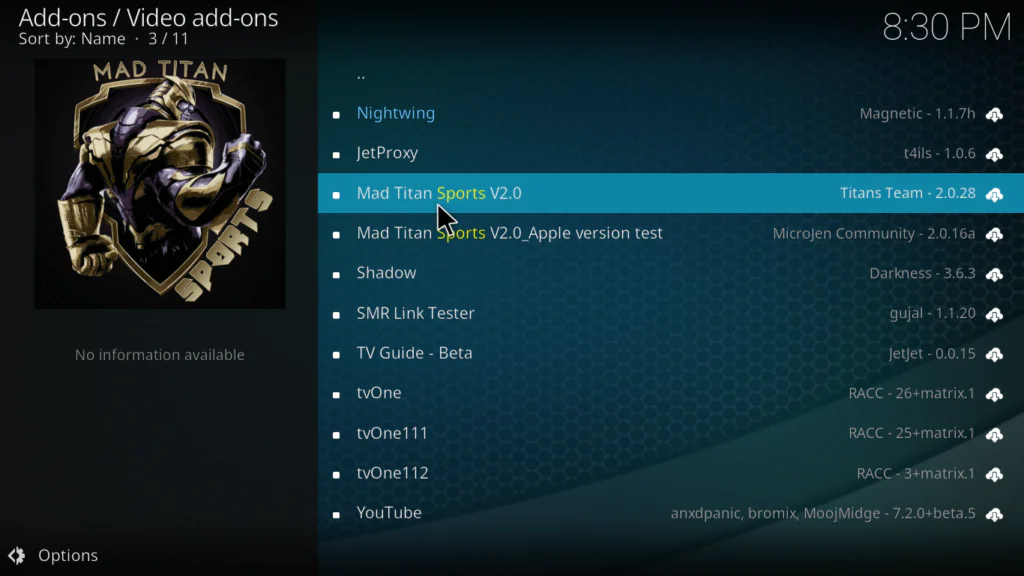
- Click Install
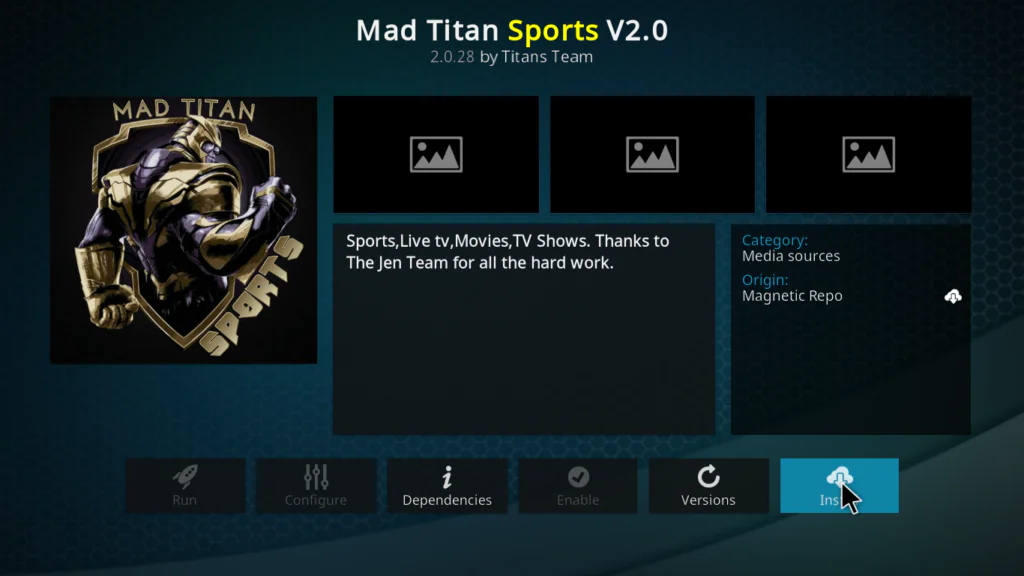
- If prompted to install dependencies, click OK for each one
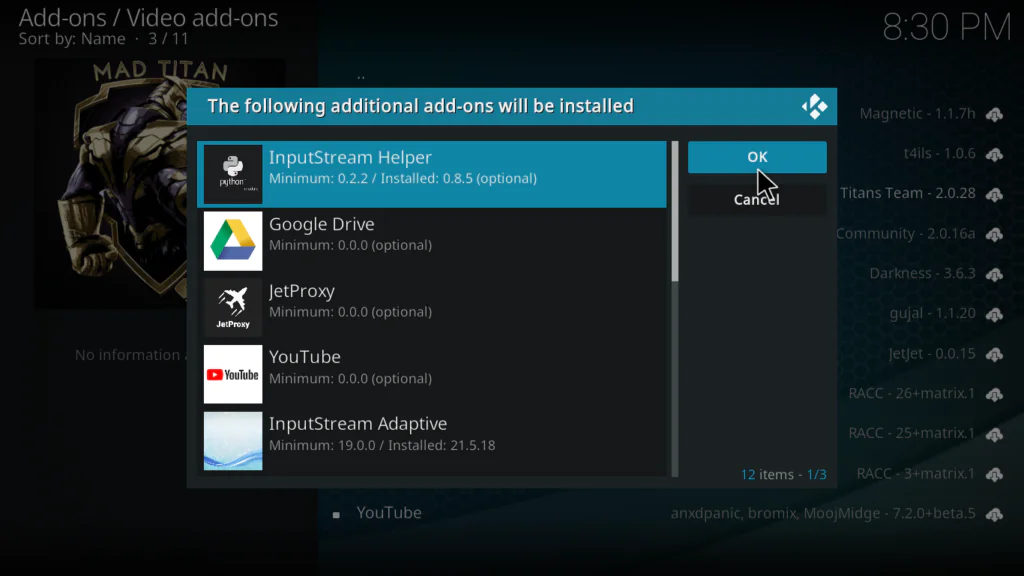
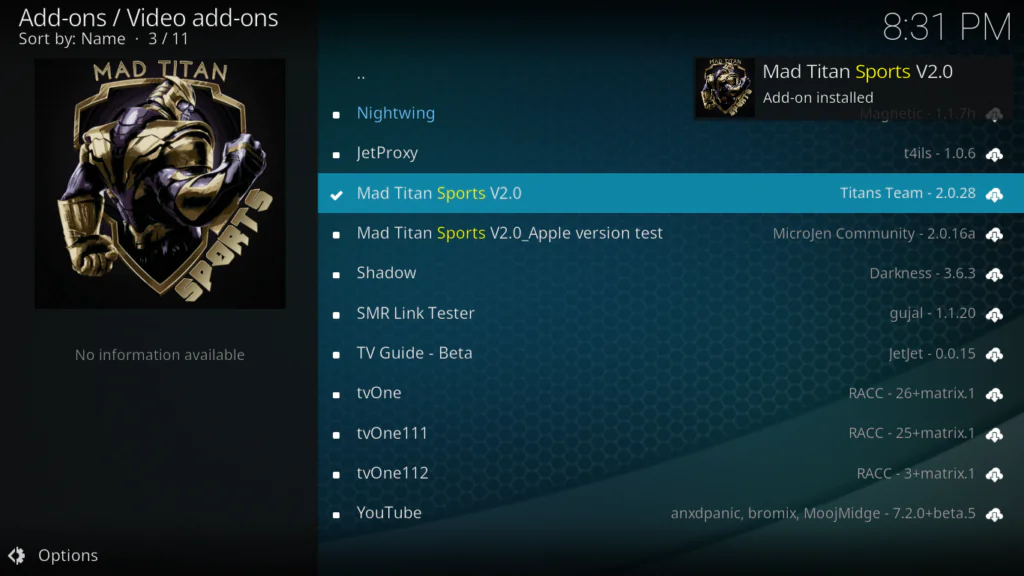
- Wait for the Add-on installed notification
Step 5: Open Mad Titan Sports and Start Watching
- Go back to the Kodi home screen
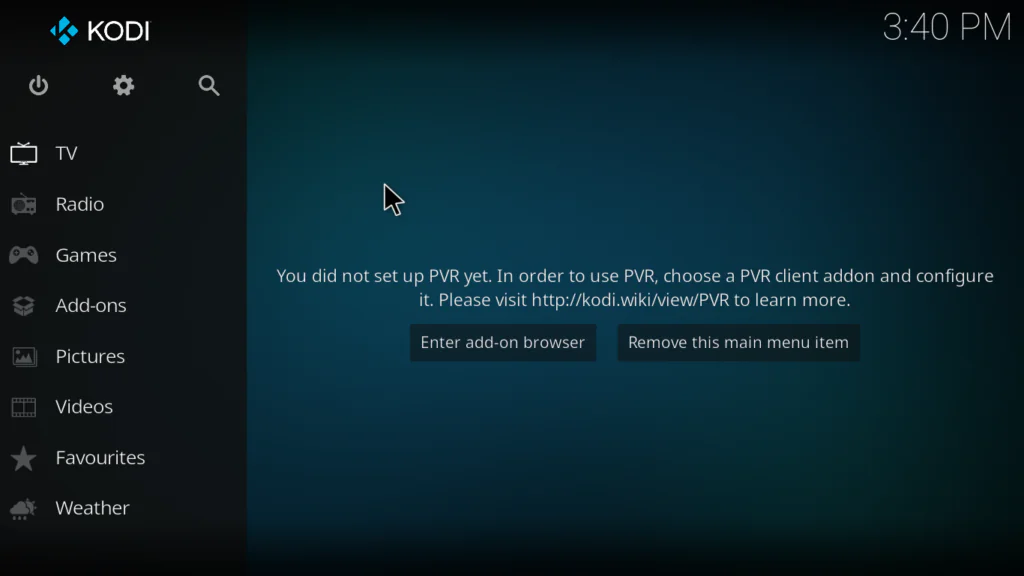
- Click Add-ons
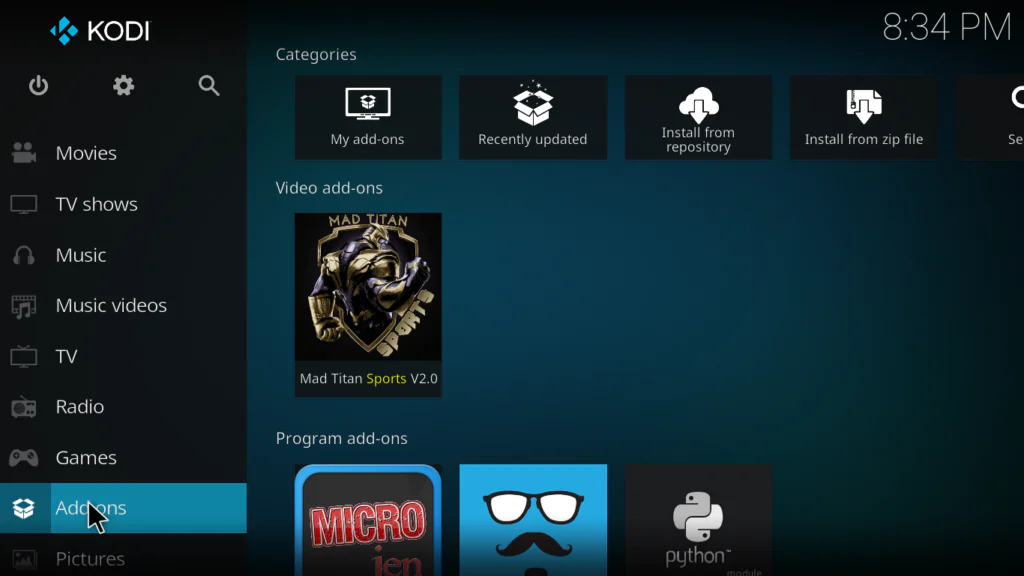
- Find Mad Titan Sports and click on it
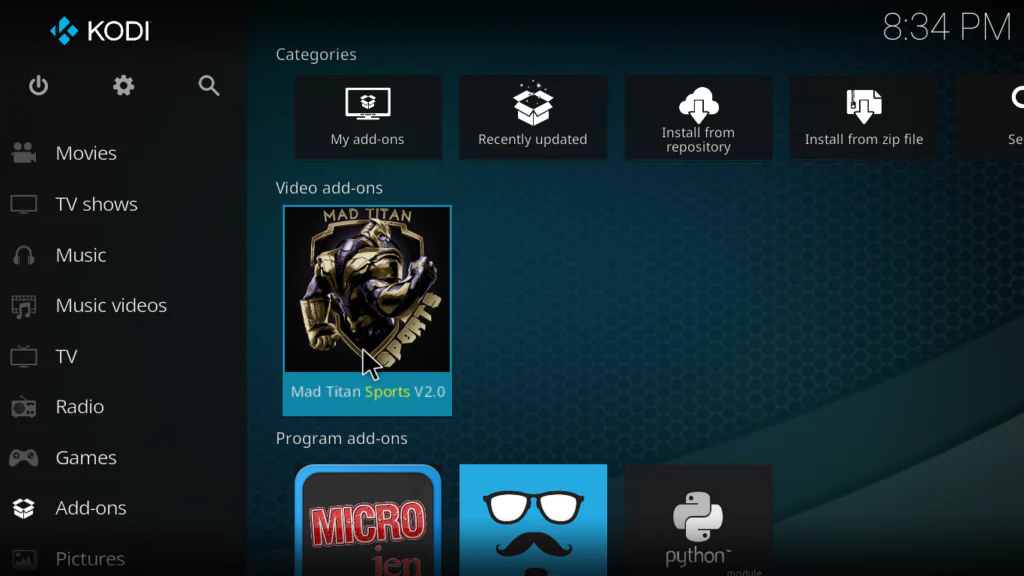
- The addon will open showing all content sections, Click Live Sports to browse today’s games
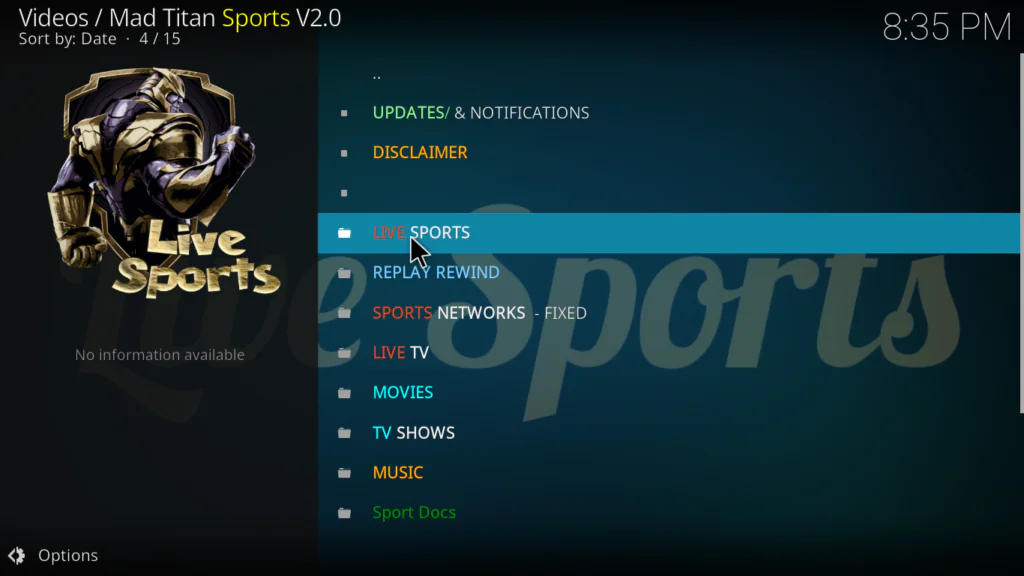
- Select any event and choose a stream link
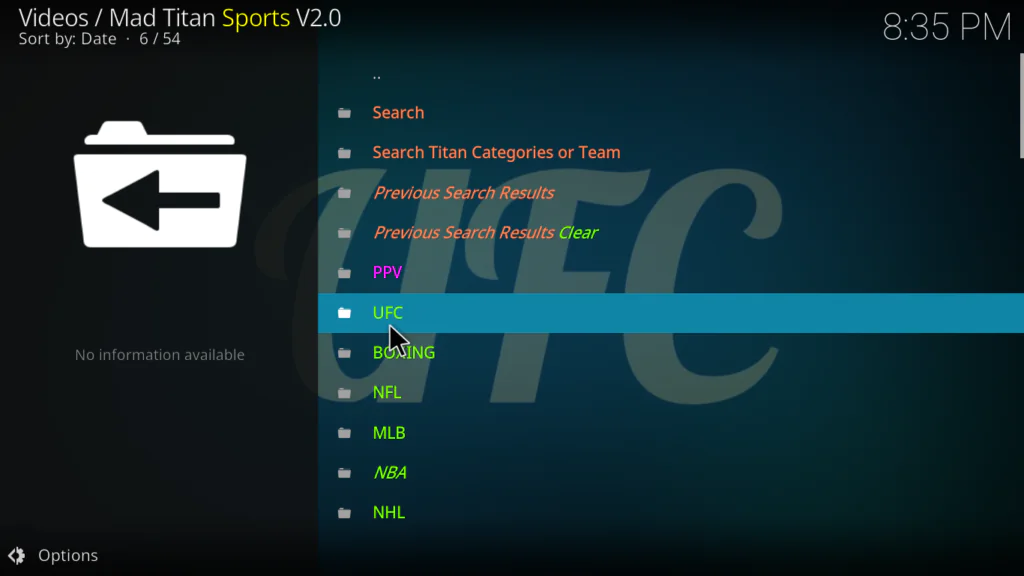
That’s it — you now have access to one of the most complete free sports experiences on Kodi.
How to Set Up Real-Debrid with Mad Titan Sports
This is the section most guides completely skip — and it makes the biggest difference in stream quality.
Real-Debrid is a premium link resolver service that turns free, low-quality stream links into high-definition, buffer-free streams. It costs around €3 per month and is worth every cent if you use Kodi regularly.
Here’s how to connect it to Mad Titan Sports:
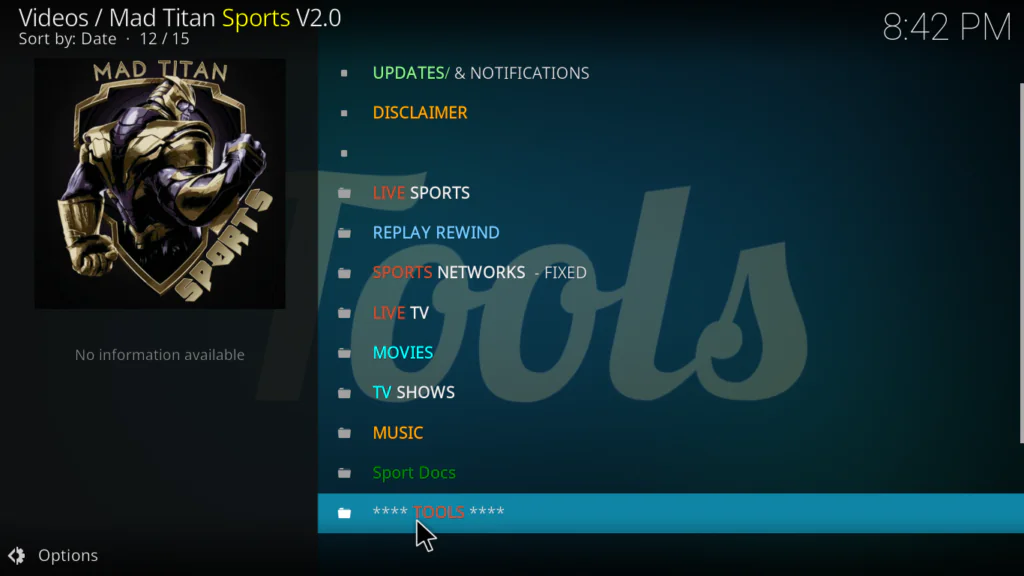
- Open Mad Titan Sports inside Kodi
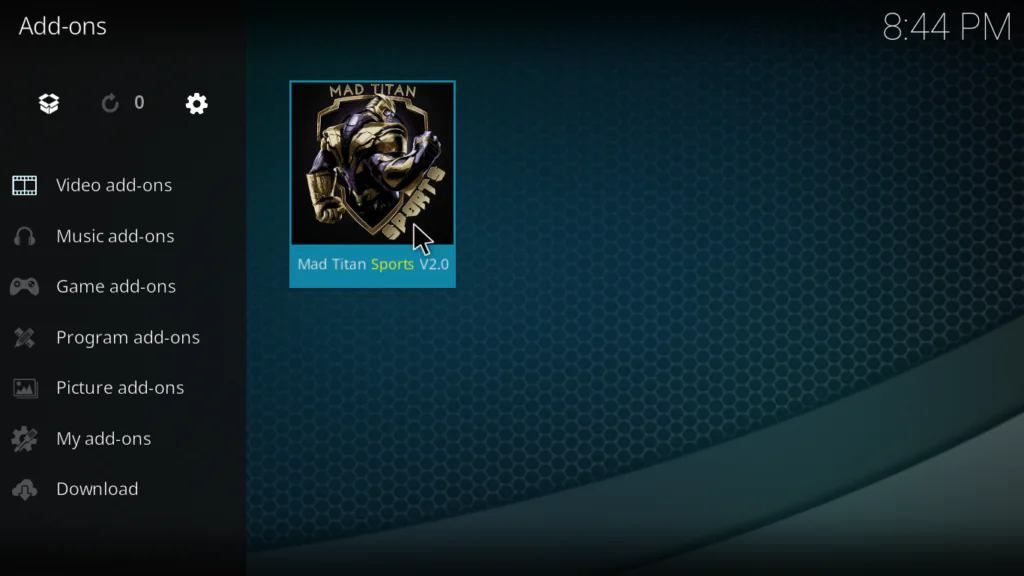
- Click Tools from the main menu
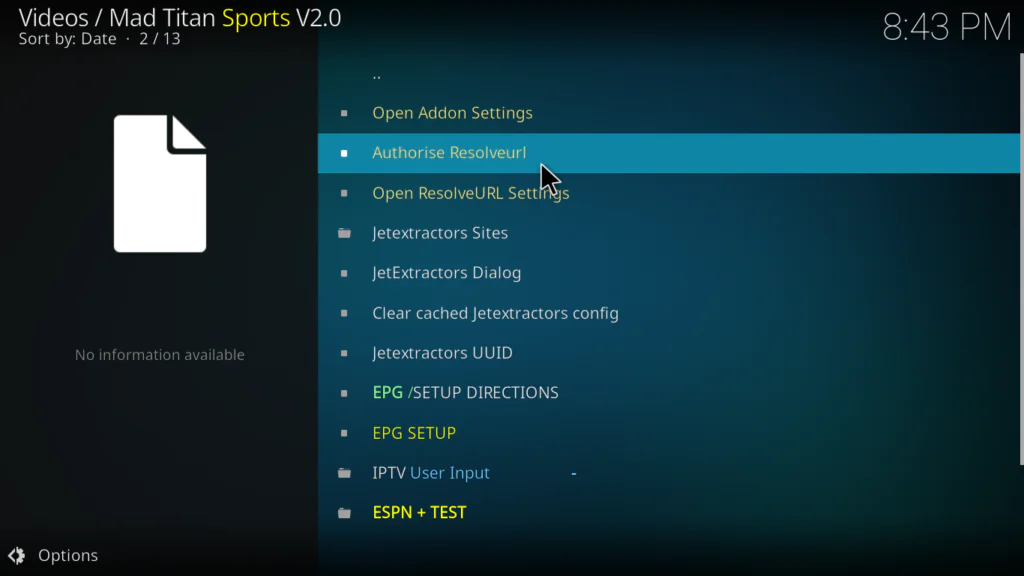
- Select Authorise ResolveURL
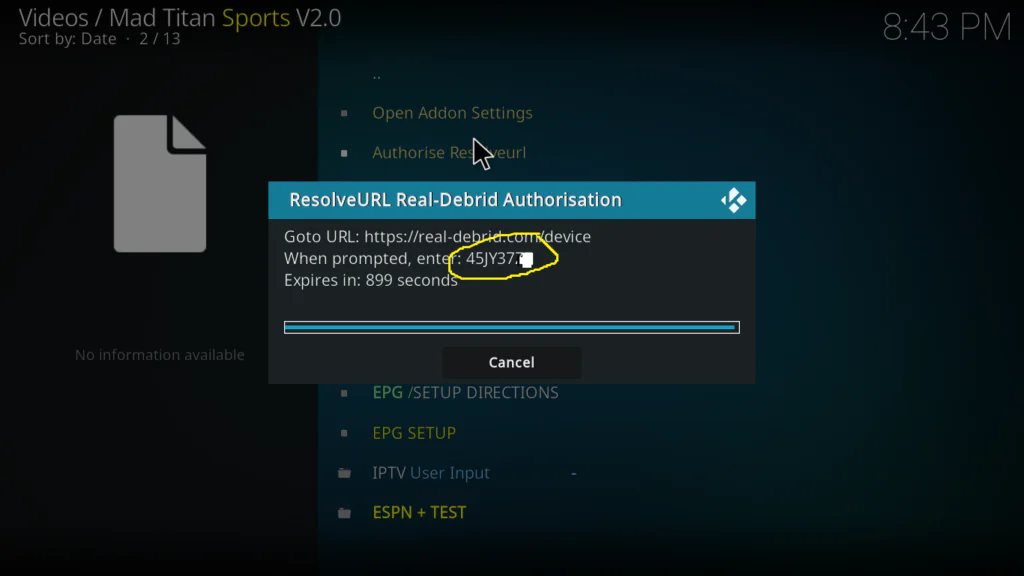
- A code will appear on screen — write it down
- On a browser go to real-debrid.com/device
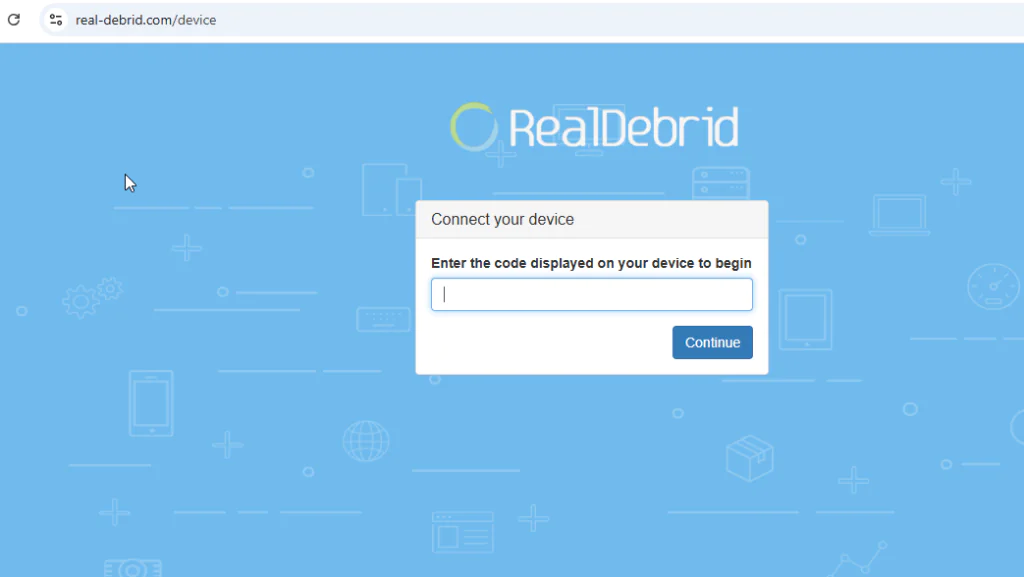
- Enter the code and sign in to your Real-Debrid account
- You’ll see a success confirmation
- Go back to Mad Titan Sports — Real-Debrid is now active
Once connected, Mad Titan Sports will automatically prioritize Real-Debrid links when available — giving you HD quality streams with almost no buffering.
How to Use Mad Titan Sports After Installing
Here’s a quick guide to getting the most out of the addon every day:
- Live Sports — your main destination for today’s games — organized by sport with multiple stream links per event
- Replay Rewind — find any game from recent days and watch the full replay on demand
- Highlights — quick summaries if you don’t have time for the full game
- Sports Networks — dedicated sports channel streams running around the clock
- Find My Game — search for a specific team or event across all categories
- Live TV — hundreds of channels sorted by country for general TV viewing
- Tools — where you manage Real-Debrid authorization, Trakt connection, and settings
One important tip: when you click a live event and see the stream list, always try the Real-Debrid links first if you have it set up. They’re marked in the list and deliver noticeably better quality than free links.
Mad Titan Sports Not Working — Real Fixes
Here are the most common issues and exactly how to fix them:
No streams loading — just spinning
Try a different stream link — Mad Titan Sports always offers multiple links per event. If all links fail, the game may not have started yet. Also check that your ResolveURL is authorized — go to Tools → Authorise ResolveURL and reconnect.
Addon won’t open at all
Go to Add-ons → My Add-ons → Video Add-ons → Mad Titan Sports → Update. If no update is available, uninstall and reinstall from the Magnetic Repository. Make sure Kodi is also updated to the latest version.
Repository not found during installation
Double check the URL is exactly: https://magnetic.website/repo — no trailing slash variations. If the repo server is temporarily down, wait a few hours and try again.
Replays not working
Replay links are the most unreliable part of Mad Titan Sports — this is a known limitation. If replays consistently fail, Real-Debrid dramatically improves replay reliability. Without it, some replay sources simply don’t resolve for free users.
Addon was working then suddenly stopped
Clear Kodi’s cache first using a maintenance addon. Then go to Tools → Authorise ResolveURL and re-authorize. If the issue persists, check the Magnetic Repository for an available update to Mad Titan Sports V2.0.
Best Alternatives to Mad Titan Sports
Smart Kodi users always keep a backup. Here are three solid alternatives:
1. The Loop Kodi Addon Excellent daily sports schedule with live football, cricket, UFC, and more. Simpler interface than Mad Titan but very reliable for live events.
2. Plex Live Kodi Addon Free, legal, 300+ live channels including dedicated sports channels. Not as comprehensive for live events but completely stable and never goes down.
3. Roku Channel Kodi Addon 24/7 sports channels and occasional live events — fully ad-free inside Kodi and very reliable as a backup.
My Final Verdict on Mad Titan Sports
Mad Titan Sports is the most complete free sports addon available on Kodi right now. NFL, NBA, MLB, NHL, soccer, UFC, boxing, replays, highlights, live TV, movies — all in one addon. Nothing else comes close in terms of content breadth.
The Real-Debrid integration is what separates it from every other free sports addon. Without it, you get decent free streams. With it, you get HD quality that rivals paid streaming services — for around €3 a month.
The honest downside: it breaks occasionally. Some user comments report periods where streams stop working. This is the nature of free sports addons — they depend on external sources that come and go. Keep one alternative installed and you’ll never miss a game.
Overall — install Mad Titan Sports, set up Real-Debrid if you can, and keep The Loop as a backup. That’s the optimal sports setup for Kodi in 2026.
Want to explore more options? Check out the full list of best Kodi addons available right now.
FAQs
Is Mad Titan Sports free?
The addon itself is completely free to install and use. For better stream quality, pairing it with Real-Debrid (approximately €3/month) is highly recommended but not required.
What repository is Mad Titan Sports in?
Mad Titan Sports V2.0 is hosted in the Magnetic Repository. The official URL is https://magnetic.website/repo.
Does Mad Titan Sports work on Fire Stick?
Yes — as long as Kodi is installed on your Fire Stick, Mad Titan Sports works perfectly on it.
What is Real-Debrid and do I need it?
Real-Debrid is a premium link resolver that significantly improves stream quality and reliability. You don’t need it to use Mad Titan Sports, but it’s strongly recommended for buffer-free HD sports streaming.
Does Mad Titan Sports work on Kodi 21 Omega?
Yes — Mad Titan Sports V2.0 is compatible with both Kodi 20 Nexus and Kodi 21 Omega.
Why is Mad Titan Sports not working?
The most common causes are broken stream links, an outdated addon version, or a ResolveURL authorization issue. See the full troubleshooting section above for specific fixes.
Conclusion
Mad Titan Sports is the single best all-in-one free sports addon available on Kodi in 2026 — and it’s not particularly close.
Live NFL, NBA, MLB, NHL, soccer, UFC, boxing, replays, highlights, live TV channels, movies, and TV shows — all in one place, all free. Add Real-Debrid and it becomes a genuinely premium streaming experience for almost nothing.
Follow the 5 steps in this guide, set up Real-Debrid for the best experience, and you’ll never pay for a sports subscription again.
Got questions or ran into a problem during installation? Drop a comment below — I reply to every single one.
Looking for more sports addons? Rising Tides and The Loop Kodi addon are two of the best alternatives worth trying in 2026.