MXQ Pro 4K
Budget Android TV box with 4K support, ideal for Kodi and IPTV streaming. Available in 1GB/2GB RAM versions.
Product Brand: MXQ
Product Currency: USD
Product Price: 19.99
Price Valid Until: 2026-12-31
Product In-Stock: InStock
4
Let’s be honest — shopping for a cheap Android TV box is a nightmare.
You open Amazon or AliExpress, and you’re hit with dozens of boxes that all look identical, carry unknown brand names, and promise “4K streaming” for under $25. Half of them don’t even deliver on that promise. So when the MXQ Pro 4K keeps showing up at the top of the search results, you’re probably wondering: is this one actually different, or is it just more of the same?
This review gives you a straight answer.
I’ve tested the MXQ Pro 4K hands-on — checked its real performance, compared it to competitors, and looked at what real users are saying in 2026. No fluff, no sponsored bias.
Who is this for? People who want the cheapest possible way to stream content on an old TV, run Kodi, or set up basic IPTV — without spending $100+ on a premium box.
Quick verdict: The MXQ Pro 4K is a basic, functional media player that does just enough for casual use. It is not a powerhouse, and its “4K” label is misleading for most people. But if you know what you’re buying, it can serve a purpose.
What Is the MXQ Pro 4K?
The MXQ Pro 4K is a budget Android TV box manufactured in China — produced by multiple OEM factories under the same name. This is actually important to understand: there is no single “MXQ Pro 4K.” Different sellers produce slightly different versions with different chips, RAM configurations, and firmware builds. What you see on one listing may not be what arrives at your door.
At its core, it’s a small set-top box that runs Android, connects to your TV via HDMI, and lets you install apps, stream content, and use Kodi or IPTV services. It’s positioned as an entry-level alternative to devices like the Amazon Fire TV Stick or the Chromecast — but at a significantly lower price point.
The “4K” and “5G” branding in its name refers to 4K video output support and 5GHz Wi-Fi dual-band capability — though in practice, both claims come with important limitations (more on that below).
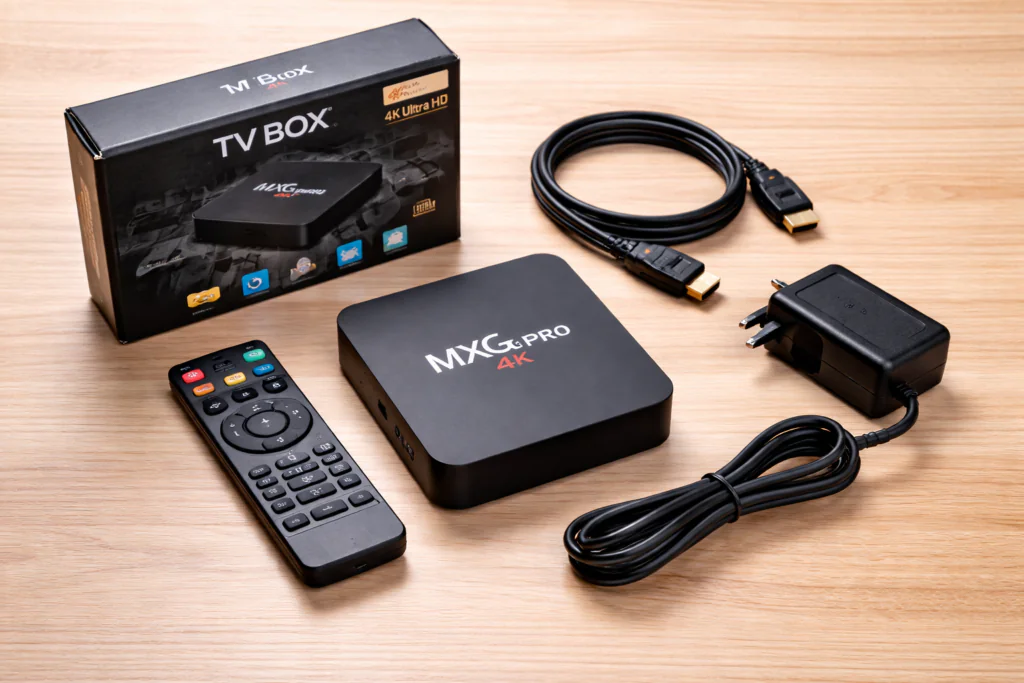
MXQ Pro 4K Full Specifications
| Spec | Details |
|---|---|
| OS | Android 7.1 or Android 9.0 (varies by seller) |
| Processor | Allwinner H3 or S905W (quad-core, 1.5GHz) |
| RAM | 1GB or 2GB (verify before buying) |
| Storage | 8GB or 16GB internal |
| Video Output | Up to 4K (H.265 decoding) |
| Wi-Fi | 2.4GHz / 5GHz dual band |
| Bluetooth | Some versions include BT 4.0 |
| Ports | 2x USB, HDMI 2.0, AV out, Ethernet (RJ45) |
| Power | 5V/2A DC |
| Dimensions | ~105 x 105 x 20mm |
| Price Range | $15 – $35 depending on seller |
⚠️ Important: Always check the exact RAM/storage and chip version with your seller before purchasing. Listings often exaggerate specs.
🛒 Check Current Price on Amazon → MXQ Pro 4K on Amazon (Prices update daily — affiliate link helps support TVBoxFixer.com at no extra cost to you)
Design & Build Quality
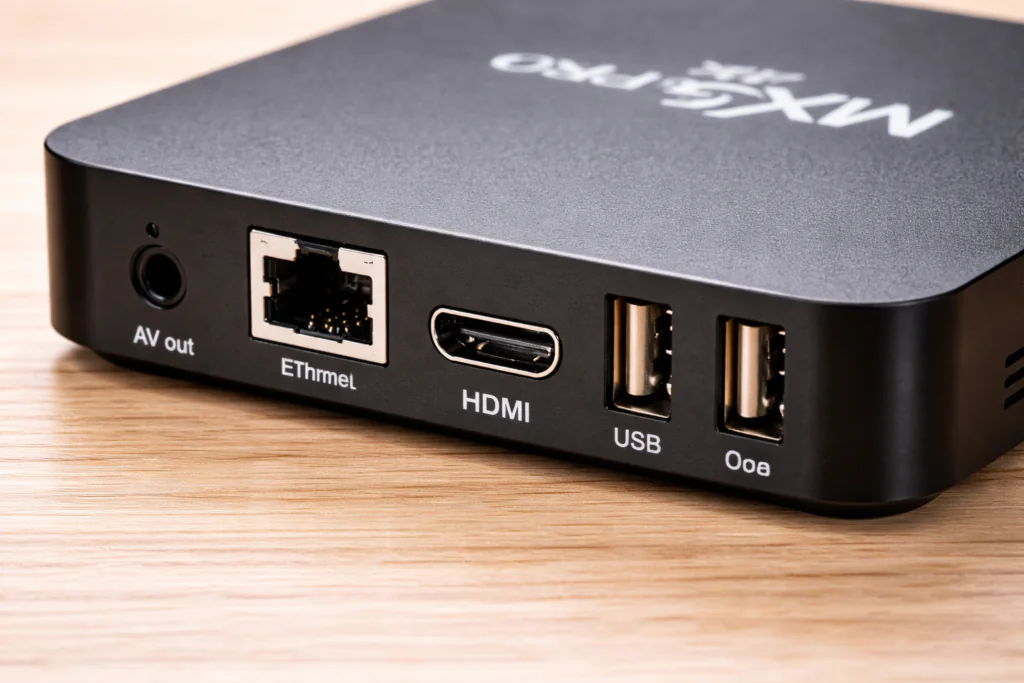
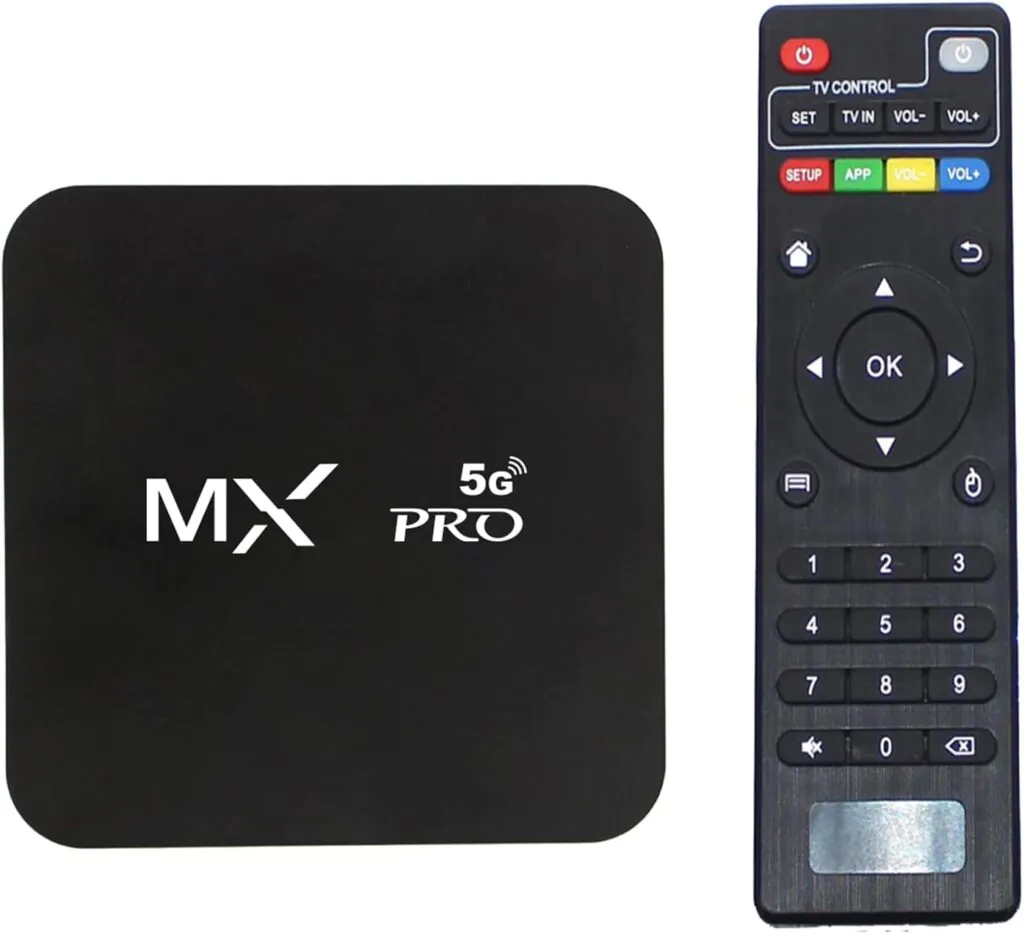
The MXQ Pro 4K has the classic “cheap Android box” look: a small square black plastic shell with a glossy top. It feels light — almost too light — and the plastic does not inspire confidence when you pick it up.
That said, for a device that sits behind your TV and never gets touched, build quality matters less than you’d think.
Ports layout:
- 2 USB 2.0 ports on the side (useful for mouse, keyboard, or USB storage)
- HDMI 2.0 on the back
- Ethernet port (a real advantage over many streaming sticks)
- AV output for older TVs without HDMI
The remote is basic — infrared, no Bluetooth, no voice control. It works, but it’s not comfortable for long navigation sessions. Many users end up pairing a mini wireless keyboard or using a phone as a remote via apps.
One practical plus: the wired Ethernet port. For stable IPTV or Kodi streaming, a wired connection makes a noticeable difference over Wi-Fi — and many competing sticks don’t offer this.
Performance Test
This is where the MXQ Pro 4K shows its age.
The Allwinner H3 or S905W chip was not designed for 2026 workloads. Android app performance is sluggish compared to modern boxes. Navigating menus, switching between apps, and loading YouTube or Netflix takes noticeably longer than on a Fire TV Stick 4K or a Xiaomi Mi Box.
Real-world performance breakdown:
- YouTube: Loads and plays well at 1080p. Occasional stutter at 4K
- Kodi: Runs, but navigation can feel slow with heavy skins or large libraries
- IPTV (via TiviMate or IPTV Smarters): Works well for SD and HD streams; 4K IPTV may stutter
- Gaming: Very limited — only basic casual Android games are playable
- Multitasking: With 1GB RAM, switching between apps often causes crashes or reloads
If you’re coming from a Fire TV Stick 4K Max or a device with a modern chip, the MXQ Pro 4K will feel like a step back. If you’re upgrading from literally nothing — or plugging into an old TV — it’s a functional upgrade.
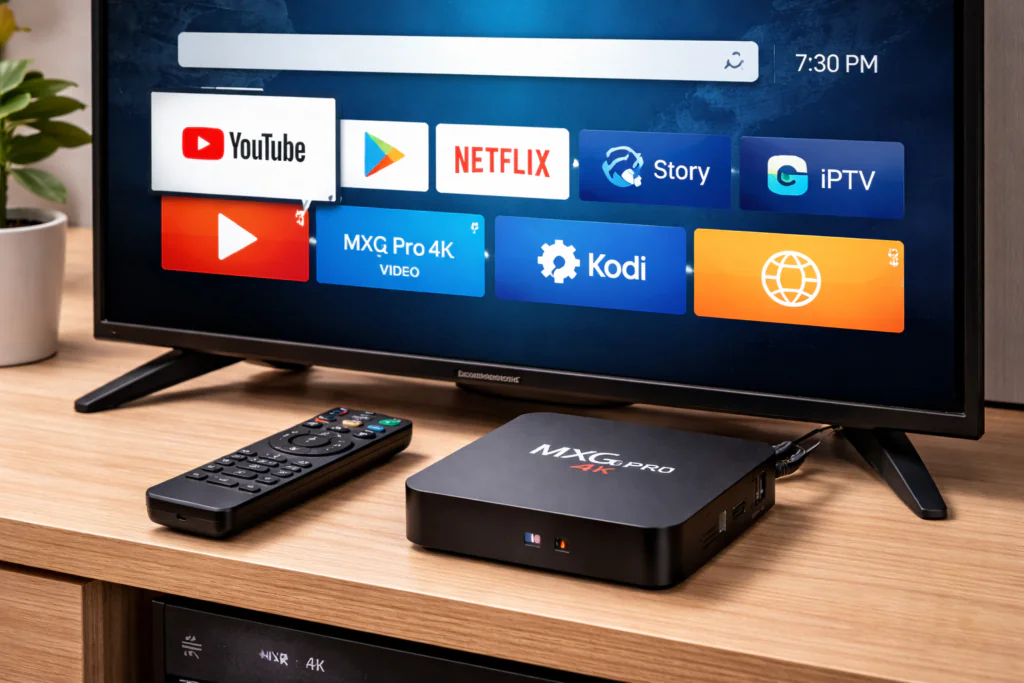
Streaming Quality — Let’s Be Honest About 4K
The “4K” in the name is the most misleading part of this device for most buyers. Here’s the truth:
Can it output 4K resolution? Technically yes — it can decode H.265/HEVC content up to 4K.
Will you actually watch 4K Netflix or YouTube in 4K? Almost certainly no. Here’s why:
- Netflix: The MXQ Pro 4K is not Netflix certified. It can install a basic version of Netflix, but it will stream at 480p or 720p at best — not full HD, definitely not 4K
- YouTube 4K: Playback is inconsistent. 4K streams often buffer or drop to lower quality due to the chip’s limited decode power
- IPTV 4K streams: Can work if your internet connection is strong (25Mbps+) and the stream itself is stable, but expect occasional buffering
For most content — standard HD movies, TV shows, IPTV channels — the MXQ Pro 4K delivers perfectly acceptable 1080p quality. Just don’t buy it expecting a 4K streaming experience on Netflix.
If Netflix in 4K matters to you, look at the [Best Cheap TV Box 2026] instead, where certified options are listed.
Features: Kodi, IPTV & Apps
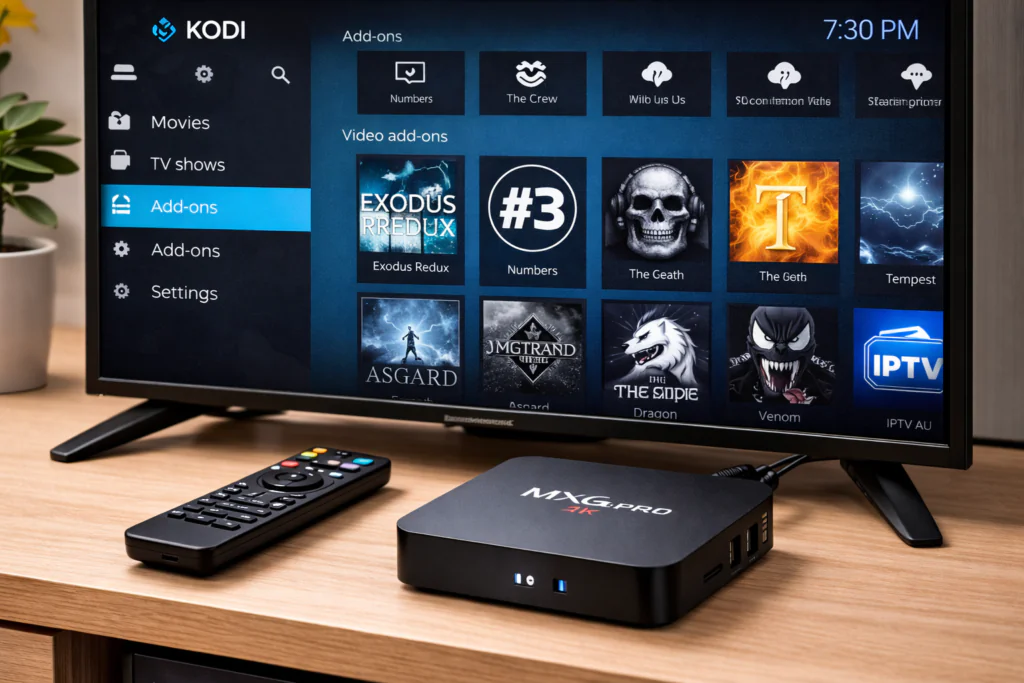
This is honestly where the MXQ Pro 4K has its strongest case. Because it runs standard Android (not a locked-down Fire OS), you can install almost anything.
Kodi: Kodi installs easily via sideload (APK) or through some pre-installed app stores on the device. The box runs Kodi 20 (Nexus) or Kodi 21 (Omega) without major issues — just don’t expect lightning-fast navigation. If you’re new to Kodi, check the How to Install Kodi on TV Box guide for a step-by-step walkthrough.
IPTV: The MXQ Pro 4K is popular with IPTV users because it supports all major IPTV apps: TiviMate, IPTV Smarters Pro, GSE Smart IPTV, and more. The wired Ethernet port is a genuine advantage here — a stable connection means fewer buffering issues. For common streaming problems, see Fix TV Box Buffering.
App Access: Because this is standard Android, you can sideload APKs directly. The Google Play Store may or may not be present depending on your firmware — many units ship without GMS (Google Mobile Services). This means some apps (like Disney+ or Prime Video) may not be available or may not work correctly.
Summary of app compatibility:
- ✅ Kodi — works well
- ✅ IPTV apps — works well
- ✅ VLC — works
- ✅ Plex — works (basic)
- ⚠️ Netflix — installs but limited quality
- ❌ Disney+ — often unavailable without sideloading workarounds
- ❌ Amazon Prime Video — limited or unavailable
Pros & Cons
✅ Pros:
- Very cheap ($15–$30)
- Wired Ethernet port included
- Full Android = sideload any APK
- Great for Kodi and IPTV
- Works with older TVs (AV output)
- No subscription required
❌ Cons:
- Performance is slow by 2026 standards
- “4K” is misleading — Netflix and YouTube won’t stream in true 4K
- Build quality feels cheap
- Remote is basic and uncomfortable
- Android version is outdated (7.1 or 9.0)
- No official customer support
- Security risks (see below)
- Multiple versions exist — specs vary wildly between sellers
💰 Still interested? Check the latest price on Amazon — sometimes it drops below $20 which makes it easier to justify.
Real User Experience
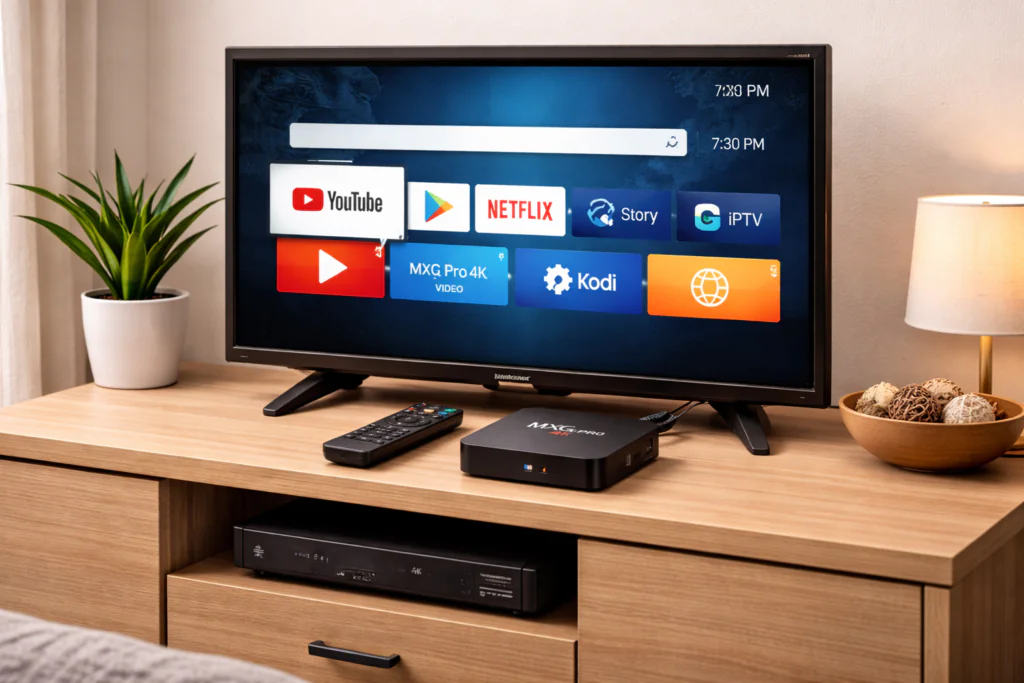
Across forums like Reddit (r/AndroidTV, r/Addons4Kodi) and community feedback on reseller sites, the picture is consistent:
People who love it are typically using it for basic IPTV, Kodi with SD/HD content, or as a way to add smart functionality to a non-smart TV. For those users, the low price makes it a no-brainer.
People who hate it expected a true 4K streaming box with smooth performance and Netflix support. They were let down by the misleading marketing.
One recurring complaint: the device slows down significantly over time as the small internal storage fills up with app caches and updates. Users recommend using a fast USB drive for external storage to extend the device’s useful life.
Another common issue: Wi-Fi instability on some units. Using the Ethernet port instead solves this in most cases.
Overall, satisfaction is higher when buyers go in with realistic expectations.
Is the MXQ Pro 4K Safe?
This is a section most review sites skip — and they shouldn’t.
Cheap Android TV boxes from unknown manufacturers carry real security risks that you need to know about.
Known risks with budget boxes like the MXQ Pro:
- Pre-installed malware: Multiple security researchers have documented cases of budget Android TV boxes shipping with malware pre-installed in the firmware. In 2023, the “BadBox” malware network was discovered on millions of cheap Android devices, including TV boxes.
- No security updates: The Android 7.1 or 9.0 firmware on most MXQ Pro units will never receive a security patch. Known Android vulnerabilities remain permanently open.
- Unknown firmware source: Because multiple OEMs produce the “MXQ Pro,” there is no single firmware to audit. You don’t know exactly what’s running on your device.
- Data privacy: A device on your home network with unpatched vulnerabilities and potentially modified firmware is a real risk to your personal data.
Practical advice:
- Never enter credit card details or sensitive passwords directly on the device
- Consider keeping it on a separate Wi-Fi network (guest network) from your main devices
- Use it primarily for streaming, not banking or personal accounts
- If security is a priority, stick with certified devices (Fire TV, Chromecast, Roku, Xiaomi Mi Box)
This doesn’t mean the MXQ Pro 4K is unusable — millions of people use similar boxes without incident. But being informed is better than being surprised.
Best Alternatives to MXQ Pro 4K
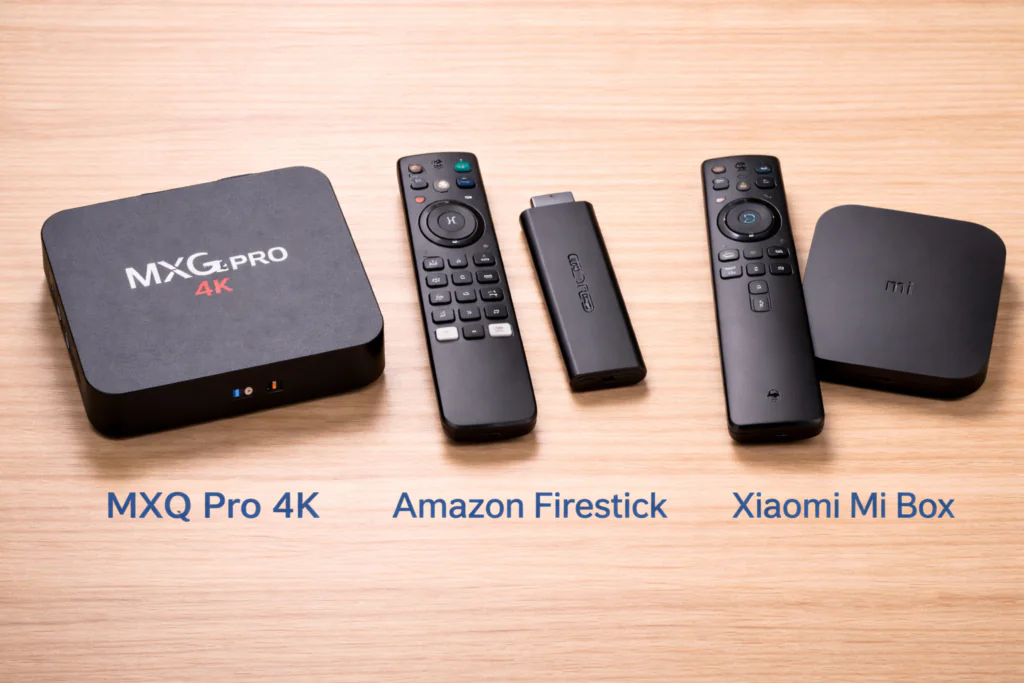
If the MXQ Pro doesn’t feel right after reading this, here are better options at different price points:
| Device | Price | Why It’s Better |
|---|---|---|
| Amazon Fire TV Stick 4K | ~$50 | Certified Netflix 4K, faster chip, official support |
| Xiaomi Mi Box S | ~$60 | Android TV (official), Google certified, 4K HDR |
| Chromecast with Google TV | ~$50 | Google certified, clean OS, strong app support |
| Mecool KM2 Plus | ~$65 | Netflix certified, Dolby Vision, Android TV |
| H96 Max (RK3528) | ~$35 | Better chip than MXQ Pro, more RAM, newer Android |
For a complete breakdown, see the Best Cheap TV Box 2026 guide.
Final Verdict
The MXQ Pro 4K is exactly what it looks like: a very cheap Android box that does the basics and not much more.
Buy it if:
- Your budget is under $25 and you understand the limitations
- You mainly want Kodi or IPTV on an old TV
- You need a wired Ethernet port and can’t afford better
- You’re a beginner who wants to experiment with Android TV boxes
Avoid it if:
- You want real 4K Netflix or Disney+
- You need smooth, fast performance
- Security and privacy matter to you
- You plan to use it as your main streaming device long-term
Rating: 5.5 / 10
It earns its score not because it’s good, but because it’s cheap and honest users get what they pay for. The problem is the marketing — nobody should buy this expecting a premium 4K experience.
🛒 Ready to Buy?
If you’ve read this far and the MXQ Pro 4K fits your needs and budget, here’s the safest place to grab it:
Check the listing carefully — confirm RAM, storage, and Android version before ordering. Prices and versions vary by seller.
This is an affiliate link. If you buy through it, TVBoxFixer.com earns a small commission at zero extra cost to you. We only recommend products we’ve actually reviewed.
FAQ — MXQ Pro 4K
1. Does MXQ Pro 4K really support 4K? Technically yes for H.265 decoding, but streaming apps like Netflix will not play in 4K. Most content will stream at 1080p or lower.
2. Can I install Netflix on MXQ Pro 4K? You can install it, but because it lacks Netflix certification, playback quality is limited to 480p or 720p. For proper Netflix, choose a certified device.
3. Is MXQ Pro 4K good for Kodi? Yes — Kodi is one of the best use cases for this box. It runs Kodi without major issues, though navigation may feel slow.
4. What does “5G” mean on the MXQ Pro 4K box? It refers to 5GHz Wi-Fi dual-band support — not 5G mobile network connectivity. It’s a confusing marketing term.
5. How long does the MXQ Pro 4K last? With normal use (IPTV, Kodi, basic streaming), users typically get 2–3 years of use before the device becomes too slow for updated apps. Clearing cache regularly and using USB storage extends its life.
6. Is the MXQ Pro 4K safe to use? There are documented security risks with cheap Android boxes including possible pre-installed malware. Keep it on a guest network and don’t use it for sensitive accounts.
7. Can I use IPTV on MXQ Pro 4K? Yes — IPTV apps like TiviMate and IPTV Smarters work well. The Ethernet port helps maintain a stable connection.
MXQ Pro 4K
Budget Android TV box with 4K support, ideal for Kodi and IPTV streaming. Available in 1GB/2GB RAM versions.
Product Brand: MXQ
Product Currency: USD
Product Price: 19.99
Price Valid Until: 2026-12-31
Product In-Stock: InStock
4