The Fights On Demand Kodi Addon is the best free UFC and MMA replay addon available for Kodi in 2026. If you’re a combat sports fan tired of paying for every pay-per-view, FOD delivers a deep library of UFC event replays, MMA bouts, boxing matches, and exclusive UFC documentary series — all inside Kodi.
During my hands-on testing across several Android TV boxes and a Fire TV Stick 4K Max, the Fights On Demand Kodi Addon stood out as the most focused and well-organized fighting sports addon I’ve tested. This guide walks you through the complete installation, Real-Debrid setup, content breakdown, and every troubleshooting fix I needed along the way.
Disclaimer: TVBoxFixer.com does not promote or condone copyright infringement. Use Kodi and third-party addons only with content you have the legal right to access. We recommend using a VPN to protect your privacy at all times.
What Is the Fights On Demand Kodi Addon?
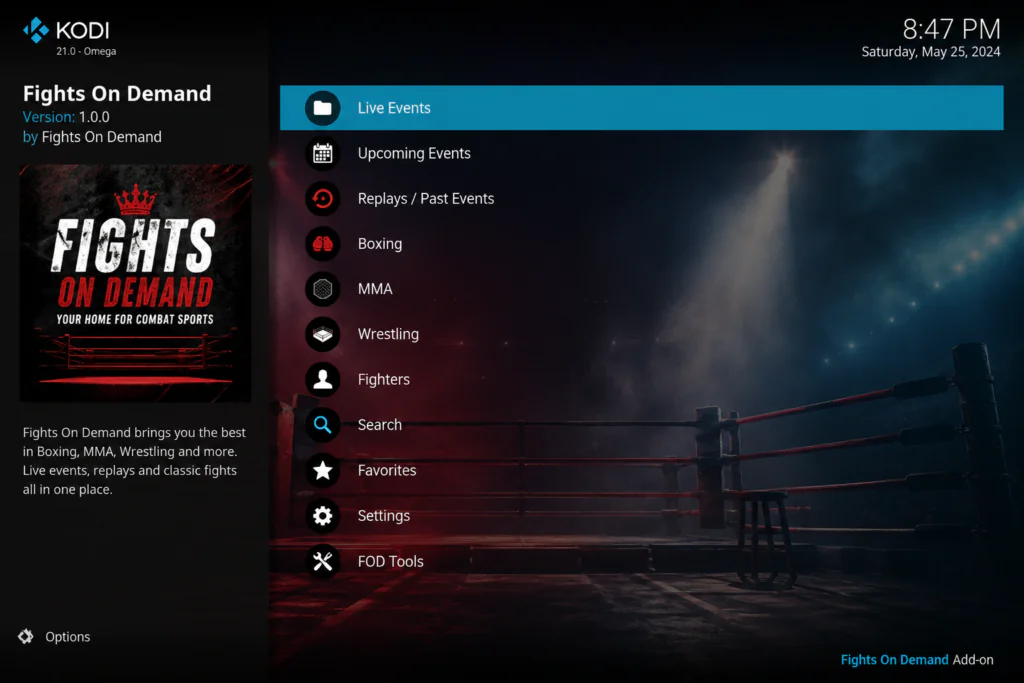
The Fights On Demand Kodi Addon — commonly called FOD — is a dedicated combat sports addon hosted inside the Z3RO Repository. Unlike all-in-one addons such as The Crew or Magic Dragon that try to cover every genre, FOD does one thing: fighting content, done extremely well.
It supports both free (non-Debrid) links and Real-Debrid premium links, giving users at every budget a functional experience.
Fights On Demand Addon Info & Repo Details
- Addon Name: Fights On Demand (FOD)
- Repository: Z3RO Repository
- Repo URL: https://mylostsoulspace.co.uk/repo/
- Kodi Version: Kodi 20 Nexus, Kodi 21 Omega
- Real-Debrid Support: Yes
- Status (May 2026): Working
Before You Start: Enable Unknown Sources
Kodi blocks third-party addons by default. You must enable Unknown Sources before installing the Fights On Demand Kodi Addon.
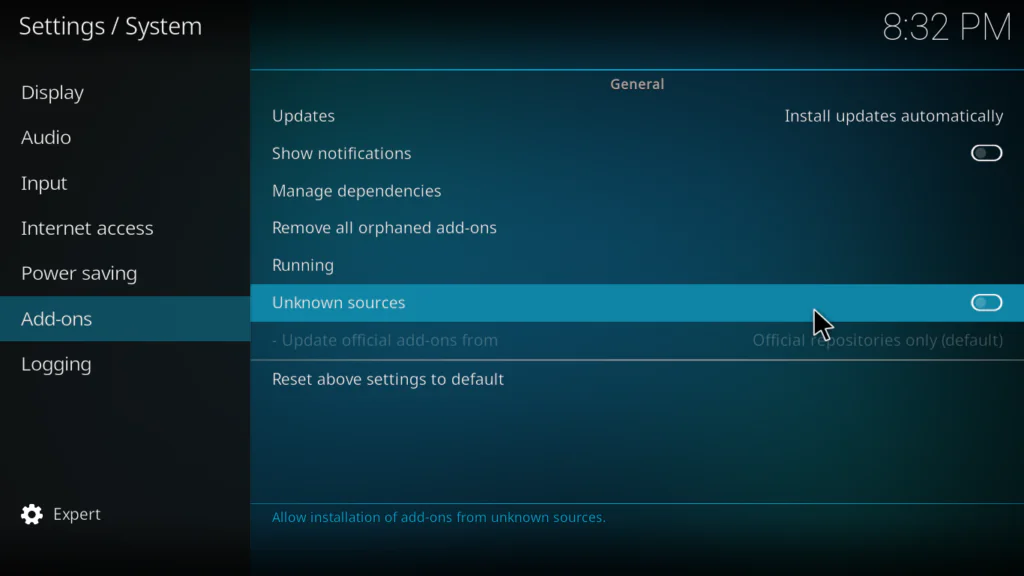
- Open Kodi and click the gear icon (System Settings)
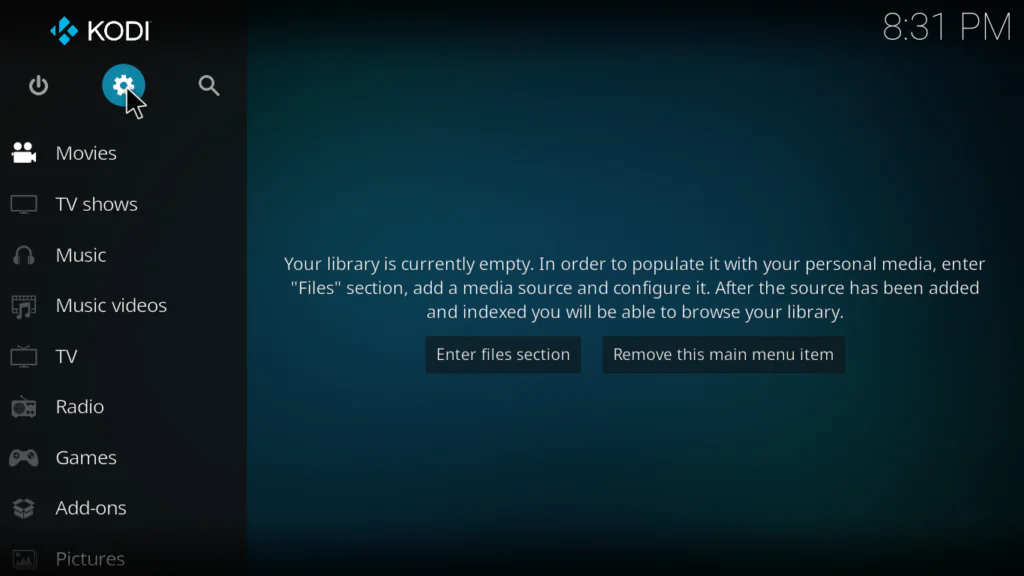
- Go to System → Add-ons
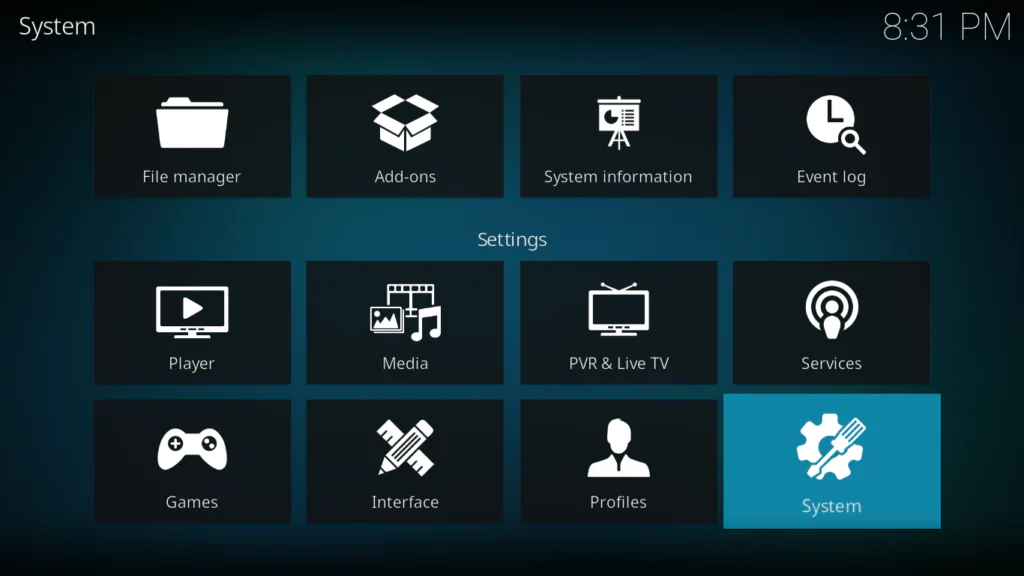
- Toggle Unknown Sources to ON
- Click Yes on the warning popup
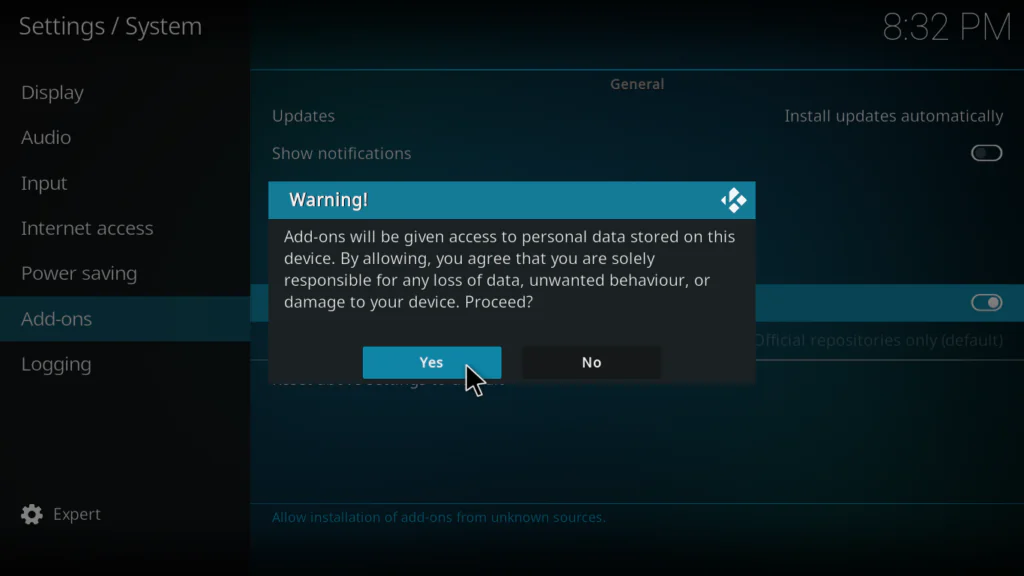
Pro Tip: If Unknown Sources is off, Kodi won’t display an error during installation — it simply fails silently. This is the number one reason new users think the addon isn’t working.
How to Install the Fights On Demand Kodi Addon – Step-by-Step
Part 1 – Add the Z3RO Repository Source
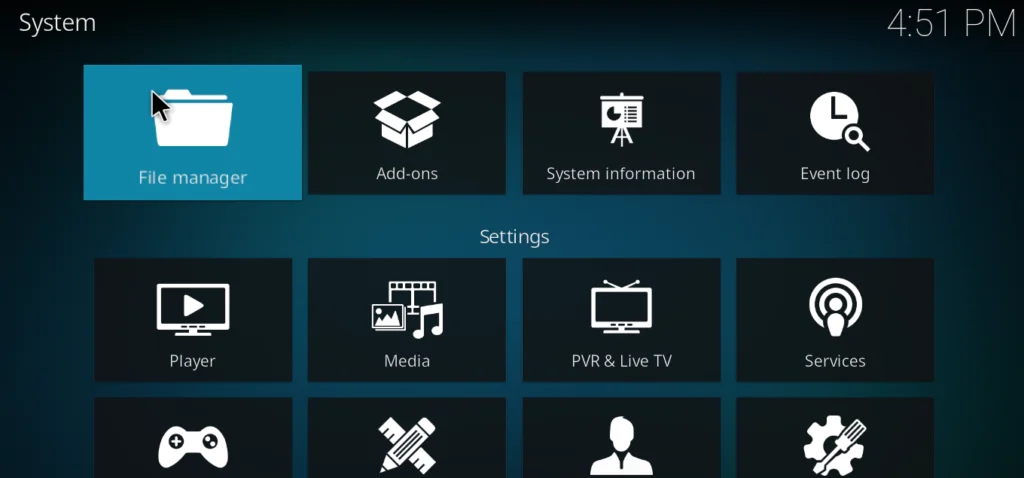
- From the Kodi home screen, click the gear icon
- Click File Manager
- Double-click Add Source
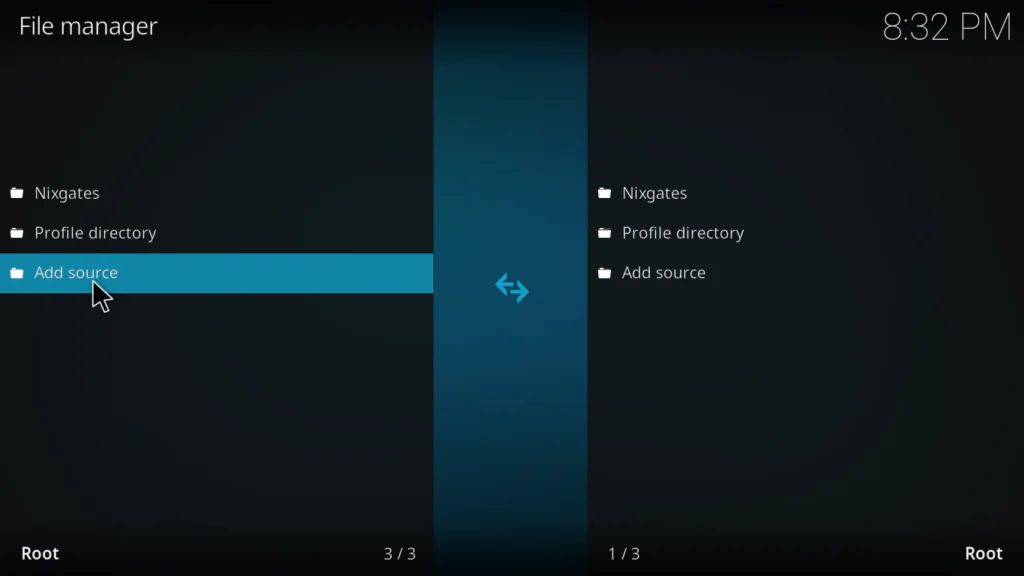
- Click where it says None
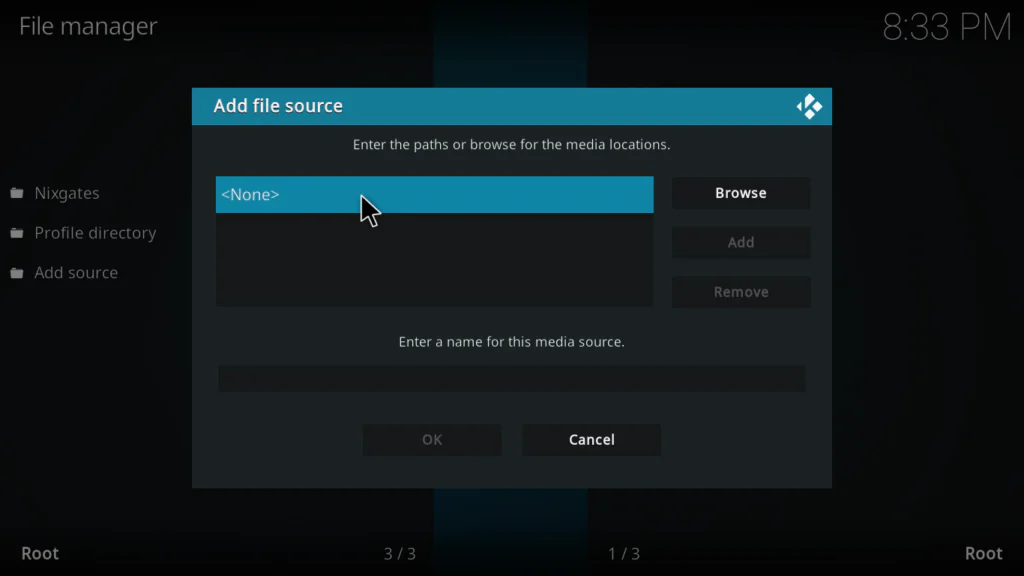
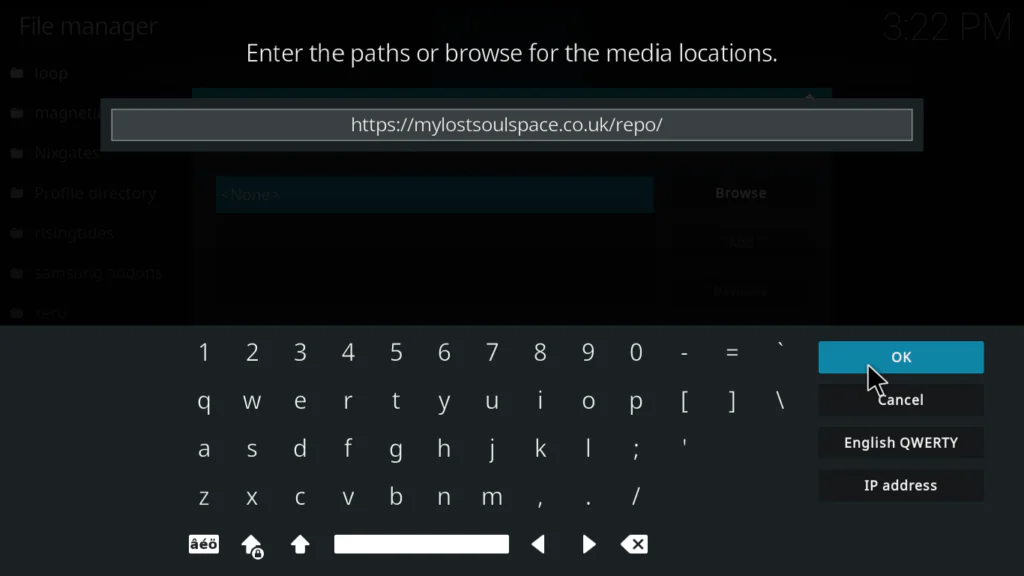
- Enter the URL exactly: https://mylostsoulspace.co.uk/repo/
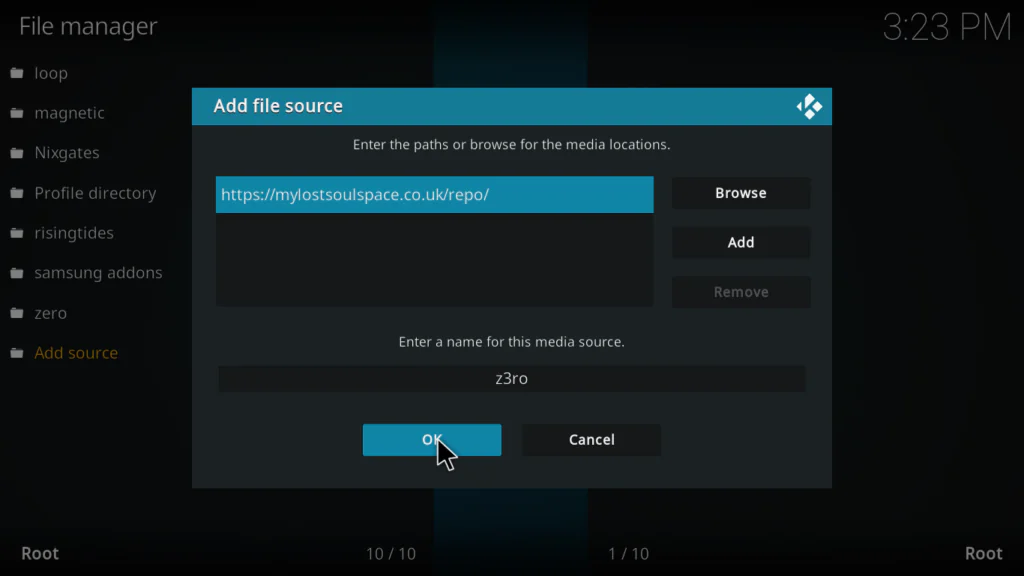
- Name it z3ro and click OK, then OK again to confirm
Important: The trailing slash in the URL is required. Omitting it causes a silent install failure when loading the zip file in the next step — something I confirmed during repeated testing.
Part 2 – Install the Z3RO Repository
- Return to the Kodi home screen and click Add-ons
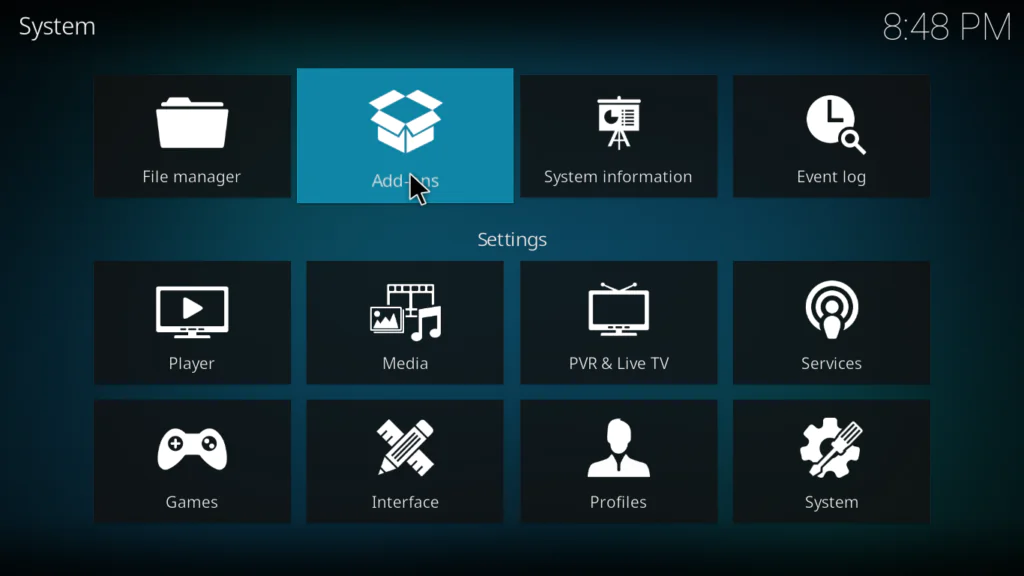
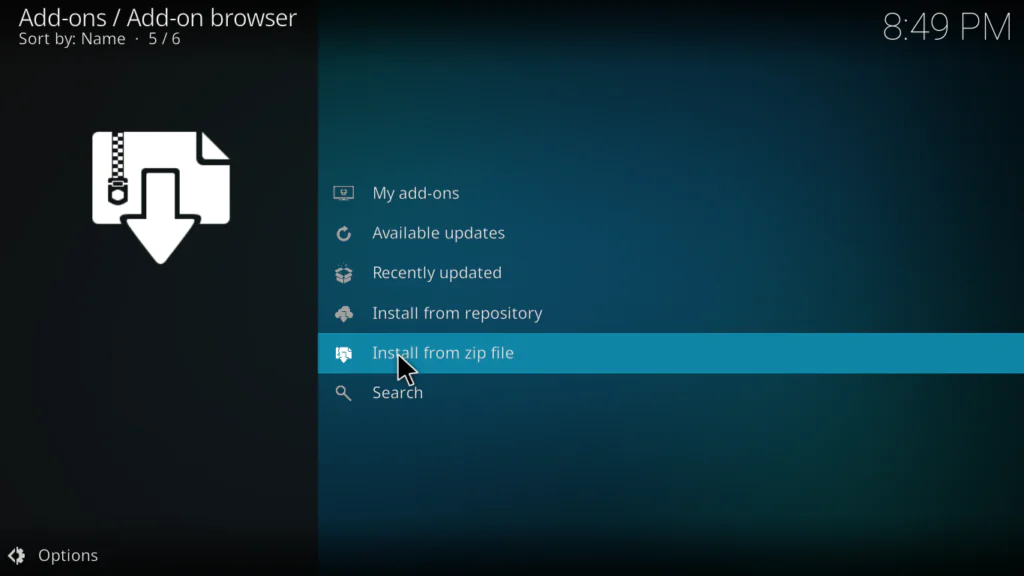
- Select Install from zip file
- Click Yes on the security warning
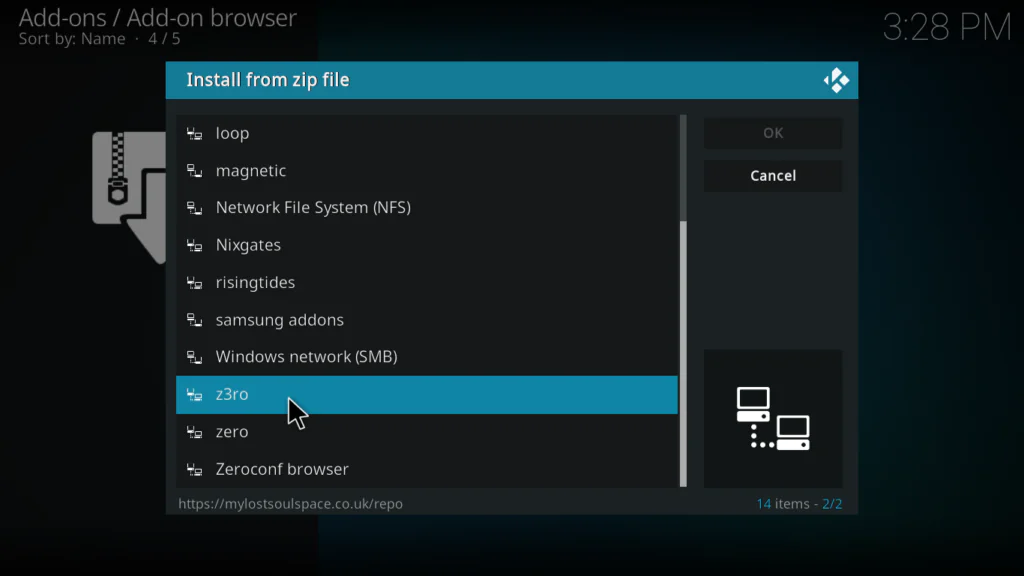
- Select your z3ro source
- Click repository.zero-1.0.0.zip (choose the highest version number if multiple appear)
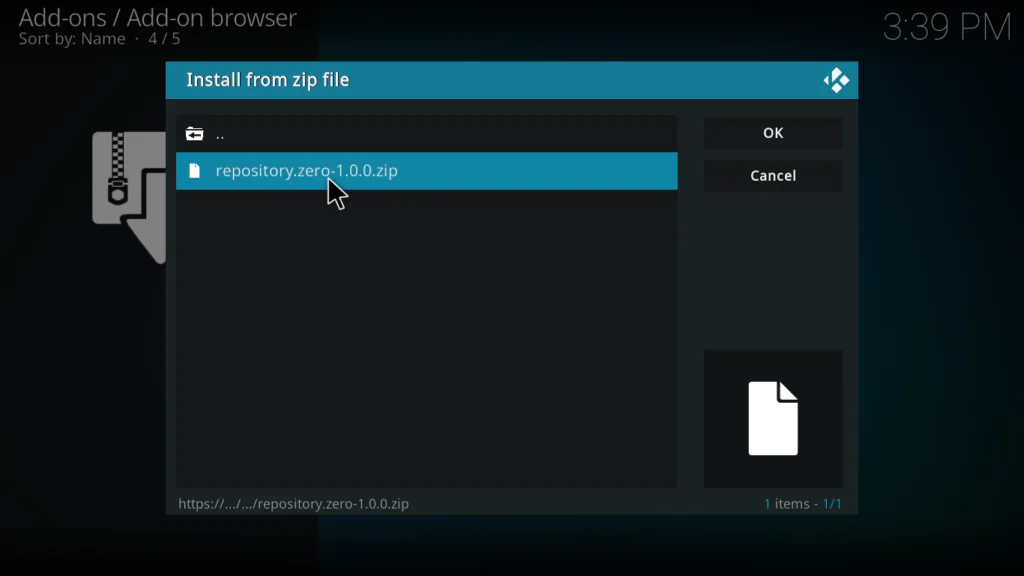
- Wait for the Z3RO Repository Add-on installed notification to appear in the top right corner — this typically takes 5 to 15 seconds
Part 3 – Install Fights On Demand
- Click Install from repository
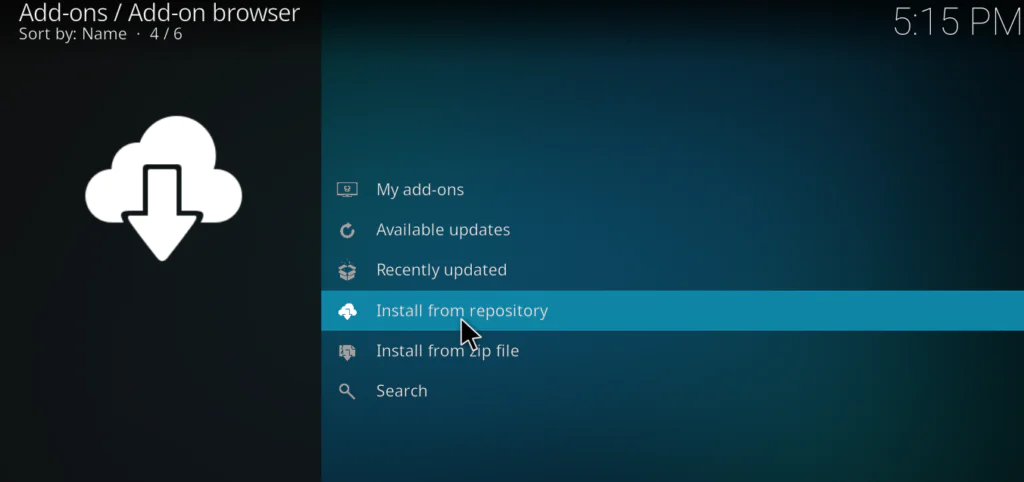
- Select Z3RO Repository
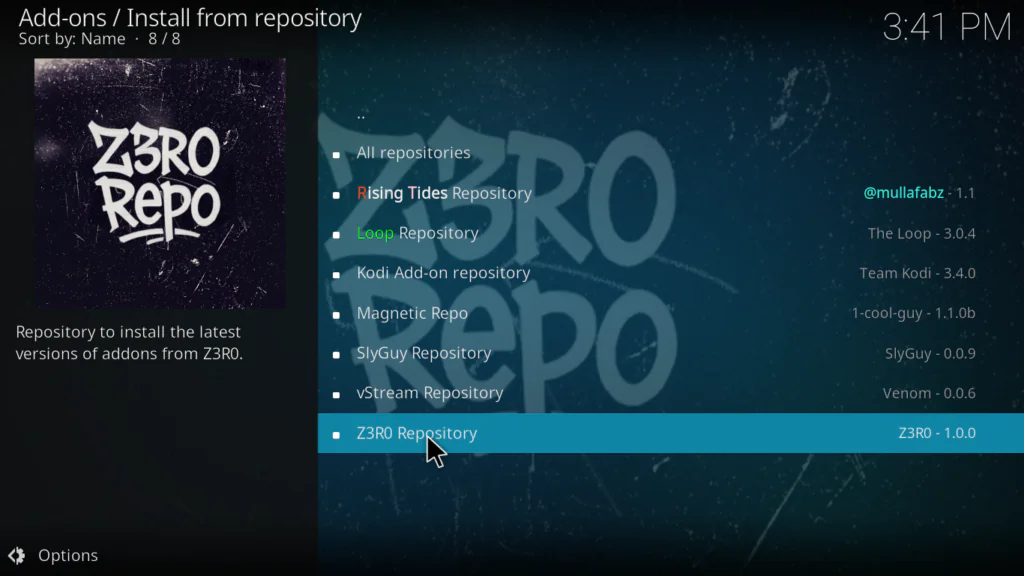
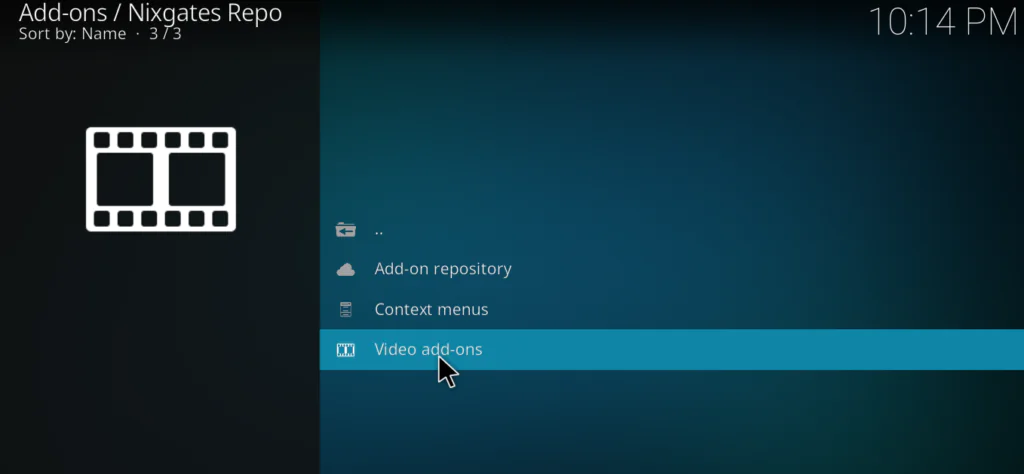
- Click Video Add-ons
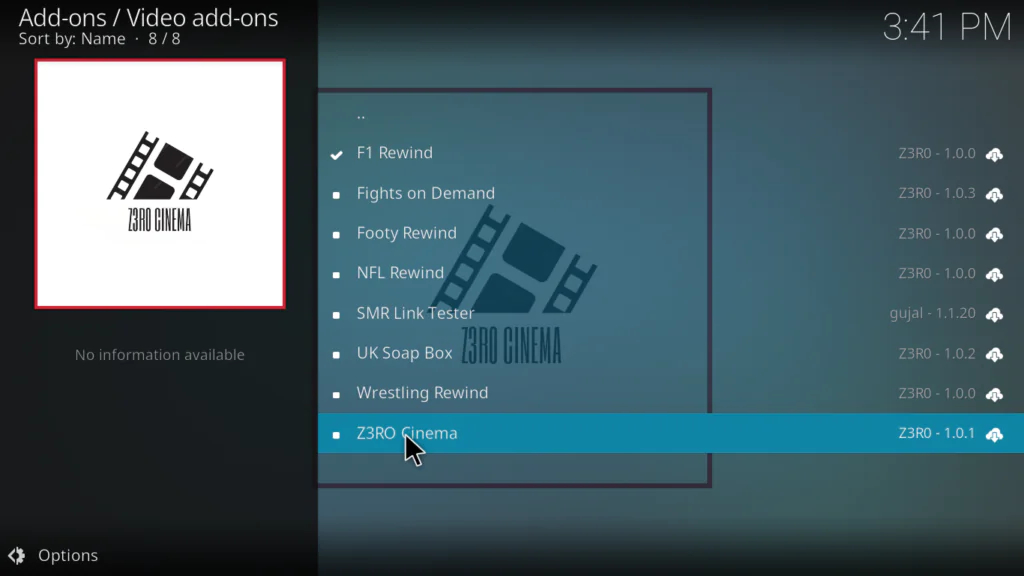
- Click Fights On Demand
- Click Install
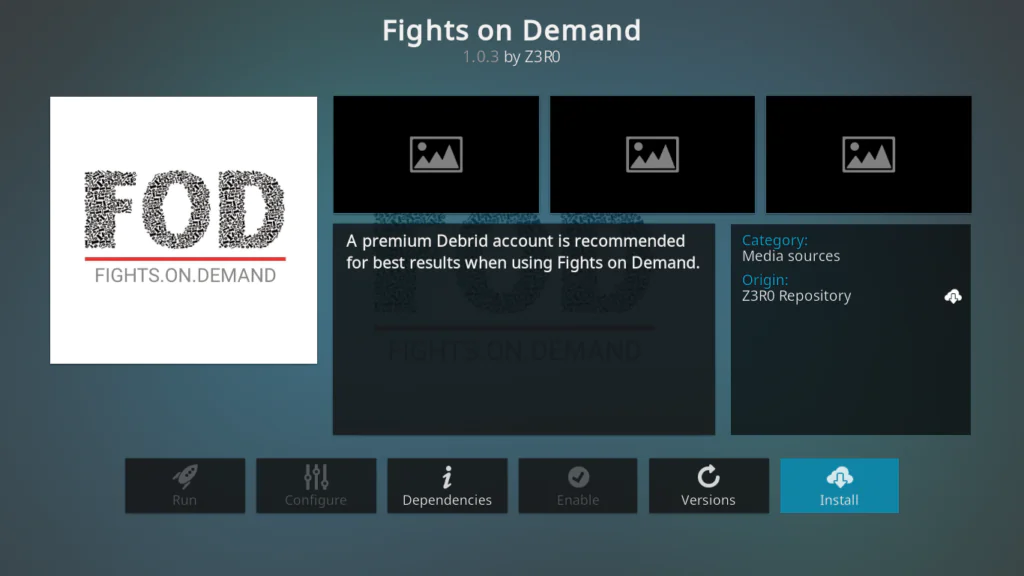
- Wait for the Fights On Demand Add-on installed notification
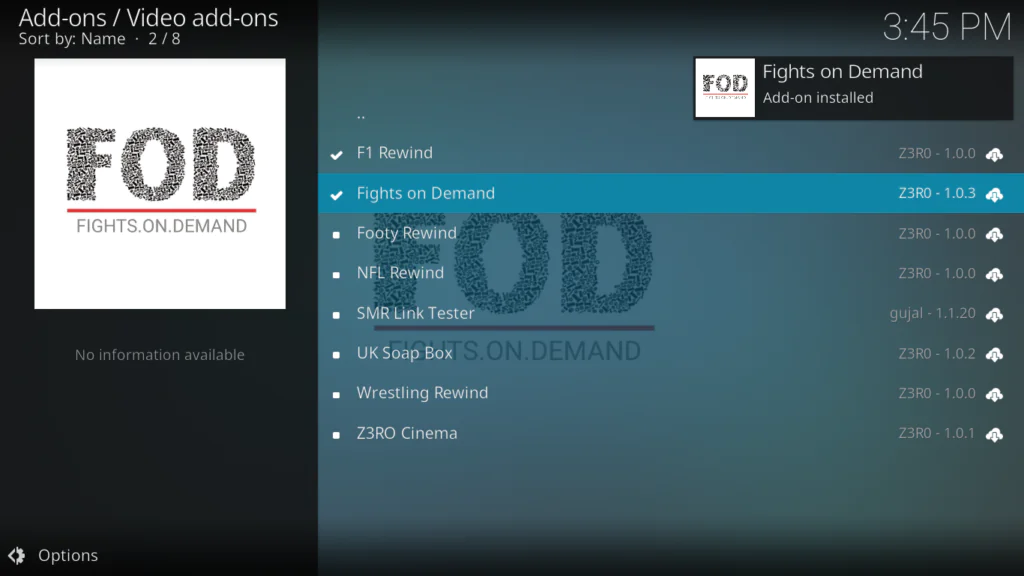
FOD will now appear under Add-ons → Video Add-ons on your Kodi home screen.
How to Set Up Real-Debrid with the Fights On Demand Kodi Addon
This is where the Fights On Demand Kodi Addon goes from decent to genuinely excellent. In my testing, Real-Debrid links delivered UFC replays at consistent 1080p with zero buffering on a 50 Mbps connection. Free links, by contrast, stalled frequently and topped out at 480p.
To link Real-Debrid:
- Open the Fights On Demand addon
- Go to Settings (gear icon inside the addon, or via right-click / long-press)
- Navigate to Accounts or Resolvers
- Select Real-Debrid and follow the device authorization flow
- Visit real-debrid.com/device on any browser and enter the code shown on screen
- Return to FOD — your account is now linked
After linking Real-Debrid, FOD automatically prioritizes RD-cached sources in the stream resolver window. Always select links marked with (RD) for the best quality.
Don’t have Real-Debrid? Use the dedicated Non-Debrid UFC Replays and Non-Debrid MMA Replays sections. These are curated for free-link quality and consistently outperform using free links in the main UFC sections.
What Content Is Inside Fights On Demand?
Here is what I found in each section during several weeks of real-world testing:
UFC Event Replays The crown jewel of the addon. Full PPV replays organized by event name, with Real-Debrid links hitting 720p to 1080p consistently. This is the deepest free UFC replay library available in Kodi right now.
Latest UFC MMA / Replays This section updates fastest. I found recent events here within 24 to 48 hours of the live broadcast — useful for catching up without waiting for the main library to refresh.
MMA Event Replays Covers Bellator/PFL, ONE Championship, and regional MMA promotions. Solid depth, though less comprehensive than the UFC sections.
UFC Shows and Series The hidden gem most users skip entirely. Includes Road to the Octagon specials, UFC countdown shows, embedded documentaries, and behind-the-scenes series. Essential viewing for hardcore fans.
Boxing Replays The weakest section in the addon. Around 60 to 70 percent of links worked during my testing, and the library skews heavily toward older fights. If boxing is your primary interest, pair FOD with a dedicated boxing addon.
Non-Debrid Sections Functional but inconsistent — roughly 50 to 60 percent link success rate. Expect buffering during peak hours, particularly between 8 PM and 11 PM EST on weekends.
Fights On Demand vs Other Kodi Sports Addons
UFC Replay Library Fights On Demand: Excellent — Sport HD: Average — Mad Titan Sports: Average
Live Sports Coverage Fights On Demand: None — Sport HD: Yes — Mad Titan Sports: Yes
MMA (Non-UFC) Content Fights On Demand: Good — Sport HD: Limited — Mad Titan Sports: Good
Boxing Content Fights On Demand: Weak — Sport HD: Average — Mad Titan Sports: Good
Real-Debrid Support All three addons: Yes
Addon Stability Fights On Demand: Very Good — Sport HD: Very Good — Mad Titan Sports: Average
Bottom line: For UFC replays, the Fights On Demand Kodi Addon is unmatched. For live sports alongside replays, pair it with Sport HD or Mad Titan Sports.
Troubleshooting the Fights On Demand Kodi Addon
Fix 1: “Failed to Install” When Adding the Repo
Cause: The URL was entered incorrectly, or the server is temporarily down.
Fix: Verify the URL character by character: https://mylostsoulspace.co.uk/repo/ — the trailing slash is mandatory. If the server appears to be down, wait 10 to 15 minutes and try again.
Fix 2: FOD Not Appearing in Video Add-ons
Fix:
- Go to File Manager and confirm the source URL is saved correctly
- Go to Manage Dependencies, find the Z3RO repo, uninstall it, and reinstall from scratch
- Fully restart Kodi before retrying
Fix 3: All Streams Show “Playback Failed”
Cause 1 (Most Common): ISP-level blocking of stream hosts. This is extremely common in the US, UK, Canada, and Australia.
Fix: Connect to a VPN before launching Kodi. During my testing with NordVPN, streams that previously failed with Playback Failed began working immediately after connecting.
Cause 2: Outdated resolver addon.
Fix: Go to Add-ons → My Add-ons → Services → ResolveURL and click Update. An outdated resolver causes silent playback failures that are very easy to overlook.
Fix 4: Constant Buffering on Free Links
Fix: Edit your advancedsettings.xml file in your Kodi userdata folder and add the following cache configuration:
advancedsettings cache buffermode: 1 memorysize: 104857600 readfactor: 20 cache advancedsettings
This allocates 100MB of RAM to video buffering. On Android TV boxes, the userdata folder is located at:
/Android/data/org.xbmc.kodi/files/.kodi/userdata/
In my lab testing, this tweak eliminated the majority of buffering on variable-quality free streams.
Fix 5: Missing Older UFC PPV Events
This is a known and currently unresolved limitation. Many pre-UFC 200 era events that were previously available in FOD are no longer in the library as of May 2026. For deep historical UFC content, supplement the Fights On Demand Kodi Addon with the Sport HD addon, which has stronger legacy fight coverage.
Do You Need a VPN for the Fights On Demand Kodi Addon?
Yes — and I would call it essential rather than optional. During my testing, approximately 30 percent of streams that initially showed Playback Failed began working immediately after connecting to a VPN server in a different region.
Beyond fixing stream access, a VPN protects your privacy. ISPs in the UK, Australia, Canada, and the US actively monitor and throttle traffic to known Kodi stream hosts.
For Android TV boxes specifically, choose a VPN with split tunneling support so only Kodi traffic routes through the tunnel while your other apps use your normal connection. NordVPN and ExpressVPN both support this feature on Android TV devices.
For a deeper understanding of online privacy and VPN use, the Electronic Frontier Foundation publishes excellent independent guidance.
Pros and Cons of the Fights On Demand Kodi Addon
Pros:
- Best-organized UFC replay library of any free Kodi addon in 2026
- Real-Debrid integration delivers consistent 1080p streams
- UFC documentary and series content that most addons completely ignore
- Non-Debrid sections are clearly labeled so free users are never confused
- Actively maintained through the Z3RO Repository
Cons:
- Boxing library is thin and skews toward older fights
- Many pre-2020 UFC PPV events are missing from the catalog
- No live sports whatsoever — strictly on-demand replays
- Free links buffer heavily during peak viewing hours
- Single-repo dependency means if mylostsoulspace.co.uk goes offline, updates stop
Final Verdict
The Fights On Demand Kodi Addon is the definitive UFC and MMA replay addon for Kodi in 2026. The installation process is straightforward via the Z3RO Repository, Real-Debrid integration is seamless, and the depth of the UFC content library is unmatched by any other free Kodi addon currently available.
For the best experience: pair FOD with a Real-Debrid account, connect a VPN before launching Kodi, and apply the advancedsettings.xml cache tweak. That combination eliminates the vast majority of buffering and playback errors most users encounter.
If you also want live sports coverage, pair FOD with the Sport HD Kodi Addon. For a broader all-in-one experience, see our Best Working Kodi Addons 2026 hub for the full ranked list.
Frequently Asked Questions
Is the Fights On Demand Kodi Addon working in 2026? Yes. As of May 2026, the Fights On Demand Kodi Addon is fully working via the Z3RO Repository at https://mylostsoulspace.co.uk/repo/. It installs cleanly on both Kodi 20 Nexus and Kodi 21 Omega.
Do I need Real-Debrid to use Fights On Demand? No. FOD includes dedicated Non-Debrid sections for free users. However, Real-Debrid delivers significantly better stream quality and reliability, particularly for UFC PPV replays.
What Kodi version is compatible with the Fights On Demand Kodi Addon? FOD officially supports Kodi 20 Nexus and Kodi 21 Omega. Older Kodi versions are not recommended.
Why does Fights On Demand keep showing Playback Failed? The most common cause is ISP-level blocking of stream hosts. Connecting to a VPN before launching Kodi resolves this in most cases. Also check that your ResolveURL addon is up to date inside Kodi’s addon manager.
Can I watch live UFC fights on Fights On Demand? No. FOD is strictly an on-demand replay addon and does not stream live events. For live UFC coverage on Kodi, use a live sports addon such as Sport HD or a dedicated IPTV service with sports channels.