Introduction
Rising Tides Kodi addon is one of the most popular free sports addons available on Kodi right now — and if you’re a football fan especially, it deserves a spot on your device immediately.
Rising Tides Kodi gives you access to live football matches, PPV events, highlights, NBA, UFC, wrestling, and much more — completely free, directly inside Kodi. It’s been one of the most consistently used sports addons in the Kodi community for years, and it’s still going strong in 2026.
The addon focuses heavily on European football — especially English Premier League and Champions League matches — alongside a solid lineup of international PPV events and other sports.
In this guide I’ll walk you through the complete installation of Rising Tides on Kodi step by step, explain exactly how to use it, and give you real fixes for when it stops working. Let’s get into it.
What Is the Rising Tides Kodi Addon?
Rising Tides is a dedicated live sports addon for Kodi. It’s hosted in its own dedicated repository — the Mullafabz Repository — which is separate from SlyGuy, Magnetic, or any other third-party repo you may have used before.
The addon pulls live sports streams from multiple free streaming websites and organizes them into clean categories inside Kodi. It’s particularly well known for its football coverage — live Premier League games, Champions League matches, and highlights are all available.
One important thing to know before you start: stream links for live events only become active approximately 5 minutes before kickoff. This is completely normal — if you open a game category and see no working links, it just means the game hasn’t started yet. Check back closer to kick-off and the links will be there.
This is the number one reason people think Rising Tides isn’t working — and it’s almost never actually broken.
What Can You Watch?
Rising Tides Kodi has a focused but high-quality content library built primarily around live sports.
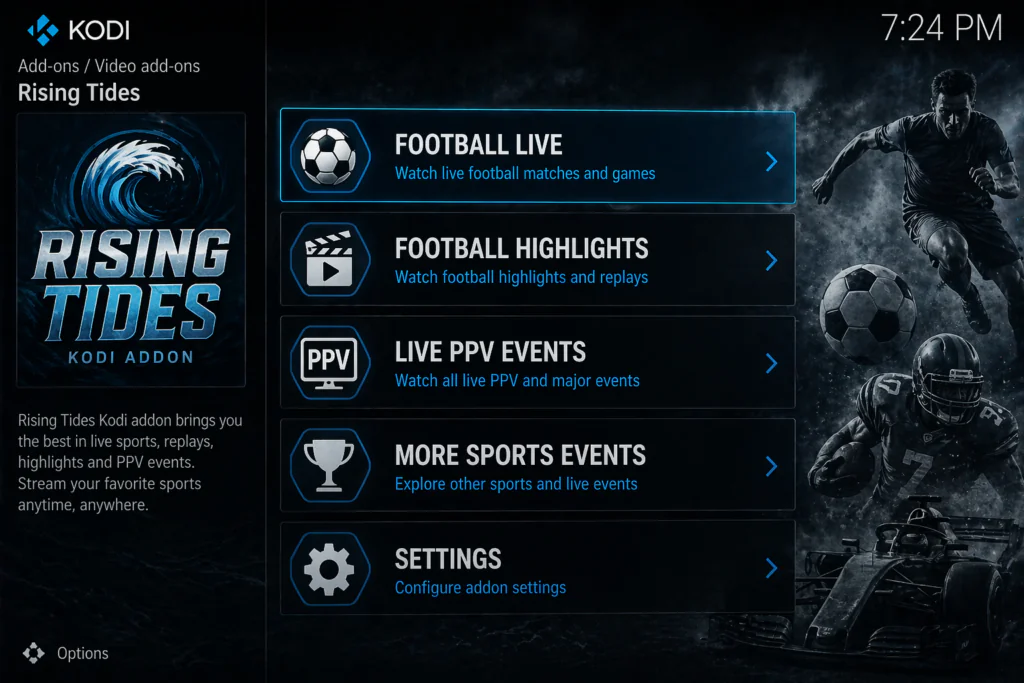
Main content sections:
- Football Live — live Premier League, Championship, Champions League, and more
- Football Highlights — post-match highlights for major football leagues
- Live PPV Events — live pay-per-view events including boxing and MMA
- More Sports Events — NBA, UFC, wrestling, and other major sports
- Sports Highlights — highlight packages across multiple sports
What Rising Tides is best known for:
- English Premier League live coverage — one of the strongest free options available
- Champions League matches — European football covered well
- Live PPV events — boxing and UFC fight nights
- Regular highlight packages — ideal if you missed the live game
The content library is more focused than something like Mad Titan Sports — Rising Tides isn’t trying to cover everything. It does football and PPV events exceptionally well and covers other major sports as a secondary offering.
Features of Rising Tides Kodi
Here’s what makes this addon worth installing:
- Live Premier League and Champions League football streams
- Football highlights updated after every matchday
- Live PPV events — boxing, UFC, and wrestling
- Additional sports coverage — NBA, more sports events
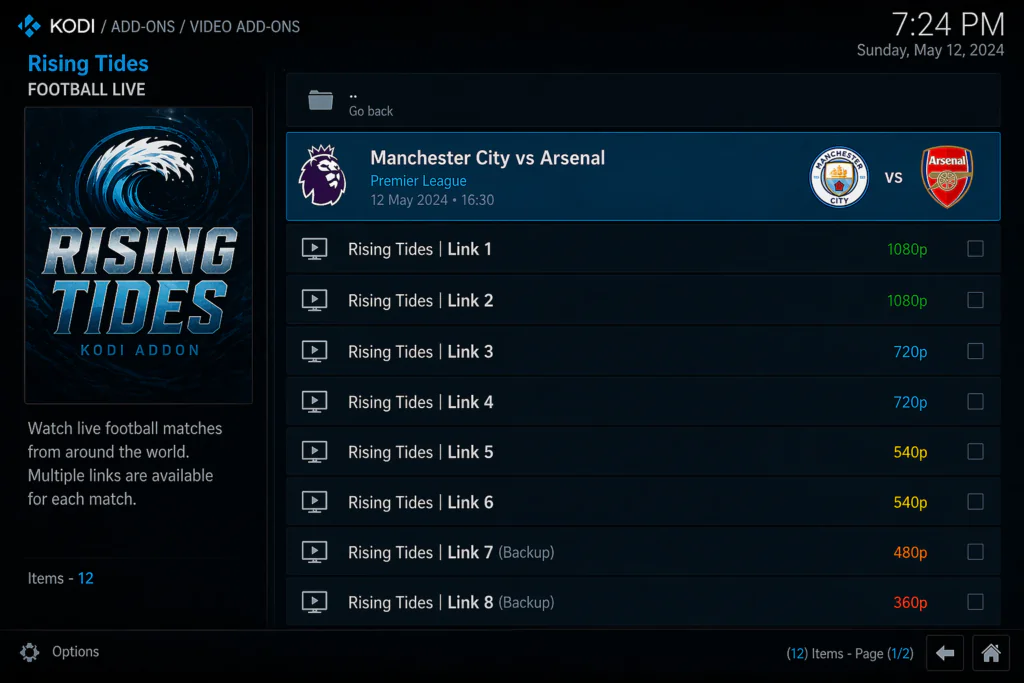
- Multiple stream links per event — backup options if one fails
- Clean, simple interface — easy to navigate even for beginners
- Links go live 5 minutes before kickoff — always fresh and current
- Regular updates from its own dedicated repository
- Compatible with Kodi 19, 20 Nexus, and Kodi 21 Omega
- Works on Android TV boxes, Fire Stick, Windows, Mac, and Raspberry Pi
Is Rising Tides Kodi Safe and Legal?
Let me give you an honest answer here.
The Rising Tides addon itself installs without any issues on most devices. However, TROYPOINT did note that a VirusTotal scan of the Rising Tides repository found three suspicious files — which is worth knowing. This doesn’t mean the addon will harm your device, but it does mean you should be aware it’s an unverified third-party addon.
Legally, Rising Tides pulls streams from free streaming websites. Many of the football and PPV streams it provides are copyrighted content — Premier League matches, UFC events, and boxing fights are all behind paywalls in most countries. Accessing these through a free addon sits in a grey area legally.
The addon doesn’t host any content itself — it finds and plays links that exist on the internet. But if you’re watching a match that normally requires a Sky Sports subscription, the stream itself isn’t officially licensed.
For privacy while streaming, using a VPN keeps your connection private and prevents ISP throttling. The EFF has a clear guide on why this matters at eff.org/issues/privacy.
Before starting, download Kodi from the official website at kodi.tv.
Requirements Before You Start
Make sure you have these ready:
- Kodi 19 (Matrix), Kodi 20 (Nexus), or Kodi 21 (Omega) installed on your device
- A stable internet connection — at least 10 Mbps for smooth live sports streaming
- Unknown Sources enabled in Kodi settings — I’ll show you exactly how
- A compatible device — Android TV box, Fire Stick, Windows PC, Mac, or Raspberry Pi
If you’ve never installed a Kodi addon before, check out this beginner guide on how to install Kodi addons first.
Step-by-Step Installation Guide for Rising Tides Kodi
Follow each step carefully. The whole process takes under 10 minutes.
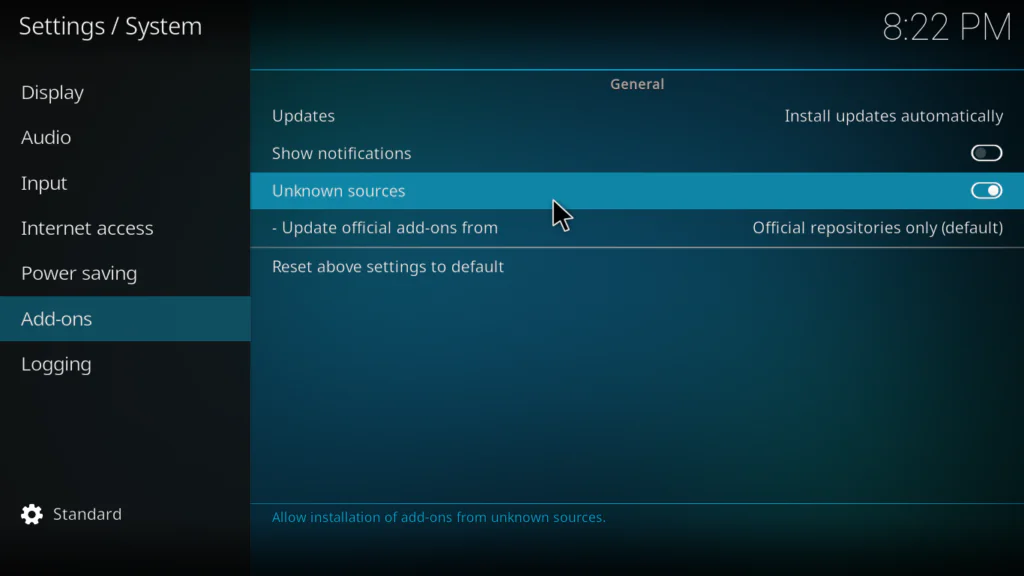
Step 1: Enable Unknown Sources in Kodi
- Open Kodi on your device
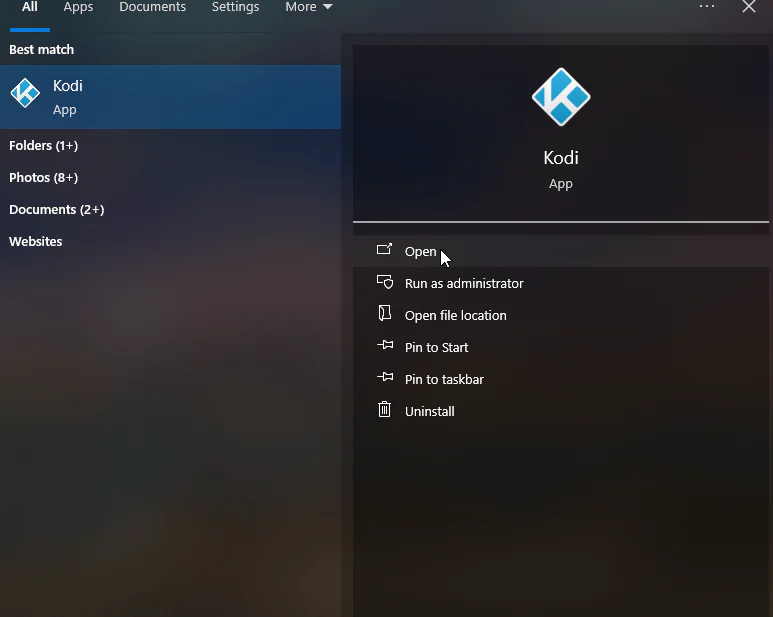
- Click the gear icon at the top left to open Settings
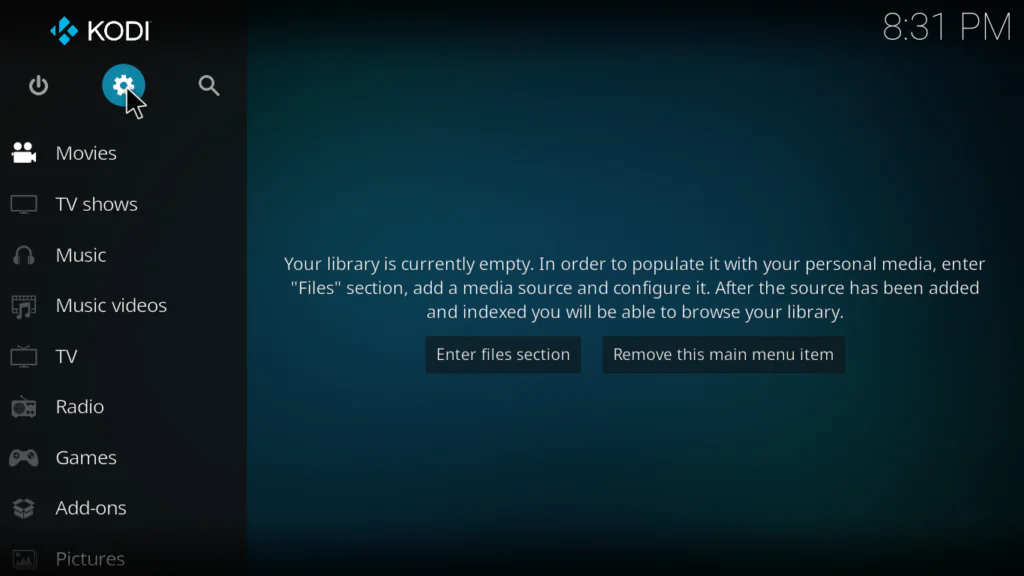
- Click System
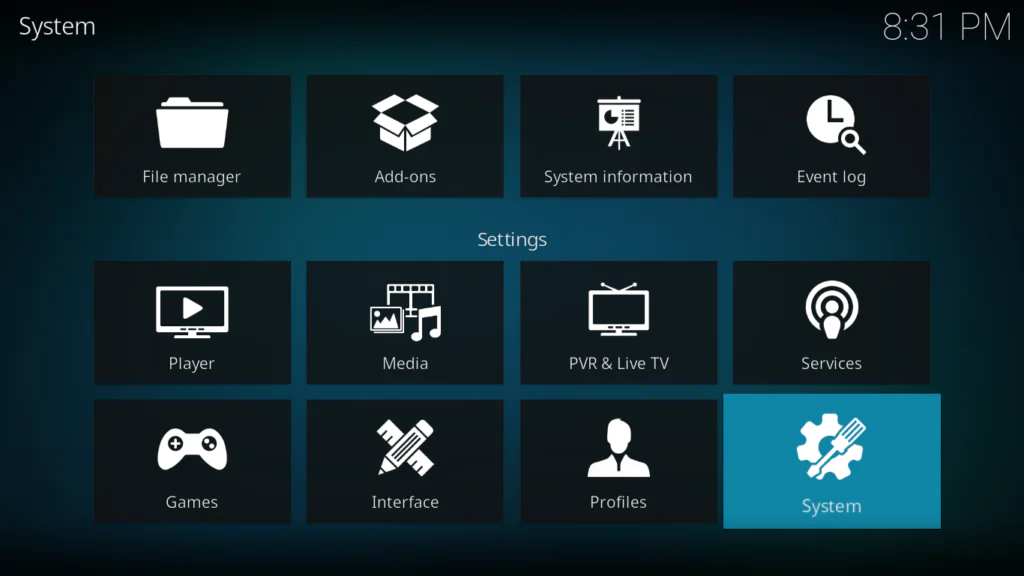
- Select Add-ons from the left menu
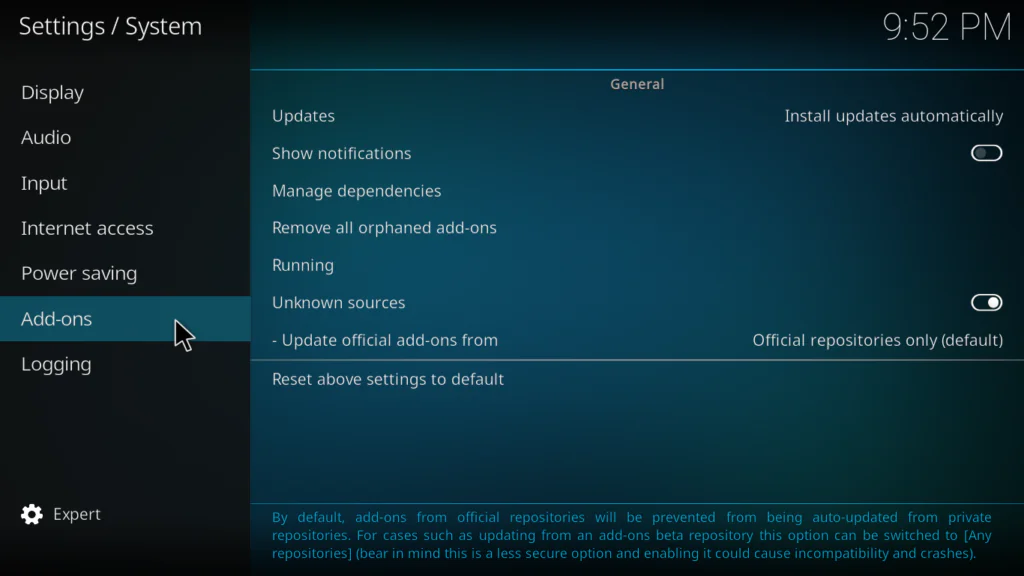
- Toggle Unknown Sources to ON
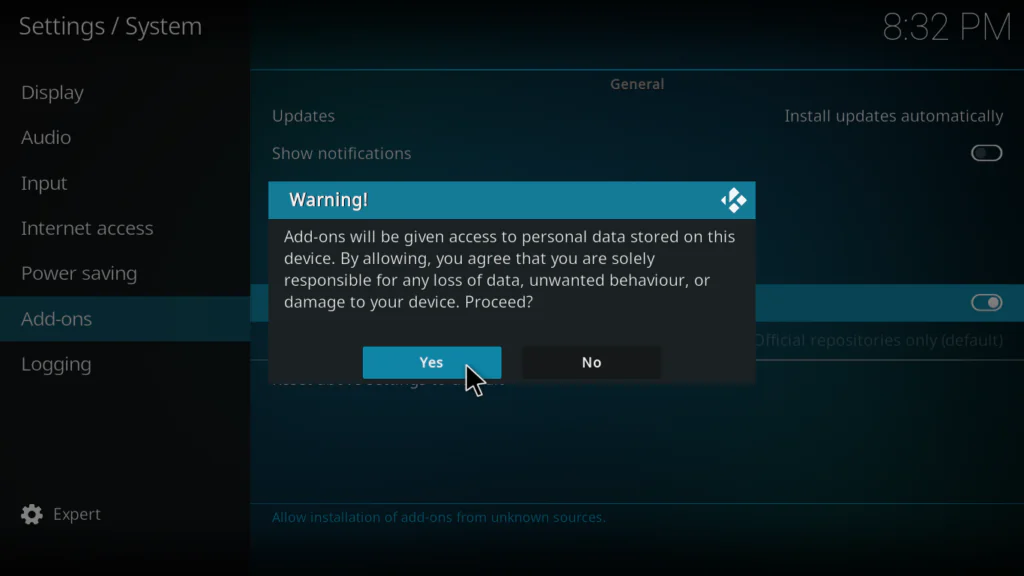
- Click Yes on the warning popup
Step 2: Add the Rising Tides Repository in File Manager
Rising Tides uses its own dedicated Mullafabz Repository. The URL is case-sensitive — type it exactly.
- Go back to the main Settings screen
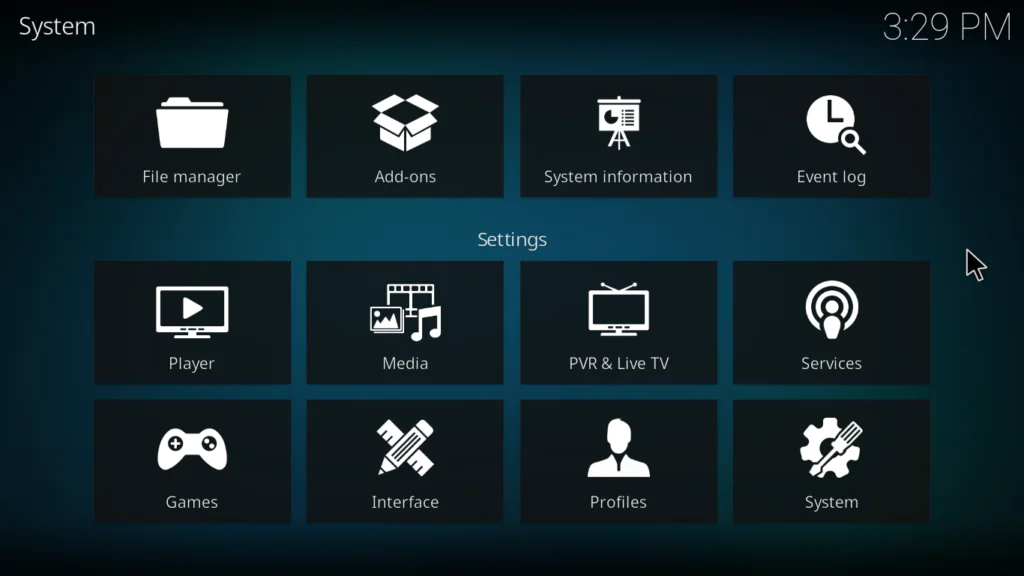
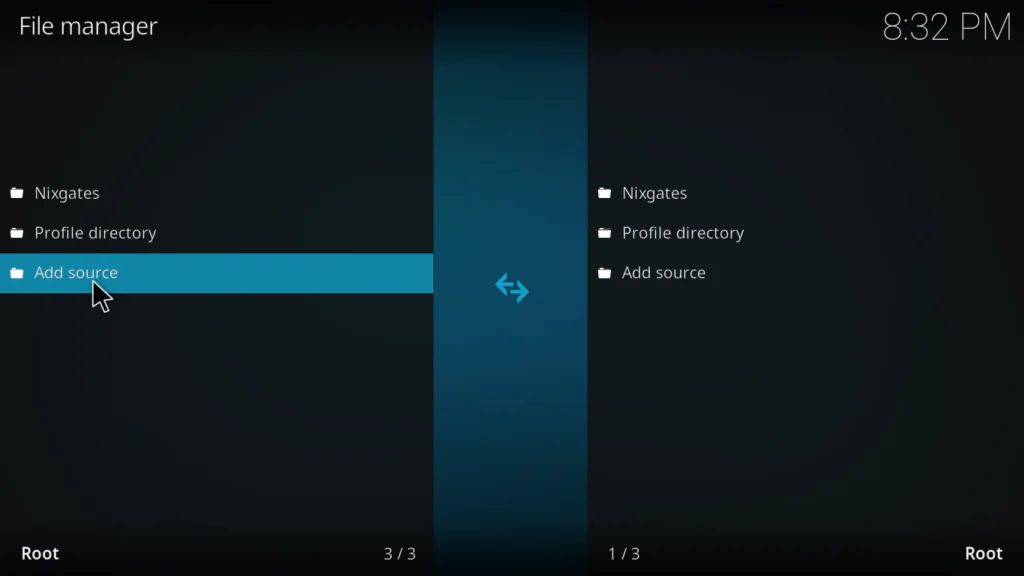
- Click File Manager
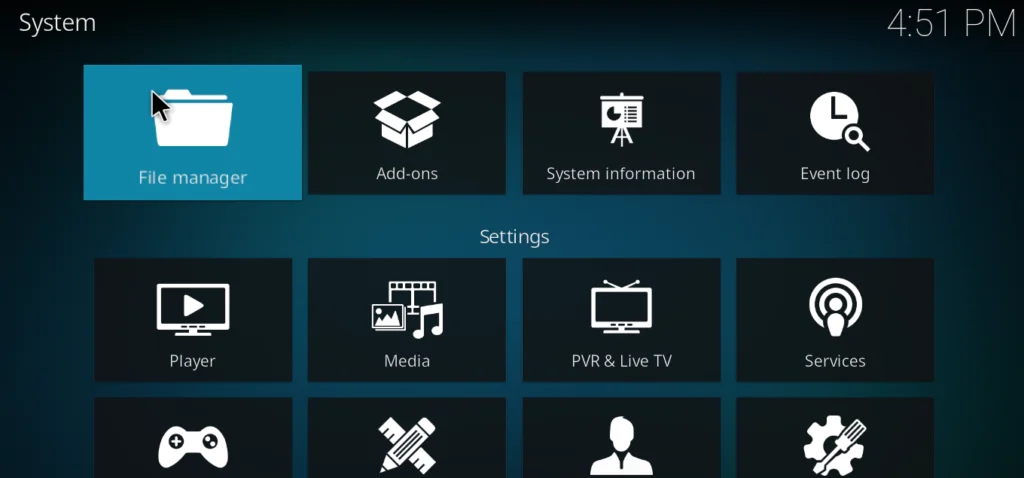
- Double-click Add Source on the left panel
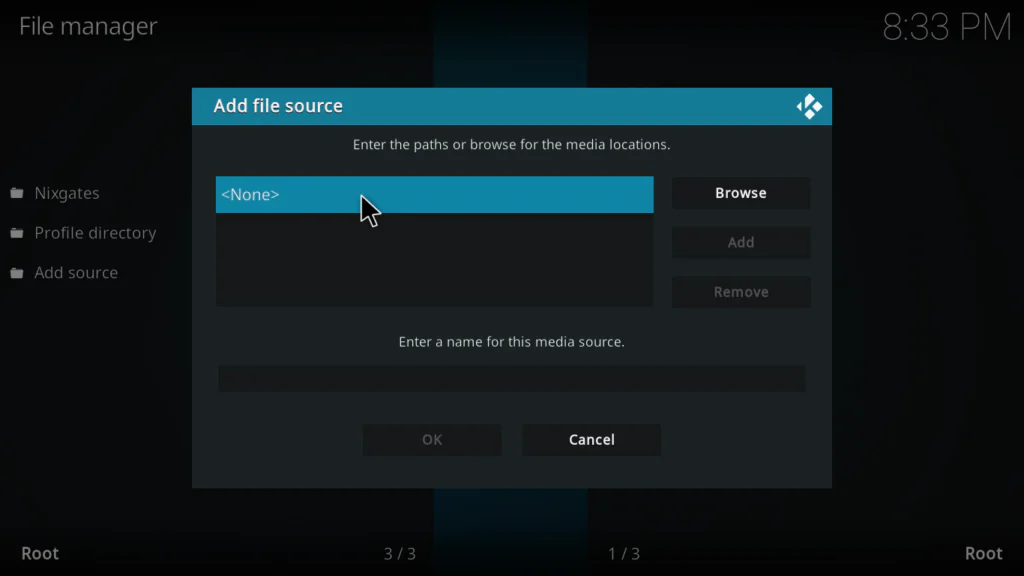
- Click where it says None
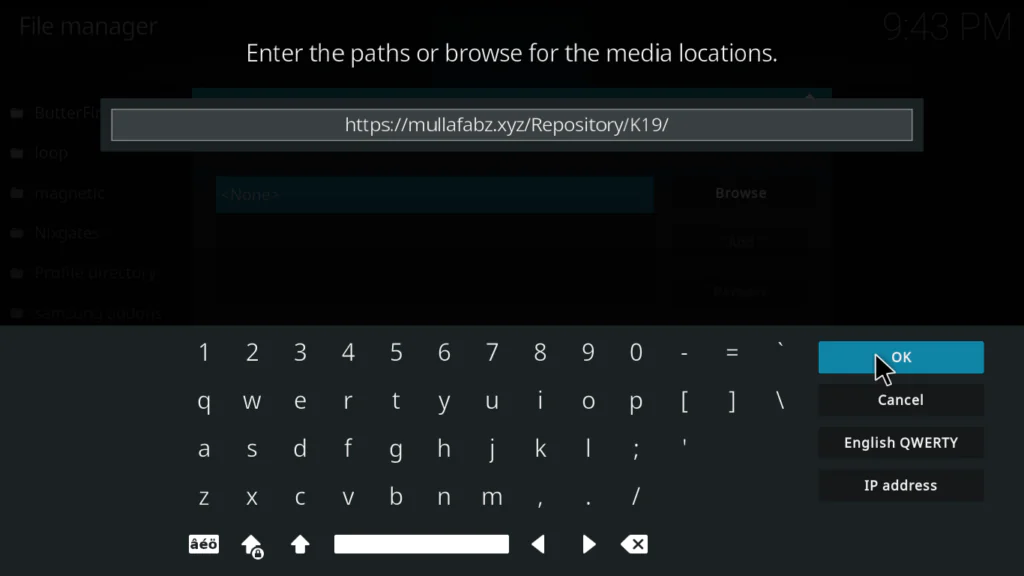
- Type this URL exactly: https://mullafabz.xyz/Repository/K19/
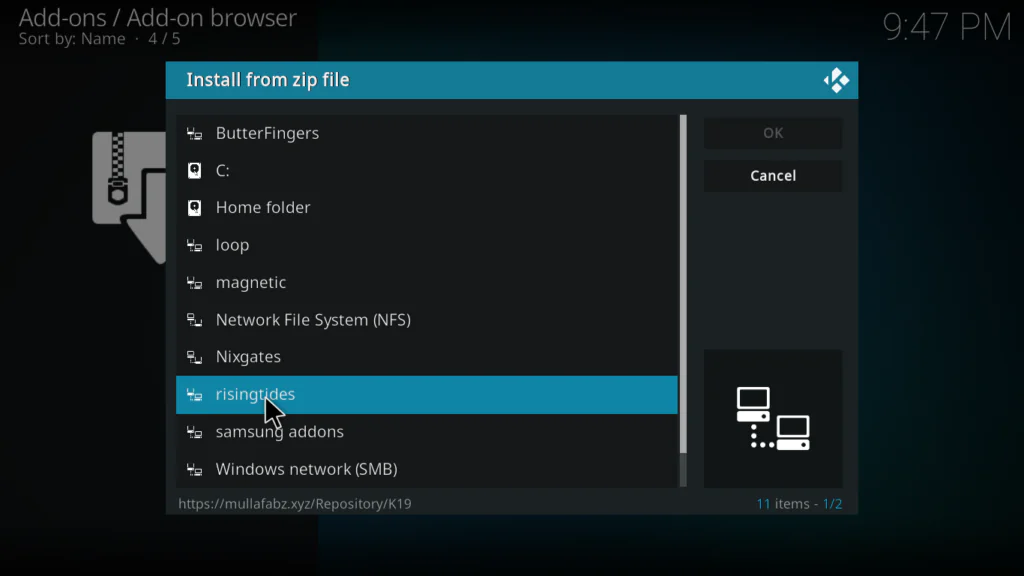
- In the name field below type: risingtides
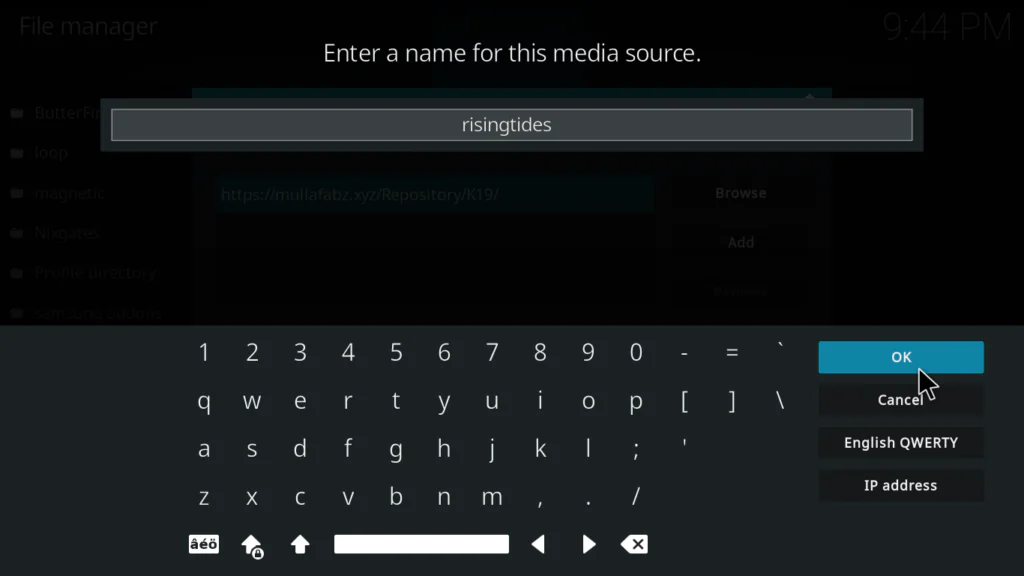
- Click OK to confirm
Important: The URL contains capital letters — Repository and K19 must be capitalized exactly as shown. One wrong character will break the installation.
Tip: If the main URL doesn’t work, try these alternatives in order:
Step 3: Install the Rising Tides Repository Zip File
- Go back to the Kodi system screen
- Click Add-ons
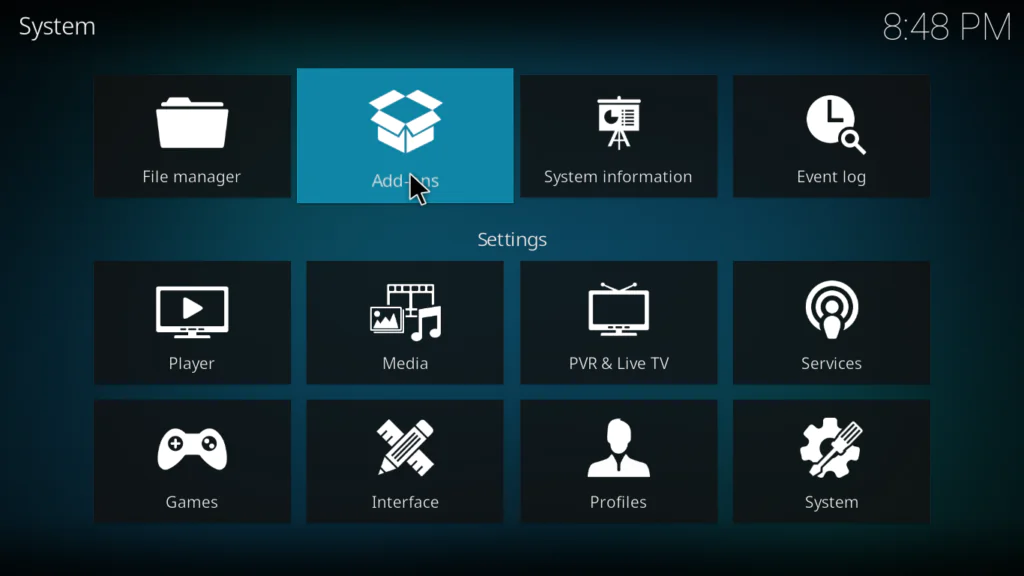
- Select Install from zip file
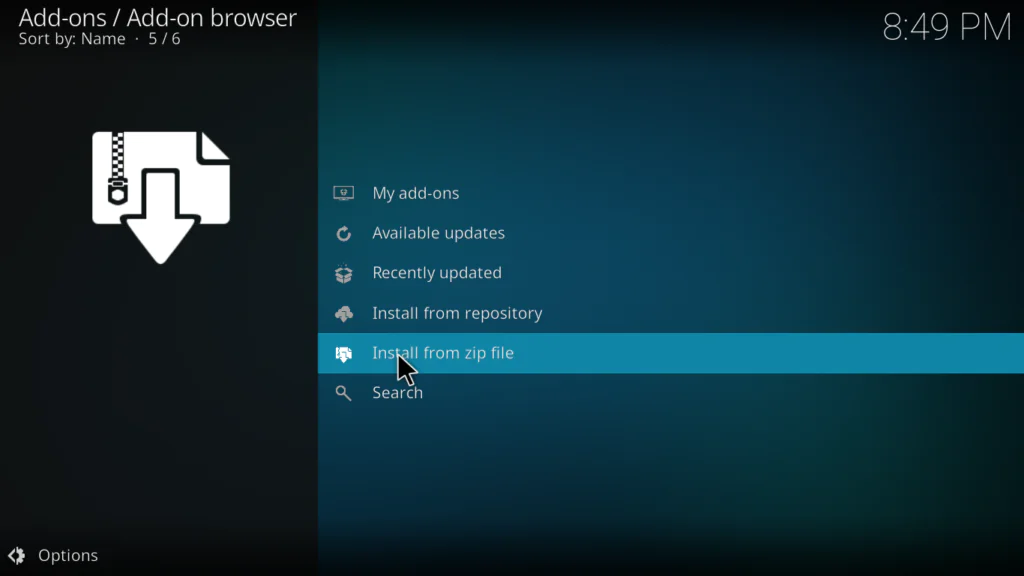
- Find and click risingtides from the file browser
- Click the repository zip file — it will be named repository.Rising.Tides-x.x.zip
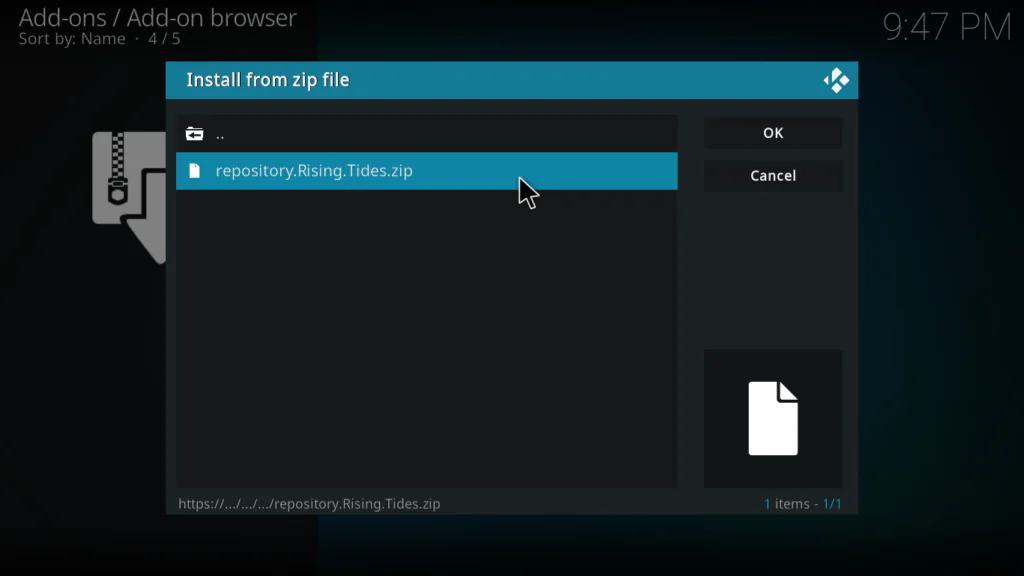
- Wait for the Repo Installed notification in the top right corner
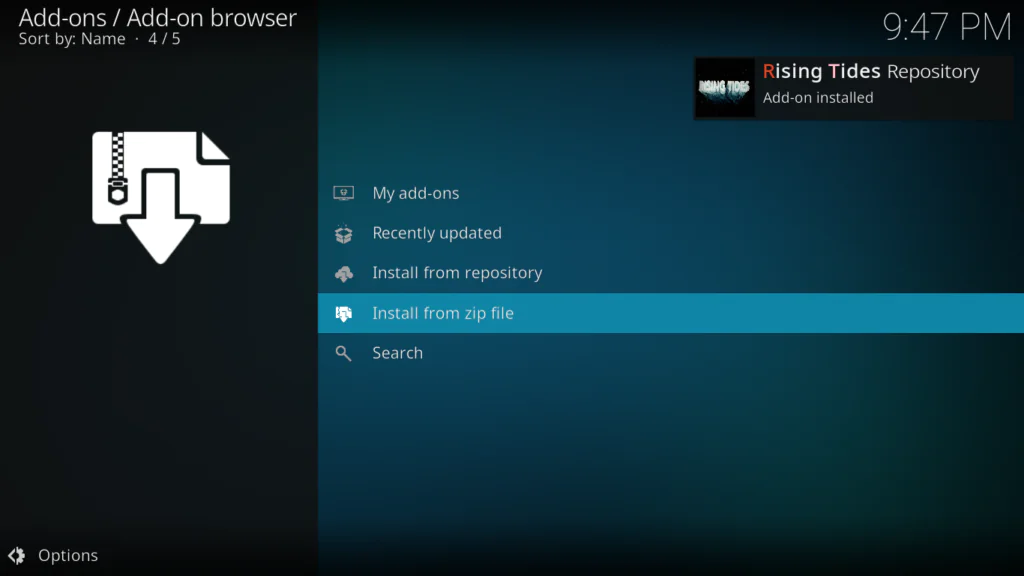
Step 4: Install Rising Tides from the Repository
- Still in the Package Installer, click Install from repository
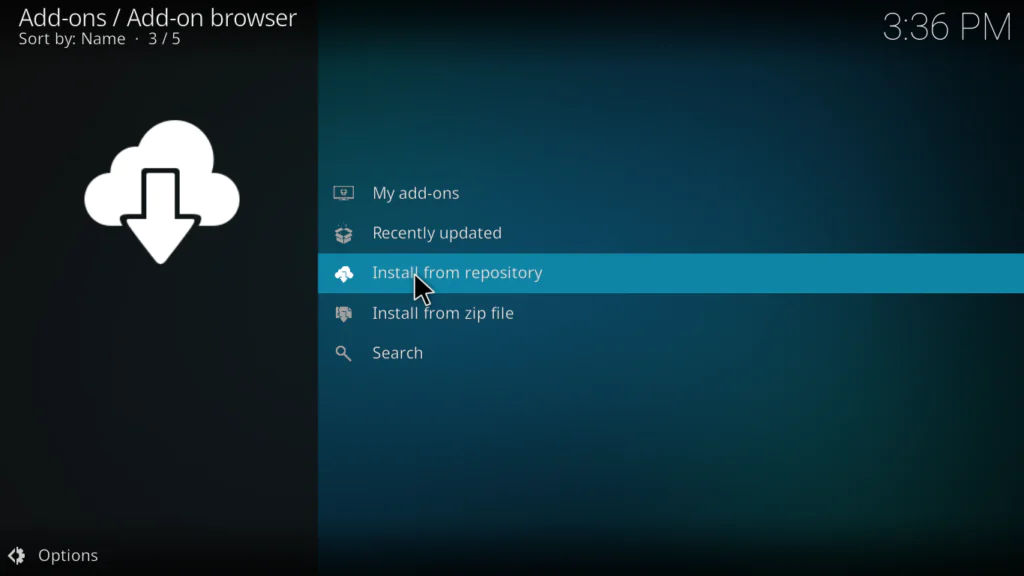
- Find and click Rising Tides Repository from the list
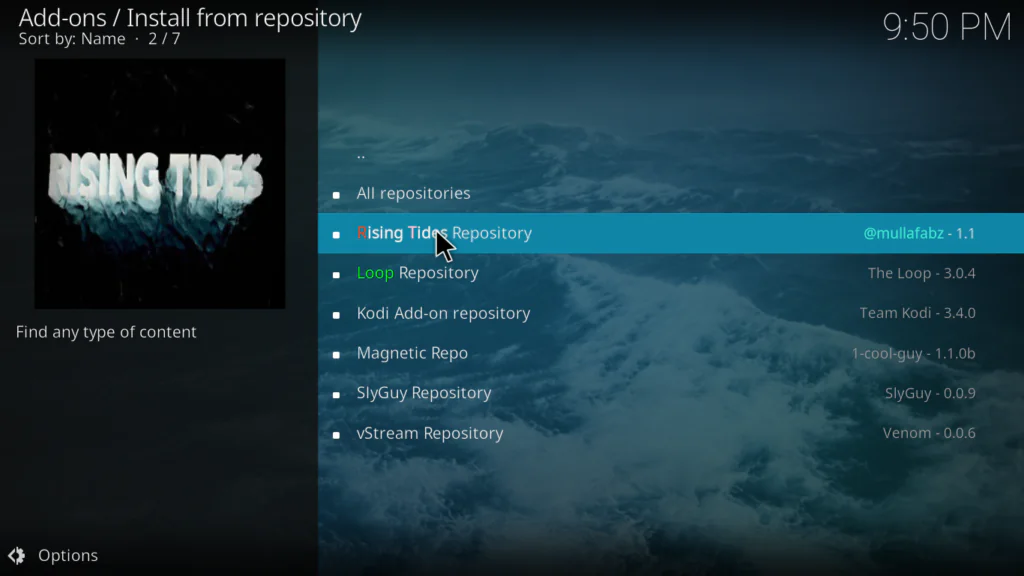
- Click Video Add-ons
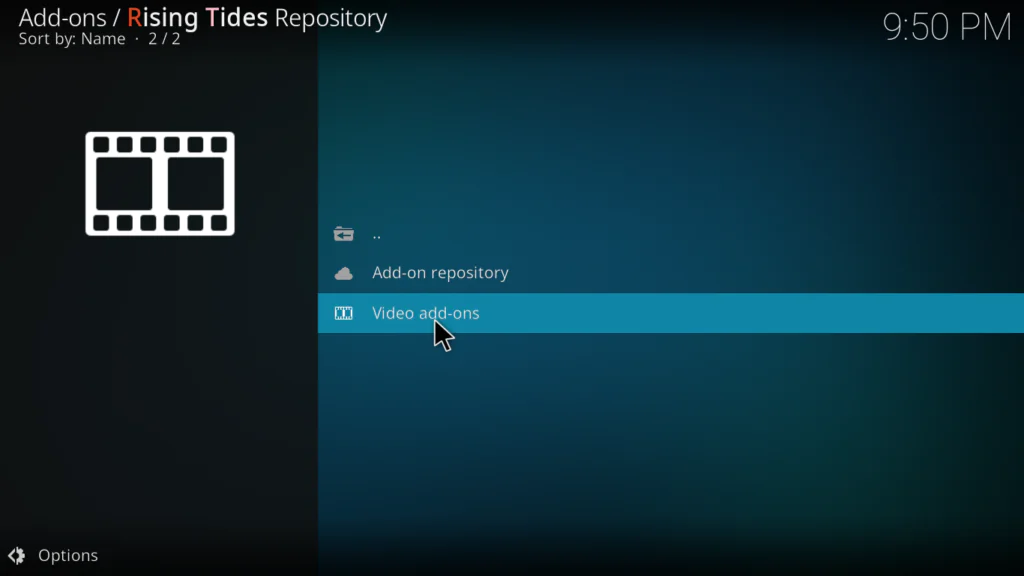
- Find Rising Tides in the list and click on it
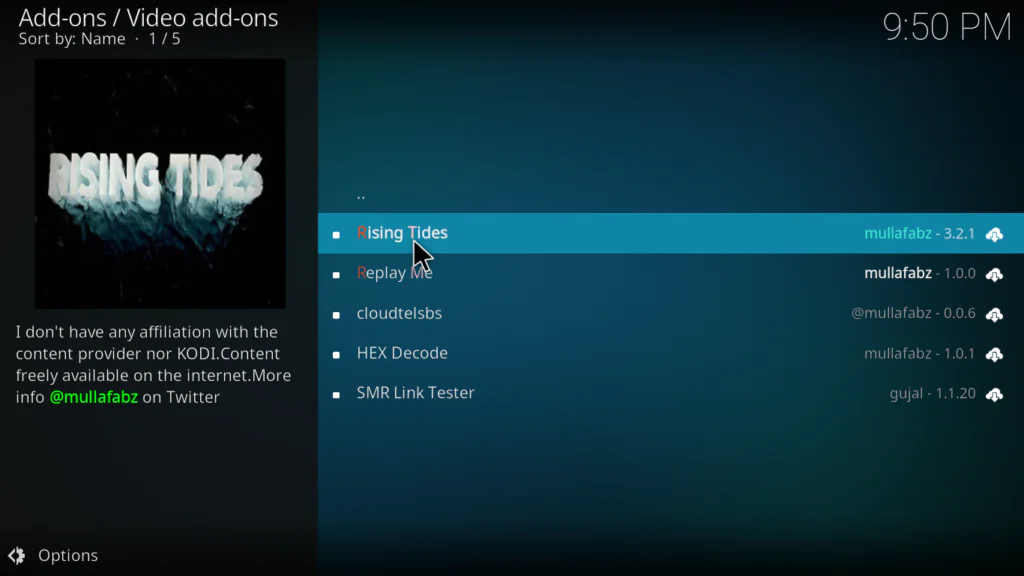
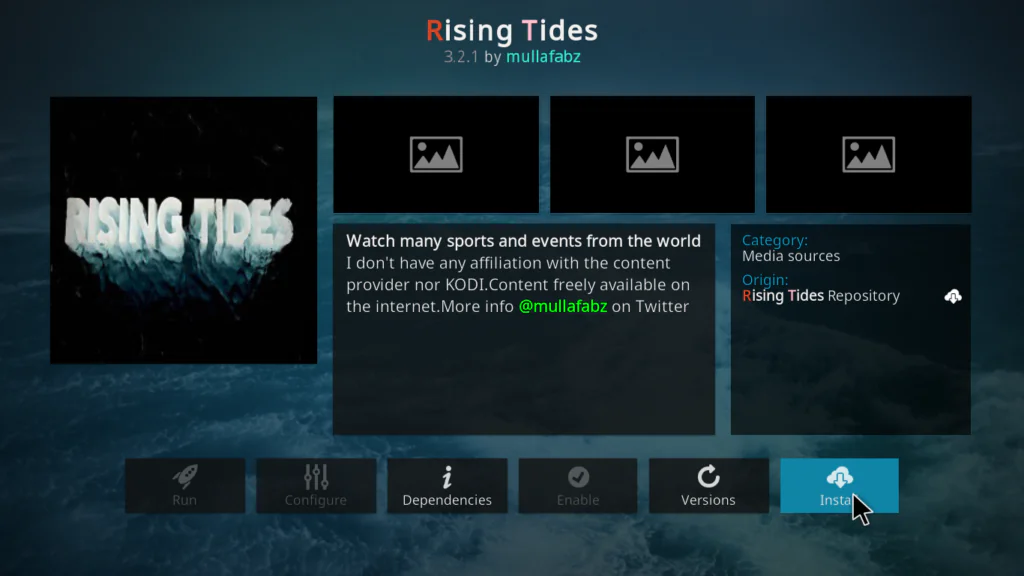
- Click Install
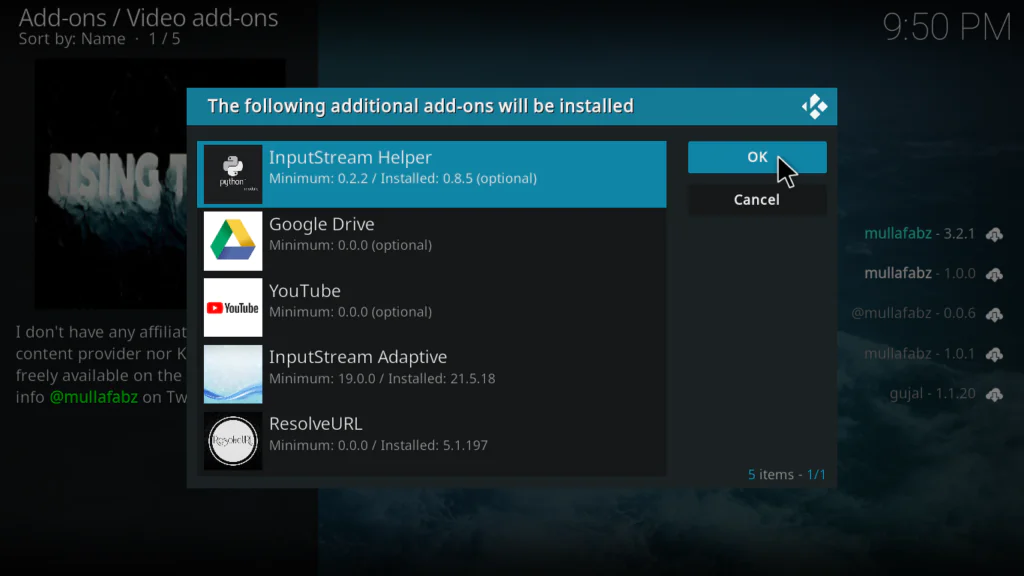
- If prompted to install dependencies, click OK for each one
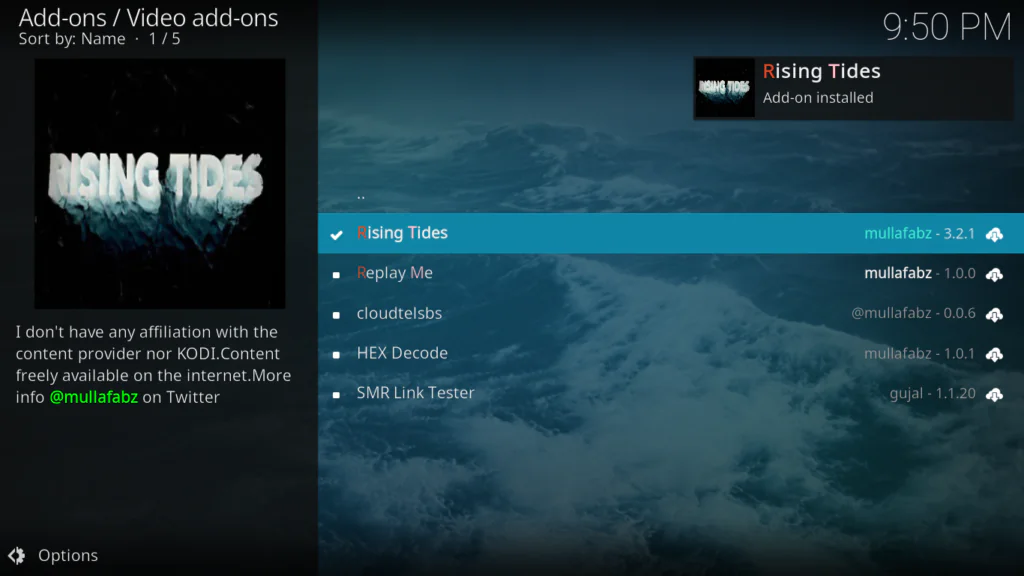
- Wait for the Add-on installed notification
Step 5: Open Rising Tides and Start Watching
- Go back to the Kodi home screen
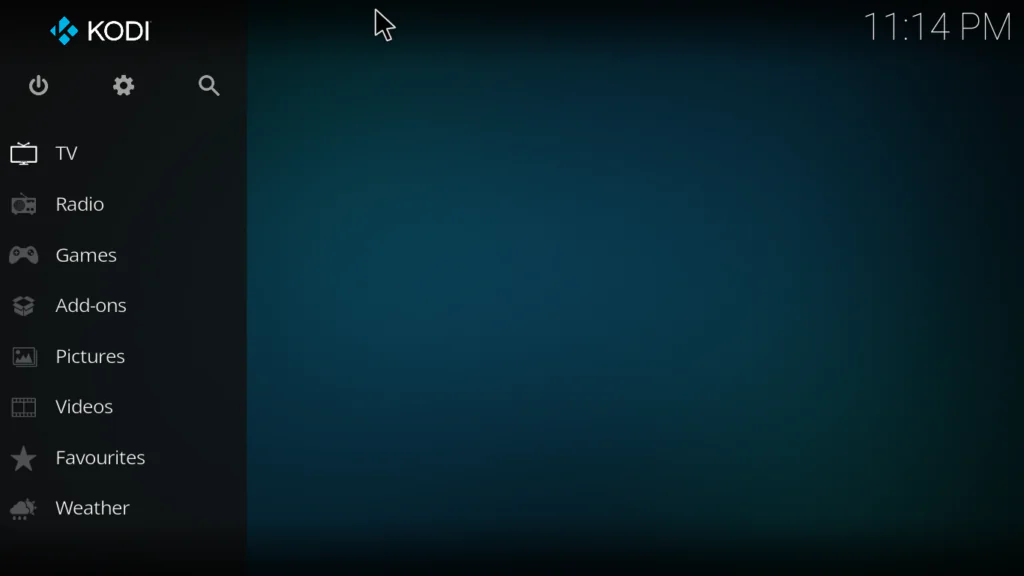
- Click Add-ons
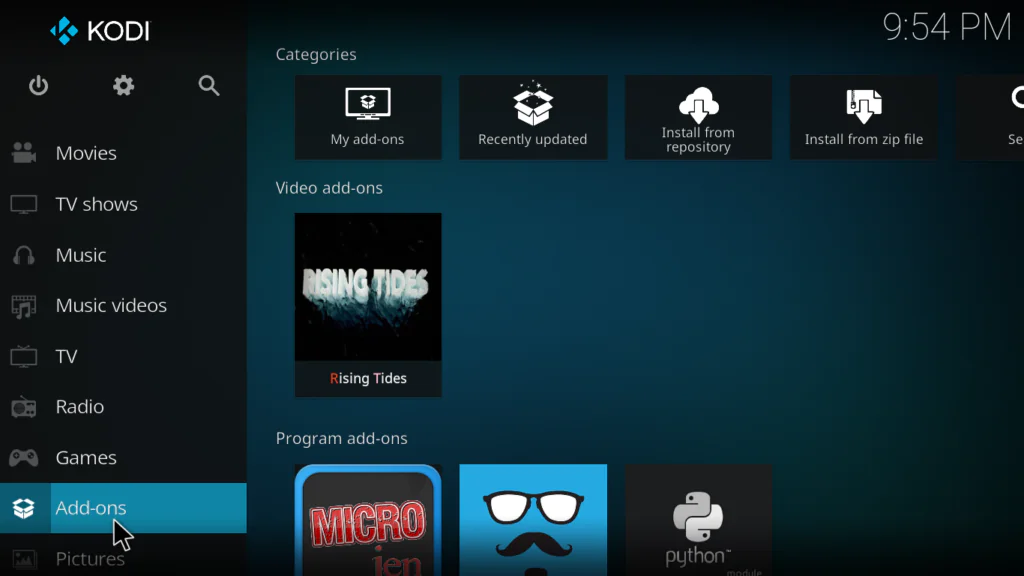
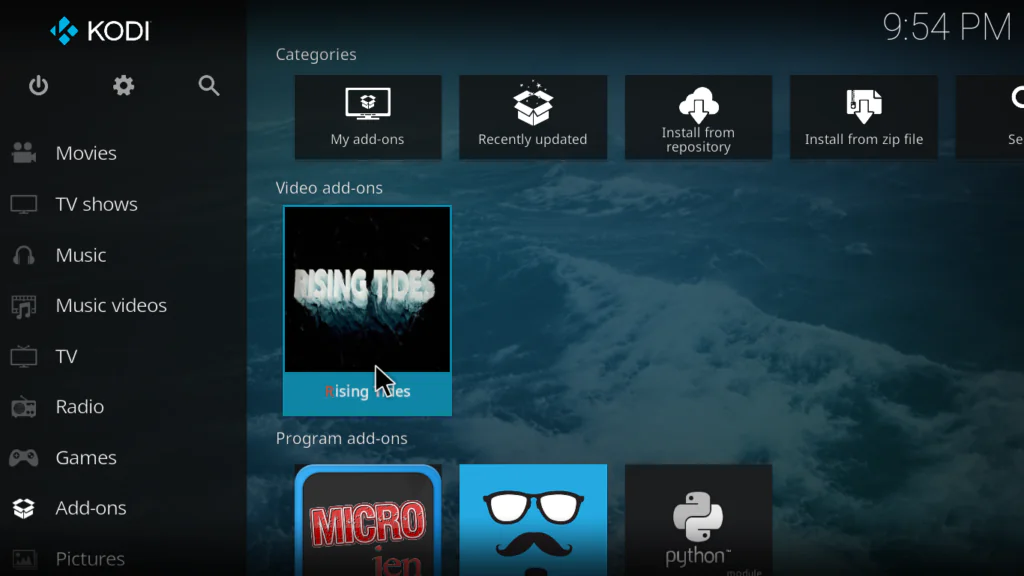
- Find Rising Tides and click on it
- The addon will open showing Football Live, Football Highlights, Live PPV Events, and More Sports Events
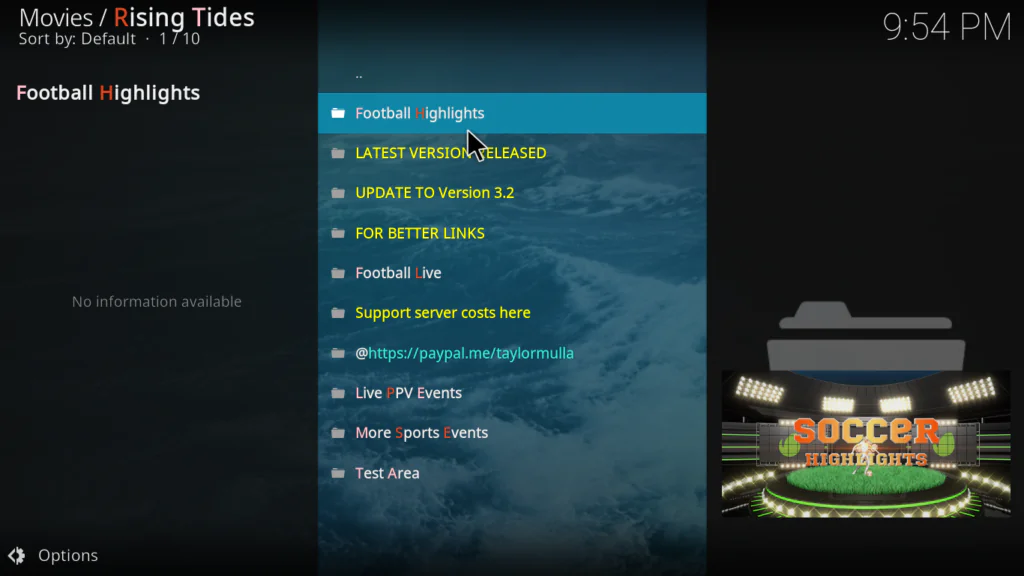
- Click Football Live to browse upcoming and live matches
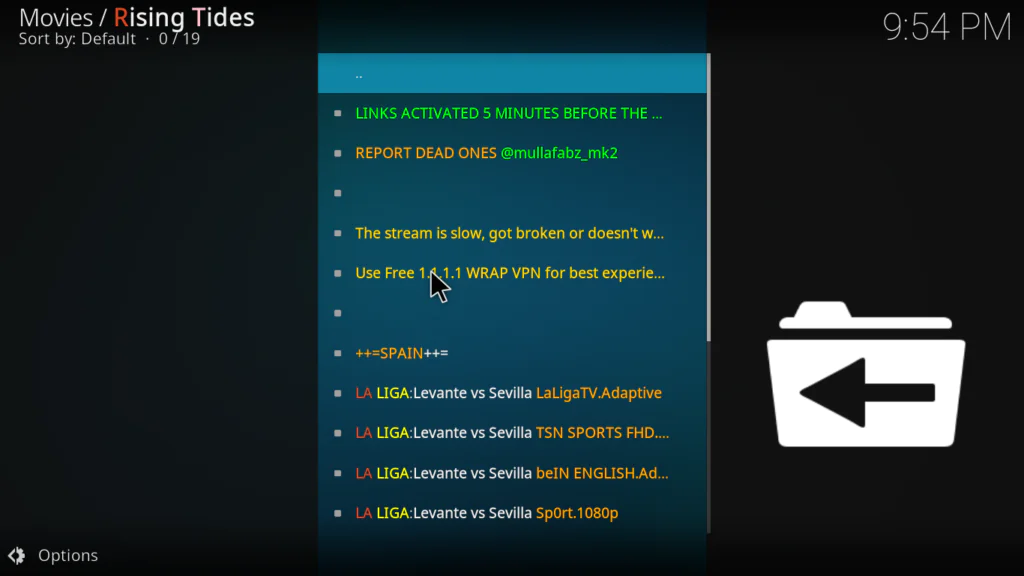
- Select any match and choose a stream link
That’s it — you now have free access to live sports on Kodi.
How to Use Rising Tides Kodi After Installing
Here’s everything you need to know to get the most out of the addon:
- Football Live — your main destination for live Premier League and European football. Remember — stream links only appear around 5 minutes before kickoff. If you see no links, the match hasn’t started yet
- Football Highlights — updated after every major match day. Great for catching up on games you missed
- Live PPV Events — check here on fight nights for boxing, UFC, and wrestling events
- More Sports Events — NBA, other sports and mixed events
- When you click an event, you’ll see a list of stream links — try the first one, and if it buffers or fails, go back and try the next one
The most important tip I can give: always check the start time of the match before opening the stream. If links aren’t showing, the game hasn’t started. Wait 5 minutes before kickoff and they’ll be there.
Rising Tides Kodi Not Working — Real Fixes
This section is where most guides fall short. Here are the real fixes:
No stream links showing for a match
This is almost certainly a timing issue — not a broken addon. Rising Tides streams only go live approximately 5 minutes before kickoff. Check the actual match start time and come back then. This accounts for about 80% of “not working” reports.
Streams show but nothing plays
Try a different stream link from the list. Rising Tides provides multiple links per event. If all links fail during a live match, the source websites may be overloaded — this happens during major games. Try again after a few minutes.
Repository URL gives a connection error
The main URL https://mullafabz.xyz/Repository/K19/ is case-sensitive. Check that Repository and K19 both have capital letters. If the connection still fails, try the alternative URL https://mullafabz.github.io/RT/ instead.
Rising Tides error — check the log
This usually means the addon needs updating. Go to Add-ons → My Add-ons → Video Add-ons → Rising Tides → Update. If no update is available, uninstall and reinstall from the repository.
Dependency error during installation
Make sure you’re using Kodi 19 or above. Rising Tides has compatibility issues with older versions. A clean install of Kodi 19 Matrix or above resolves most dependency errors. Do not try to upgrade from Kodi 18 to 19 — do a fresh install.
Best Alternatives to Rising Tides Kodi
Always good to have a backup. Here are three solid alternatives:
1. The Loop Kodi Addon Similar focus on live football with a daily schedule feature. Also covers cricket, UFC, NBA, and more. Very reliable for live events and works great alongside Rising Tides.
2. Mad Titan Sports Kodi The most complete all-in-one sports addon available. Covers every major sport including NFL, NBA, MLB, NHL, soccer, UFC and more. Includes replays and highlights. Supports Real-Debrid for HD streams.
3. Plex Live Kodi Addon Free, legal, and 300+ live channels including sports. Not as focused on live events but completely reliable and never goes down.
My Final Verdict on Rising Tides Kodi
Rising Tides Kodi is a solid, reliable free sports addon — especially if football is your main interest.
The English Premier League and Champions League coverage is genuinely good. Multiple stream links per match means you rarely end up with nothing to watch. The football highlights section is consistently updated and useful for catching up on games you missed.
The honest limitations: it’s not as broad as Mad Titan Sports, it focuses mainly on football and PPV events, and streams only go live close to kickoff — which confuses a lot of new users.
If you’re a football fan who primarily wants Premier League and European football coverage on Kodi — Rising Tides is one of the best free options available. Install it alongside The Loop for the most complete sports setup.
Want to discover more top-rated addons? Check out the full list of best Kodi addons available right now.
FAQs
Is the Rising Tides Kodi addon free?
Yes — completely free to install and use. No subscription, no account, and no payment required.
Why are there no stream links when I open a match on Rising Tides?
This is normal. Rising Tides stream links only become active approximately 5 minutes before kickoff. If you open a category and see no working links, the match hasn’t started yet. Come back closer to the start time.
What is the Rising Tides Kodi repository URL?
The main URL is https://mullafabz.xyz/Repository/K19/ — the capital letters in Repository and K19 are important. Alternative URLs are https://mullafabz.github.io/RT/ and http://mullafabz.xyz/Repository/
Does Rising Tides Kodi work on Fire Stick?
Yes. As long as Kodi is installed on your Fire Stick, Rising Tides works perfectly on it.
Does Rising Tides work on Kodi 21 Omega?
Yes — Rising Tides is compatible with Kodi 19 Matrix, Kodi 20 Nexus, and Kodi 21 Omega.
Why does Rising Tides show an error when I try to play a stream?
Try a different stream link first. If multiple links fail, try updating the addon from the repository. If the error persists, a clean reinstall of Kodi 19 or above usually resolves it.
Conclusion
Rising Tides Kodi is one of the best free football streaming addons available in 2026 — and with a keyword difficulty of just 8%, not many people even know it exists yet.
Live Premier League football, Champions League matches, PPV events, highlights, UFC, and more — all free, all inside Kodi.
Remember the golden rule: stream links go live 5 minutes before kickoff. Keep that in mind and you’ll have a smooth experience from day one.
Follow the 5 steps in this guide and you’ll be watching live football inside Kodi in under 10 minutes.
Got questions or hit a problem during installation? Drop a comment below — I reply to every single one.
If Rising Tides is down, check out Mad Titan Sports as a solid backup — or browse our full best working Kodi addons 2026 list for more options.