Introduction
vStream Kodi addon is the single best French-language streaming addon available on Kodi right now — and if you speak French and haven’t installed it yet, you’re missing out on one of the most complete free streaming experiences available anywhere.
Most Kodi addons focus on English content. vStream is different. It’s built specifically for French-speaking audiences — covering movies, TV shows, documentaries, anime, sports, live TV, and much more — all in French, all for free.
But what makes it truly stand out is how it works. vStream automatically finds free streaming links from dozens of sources, strips out the ads, and plays content directly inside Kodi. No pop-ups. No redirects. No annoying commercials interrupting your film.
In this guide I’ll walk you through exactly how to install the vStream Kodi addon from its official repository, step by step. Whether you’re a complete beginner or an experienced Kodi user, this guide covers everything.
Let’s get started.
What Is the vStream Kodi Addon?
vStream is a completely free, open-source Kodi addon built specifically for French-language streaming. It was developed by a French Kodi community and is maintained on GitHub — making it one of the most transparent and actively developed free Kodi addons available.
Unlike most Kodi addons that pull from a single streaming source, vStream aggregates content from dozens of French streaming websites simultaneously. When you search for a movie or TV show, it scans all its sources at once and gives you a list of available links — so you always have multiple options if one source isn’t working.
It has its own dedicated repository — the vStream Repository — separate from SlyGuy or any other third-party repo. This means it’s independently maintained and updated by its own development team.
The addon is 100% in French — the interface, the content, and the search results. This makes it the go-to choice for French-speaking audiences in France, Morocco, Belgium, Canada, Switzerland, and anywhere else in the French-speaking world.
What Can You Watch?
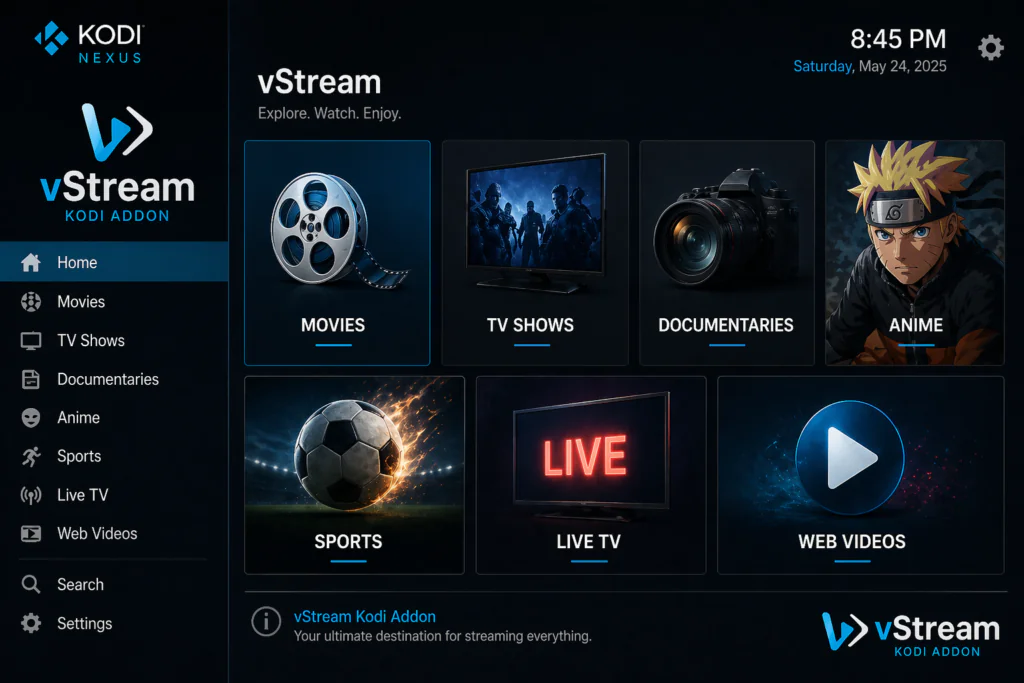
vStream has one of the most complete content libraries of any free Kodi addon — all in French.
Content categories available:
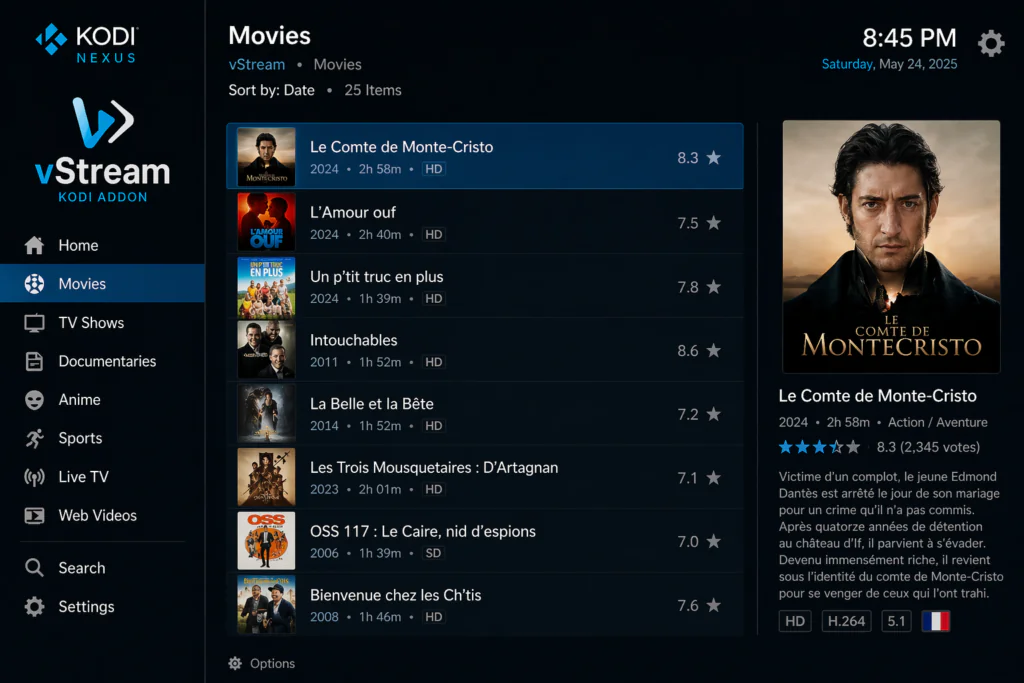
- Movies — thousands of French and international films with French dubbing or subtitles
- TV Shows — popular French and international series
- Documentaries — a huge selection of documentary films and series
- Anime and Manga — anime dubbed or subtitled in French
- Sports — live sports streams and sports on demand
- Live TV — French live television channels
- TV Replays — catch-up content from French TV channels
- Web Videos — YouTube-style video content in French
- Kids content — cartoons and family-friendly shows in French
Notable features of the content library:
- Multi-source search — vStream scans dozens of sites at once and shows all available links
- Ad-free playback — ads from streaming sites are automatically stripped out
- Trailer support — watch trailers before deciding what to watch
- Favourites — bookmark content to find it quickly later
- Download support — download certain content directly to your device
Features of the vStream Kodi Addon
Here’s everything that makes this addon stand out:
- Completely free and open source — no subscription, no account required
- Multi-source streaming — scans dozens of French streaming sites simultaneously
- Automatic ad removal — no pop-ups or commercial interruptions during playback
- Trakt integration — sync your watch history and ratings with your Trakt account
- Download support — save content directly to your device for offline viewing
- Subtitles support — add subtitles to any content
- Trailer playback — watch movie trailers before streaming
- Favourites and bookmarks — save content for later
- Source management — enable or disable specific streaming sources from settings
- Regular updates via the official vStream Repository on GitHub
- Compatible with Kodi 19, 20 Nexus, and 21 Omega
- Works on Android TV boxes, Fire Stick, Windows, Mac, Linux, and Raspberry Pi
The Trakt integration is something most competitors never mention — but it’s genuinely useful. If you already use Trakt to track what you’ve watched, vStream syncs with it automatically. Your watch history, ratings, and watchlist all stay updated.
Is the vStream Kodi Addon Safe and Legal?
This is worth answering honestly — and the answer is nuanced.
vStream itself is a completely open-source, transparent project. The addon code is publicly available on GitHub and has been developed by a French Kodi community for years. The addon does not host any content itself — it simply finds and plays links that already exist on the internet.
The legal status of the content depends entirely on which streaming sources you use:
- Some sources linked by vStream host content legally — public domain films, free-to-air channel replays, and licensed content
- Other sources may host copyrighted content without proper licensing
vStream gives you control over which sources are active in the settings. You can disable any sources you’re not comfortable with.
For privacy protection while streaming, using a VPN is always a good idea. You can learn more about why this matters at the EFF’s online privacy guide at eff.org/issues/privacy.
Before starting, make sure Kodi is installed on your device. Download the latest version free from the official Kodi website at kodi.tv.
Requirements Before You Start
Make sure you have these ready:
- Kodi 19 (Matrix), Kodi 20 (Nexus), or Kodi 21 (Omega) installed on your device
- A stable internet connection — at least 5 Mbps for smooth streaming
- Unknown Sources enabled in Kodi settings — I’ll show you exactly how
- A compatible device — Android TV box, Fire Stick, Windows PC, Mac, Linux, or Raspberry Pi
- Optionally, a free Trakt account if you want to sync your watch history — sign up free at trakt.tv
If you’ve never installed a Kodi addon before, read this beginner guide on how to install Kodi addons first.
Step-by-Step Installation Guide for the vStream Kodi Addon
Follow each step carefully. The whole process takes under 10 minutes.
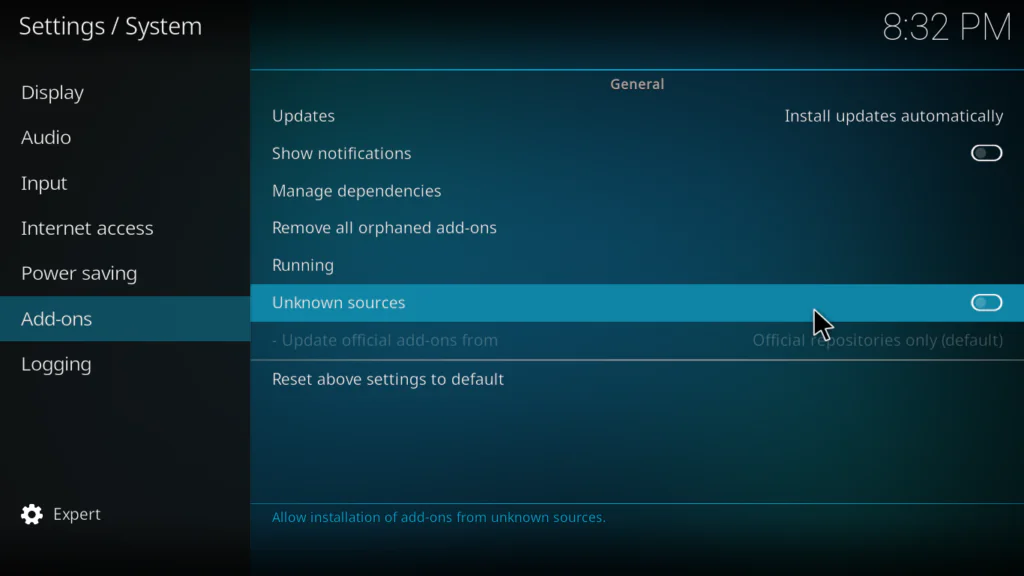
Step 1: Enable Unknown Sources in Kodi
This allows Kodi to install addons from outside the official Kodi repository. You only need to do this once.
- Open Kodi on your device
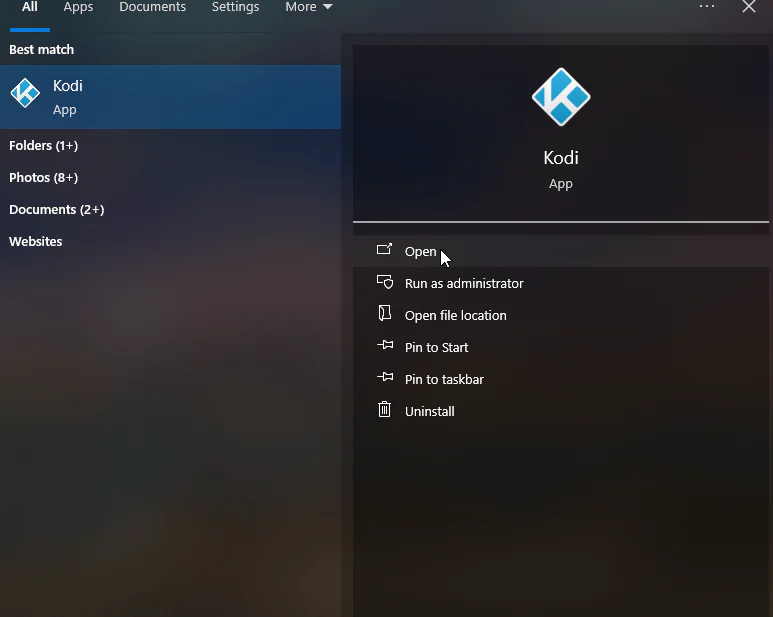
- Click the gear icon at the top left of the home screen to open Settings
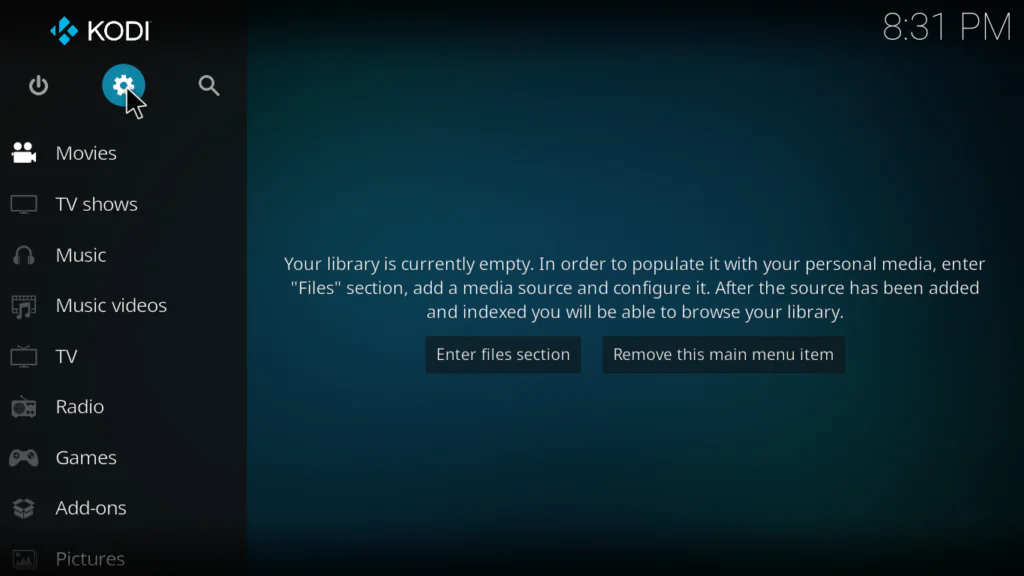
- Click System
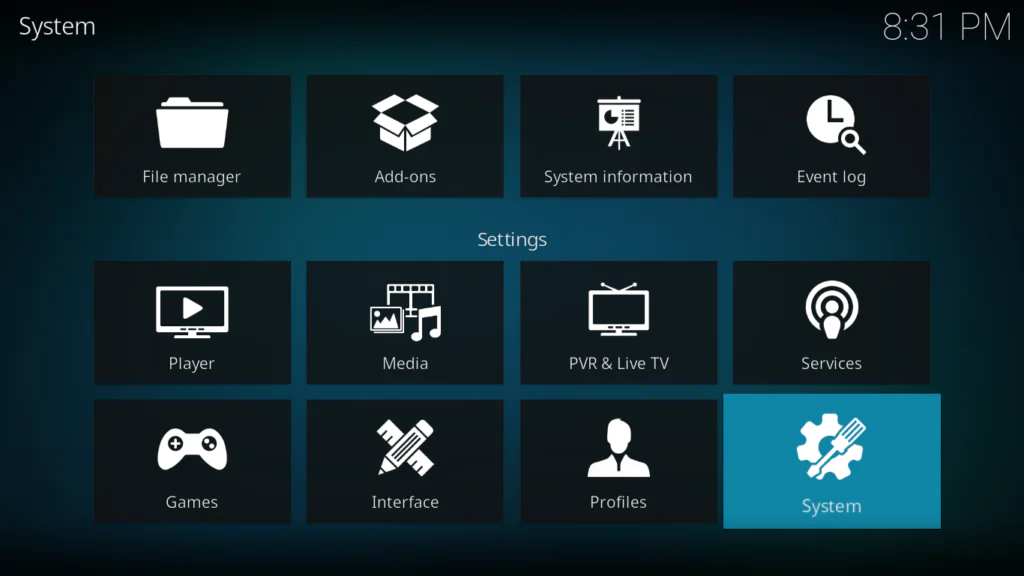
- Select Add-ons from the left menu
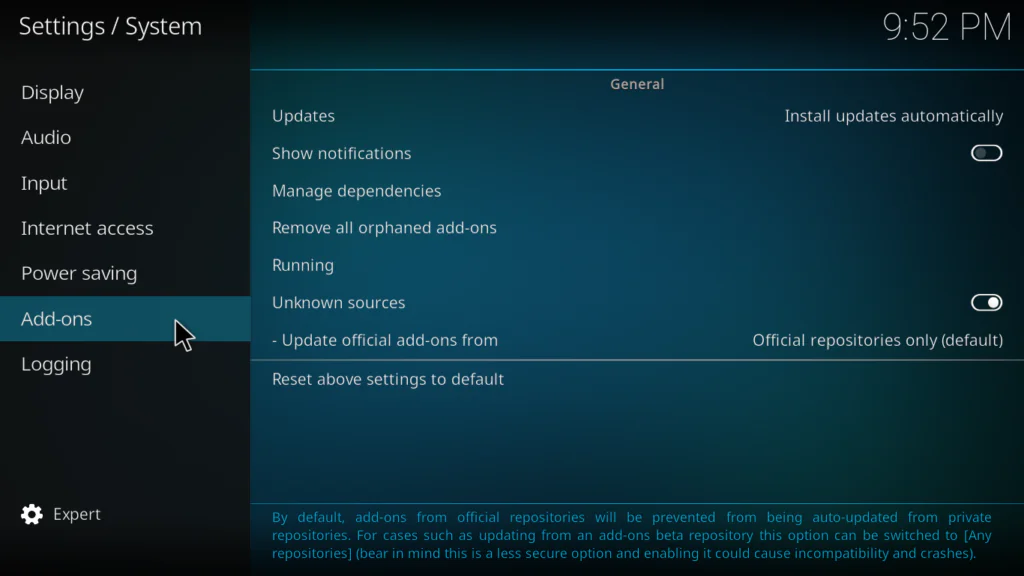
- Toggle Unknown Sources to ON
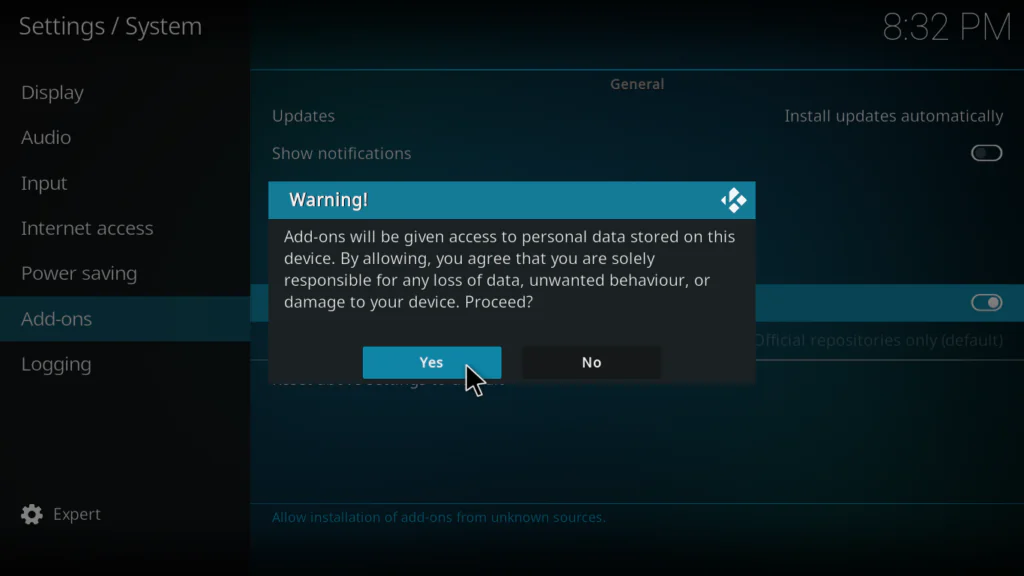
- A warning popup will appear — click Yes to confirm
Step 2: Add the vStream Repository in File Manager
Unlike other addons we’ve covered, vStream uses its own dedicated repository — not SlyGuy. The URL is different so make sure you type it exactly.
- Go back to the main Settings screen
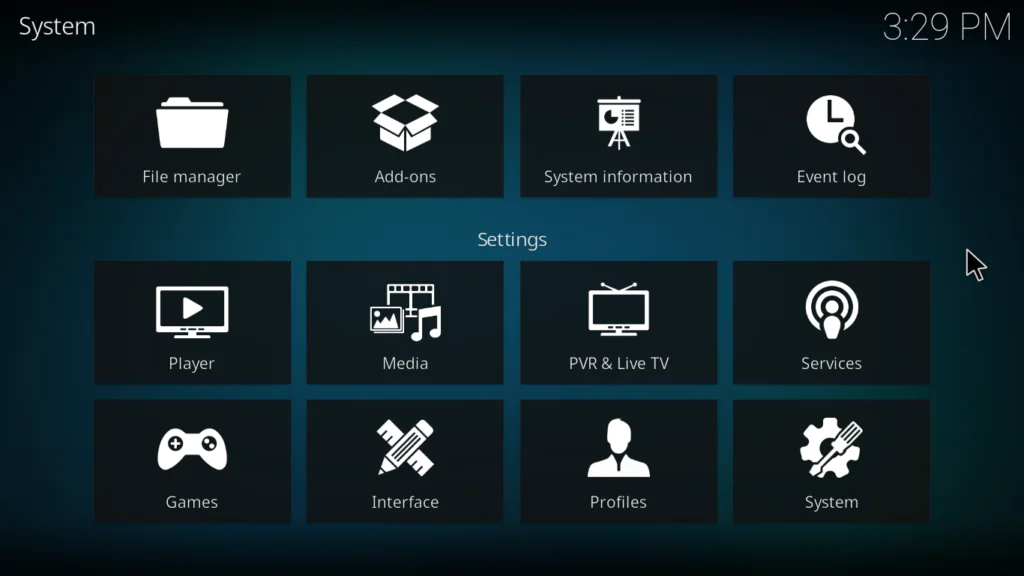
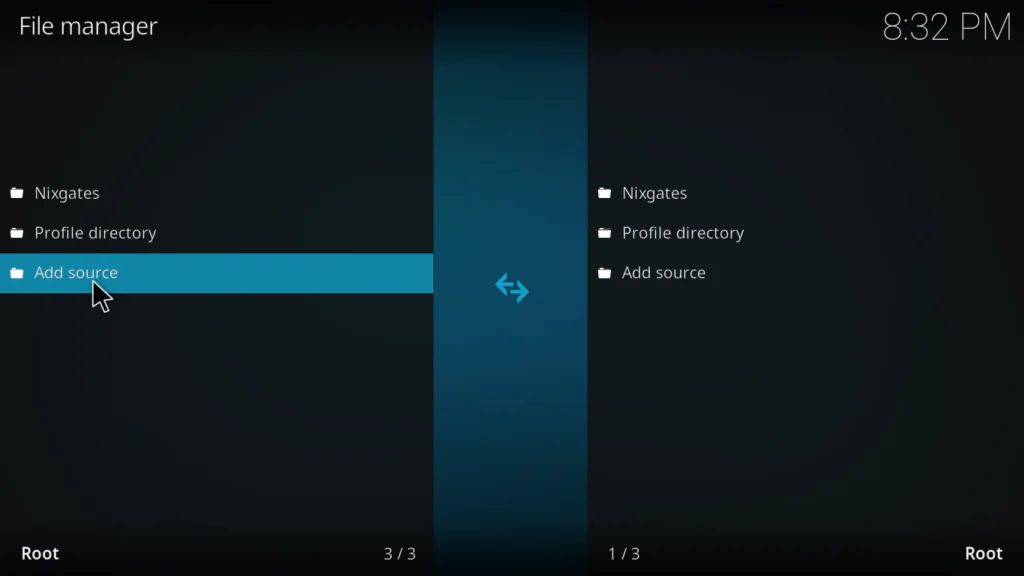
- Click File Manager
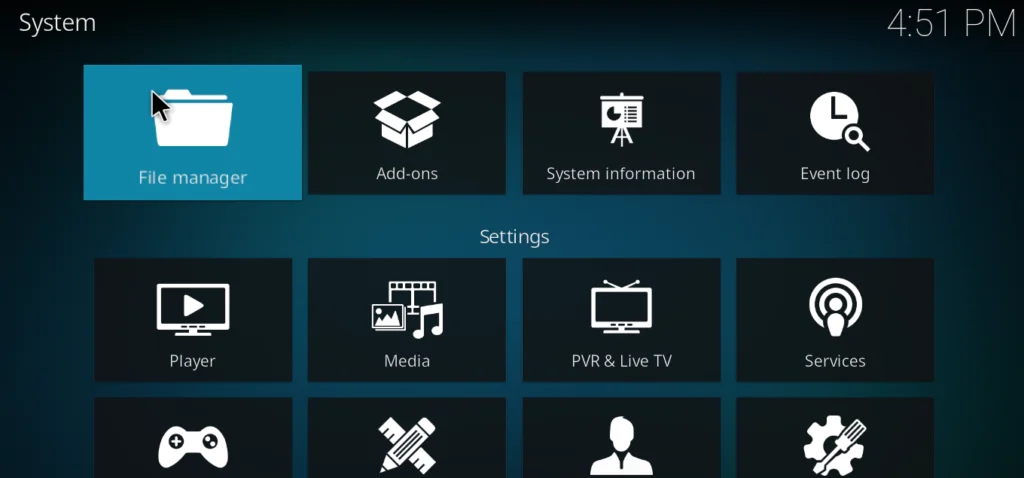
- Double-click Add Source on the left panel
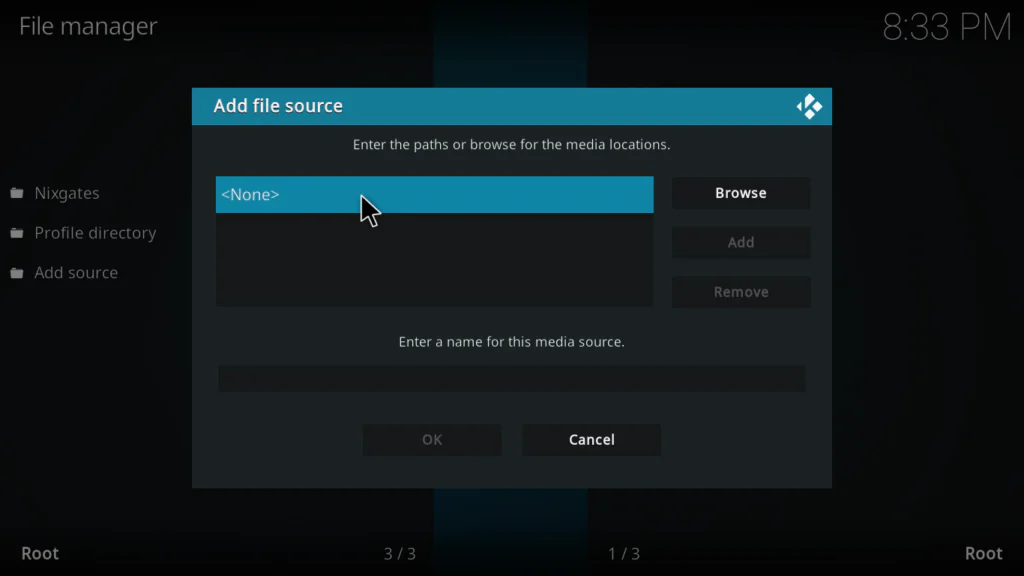
- Click where it says None
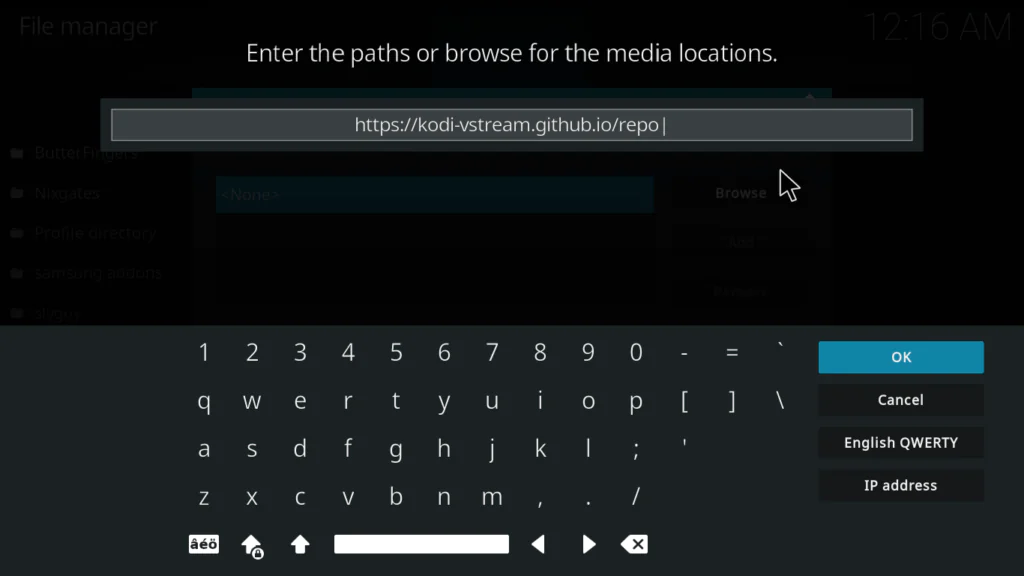
- Type this URL exactly: https://kodi-vstream.github.io/repo
- In the name field below, type: vstream
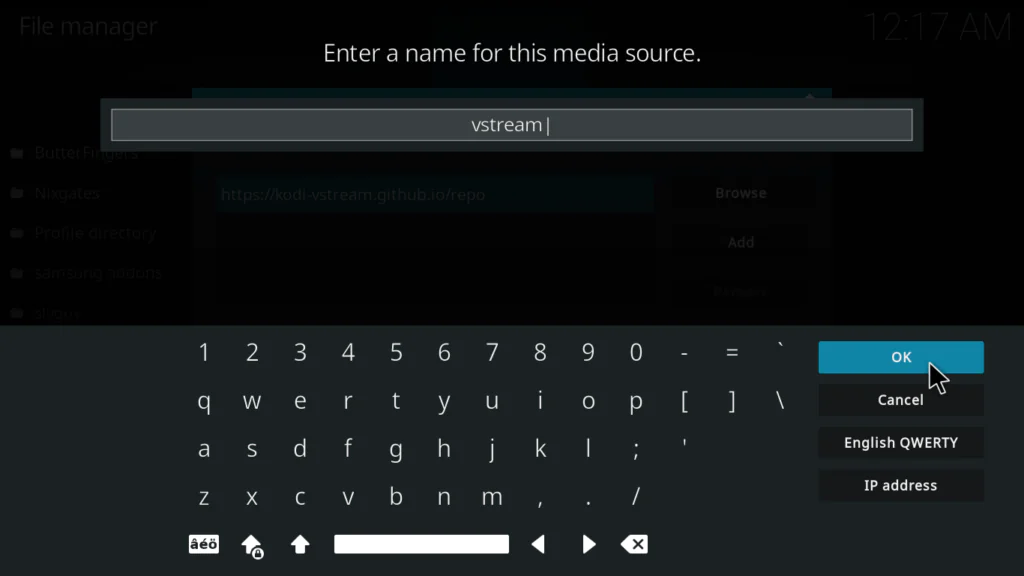
- Click OK to confirm
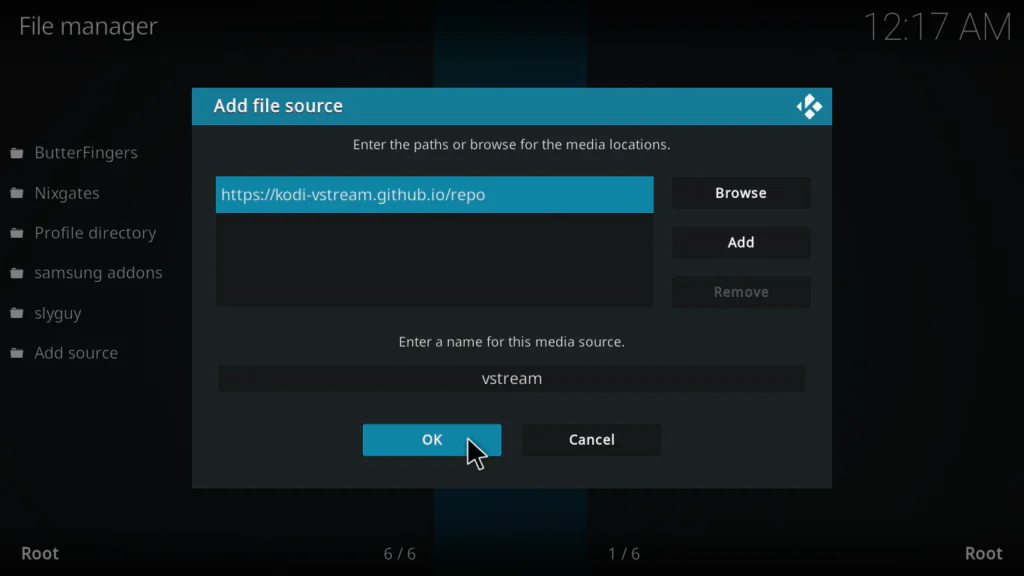
Important: This URL is different from the SlyGuy repository used for other addons. Double-check every character before clicking OK — one typo will prevent the installation from working.
Step 3: Install the vStream Repository Zip File
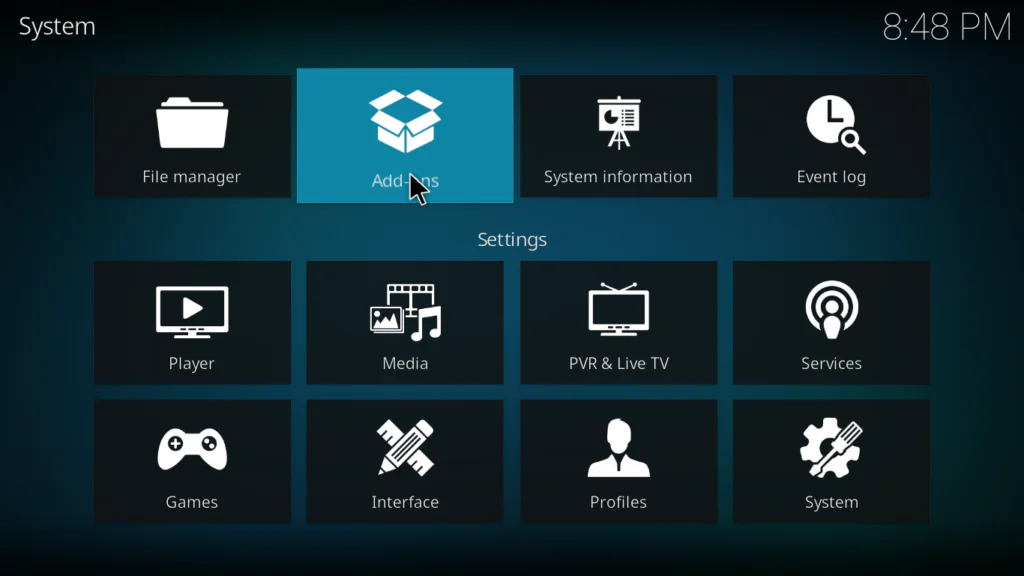
- Go back to the Kodi system screen
- Click Add-ons
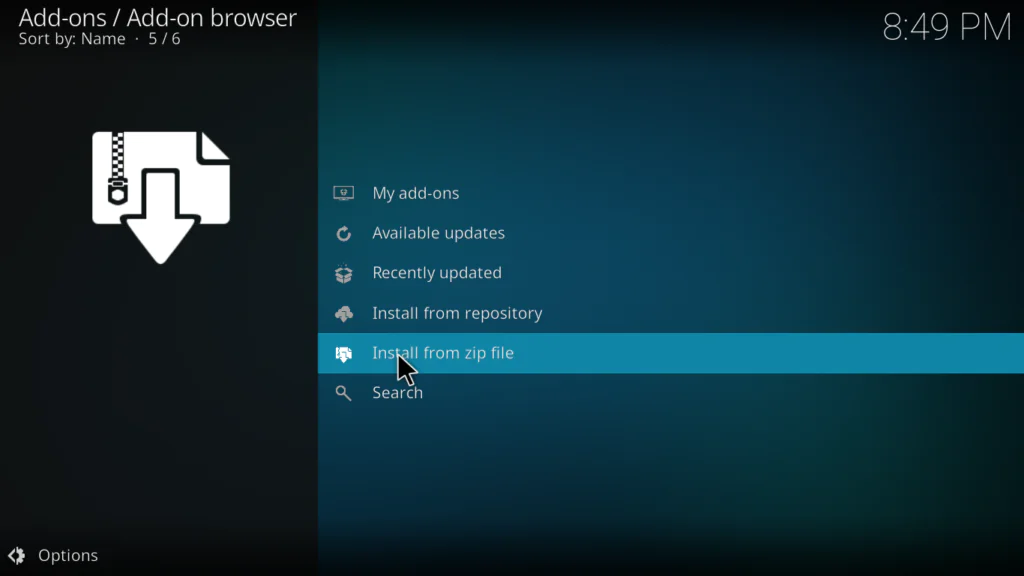
- Select Install from zip file
- Find and click vstream from the file browser
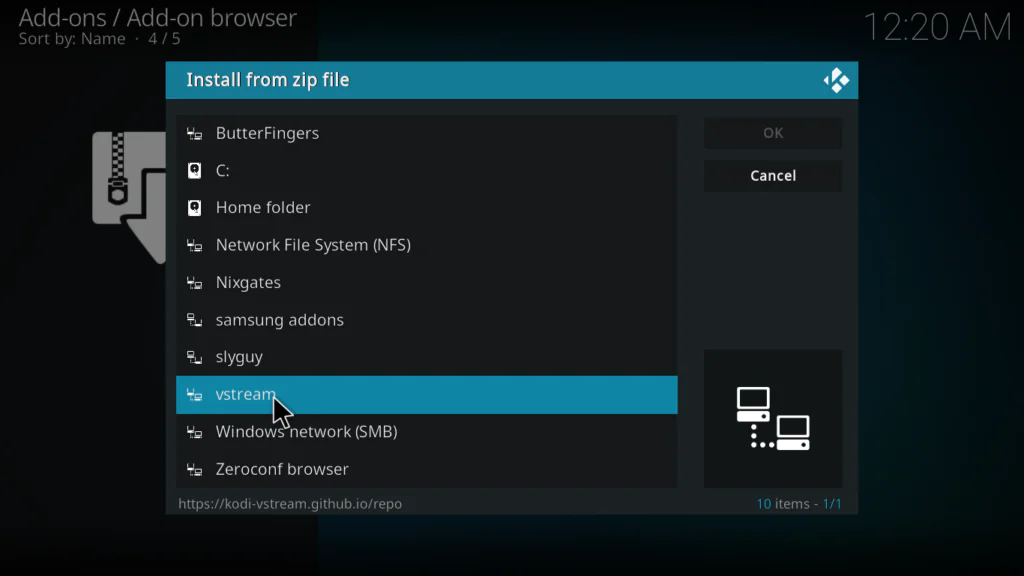
- Click the repository zip file — it will be named something like repository.vstream-0.0.6.zip
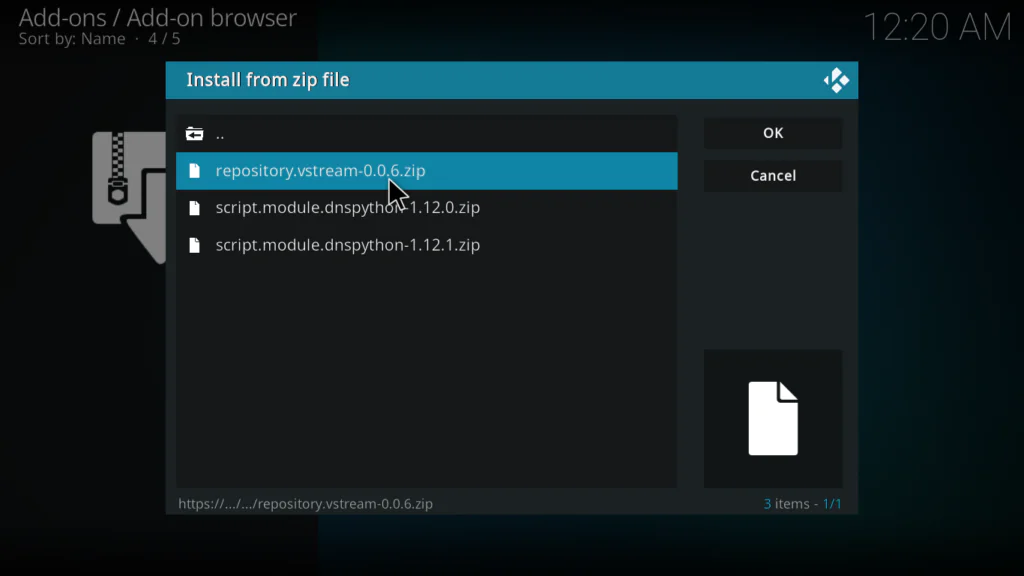
- Wait for the Repo Installed notification in the top right corner
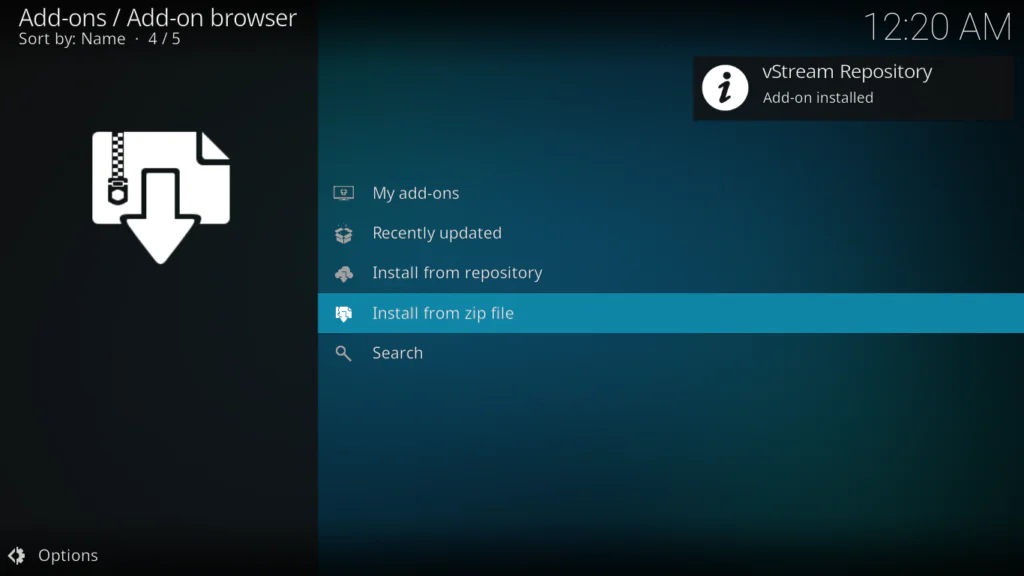
Step 4: Install vStream from the vStream Repository
- Still in the Package Installer, click Install from repository
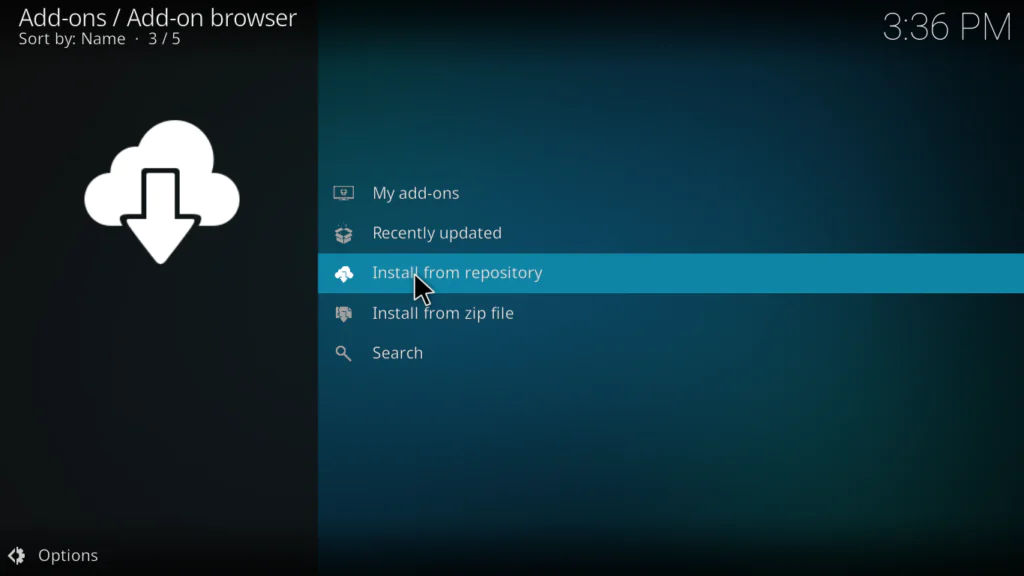
- Find and click vStream Repository from the list
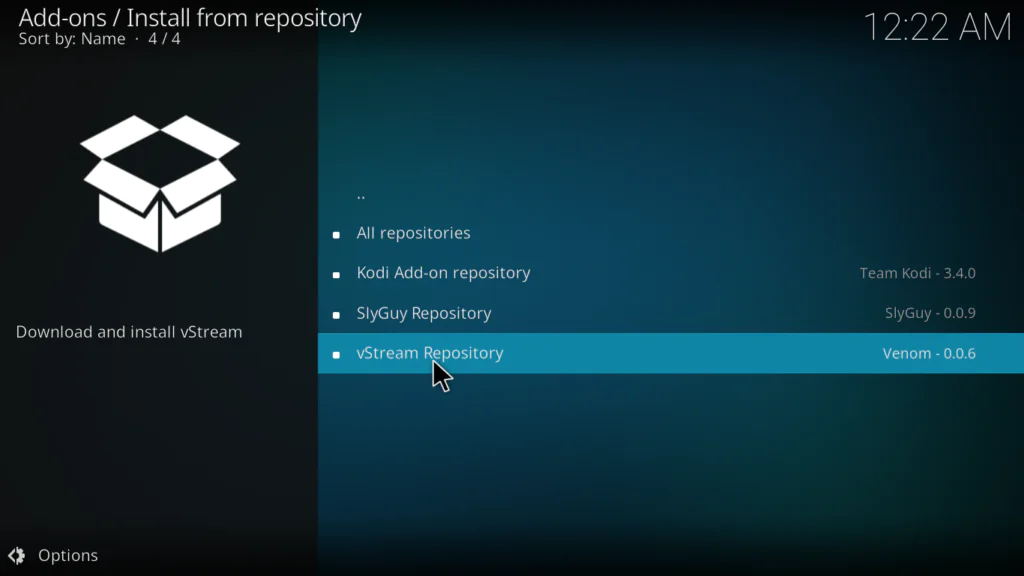
- Click Video Add-ons
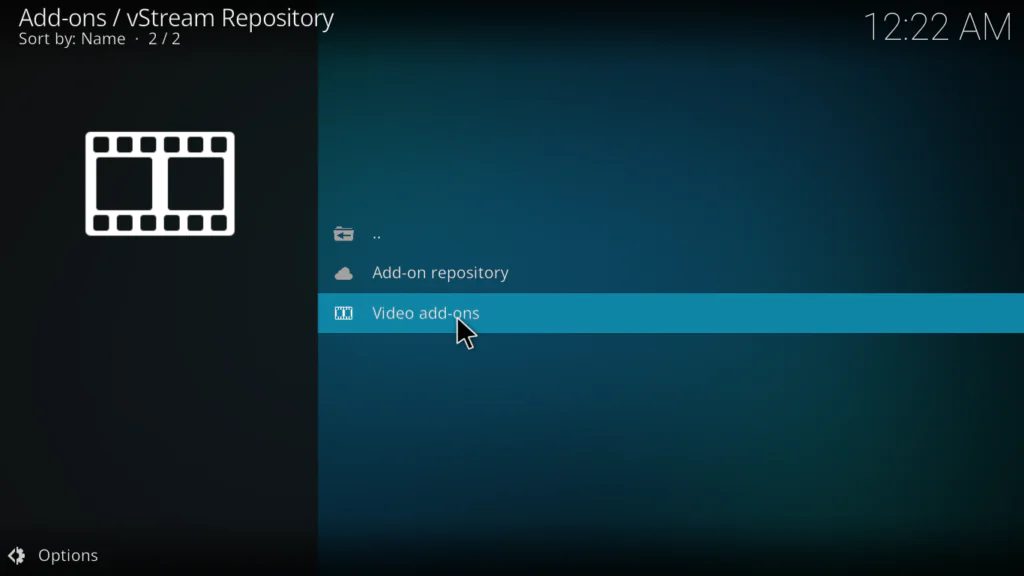
- Find vStream in the list and click on it
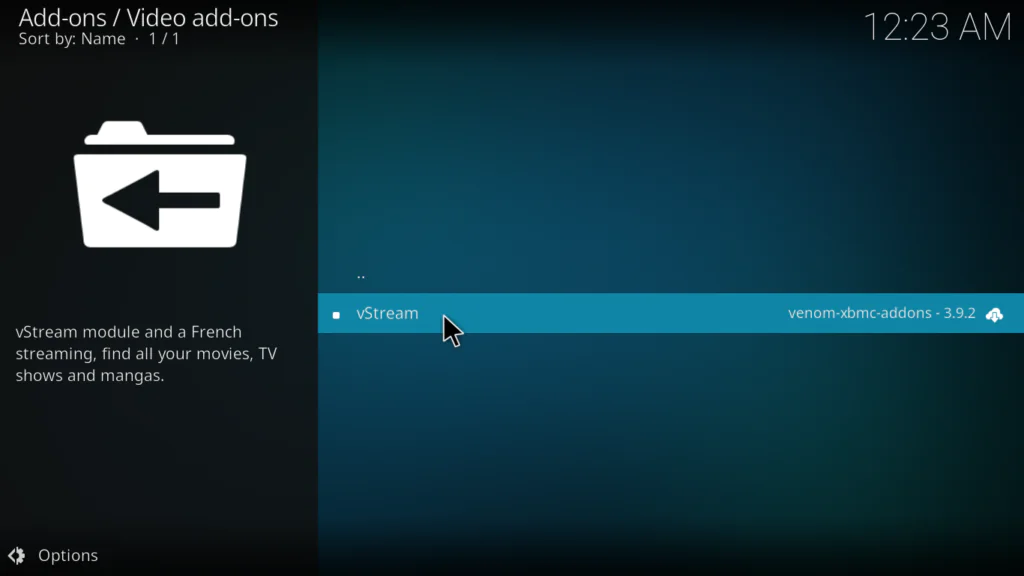
- Click Install
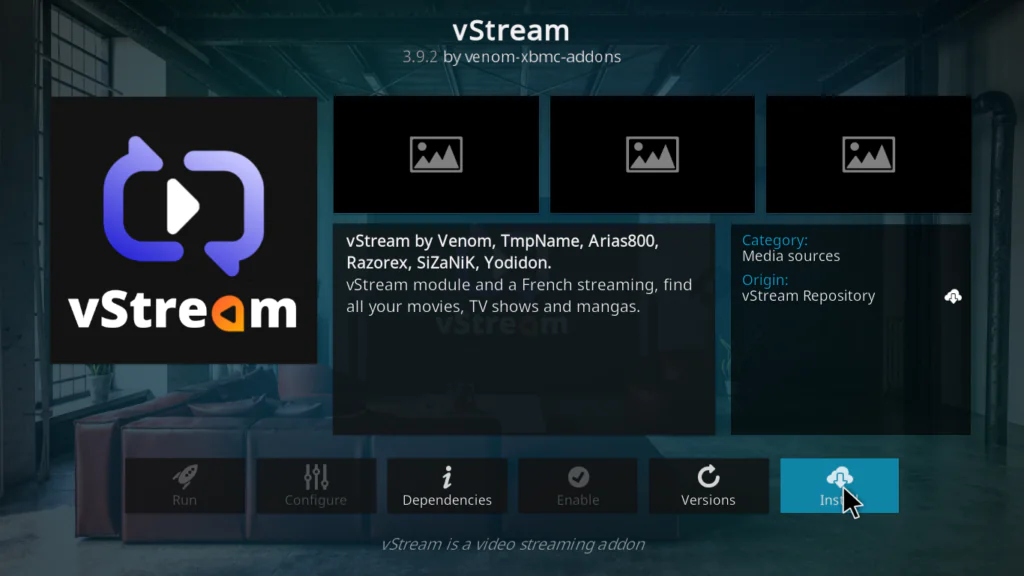
- Kodi may ask to install additional dependencies — click OK to allow them all
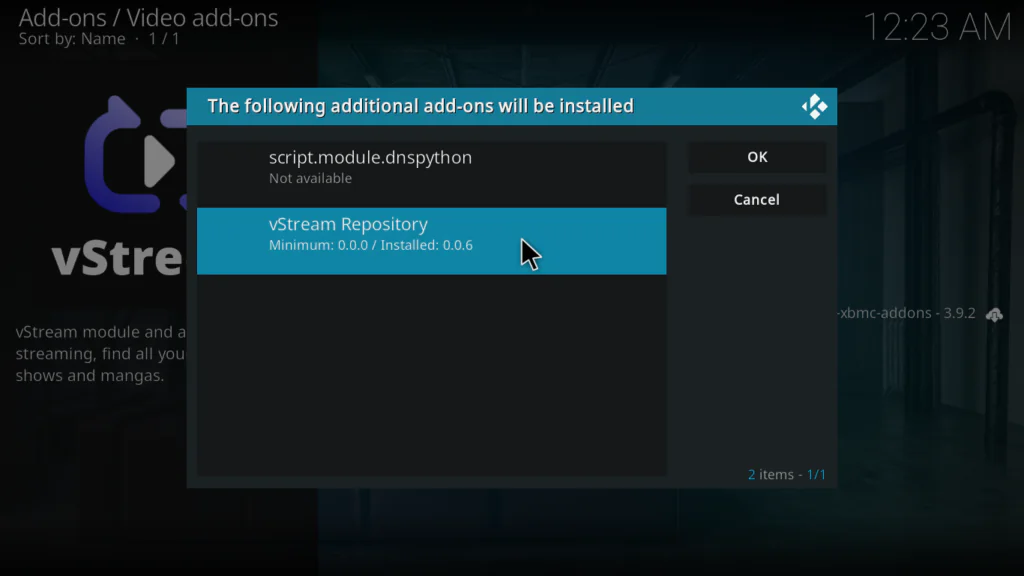
- Wait for the Add-on installed notification in the top right corner
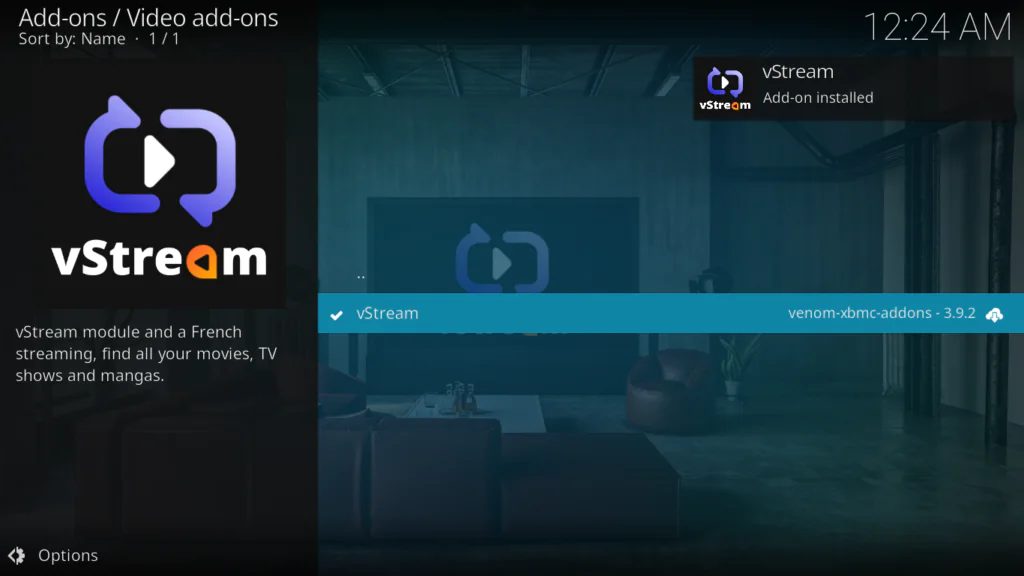
Step 5: Open vStream and Start Watching
- Go back to the Kodi home screen
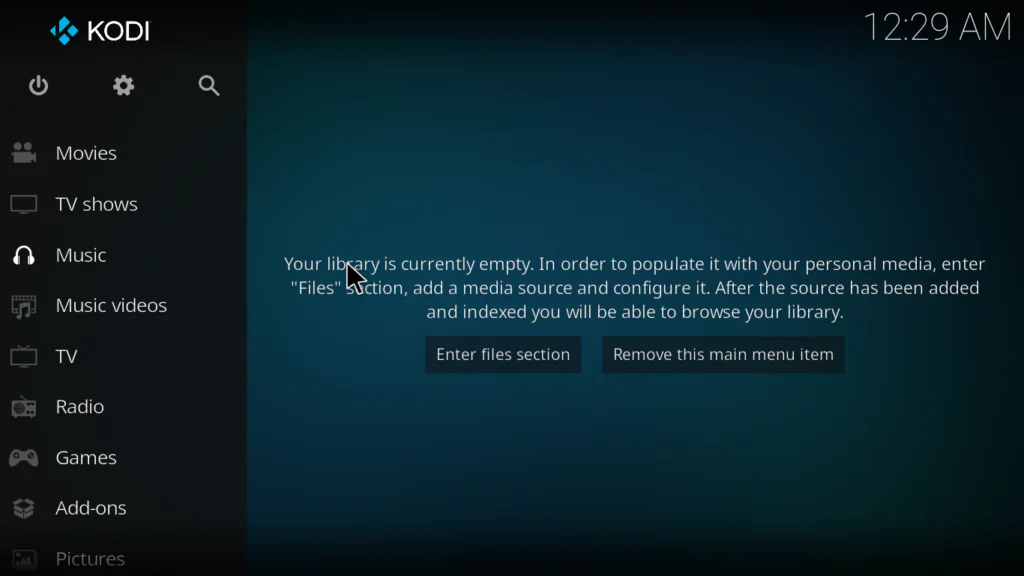
- Click Add-ons
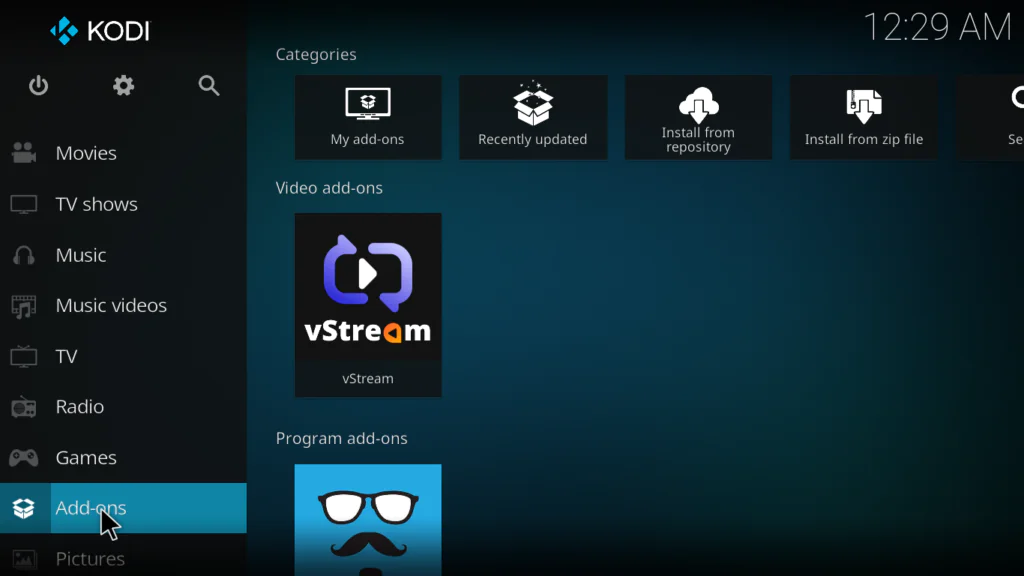
- Find vStream and click on it
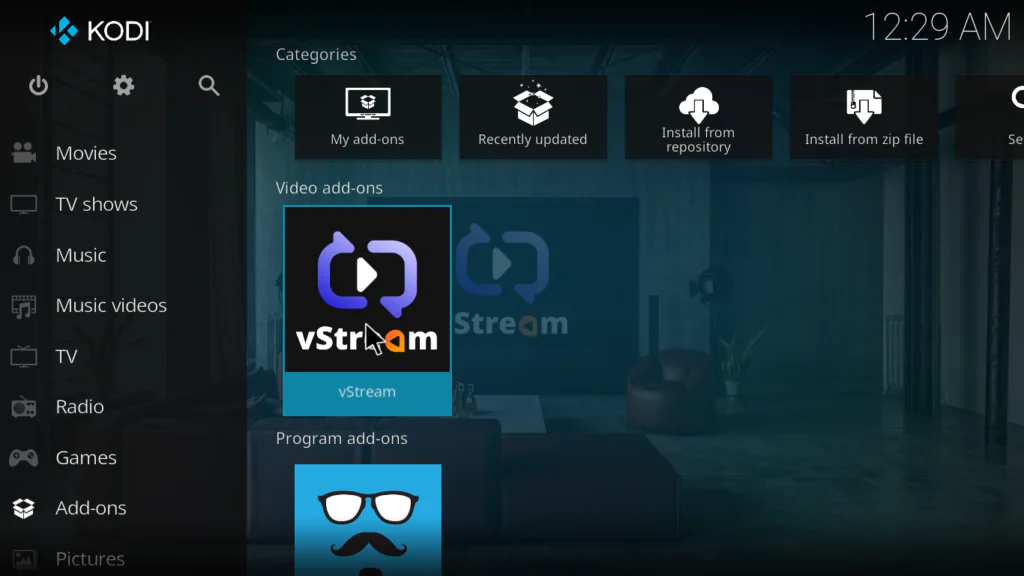
- The addon will open showing all content categories — Movies, TV Shows, Documentaries, Anime, Sports, Live TV, and more
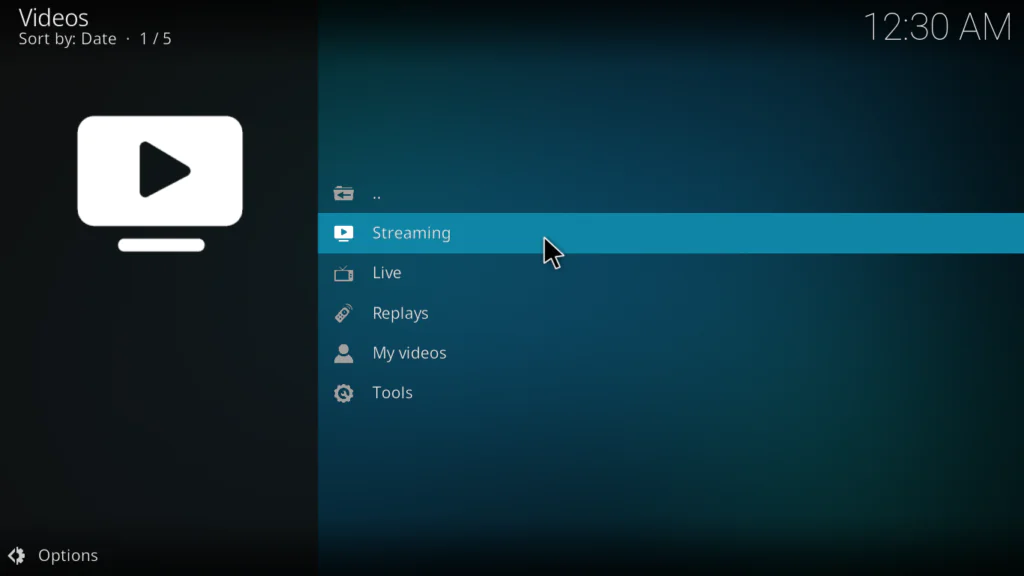
- Click any category to start browsing
- Select a title and choose a streaming link from the list of available sources
That’s it — you now have access to one of the most complete French streaming libraries available on Kodi.
How to Use the vStream Kodi Addon After Installing
Here’s a quick overview of navigating the addon:
- Movies — search or browse thousands of French and international films
- TV Shows — find full series with all seasons and episodes
- Documentaries — browse a massive selection of documentary content
- Anime — French-dubbed and French-subtitled anime series
- Sports — live sports and replays
- Live TV — live French television channels
- TV Replays — catch up on French TV shows you missed
- Search — search across all categories at once
- Favourites — access bookmarked content quickly
- Tools and Settings — manage sources, configure Trakt, adjust preferences
One thing I always recommend doing right after installation: go into Tools → Settings → Sources and review which streaming sources are active. You can disable sources that aren’t working well for you and keep only the ones that give reliable streams.
My Personal Experience with the vStream Kodi Addon
I’ve tested a lot of Kodi addons and vStream genuinely impressed me — especially for what it offers completely free.
What I liked most: The multi-source search is brilliant. When you search for a movie, vStream doesn’t just show you one link — it scans every source it knows about and lists every available stream. If one link doesn’t work, you just pick another. It means you almost never hit a dead end, which is a huge problem with most other free Kodi addons.
The ad-free experience is also exceptional. I tested several streams and not a single ad appeared — no pre-roll, no pop-ups, no commercial breaks. For a completely free addon, that’s remarkable.
The Trakt integration was a nice bonus I wasn’t expecting. I connected my Trakt account in the settings and every film I watched was automatically marked as seen in my Trakt history. For people who track their viewing habits it’s a genuinely useful feature.
What I didn’t like: The interface is entirely in French. If you don’t speak French, navigating it is confusing. Also, stream reliability varies — some sources work perfectly while others buffer or fail. But with multiple sources available for each title, this is rarely a problem in practice.
Who should install this: Anyone who speaks French and uses Kodi. It’s the single best French-language addon available and nothing else comes close. It’s easily one of the best Kodi addons available for French-speaking audiences right now.
Tips to Get the Best Streaming Experience
Here’s what makes the biggest difference with vStream:
- Always try multiple sources when one doesn’t play — vStream lists all available links, so just pick the next one if the first fails
- Go into Tools → Settings → Sources and disable sources with consistently bad quality — this makes your search results cleaner
- Use a wired Ethernet connection instead of Wi-Fi — streaming quality improves significantly
- Connect your Trakt account in Settings to automatically track everything you watch
- Use the Favourites feature to save films and shows you want to watch later — it saves a lot of time
- Keep vStream updated through its own repository — updates frequently fix broken sources and add new ones
Pros and Cons of the vStream Kodi Addon
Pros:
- Completely free and open source
- Multi-source search — scans dozens of sites simultaneously
- Automatic ad removal — no commercials during playback
- Trakt integration — sync your watch history automatically
- Download support for offline viewing
- Subtitle support
- Huge content library — movies, TV shows, anime, documentaries, sports, live TV
- Regularly updated by an active development community
- Works on Kodi 19, 20, and 21 on all major devices
Cons:
- Interface is entirely in French — confusing for non-French speakers
- Stream quality varies by source — some links buffer more than others
- Requires enabling Unknown Sources — extra step for first-time users
- Not all sources host legally licensed content
- Dependency installation can occasionally fail and needs to be retried
Troubleshooting Common Problems
vStream not appearing after installation
This usually means a dependency failed to install. Go back to Install from repository → vStream Repository → Video Add-ons → vStream and click Install again. When prompted about dependencies, click OK for each one. Restart Kodi after installation completes.
Streams not loading or failing to play
Try a different source — vStream lists multiple links for each title. Scroll down the source list and try the next available option. If all sources fail for a specific title, it may not be available on any currently working site. Try searching for it again in a few hours.
Repository not found or connection error during zip install
Double-check the URL — it must be exactly: https://kodi-vstream.github.io/repo with no extra spaces or typos. This URL is different from SlyGuy so be careful. If it still fails, your internet connection may be blocking GitHub — try using a VPN or different network.
Buffering on every stream
Switch from Wi-Fi to a wired Ethernet connection first — this solves most buffering issues. Also go into vStream Settings → Sources and disable the sources that consistently buffer. Keeping only fast, reliable sources makes a big difference.
Trakt not syncing watch history
Go into vStream → Tools → Settings → Trakt and re-authenticate your account. If Trakt shows an authentication error, revoke access from your Trakt account settings online and re-authorize from scratch inside vStream.
FAQs
Is the vStream Kodi addon free?
Yes — completely free. vStream is an open-source project with no subscription, no account, and no payment required for basic use.
Does vStream work in English?
vStream’s interface and content are primarily in French. While some international content is available, this addon is designed for French-speaking audiences. If you primarily want English content, other addons would serve you better.
Where does the vStream Kodi addon come from?
vStream has its own dedicated repository hosted on GitHub. The official repo URL is https://kodi-vstream.github.io/repo. It is not hosted on SlyGuy or any other third-party repository.
Does vStream work on Kodi 21 Omega?
Yes. vStream is compatible with Kodi 19 Matrix, Kodi 20 Nexus, and Kodi 21 Omega — all current versions as of 2026.
Can I download content with vStream?
Yes — vStream supports downloading certain content directly to your device for offline viewing. This feature is available within the addon for compatible streaming sources.
What is Trakt and do I need it for vStream?
Trakt is a free service that tracks the TV shows and movies you watch. You don’t need a Trakt account to use vStream — it’s completely optional. But if you already use Trakt, connecting it to vStream automatically syncs your watch history and ratings.
Conclusion
The vStream Kodi addon is the ultimate free streaming addon for French-speaking Kodi users — and it’s not even close.
Multi-source search. Automatic ad removal. Trakt integration. Download support. A massive library of movies, TV shows, documentaries, anime, sports, and live TV — all in French, all completely free.
Follow the 5 steps in this guide and you’ll have it up and running in under 10 minutes.
Got questions or hit a problem during installation? Drop a comment below — I reply to every single one.