PBS Live Kodi addon is one of the most underrated free streaming addons available on Kodi right now — and if you enjoy quality TV, you’re seriously missing out.
PBS — Public Broadcasting Service — is America’s most trusted public broadcaster. It’s the home of documentaries, breaking news, kids programming, history shows, food content, arts, and music. All of it is completely free, publicly funded, and available to watch without a subscription.
The PBS Live Kodi addon brings all of that directly inside Kodi. You get access to live PBS stations from all 50 US states — local affiliates, regional channels, and more — without paying a single cent.
No cable. No account. No subscription. Just free, high-quality public television inside Kodi.
In this guide I’ll walk you through every step of the installation — from enabling the right settings to watching your first live PBS channel. Even if you’ve never installed a Kodi addon before, this guide has you covered.
Let’s get started.
What Is the PBS Live Kodi Addon?
PBS stands for Public Broadcasting Service — one of the most well-known and trusted public broadcasters in the United States. It’s been running since 1970 and is funded by the US government and public donations. Content is completely free and always has been.
The PBS Live Kodi addon is a video addon that streams live PBS stations from across the entire United States directly inside Kodi. It’s hosted in the SlyGuy Repository — the same trusted repository that contains other popular legal addons like Plex Live and the Roku Channel addon.
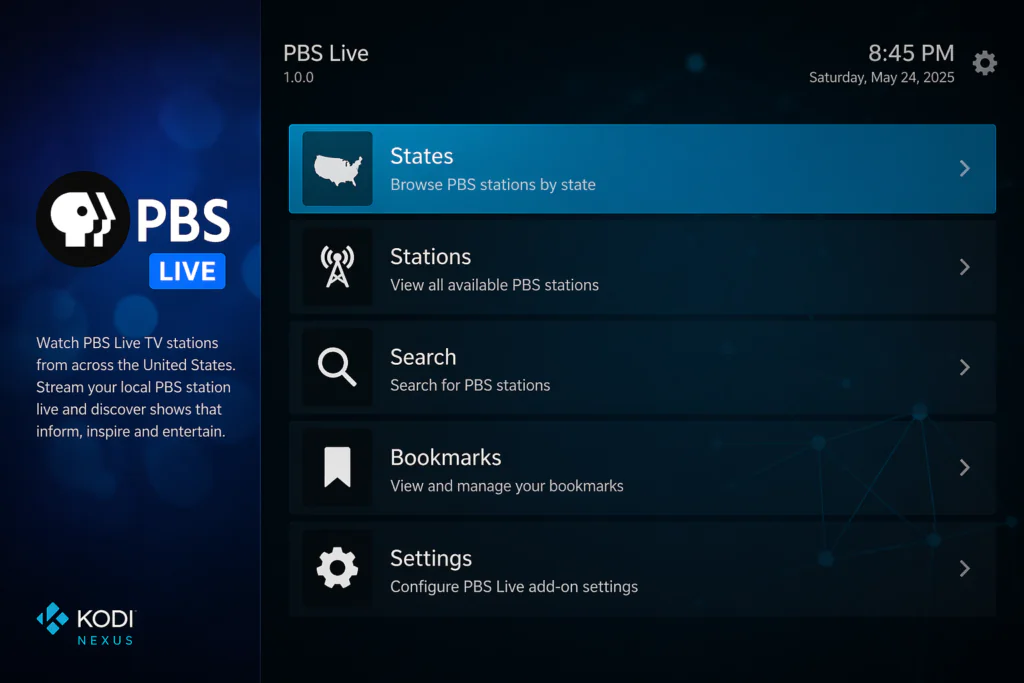
Once installed, you get a clean interface organized by States, Stations, Search, Bookmarks, and Settings — making it easy to find your local PBS affiliate or explore stations from other regions.
One thing that makes this addon stand out from most free live TV addons is its built-in streaming speed selector. You can choose between different bitrate options depending on your internet connection speed — which means it works well even on slower connections.
What Can You Watch?
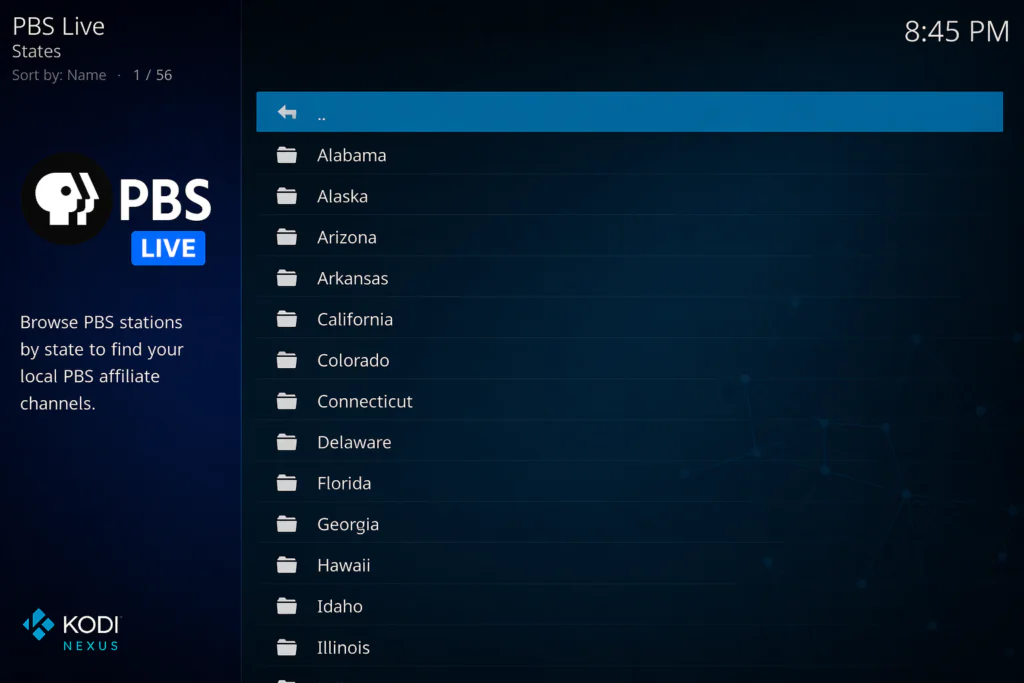
The PBS Live Kodi addon gives you access to live PBS affiliate stations from all 50 US states. Here’s a sample of what’s available:
Major cities and regions covered include:
- New York (WNET/Thirteen)
- Los Angeles (KCET)
- Chicago (WTTW)
- Washington D.C. (WETA)
- Boston (WGBH)
- Houston (Houston Public Media)
- Seattle (KCTS 9)
- And over 100 more cities and regions across all 50 states
Content categories available on PBS include:
- News and current affairs
- Documentary films
- History programs
- Kids and family shows — including Sesame Street and Daniel Tiger
- Food and cooking
- Arts and culture
- Music and performance
- Science and nature
If you enjoy quality television that’s actually worth watching — documentaries, news analysis, educational content — PBS Live delivers more of it than almost any other free Kodi addon.
Features of the PBS Live Kodi Addon
Here’s everything this addon includes:
- Live PBS stations from all 50 US states and over 100 cities
- No subscription, no account, no login required
- Multiple streaming speed options — choose lower bitrate for slower connections
- Clean interface organized by States, Stations, Search, and Bookmarks
- Bookmark your favourite stations for instant access
- Built-in search to find specific stations quickly
- Hosted in the trusted SlyGuy Repository — regularly updated
- Compatible with Kodi 20 Nexus and Kodi 21 Omega
- Works on Android TV boxes, Fire Stick, Windows, Mac, and Raspberry Pi
- Free, legal, publicly funded content — no grey area
The multiple streaming speed options are something most guides never mention — but it’s genuinely useful. If your connection is slow or unstable, dropping to a lower bitrate stops buffering almost instantly.
Is the PBS Live Kodi Addon Safe and Legal?
Yes — completely.
PBS is a publicly funded, officially licensed broadcaster. Every stream you watch through this addon comes directly from PBS’s own servers. There is no piracy, no grey area, and nothing illegal about the content itself.
The SlyGuy Repository is one of the most respected third-party Kodi repositories available. It hosts only legal streaming addons and is regularly maintained by its developer.
A few things to keep in mind:
- PBS Live is geo-restricted to the United States — if you’re outside the US you’ll need a VPN to access it
- Always use the official SlyGuy repo URL — https://slyguy.uk — not random URLs from unknown sites
- A VPN is good practice for general online privacy, regardless of what you’re watching
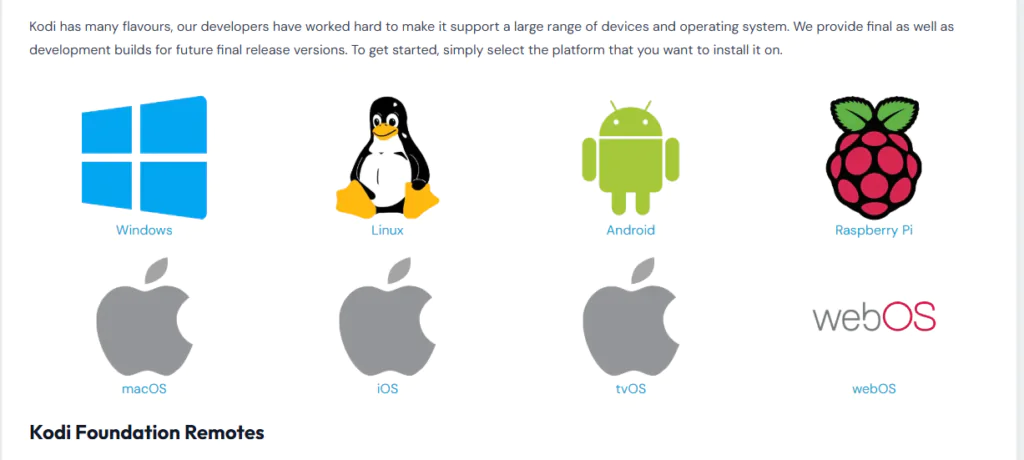
Before you start, make sure you have Kodi installed on your device. Download it free from the official Kodi website at kodi.tv — always use the official source.
Requirements Before You Start
Make sure you have these ready:
- Kodi 20 (Nexus) or Kodi 21 (Omega) installed on your device
- A stable internet connection — at least 5 Mbps for smooth live streaming
- Unknown Sources enabled in Kodi settings — I’ll show you exactly how
- A compatible device — Android TV box, Fire Stick, Windows PC, Mac, or Raspberry Pi
- A VPN if you are outside the United States — PBS content is geo-restricted to the US
- InputStream Adaptive installed — Kodi will prompt you to install this automatically when you first play a channel. Just click Yes when it appears
If you’re new to Kodi addons, check out this beginner guide on how to install Kodi addons before continuing.
Step-by-Step Installation Guide for the PBS Live Kodi Addon
Follow each step carefully. The whole process takes less than 5 minutes.
Step 1: Enable Unknown Sources in Kodi
This allows Kodi to install addons from outside the official Kodi repository. You only need to do this once.
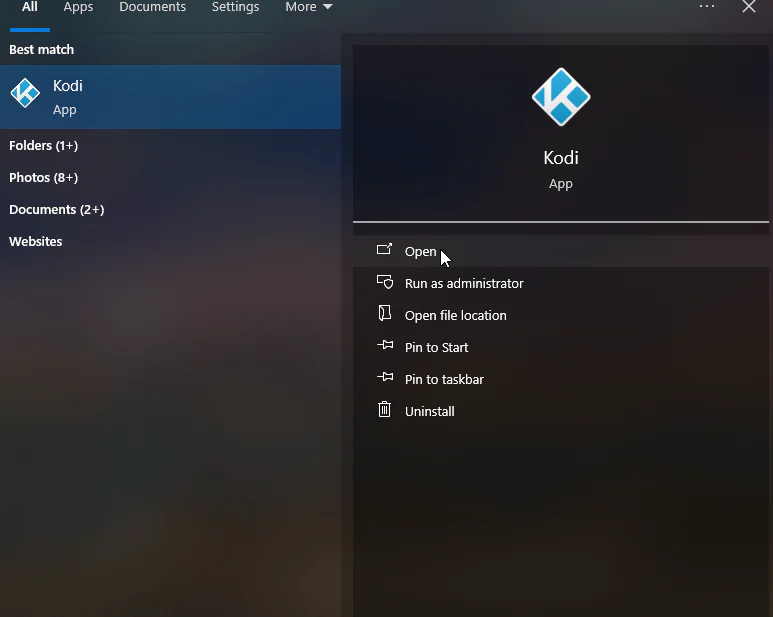
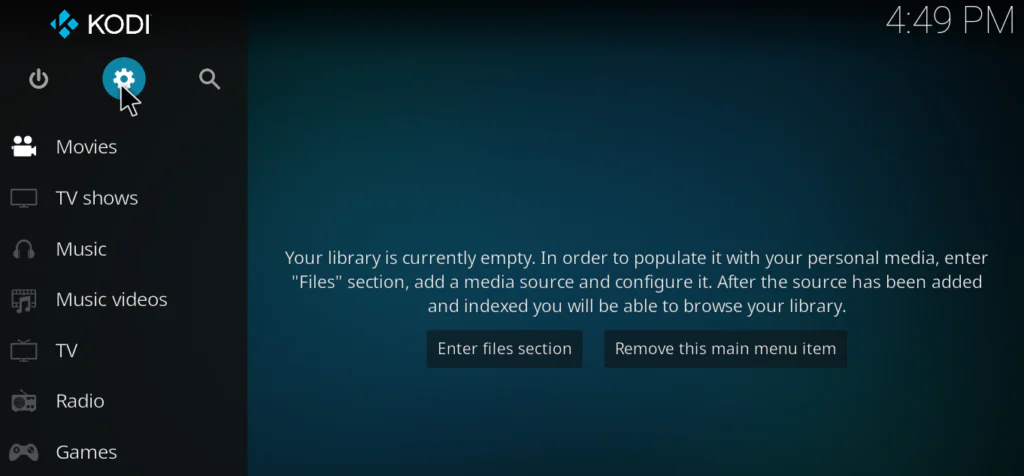
- Open Kodi on your device
- Click the gear icon at the top left to open Settings
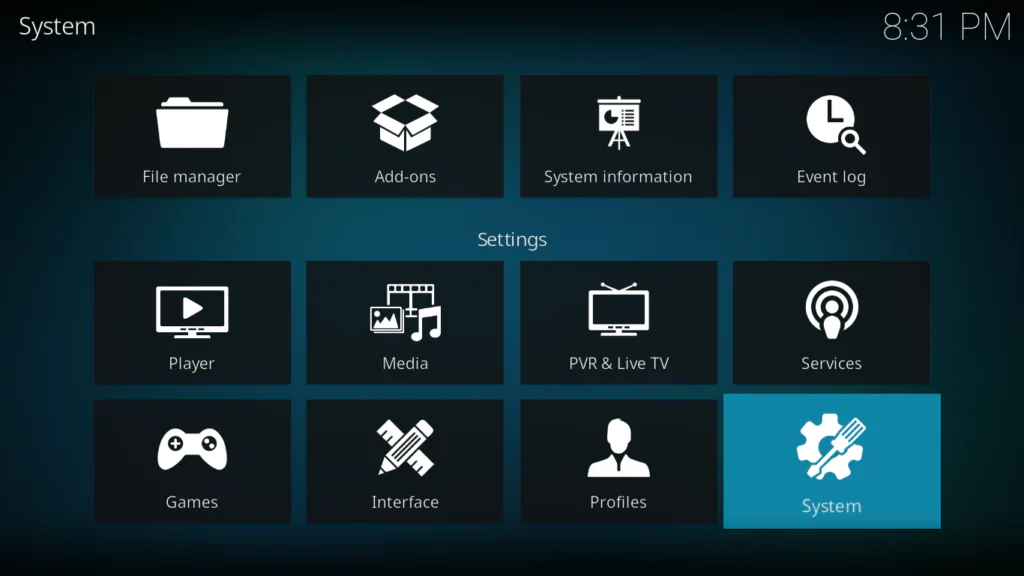
- Click System
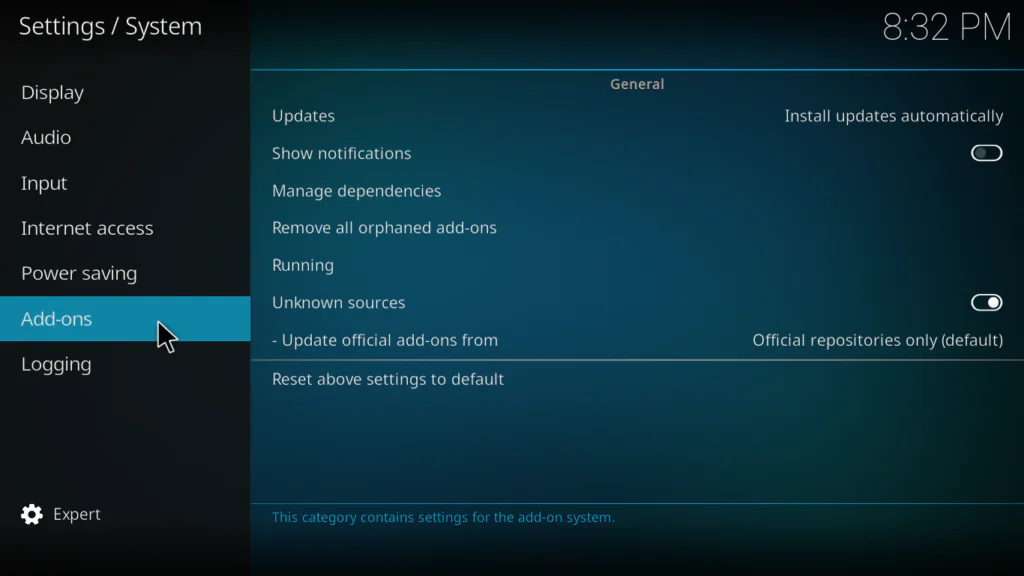
- Select Add-ons from the left menu
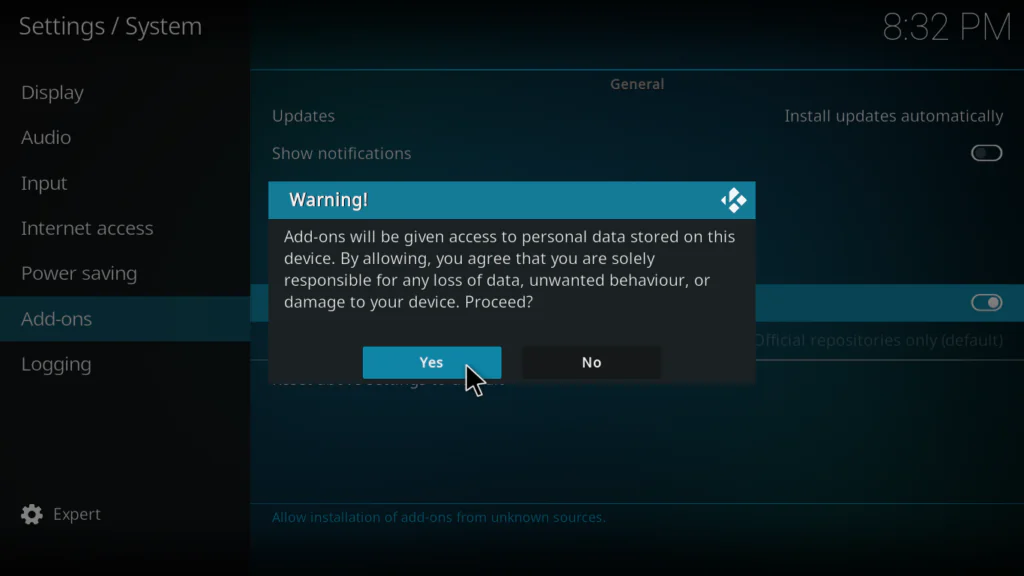
- Toggle Unknown Sources to ON
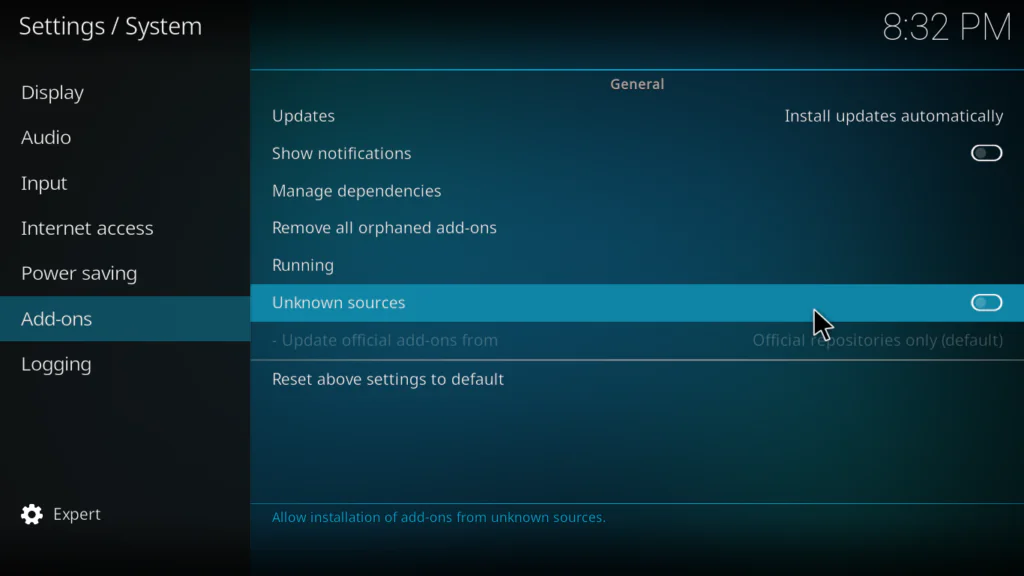
- A warning popup will appear — click Yes to confirm
Step 2: Add the SlyGuy Repository in File Manager
- Go back to the main Settings screen
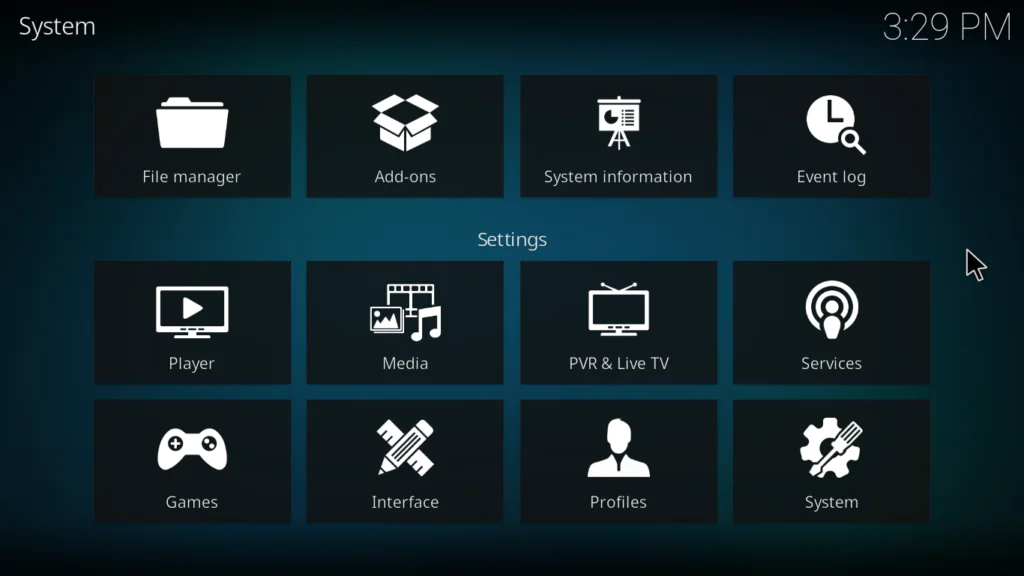
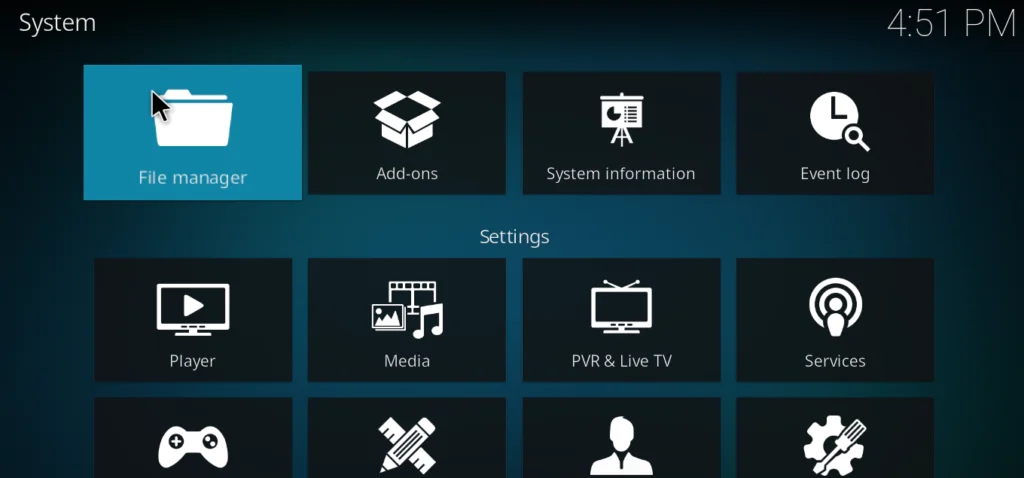
- Click File Manager
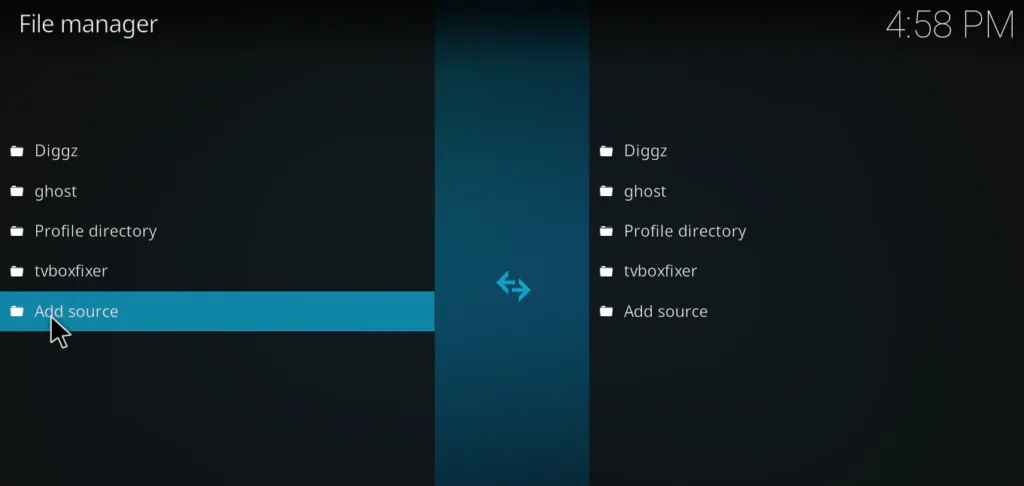
- Double-click Add Source on the left panel
- Click where it says None
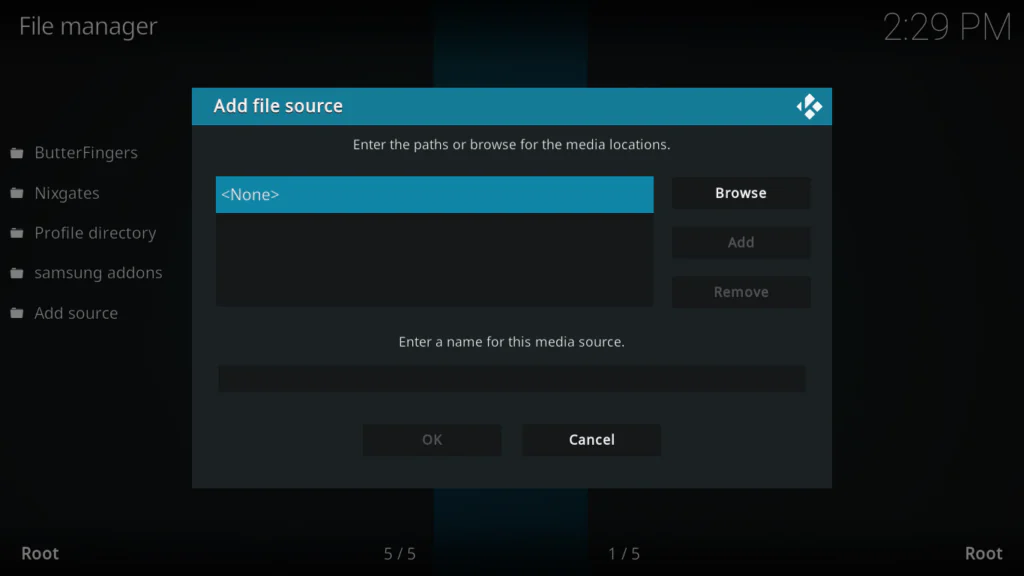
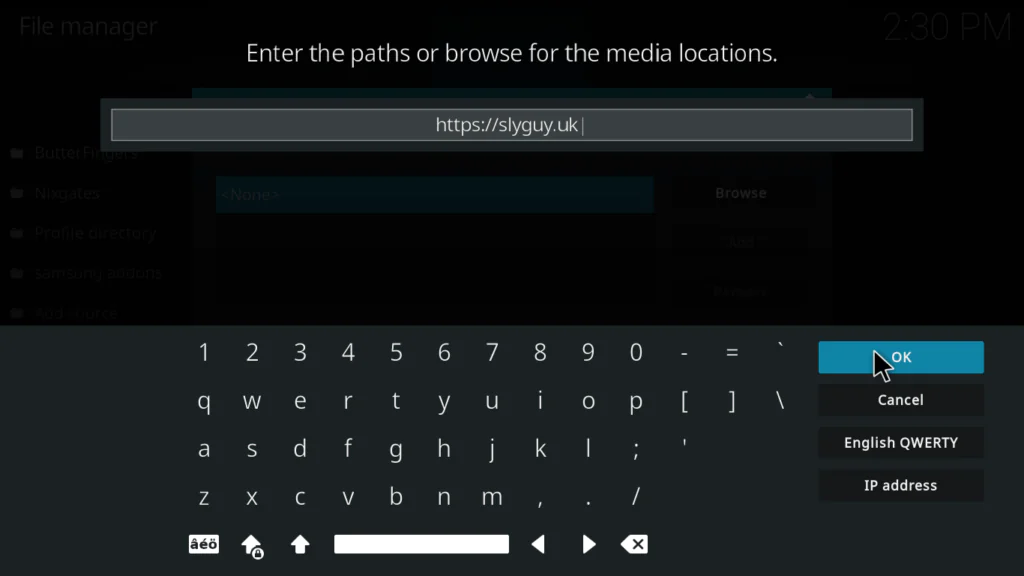
- Type this URL exactly: https://slyguy.uk
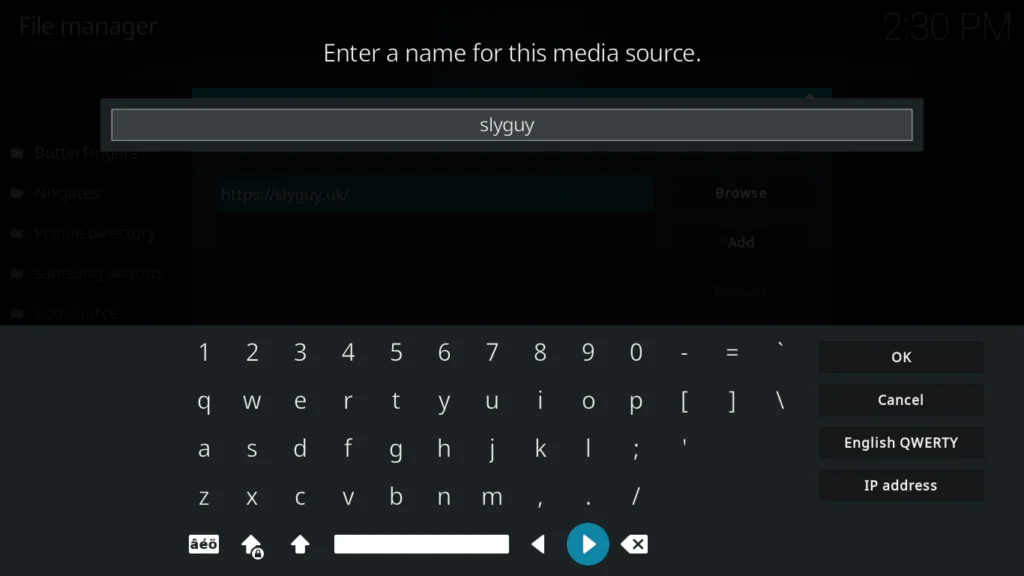
- In the name field below, type: slyguy
- Click OK to confirm
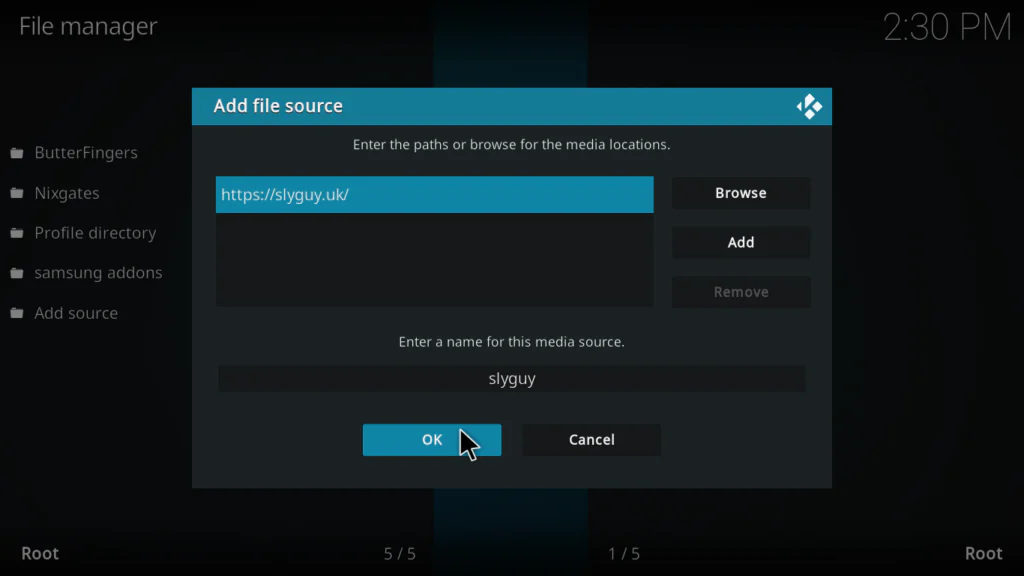
Tip: If https://slyguy.uk doesn’t respond, try the alternative: https://k.slyguy.xyz — both work the same way.
Step 3: Install the SlyGuy Repository Zip File
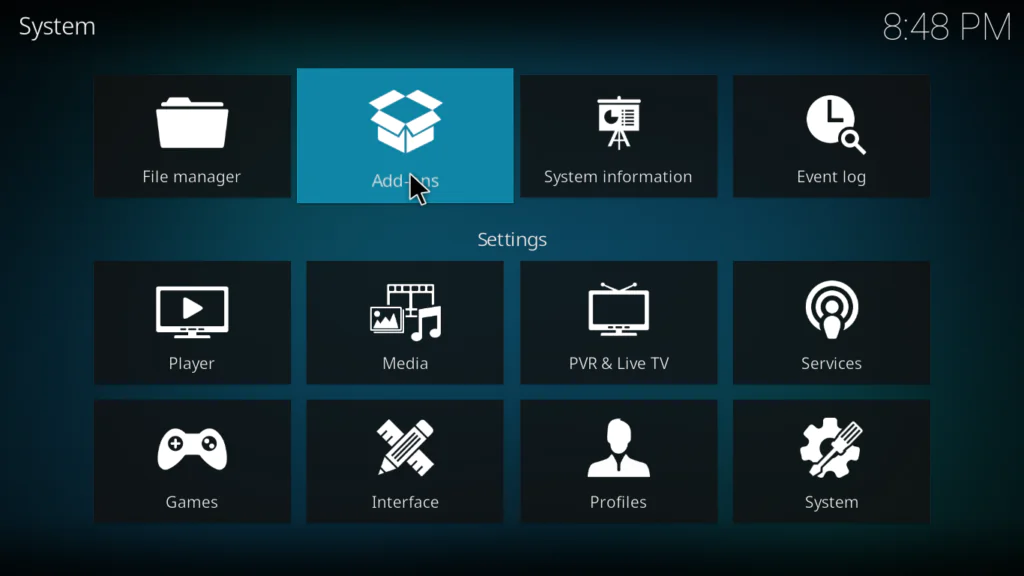
- Go to the Kodi system screen
- Click the open box icon
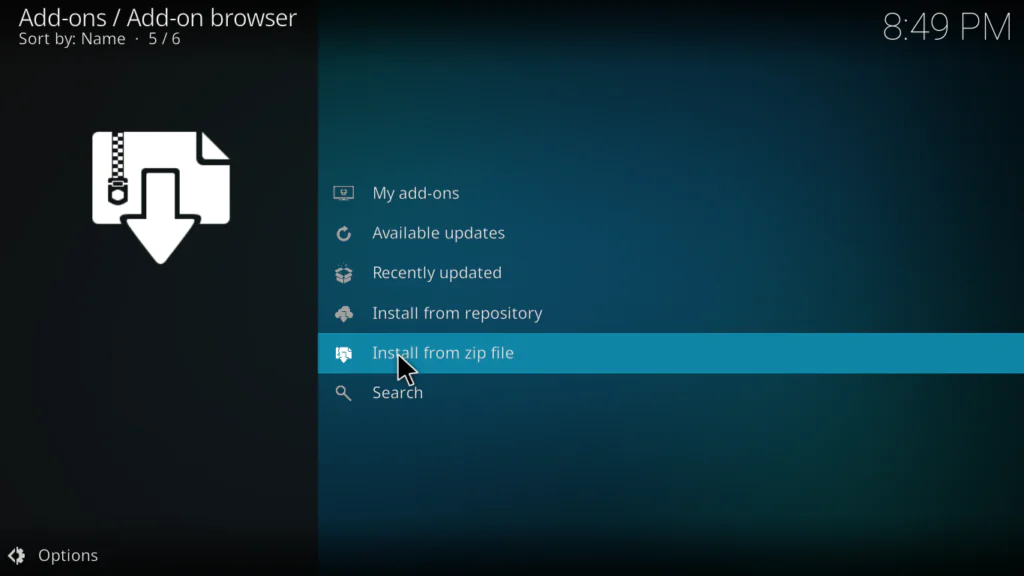
- Select Install from zip file
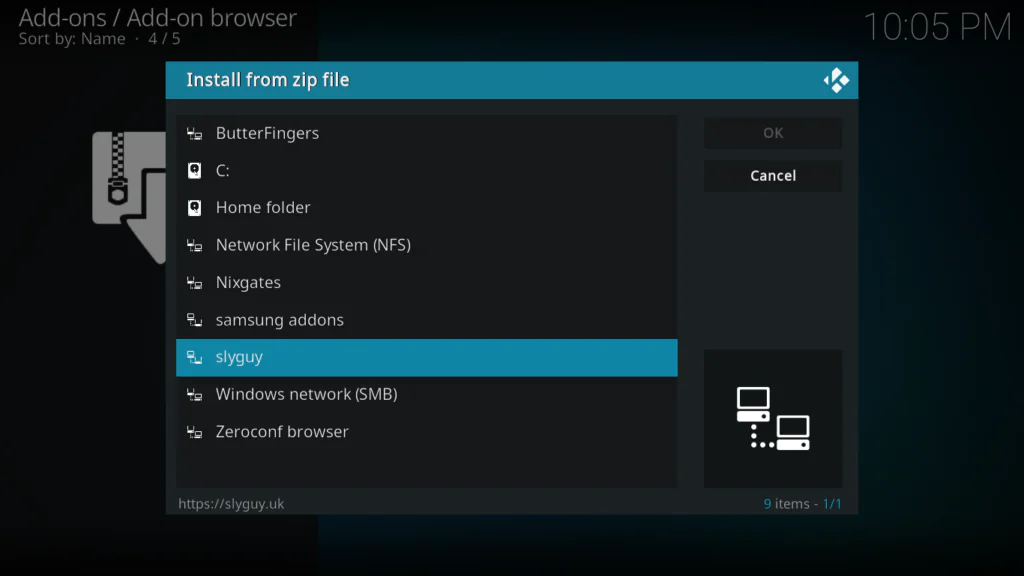
- Find and click slyguy from the list
- Click repository.slyguy.zip
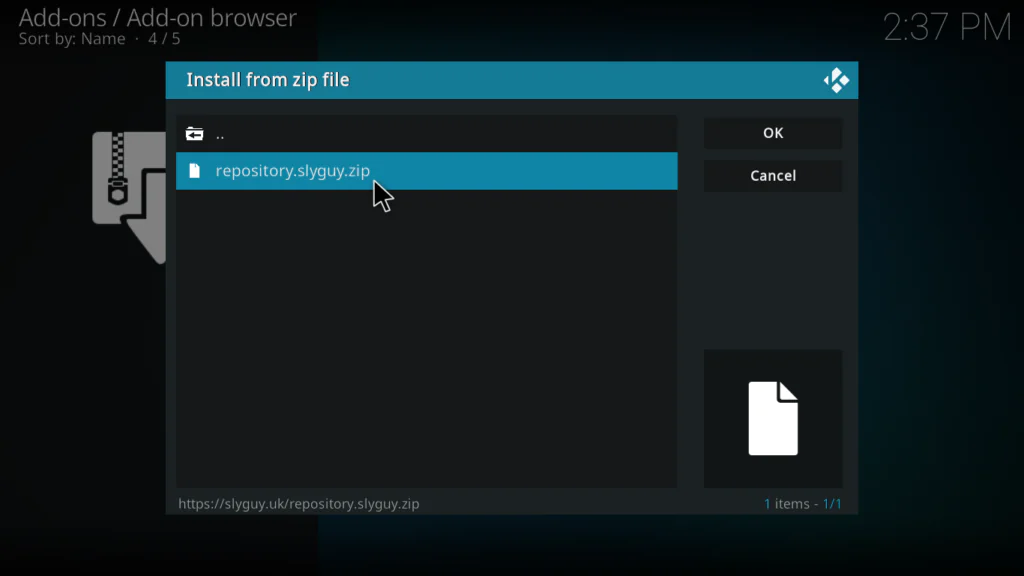
- Wait for the Repo Installed notification in the top right corner
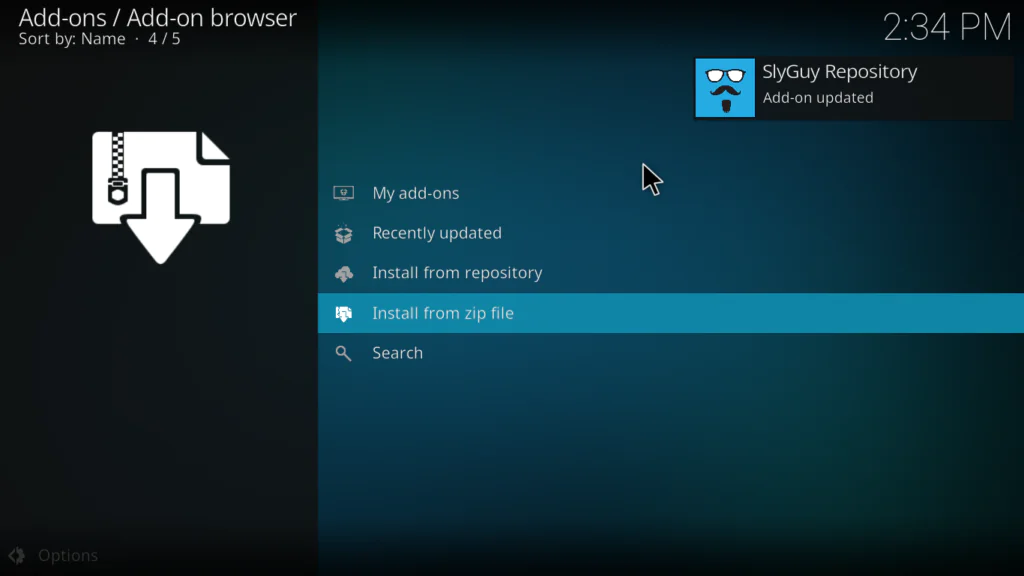
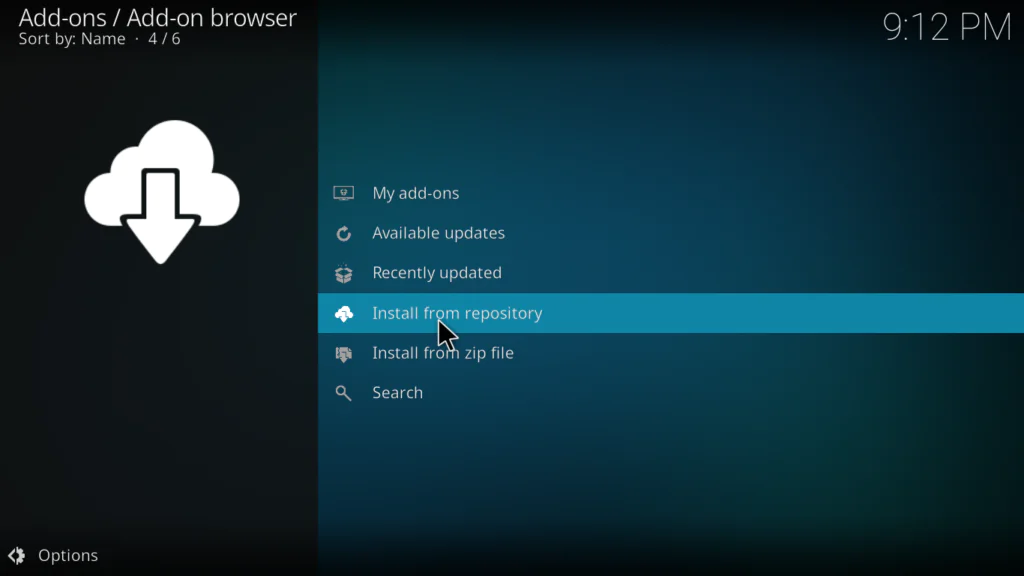
Step 4: Install PBS Live from the SlyGuy Repository
- Still in the Package Installer, click Install from repository
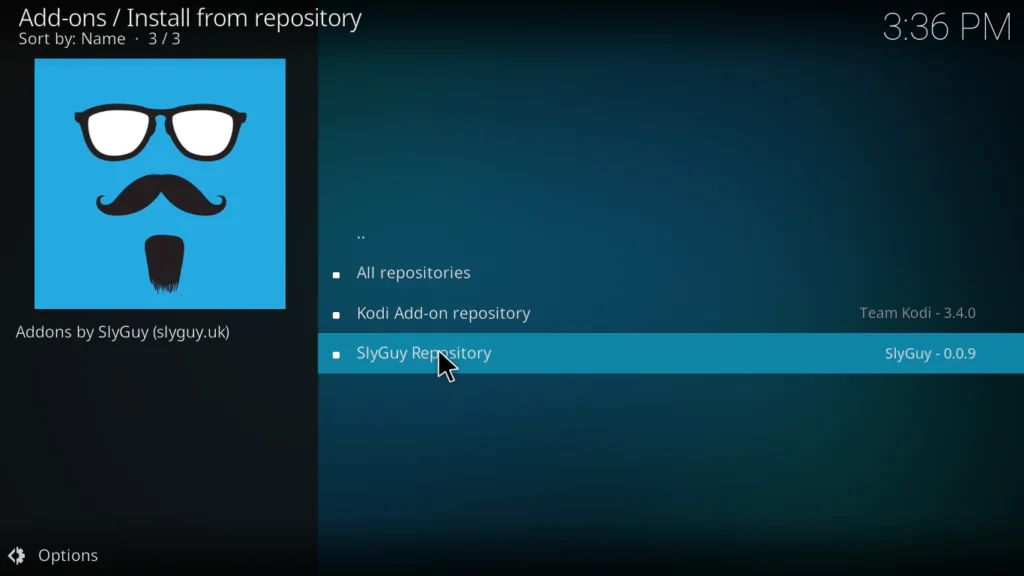
- Find and click SlyGuy Repository
- Click Video Add-ons
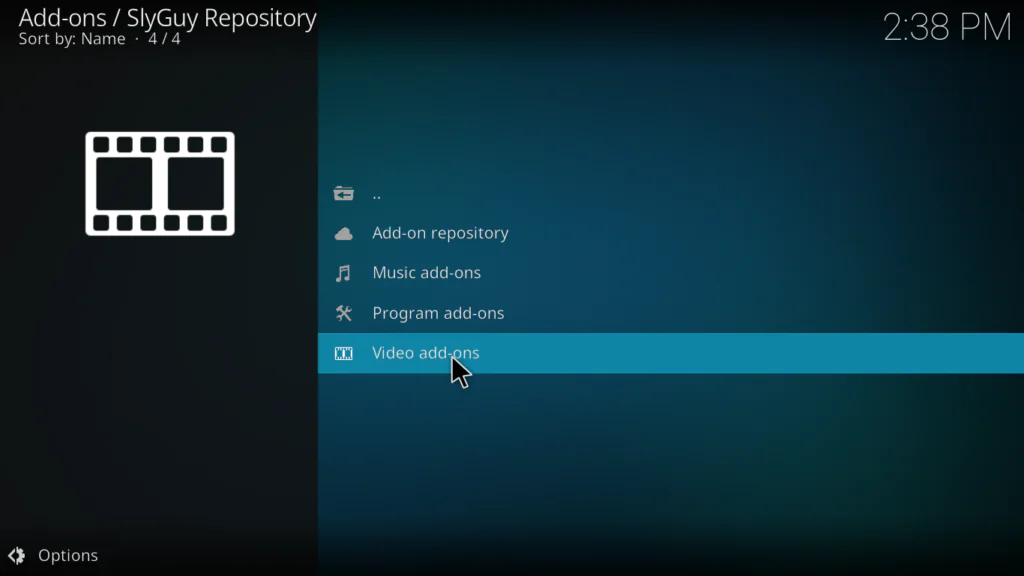
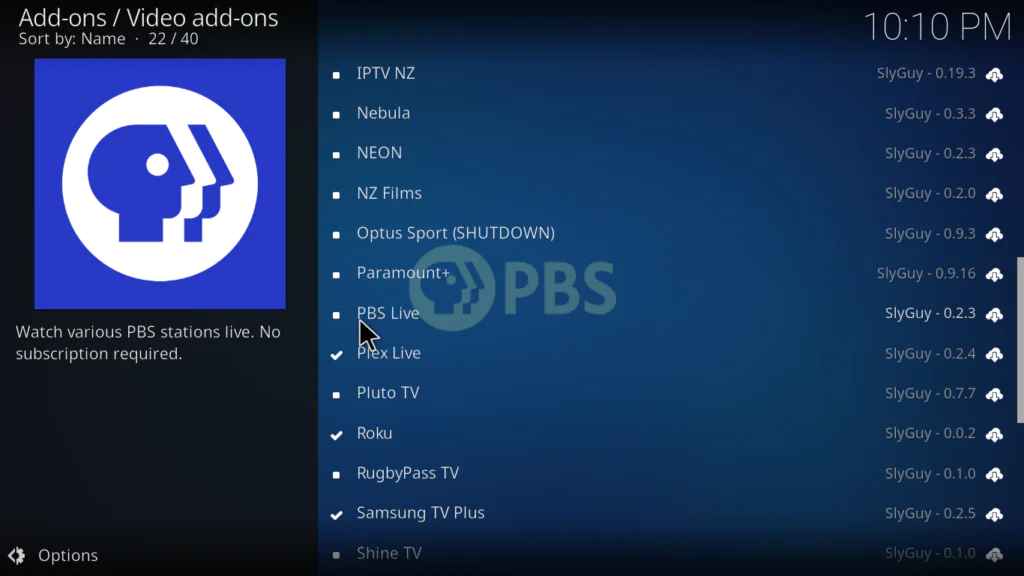
- Scroll down and find PBS Live in the list and click on it.
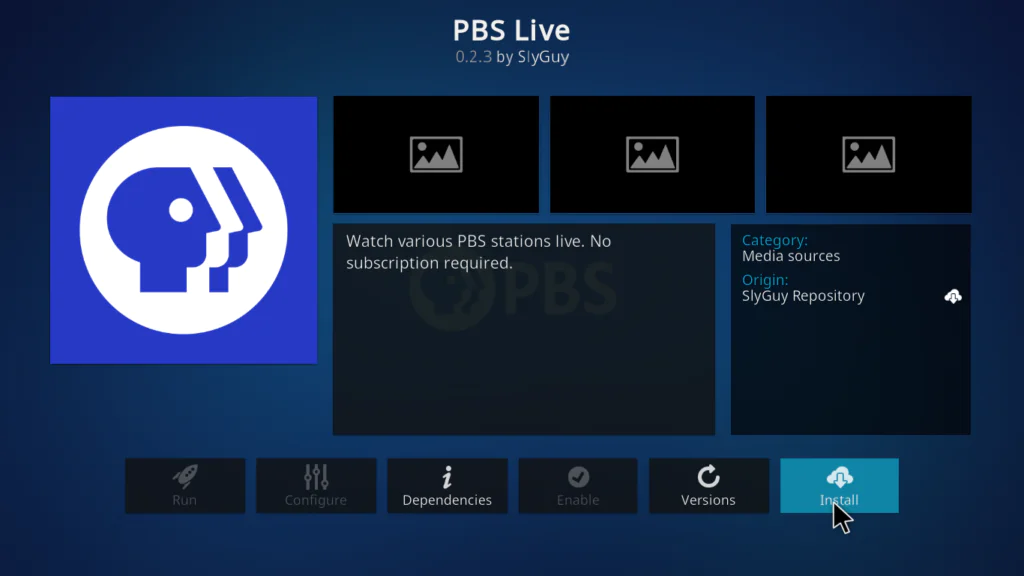
- Click Install
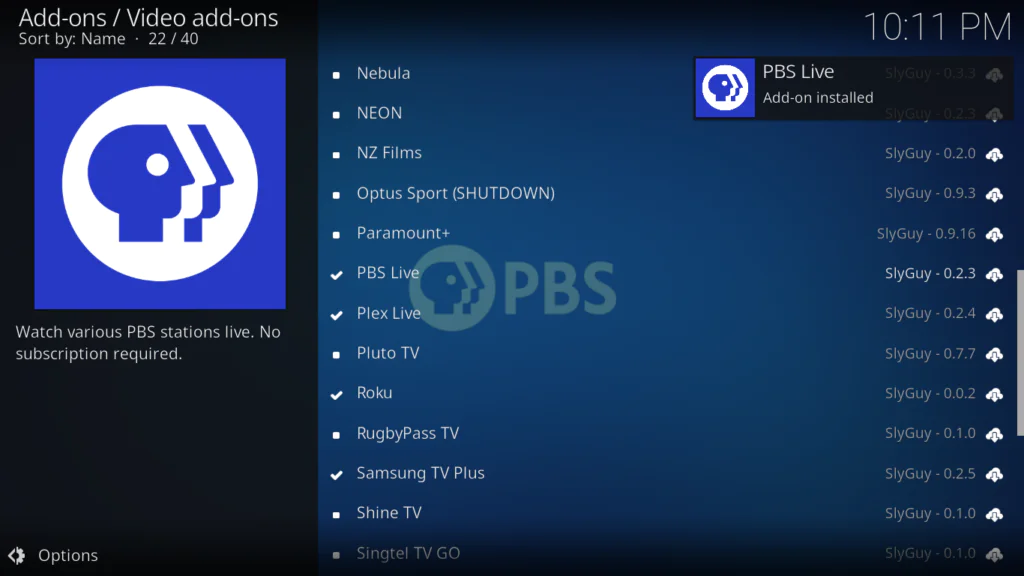
- Wait for the Add-on installed notification
Step 5: Open PBS Live and Start Watching
- Go back to the Kodi home screen
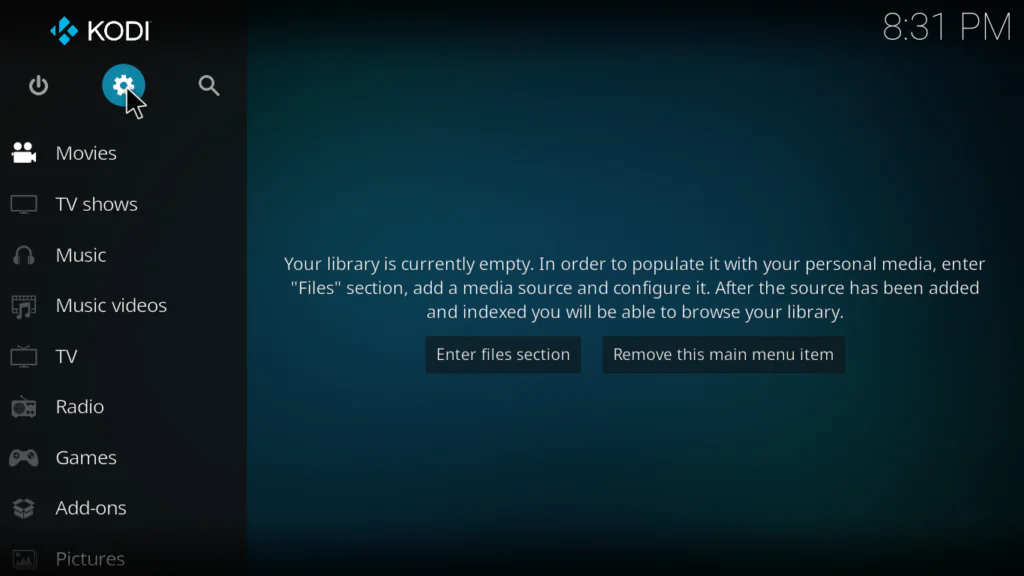
- Click Add-ons
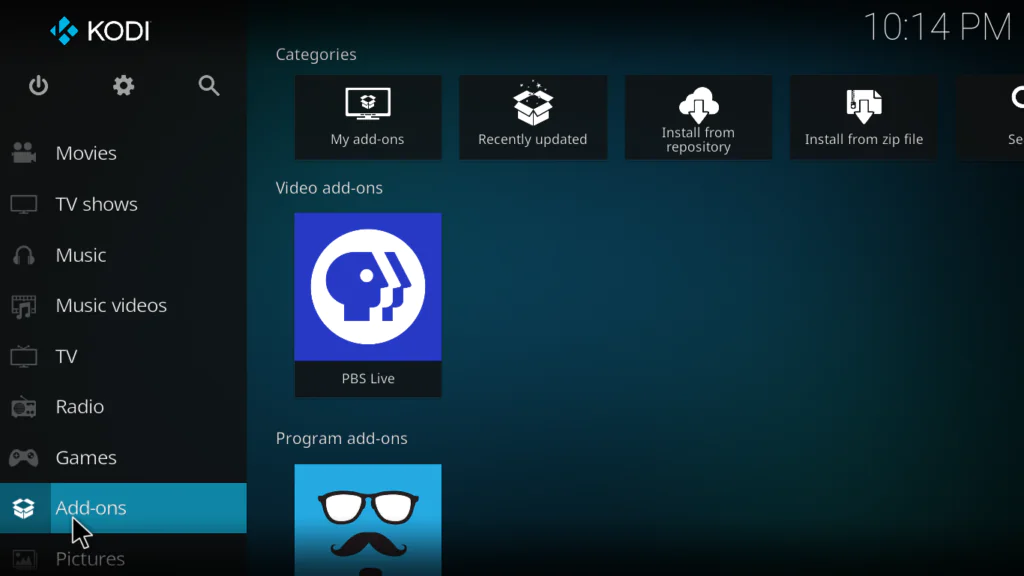
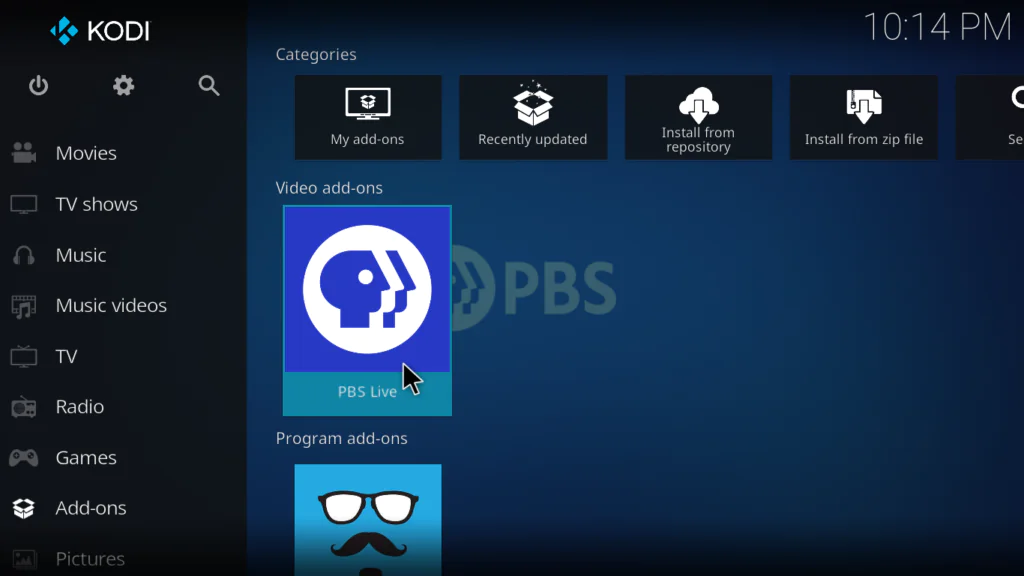
- Find PBS Live and click on it
- The addon will open showing States, Stations, Search, Bookmarks, and Settings
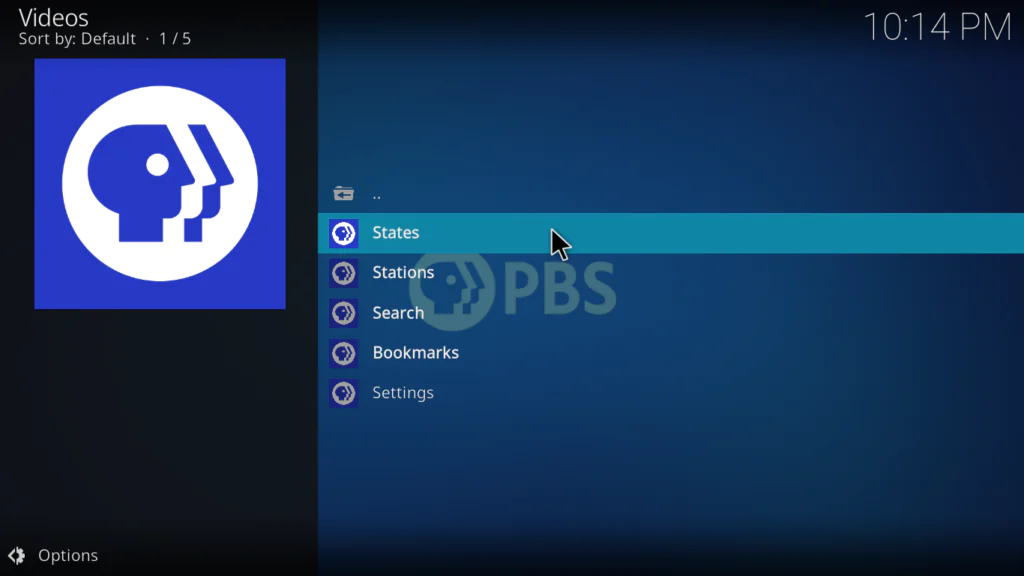
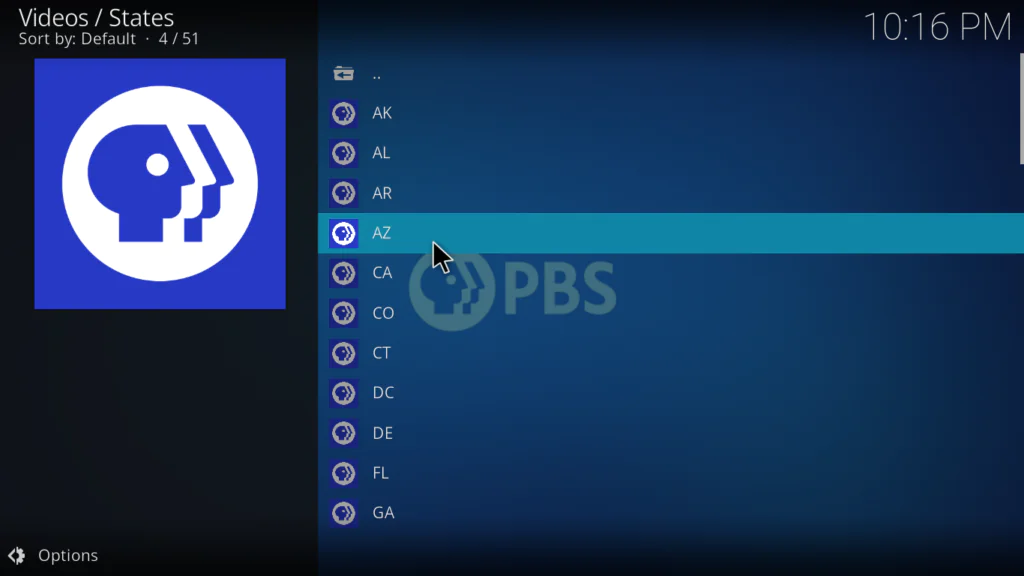
- Click States to browse by US state or Stations to see all available channels
- Click any station to start streaming
- If prompted to install InputStream Adaptive — click Yes and wait for it to install
That’s it. You’re now watching free live PBS inside Kodi.
How to Use the PBS Live Kodi Addon After Installing
Here’s a quick overview of how to navigate the addon:
- States — browse PBS affiliates organized by US state — great for finding your local station
- Stations — see all available PBS stations in one combined list
- Search — find a specific station by name quickly
- Bookmarks — save your favourite stations for one-click access next time
- Settings — adjust streaming quality, change region settings, and more
One thing I always recommend doing first: go into Settings inside the addon and check the streaming quality options. If you’re on a fast connection, set it to Best. If streams are buffering, drop it to a lower bitrate — it makes a huge difference.
My Personal Experience with the PBS Live Kodi Addon
I’ll be honest — I wasn’t expecting much from a public broadcasting addon. PBS isn’t exactly known for being exciting. But after spending time with it, I genuinely changed my mind.
What I liked most: The content quality is excellent. PBS documentaries in particular are some of the best free content available anywhere. I watched a full nature documentary series through this addon and the stream was rock-solid — no buffering, no dropped connections, sharp HD quality on a 20 Mbps connection.
The streaming speed selector is also something I appreciated more than I expected. I tested it on a slower 8 Mbps connection and dropping to the medium bitrate option made everything smooth instantly. Most free Kodi addons don’t give you this option at all.
What I didn’t like: The addon is US-only without a VPN. If you’re in Morocco or anywhere outside the US, you’ll get an error when trying to play any channel. A VPN with a US server fixes this completely, but it’s an extra step that not everyone wants to deal with.
Who should install this: Anyone who enjoys documentaries, news, kids content, or quality educational television. Also anyone who already watches PBS on TV and wants it on their Kodi device. It’s one of the cleanest, most reliable free addons I’ve tested — and it’s one I recommend alongside the best Kodi addons available right now.
Tips to Get the Best Streaming Experience
A few things that make a real difference:
- Use a wired Ethernet connection instead of Wi-Fi — live TV streaming is much more stable on a wired connection
- If streams buffer, open the addon Settings and lower the streaming quality — PBS Live has multiple bitrate options specifically for this
- Use a VPN set to a US server if you’re outside the US — without it, no channels will load at all
- Bookmark your favourite local PBS station right away — saves time every time you open the addon
- When prompted to install InputStream Adaptive on first launch — always click Yes — the addon needs it to decrypt and play streams
- Keep the SlyGuy Repository updated to ensure you always have the latest version of PBS Live.
Pros and Cons of the PBS Live Kodi Addon
Pros:
- 100% free and completely legal — publicly funded US content
- Live PBS stations from all 50 US states and 100+ cities
- No subscription, no account, no login required
- Multiple streaming speed options — works on slower connections too
- Clean, easy-to-navigate interface with Search and Bookmarks
- Hosted on the trusted SlyGuy Repository — regularly maintained
- Excellent content quality — documentaries, news, kids, history, arts
- Works on Kodi 20 and 21 on all major devices
Cons:
- Geo-restricted to the United States — VPN required outside the US
- No on-demand content — live streams only
- Requires InputStream Adaptive — extra install step on first launch
- Content is educational and family-focused — not for those wanting movies or sports
- Depends on SlyGuy Repository staying active
Troubleshooting Common Problems
Channels not loading — just a spinning circle
This usually means you’re outside the US and hitting the geo-restriction. Connect your VPN to a US server and try again. If you’re already in the US, check that your internet connection is stable and try a different PBS station.
InputStream Adaptive error on first launch
When you first play a channel, Kodi should automatically prompt you to install InputStream Adaptive. Click Yes and wait for it to finish. If the prompt doesn’t appear, go to Settings → Add-ons → Install from repository → Kodi Add-on repository → VideoPlayer InputStream → InputStream Adaptive and install it manually.
Repo Installed but PBS Live not found in SlyGuy Repository
This can happen if the repository didn’t fully load. Go back to Add-ons → Package Installer → Install from zip file and reinstall repository.slyguy.zip. Then try Install from repository again.
Streams buffering constantly
Open the PBS Live addon Settings and lower the streaming quality to Medium or Low. Also switch from Wi-Fi to a wired Ethernet connection if possible — this is the most effective fix for buffering.
Addon disappeared after a Kodi update
Reinstall PBS Live from the SlyGuy Repository following Steps 3 and 4 above. You won’t need to add the repo source again — just go straight to Install from repository.
FAQs
Is the PBS Live Kodi addon completely free?
Yes — 100% free. PBS is a publicly funded broadcaster and all content is available at no cost. No subscription, no account, and no credit card required.
Do I need a Roku device or PBS account to use this addon?
No. The PBS Live Kodi addon works completely independently. You don’t need any PBS account, Roku device, or any other service. Just install and watch.
Why does PBS Live say it can’t play content?
This is almost always because you’re outside the United States. PBS is geo-restricted to the US. Use a VPN connected to a US server and the issue will be resolved immediately.
What is InputStream Adaptive and why does PBS Live need it?
InputStream Adaptive is a Kodi component that handles adaptive bitrate streaming — it lets the addon adjust stream quality automatically based on your connection speed. PBS Live requires it to play streams. Kodi will prompt you to install it automatically on first launch.
Does the PBS Live Kodi addon work on Fire Stick?
Yes. As long as Kodi is installed on your Fire Stick, the PBS Live addon works perfectly. Follow the exact same steps in this guide.
Where exactly is the PBS Live Kodi addon hosted?
It’s in the SlyGuy Repository — one of the most trusted third-party Kodi repositories. The official URL is https://slyguy.uk.
Conclusion
The PBS Live Kodi addon is one of the best free, legal addons you can install on Kodi in 2026 — especially if you value quality over quantity.
Free live PBS stations from all 50 US states. Documentaries, news, kids content, history, arts — all completely free, no subscription, no login. And with multiple streaming speed options, it works smoothly even on slower connections.
Follow the 5 steps in this guide and you’ll be watching live PBS inside Kodi in under 10 minutes.
Got questions or hit a problem during installation? Drop a comment below — I reply to every single one.