Kodi weather addons are small, free plugins that display live weather data directly on your Kodi home screen. No phone needed, no extra apps — just the forecast sitting quietly in the corner while you browse your media.
The problem is finding ones that actually work in 2026. A lot of guides still list dead providers. I went through every option in the official Kodi Omega repository and tested them all personally. Here’s the complete list, ranked honestly.
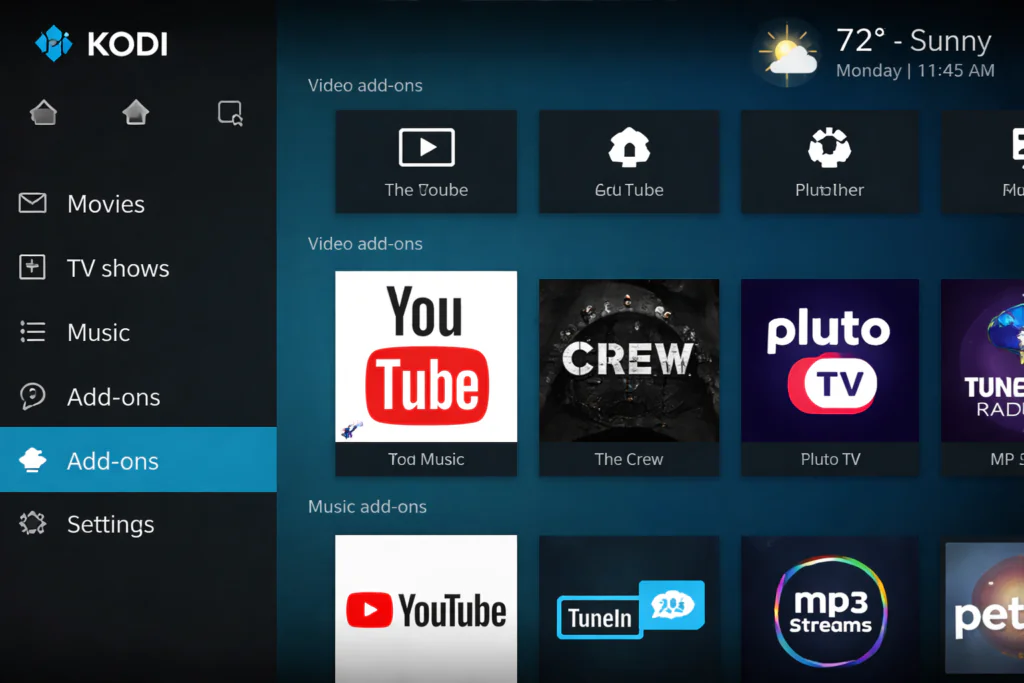
What Are Kodi Weather Addons?
Kodi has a built-in weather widget on its home screen, but it ships empty — no provider is pre-installed. You have to add one yourself from the official repository.
Once installed, a Kodi weather addon connects to a live meteorological data source and feeds the current temperature, conditions, and forecast into your home screen widget. It updates automatically and uses almost no system resources.
Every addon I’m covering today is available from the official Kodi add-on repository — completely free, no sign-up required for most of them.
If you’re still building your full Kodi setup, check out my best Kodi addons guide for 2026 first — then come back here to add the weather layer on top.
My Experience Testing Kodi Weather Addons
I run Kodi on an Android TV box as my main home media hub. Once it replaced my TV’s default launcher, I wanted everything visible in one place — including the weather.
I tested all seven providers currently listed under the Weather category in the Kodi Omega official repository. Some installed in seconds and worked perfectly. Others required API keys, were region-locked, or simply showed outdated data.
Here’s what I found.
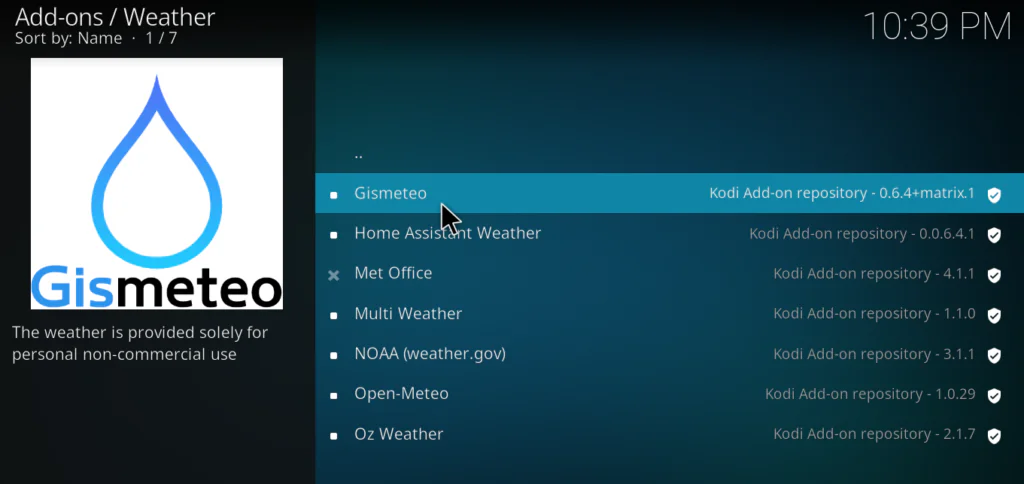
Kodi Weather Add-ons List — All 7 Providers Reviewed
1. Open-Meteo My Top Pick
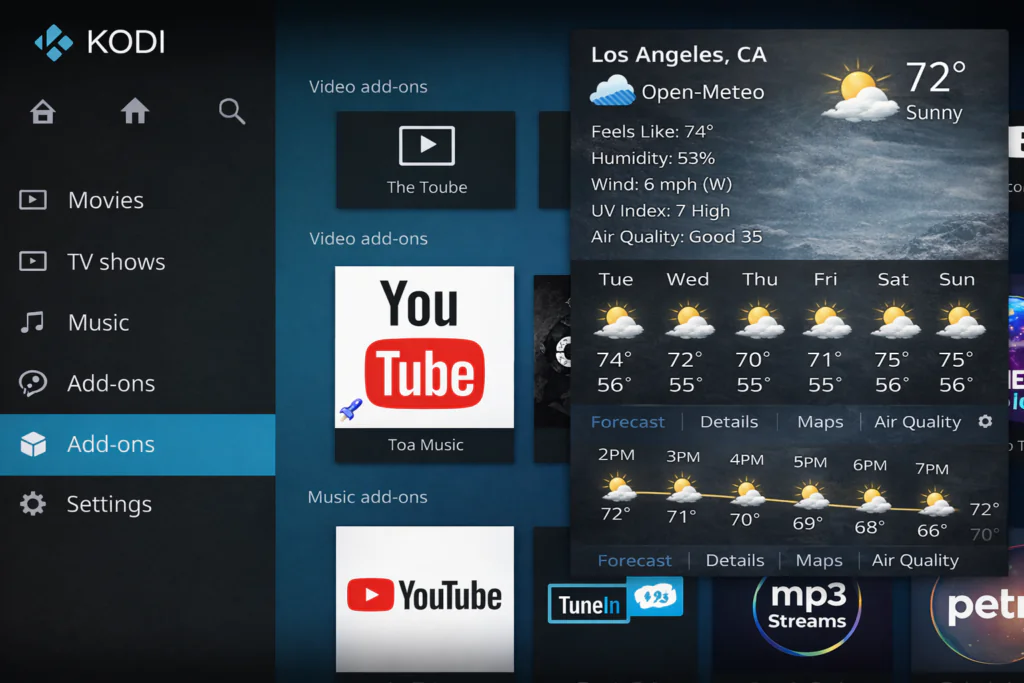
Repository: Official Kodi Repository → Weather
Open-Meteo is the best Kodi weather addon for most users in 2026. It pulls from multiple national meteorological models simultaneously — including European Centre for Medium-Range Weather Forecasts (ECMWF) data — which makes it noticeably more accurate than single-source providers.
What I like most: zero configuration. No API key, no account, no registration. Install it, type your city, done. It works globally.
The forecast is detailed — hourly breakdown, 7-day view, wind speed, humidity. Everything you’d actually want.
External source: Open-Meteo.com — free and open-source weather API used by the Kodi addon.
Who it’s for: Everyone. This is the default recommendation for any region.
2. Gismeteo
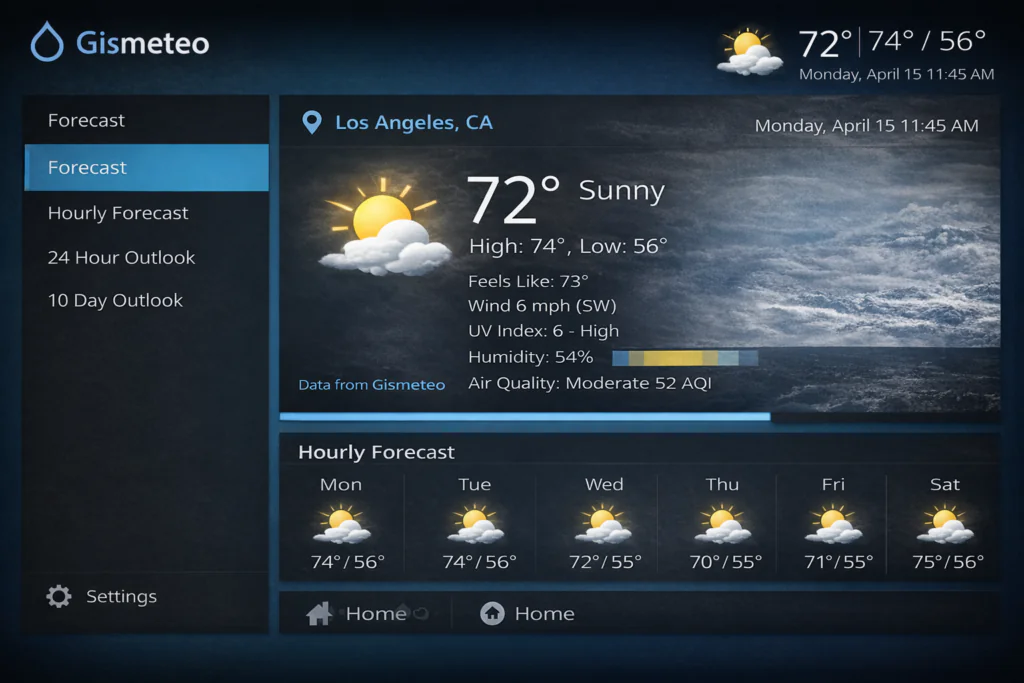
Repository: Official Kodi Repository → Weather
Gismeteo has over 25 years of meteorological data behind it. The Kodi addon delivers real-time conditions with fast refresh rates — it updated noticeably quicker than most other providers I tested.
The interface is clean and easy to read on a TV screen. Coverage is excellent for Europe and Central Asia, slightly less granular for North Africa and the Middle East — but still accurate for major cities.
Who it’s for: European users or anyone who wants fast refresh rates.
3. Met Office
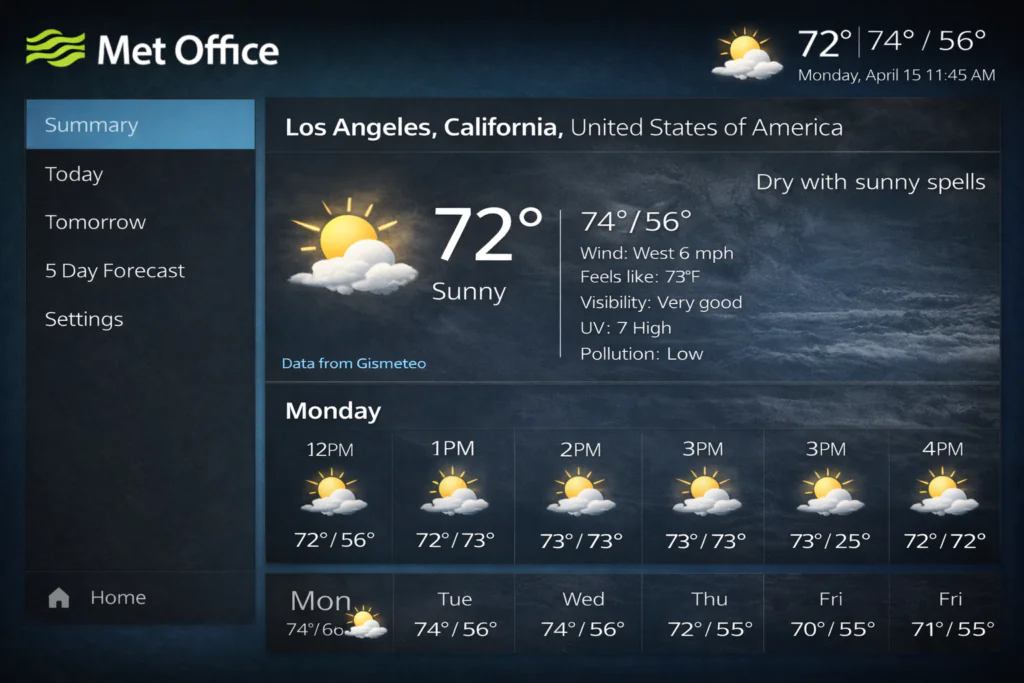
Repository: Official Kodi Repository → Weather
The Met Office is the UK’s national weather service — one of the most respected meteorological agencies in the world. If you’re based in the UK or Ireland, this is probably the most accurate Kodi weather provider available to you.
Outside the UK, coverage drops significantly. I tested it from a non-UK location and it was noticeably less precise than Open-Meteo. Stick to this one if you’re British.
External source: Met Office official site — the data source behind this Kodi addon.
Who it’s for: UK and Ireland users only.
4. Multi Weather
Repository: Official Kodi Repository → Weather
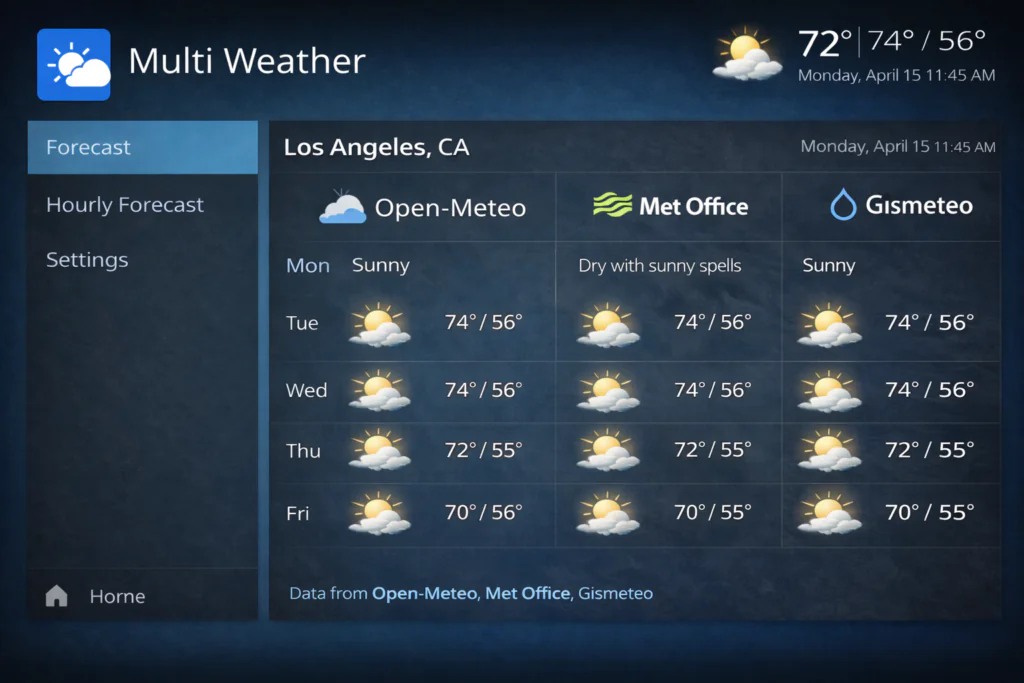
Multi Weather is the most unique option on this list. Instead of pulling from one source, it aggregates data from several providers and lets you compare them side by side.
It takes longer to configure than the others, and the interface is slightly more complex. But if you live in an area where forecasts vary a lot between services, this is a genuinely useful tool.
Who it’s for: Weather-conscious users who want to cross-reference multiple forecasts.
5. NOAA (weather.gov)
Repository: Official Kodi Repository → Weather
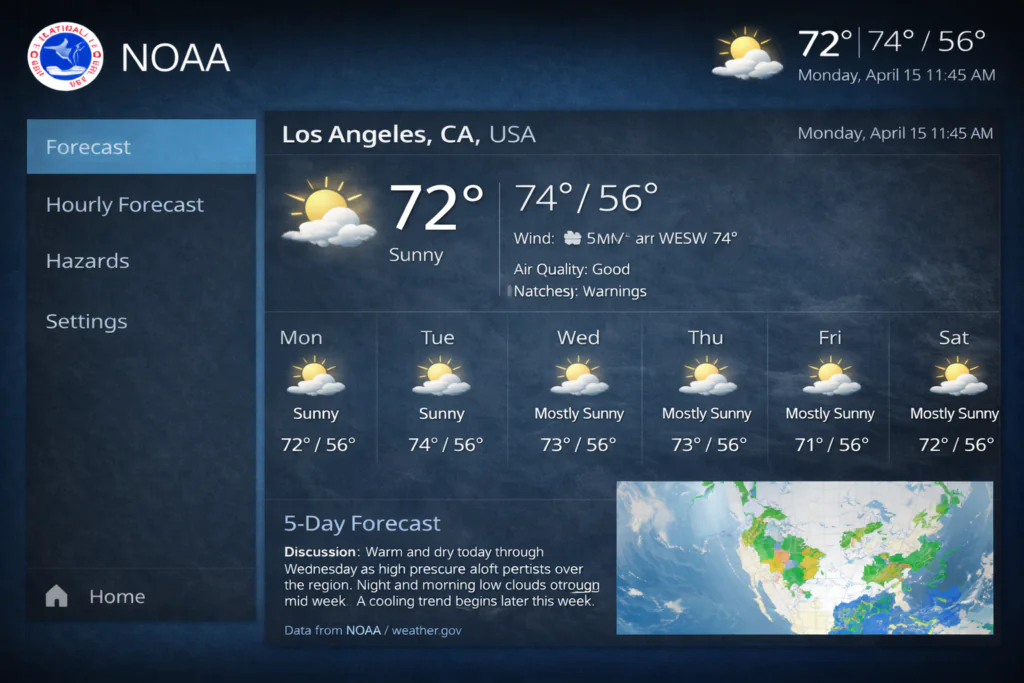
NOAA is the official US government weather agency. This addon pulls directly from weather.gov — as authoritative as US weather data gets.
Accuracy for US locations is excellent. The presentation inside Kodi is more basic than Open-Meteo or Gismeteo, but the data itself is rock solid.
Who it’s for: US-based users only — doesn’t work outside the United States.
6. Oz Weather
Repository: Official Kodi Repository → Weather
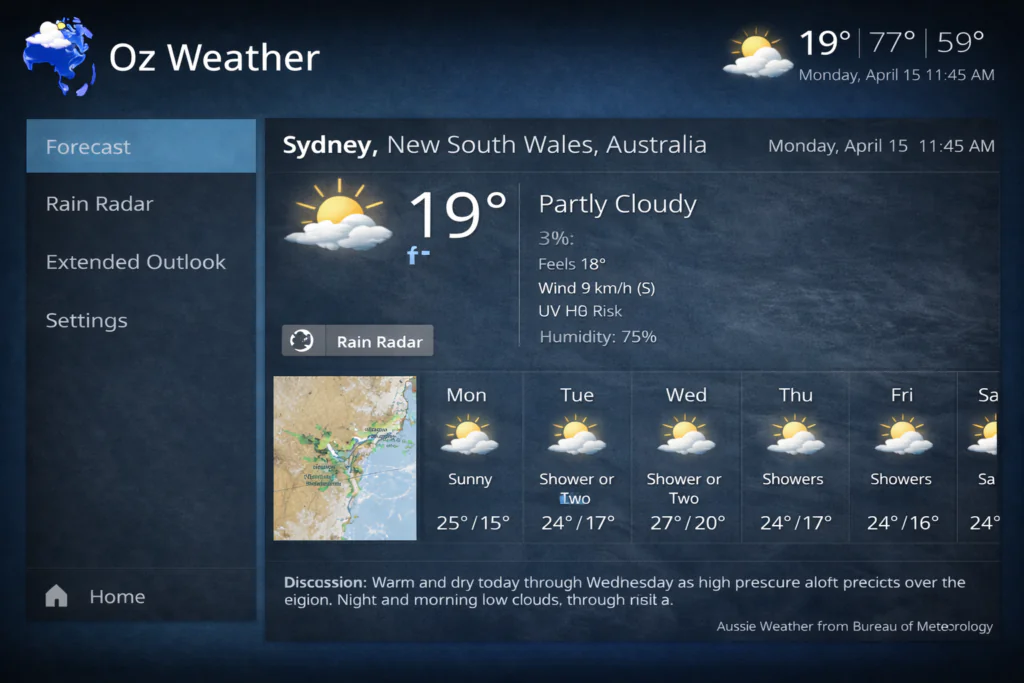
Oz Weather pulls forecasting data and radar imagery from Australia’s Bureau of Meteorology — the official national service. It’s purpose-built for Australian users and the most accurate option for that region.
If you’re not in Australia, there’s no reason to install this one.
Who it’s for: Australian users exclusively.
7. Home Assistant Weather
Repository: Official Kodi Repository → Weather
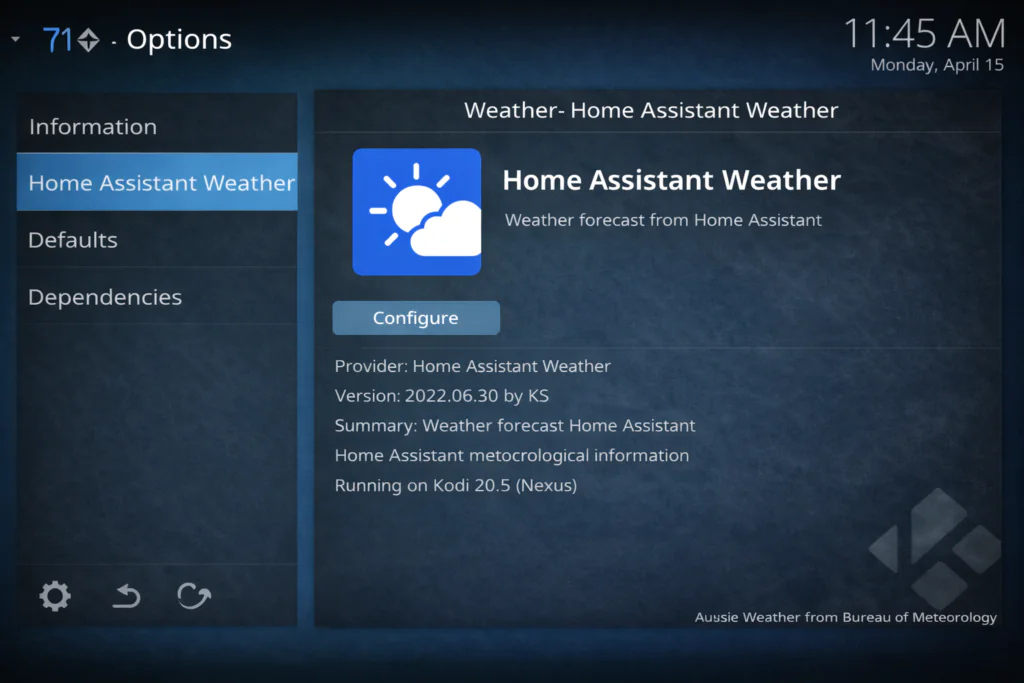
This addon is different from all the others. It doesn’t connect to an external weather service — it pulls data from your existing Home Assistant smart home server running on your local network.
If you don’t know what Home Assistant is, skip this one completely. It requires a working Home Assistant installation and is designed as a display layer for data you’re already collecting.
Who it’s for: Smart home users with an active Home Assistant setup.
My Honest Recommendation
After testing all seven Kodi weather providers, here’s my short verdict:
Best overall: Open-Meteo — works everywhere, no setup, most accurate globally. Best for UK users: Met Office. Best for US users: NOAA. Best for Australia: Oz Weather. Most complex: Multi Weather — powerful but overkill for most people.
How to Install Kodi Weather Addons (Step-by-Step)
Installing any weather addon takes about two minutes. Here’s how to do it on Kodi 21 Omega:
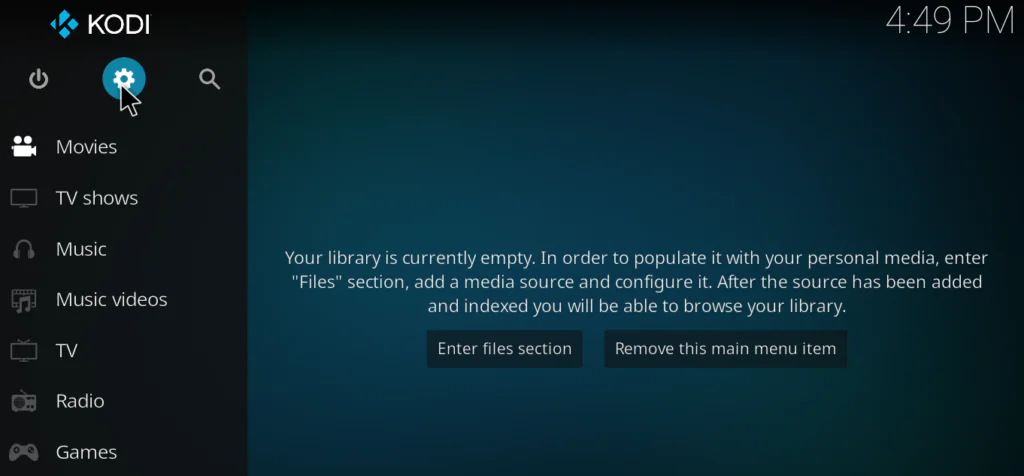
Step 1 — Open Settings From the Kodi home screen, click the gear icon in the top-left corner.
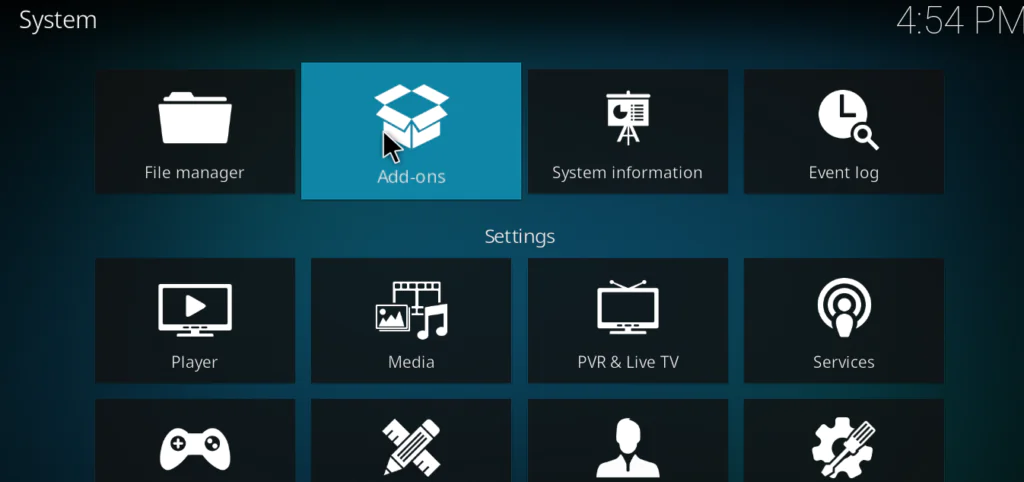
Step 2 — Go to Add-ons Select Add-ons from the settings menu.
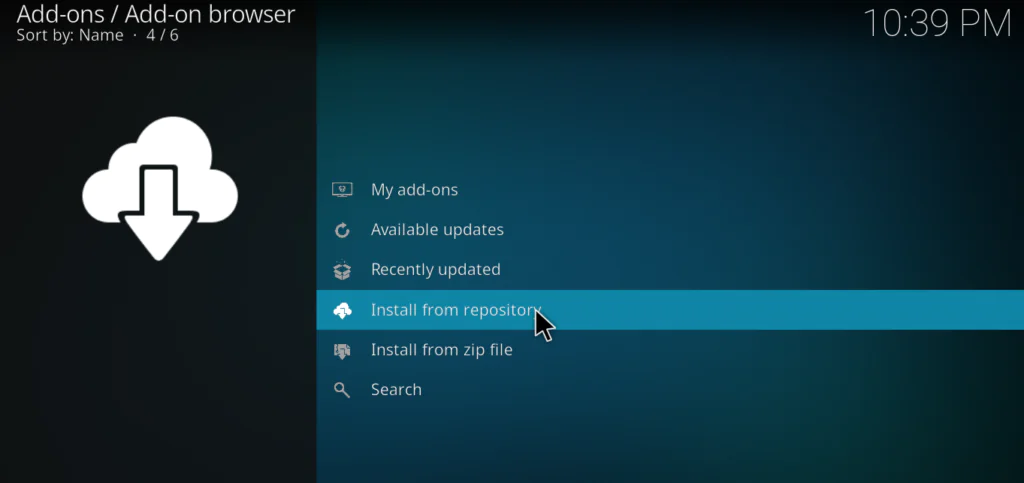
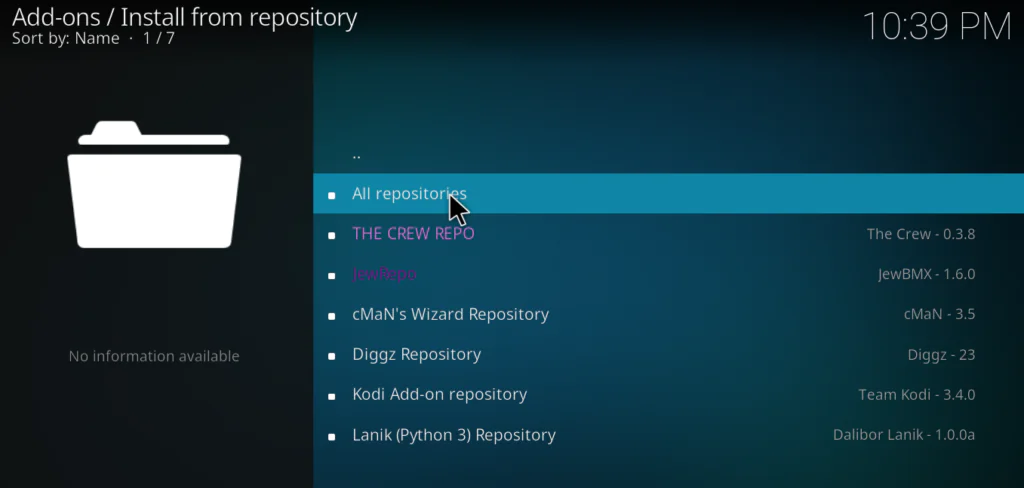
Step 3 — Install from Repository Click “Install from repository” → select “Kodi Add-on repository” → scroll to “Weather.”
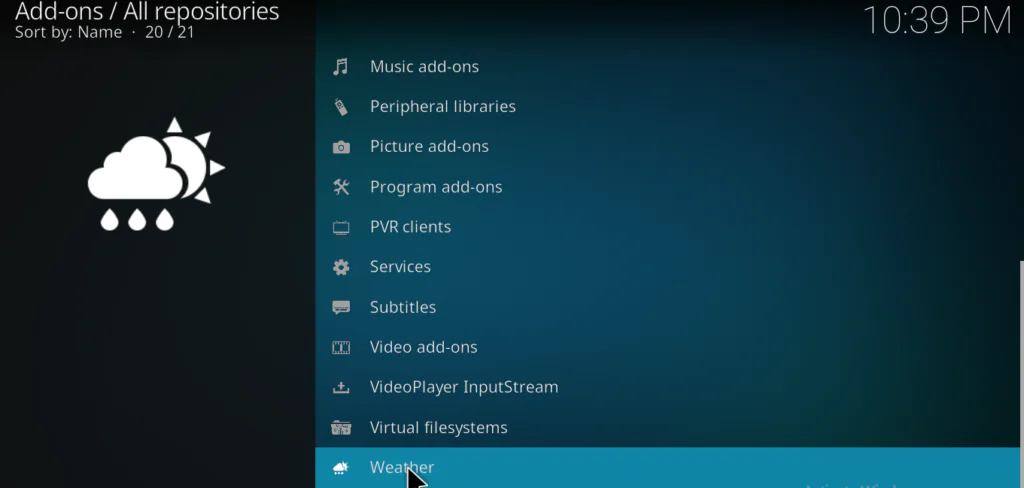
Step 4 — Choose Your Addon Select the provider you want — I recommend starting with Open-Meteo — and click Install.
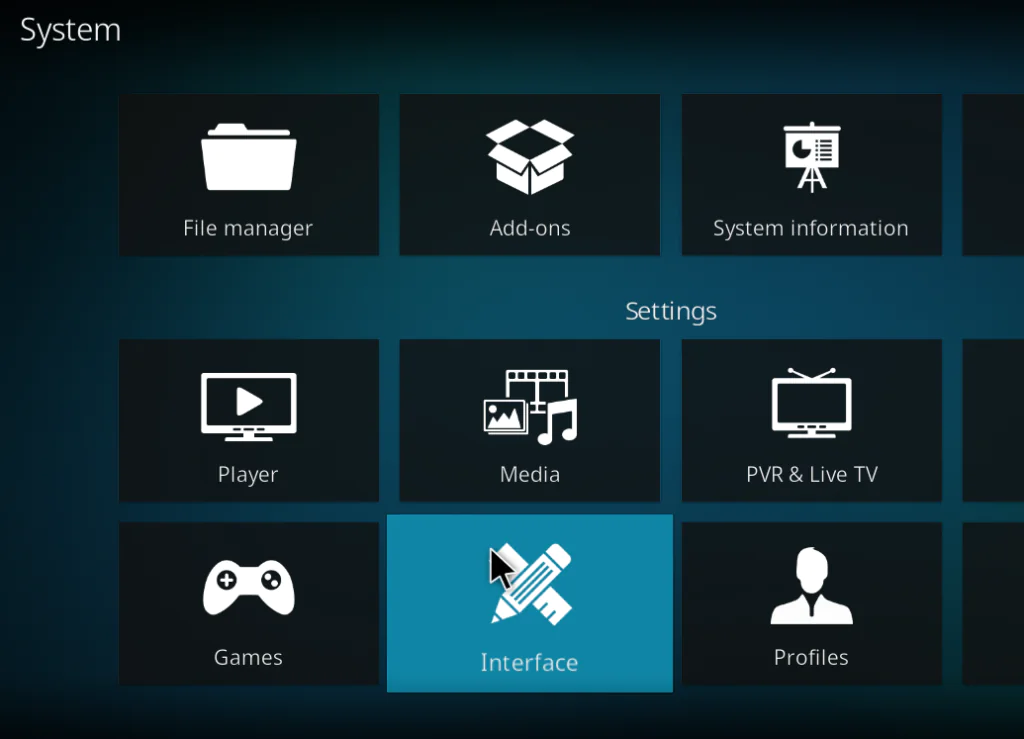
Step 5 — Set It as Active Go to Settings → Interface → Skin → Configure skin and set your installed addon as the active weather provider. Then set your city inside the addon settings.
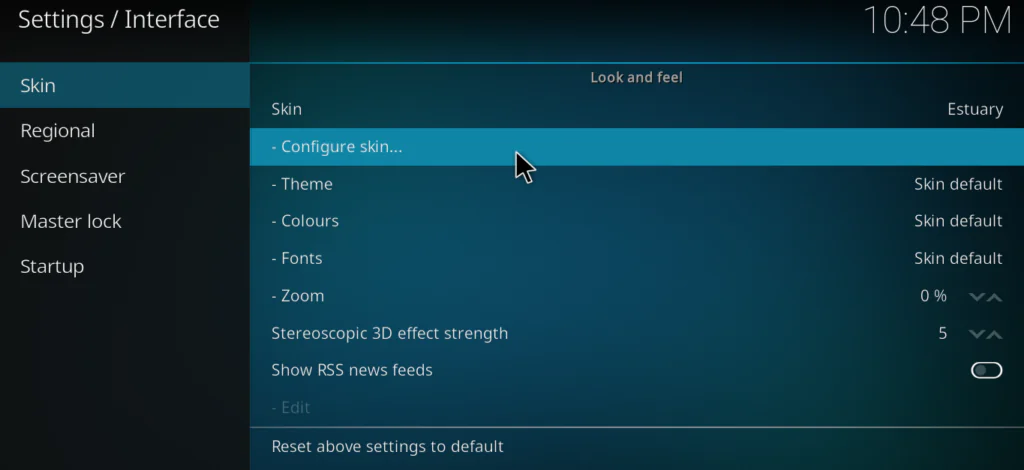
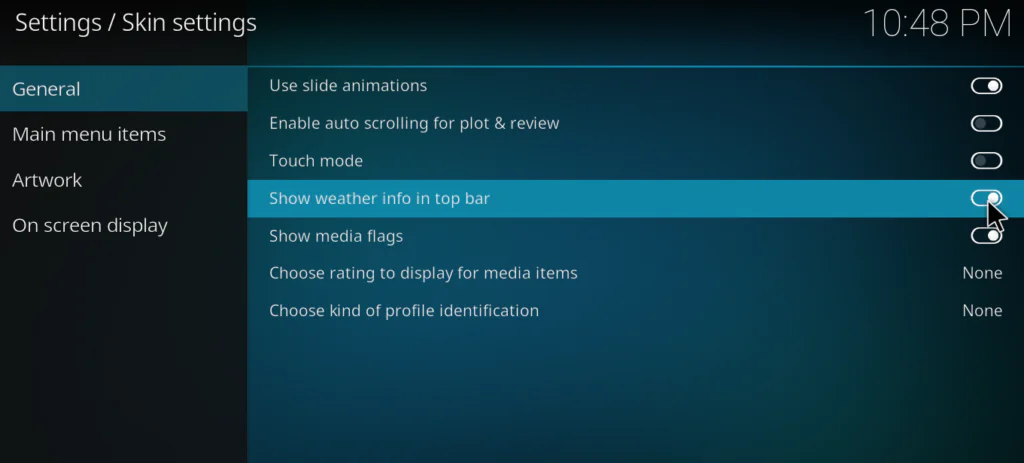
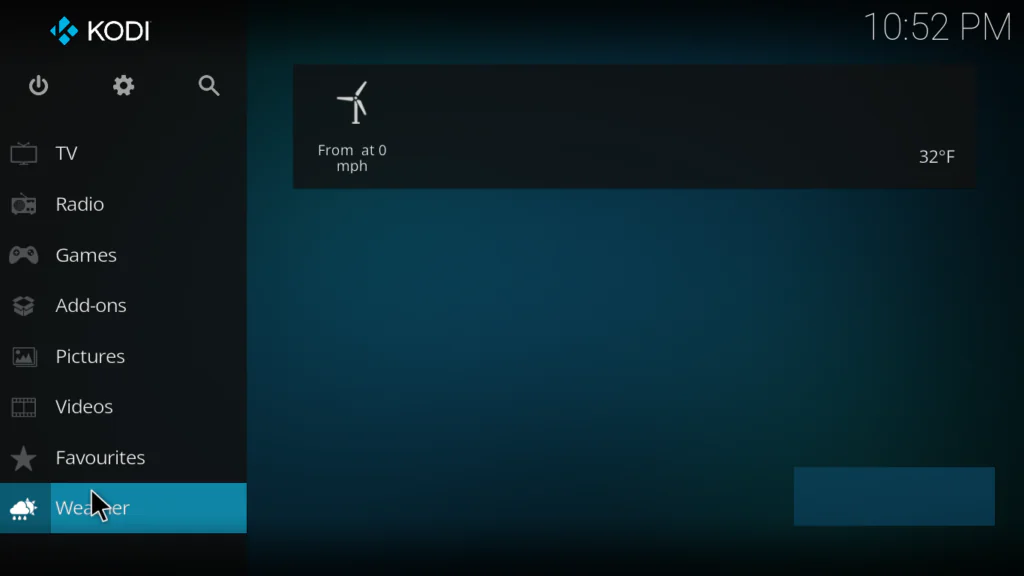
That’s it. Your Kodi home screen will now show live weather data.
If you’re running Kodi on a Firestick, the steps are identical — check my full Kodi on Firestick guide if you need help getting Kodi set up first.
Pros and Cons of Kodi Weather Addons
Pros: All seven providers are completely free with no subscriptions. They’re lightweight — they use almost no memory or processing power on your box. They’re sourced from the official Kodi repository, so they’re safe to install without any AdSense or security concerns.
Cons: Some providers occasionally break when their source API changes. This is a known issue across all Kodi addons. If your forecast suddenly stops loading or shows old data, update the addon from the repository first. If that doesn’t fix it, uninstall, reinstall, and reset your location.
Frequently Asked Questions
What is the best weather addon for Kodi? Open-Meteo is the best Kodi weather addon for most users in 2026. It works globally, requires no API key, and gives accurate multi-source forecast data directly on your home screen.
Are Kodi weather addons free? Yes — every weather addon in the official Kodi repository is completely free. No subscriptions, no accounts needed for most providers.
Why is my Kodi weather addon not working? The most common cause is an outdated addon version or a change in the provider’s API. Update the addon first via the Kodi repository. If it still doesn’t work, uninstall it, reinstall it, and re-enter your location.
Which Kodi weather addon works without an API key? Open-Meteo, Gismeteo, and Multi Weather all work without any API key. NOAA and Met Office also require no registration for basic use.
Can I use these weather addons on a Firestick? Yes — all seven providers work on Firestick as long as you’re running Kodi 21 Omega. See my Kodi Firestick install guide for setup help.
Final Thoughts
Kodi weather addons are one of those small features that make a big difference once you set them up properly. Having a live forecast on your home screen takes two minutes to configure and zero effort to maintain after that.
Start with Open-Meteo — it works for almost everyone and needs no configuration beyond your city name. If you’re in the UK, US, or Australia, your national service will give you slightly better local accuracy.
Once your weather is sorted, the next step is building out the rest of your Kodi setup — my best Kodi addons list for 2026 covers everything you need for movies, TV, sports, and live channels.