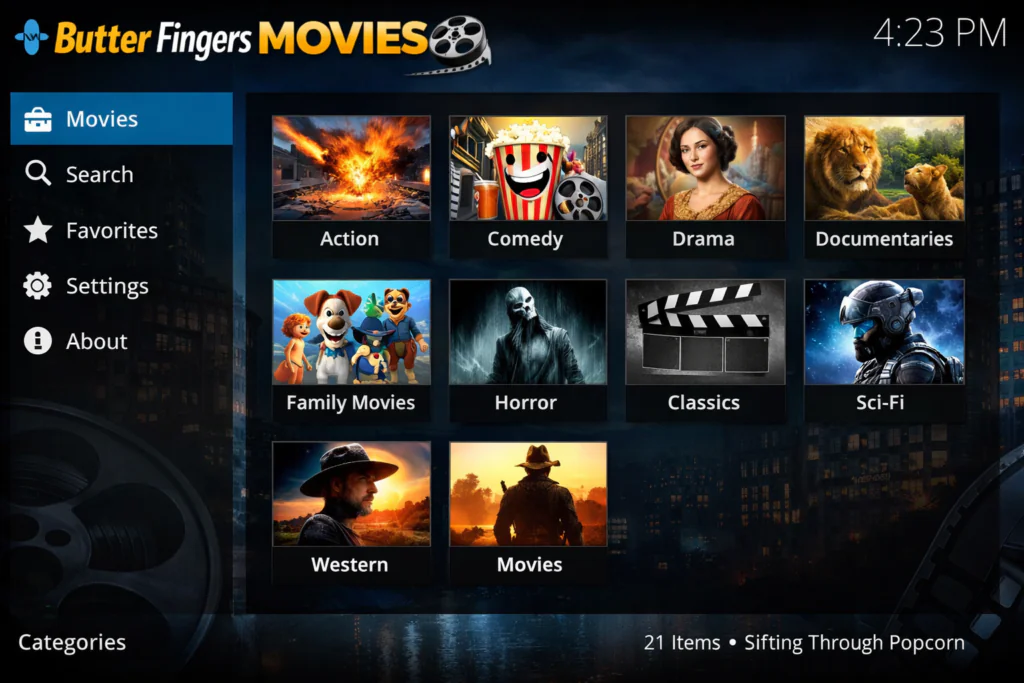
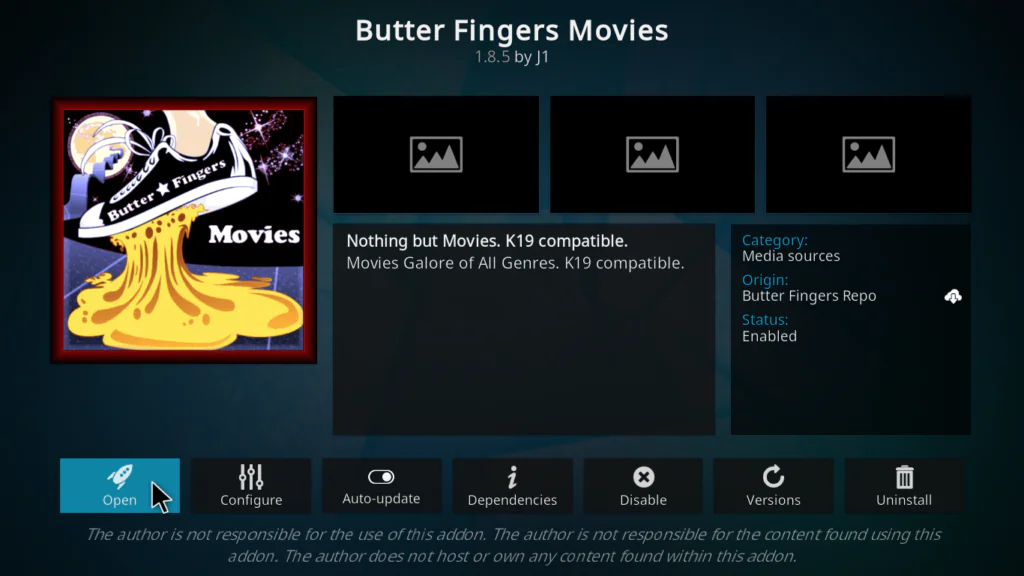
Butter Fingers Kodi is one of the most underrated free movie addons available right now — and once you understand what makes it different from every other addon out there, you’ll see why it deserves a permanent spot in your Kodi setup.
Most third-party Kodi addons come loaded with problems: broken links, shady repositories, grey-area content, and streams that die halfway through a film. The Butter Fingers Kodi addon takes a completely different approach. It streams content pulled directly from YouTube — meaning it’s 100% free, 100% legal, and far more reliable than the average community addon.
In this guide I’ll walk you through everything: what the addon actually offers, how to install it in 5 clear steps, and my honest take on real-world performance.
Install the Butter Fingers Repository first, then search for Butter Fingers Movies inside it.
What Is the Butter Fingers Kodi Addon?
The Butter Fingers Kodi addon is a community-developed video addon found inside the Butter Fingers Repository. It was built specifically for Kodi 21 Omega and works across every device Kodi supports — Amazon Fire Stick, Fire TV, Android TV boxes, Google TV, Windows, and Mac.
What makes it stand out is the content source. Instead of scraping random web hosters for questionable stream links, Butter Fingers Kodi pulls every single film from YouTube. That means content uploaded legitimately by rights holders, studios, and distributors who have chosen to make their films publicly available.
No Real-Debrid required. No accounts. No subscriptions. Just install and watch.
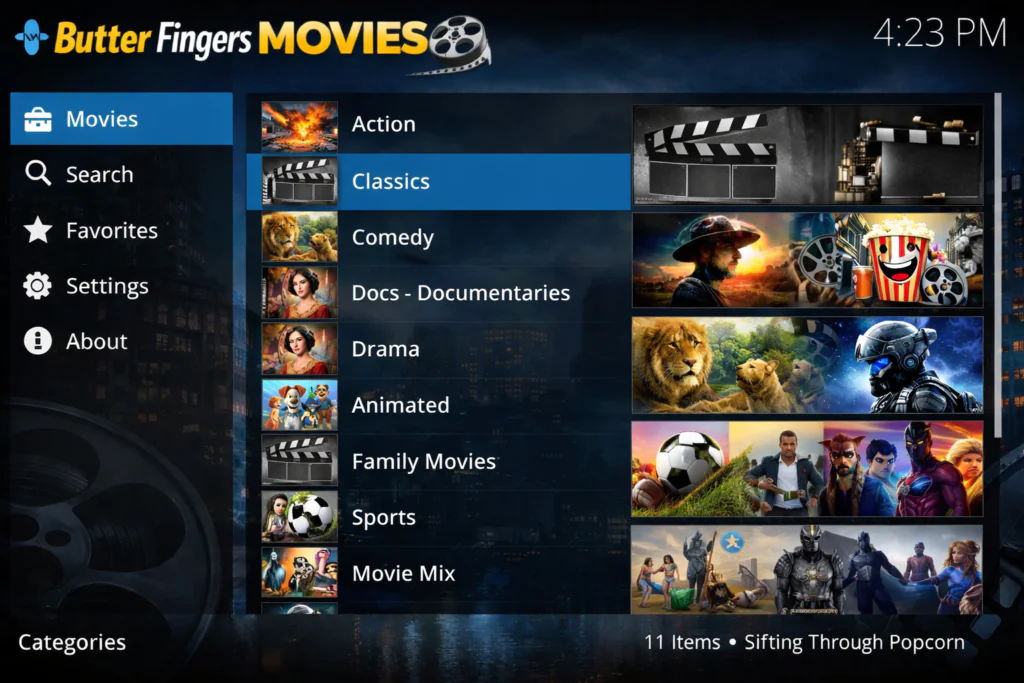
Butter Fingers Kodi Content Categories
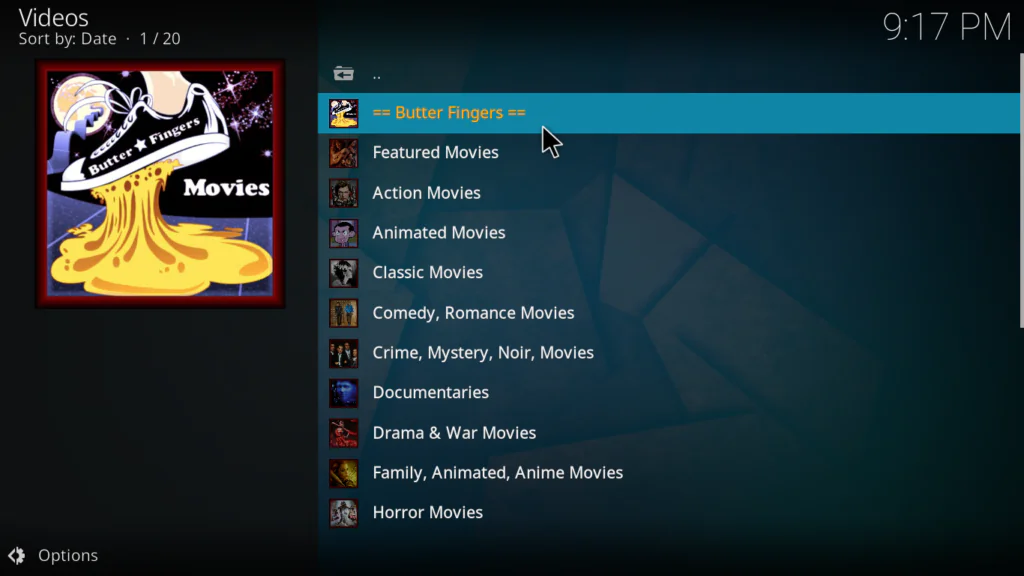
The Butter Fingers Kodi library leans toward classic, independent, and documentary content rather than brand-new blockbusters. Here’s what you’ll find:
🎬 Classics A well-stocked collection of golden age Hollywood films, older titles in the public domain, and films officially released on YouTube by their distributors. If you enjoy classic cinema, this section alone justifies installing the addon.
🎨 Animated Family-friendly animated films across multiple eras and styles. A great option for household viewing without needing a separate kids addon.
🎙️ Documentaries The strongest category in the Butter Fingers Kodi addon. Documentaries are widely available on YouTube from legitimate publishers, and this section curates a genuinely solid selection covering nature, history, true crime, science, and culture.
⚽ Sports Sports documentaries, historic match recordings, and sports-related films officially published on YouTube.
🎲 Movie Mix A general-purpose browsing category that pulls across genres — good for when you want to scroll and discover something without a specific title in mind.
Is Butter Fingers Kodi Safe and Legal?
Yes — and this is where Butter Fingers Kodi genuinely earns its reputation.
Kodi itself is fully legal, open-source software developed by the XBMC Foundation. You can verify this at the official Kodi website. The Butter Fingers Kodi addon extends that legitimacy by sourcing all of its content from YouTube — a licensed, legal platform where rights holders voluntarily publish their films for free public viewing.
This puts Butter Fingers Kodi in a completely different category from most third-party addons. There’s no grey area, no copyright uncertainty, and no risk associated with the content itself.
The repository (installed from j1wizard.net/butter/) is community-maintained and outside the official Kodi addon store, which is standard for many community addons. The Kodi team does not review third-party repository code, so installing from any external source carries a baseline level of caution — but Butter Fingers Kodi has a clean track record in the community.
As a general best practice for any internet streaming activity, using a trusted VPN like ProtonVPN adds encryption and privacy to your connection. For broader online safety guidance, the National Cybersecurity Alliance is a reliable resource.
📌 This guide is for educational purposes only.
How to Install Butter Fingers Kodi Addon in 5 Steps
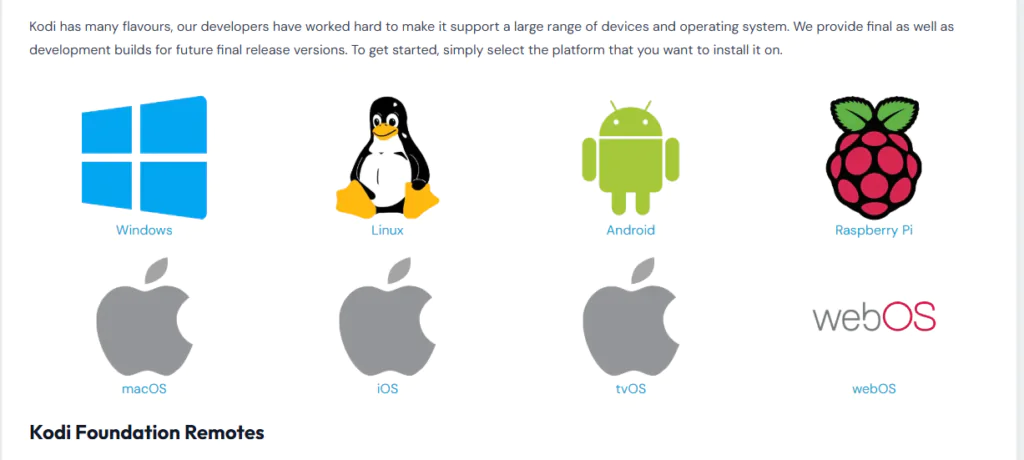
✅ Before you start: Make sure you’re running Kodi 21 Omega. Download the latest version from kodi.tv/download if needed.
Step 1 — Enable Unknown Sources
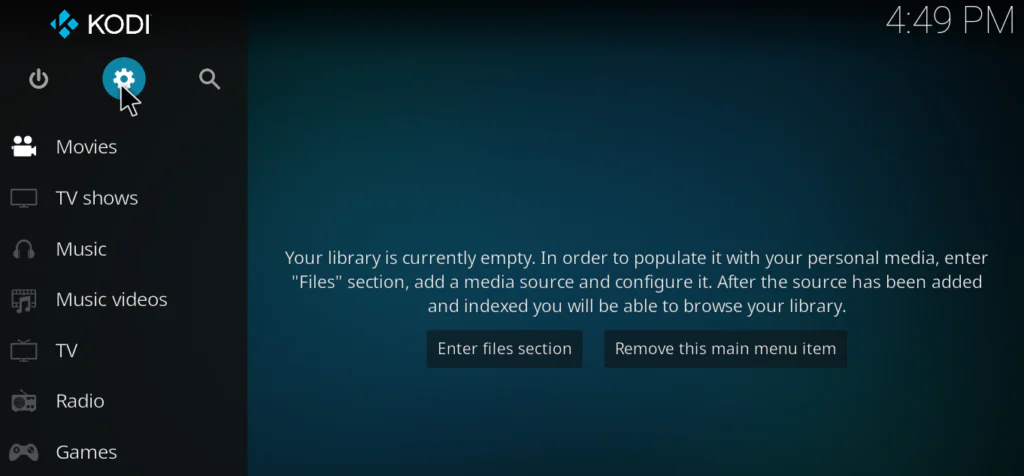
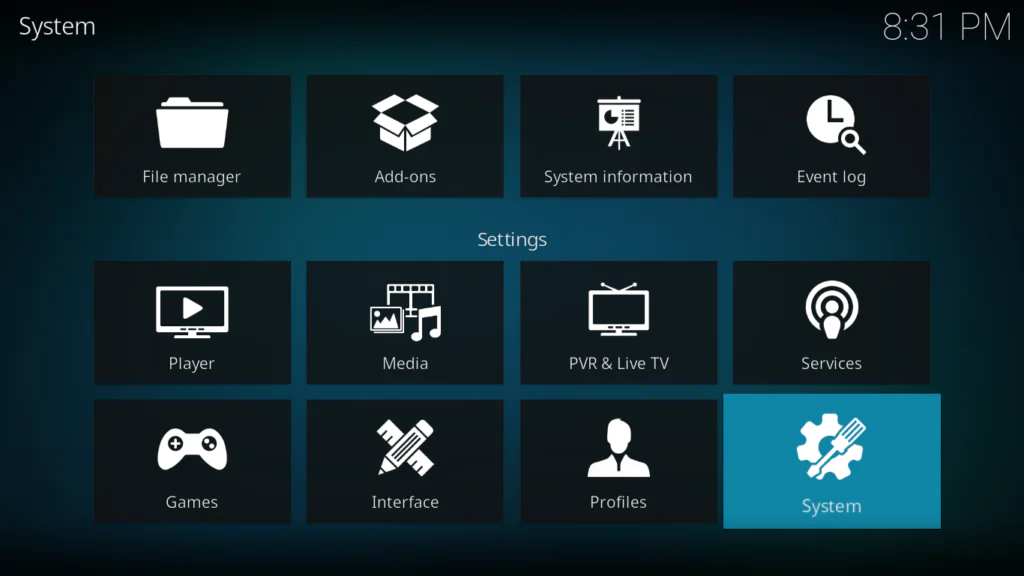
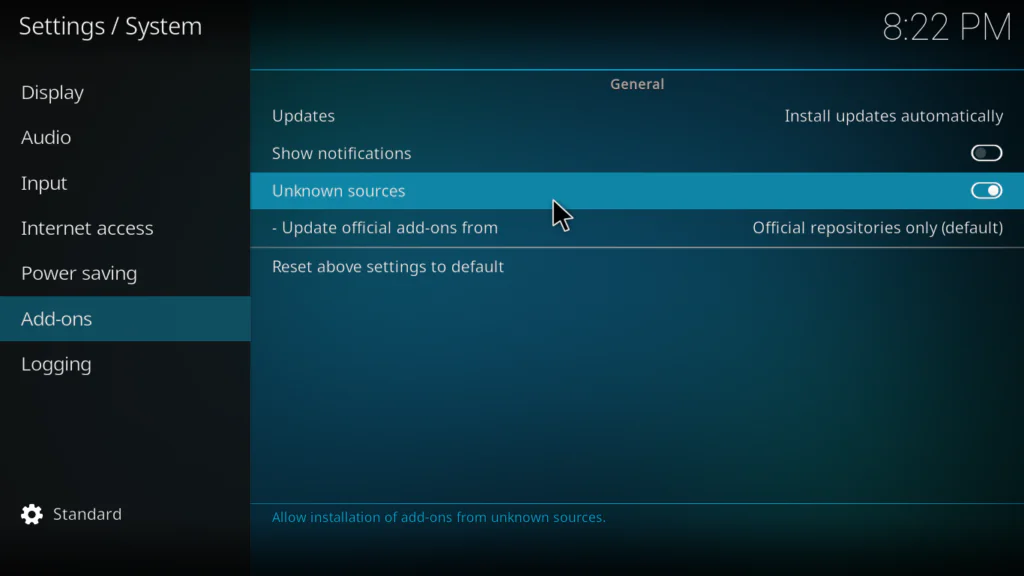
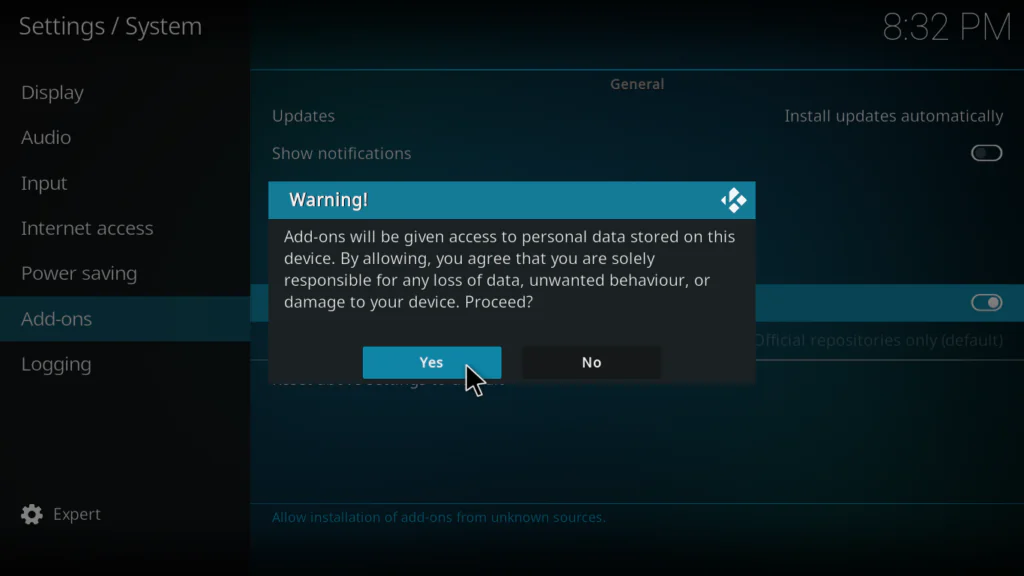
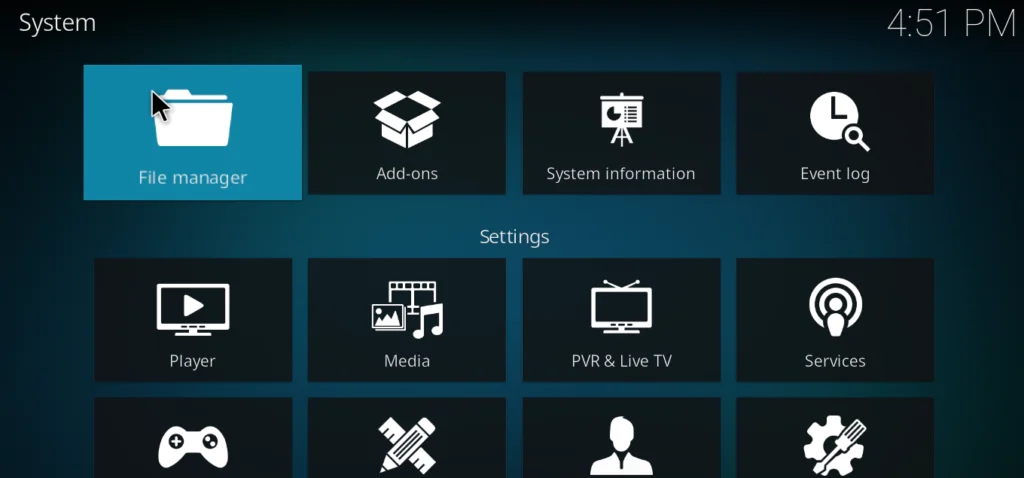
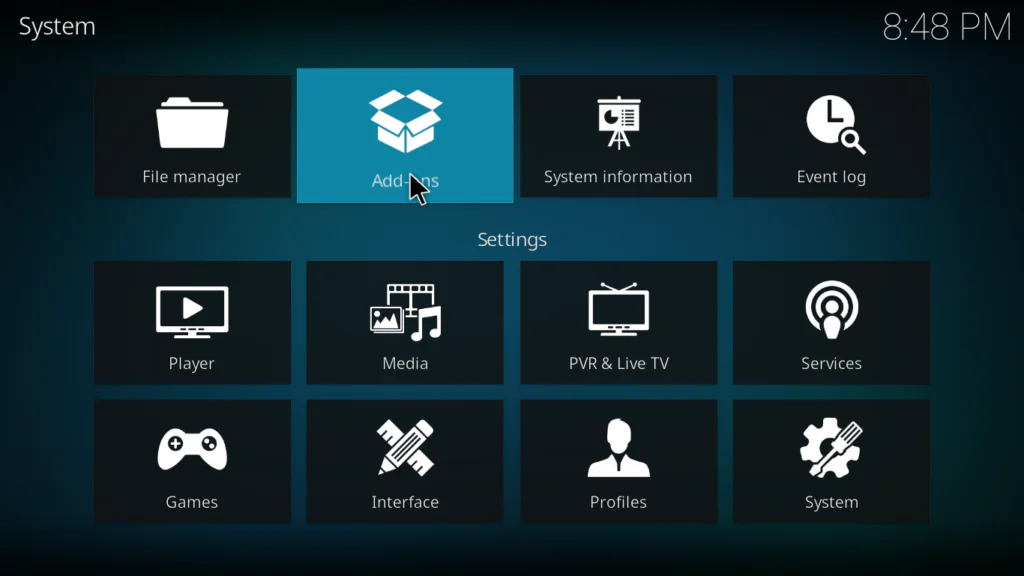
Open Kodi → click the gear icon → File manager → Add Source → toggle Unknown Sources to ON → click Yes to confirm.
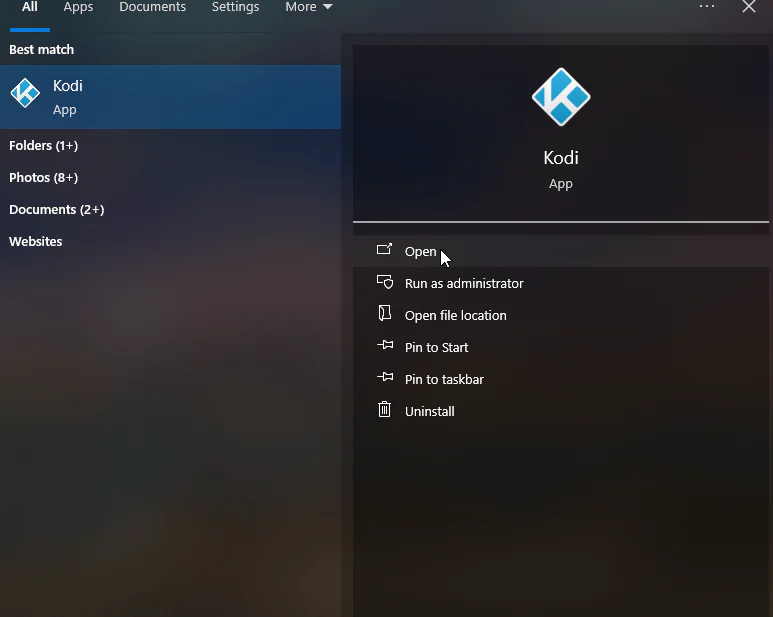
Open Kodi
2. click the gear icon
3. System
4. Toggle Unknown Sources to ON
5. click Yes to confirm
Step 2 — Add the Repository Source
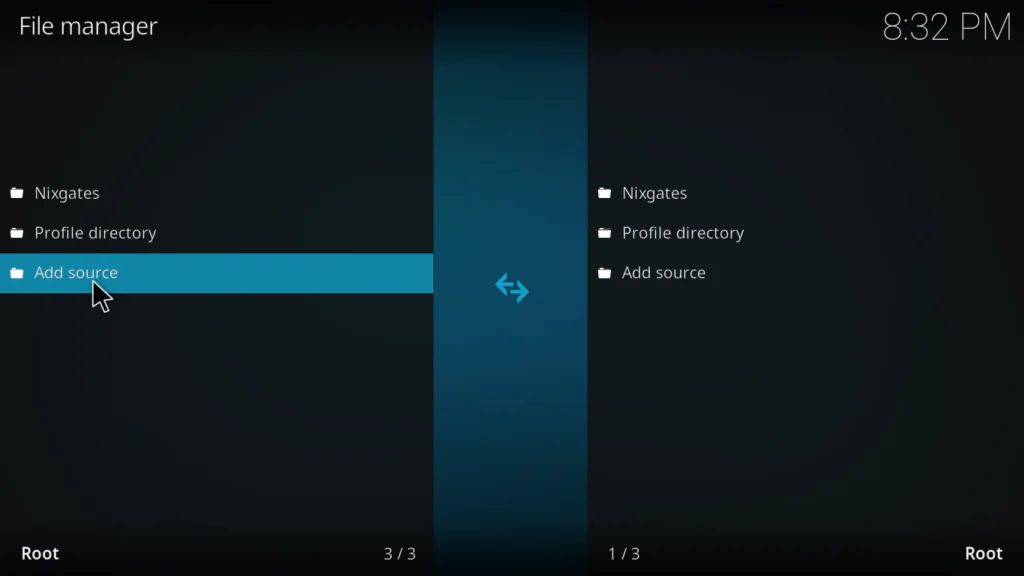
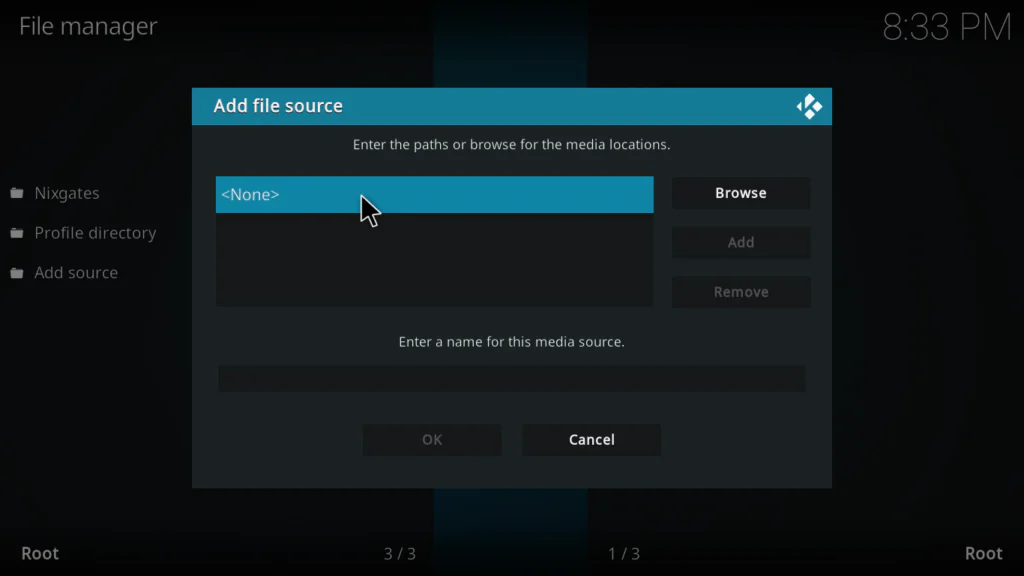
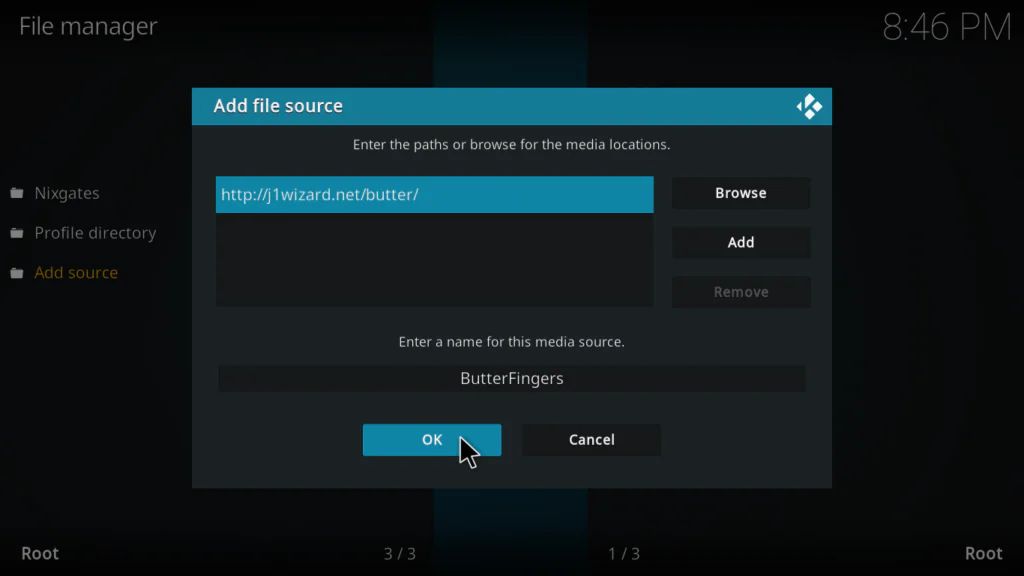
Go to Settings → File Manager → double-click Add Source → click <None> → enter this URL exactly:
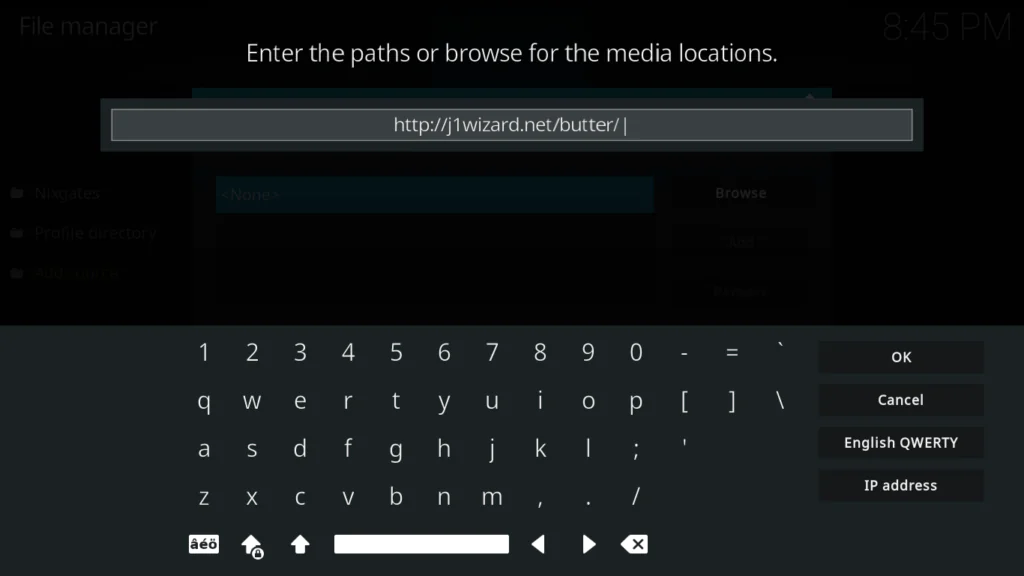
http://j1wizard.net/butter/

1. Go to Settings
2. File Manager
3. double-click Add Source
4. click <None>
5. enter this URL exactly : http://j1wizard.net/butter/
6. Click OK
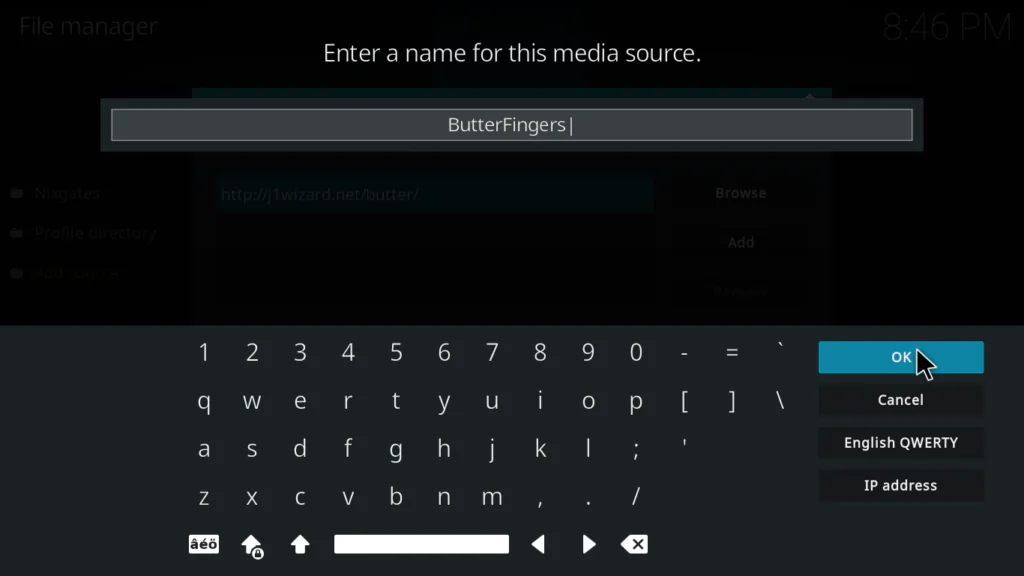
7. name it ButterFingers
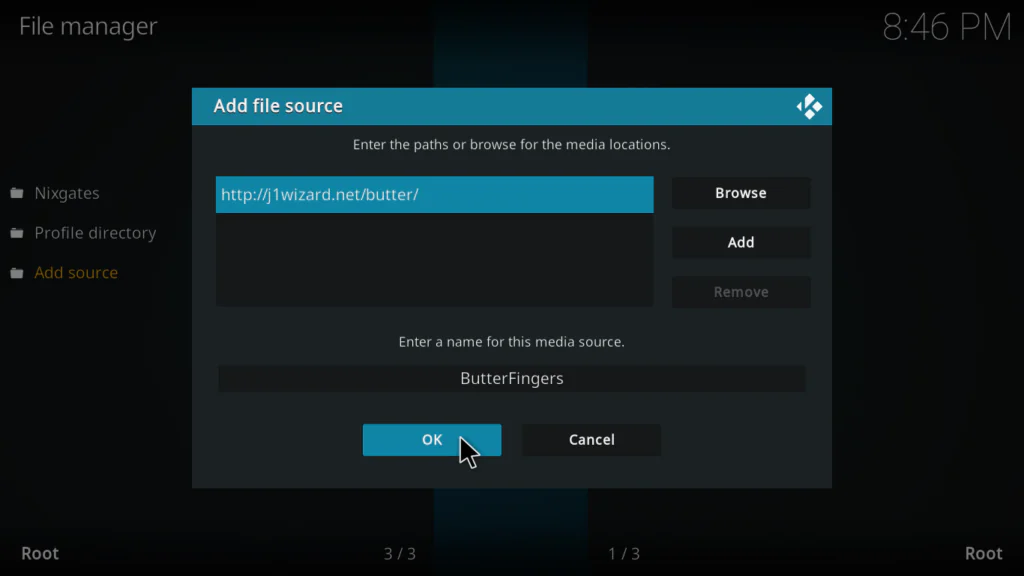
9. click OK to save.
Step 3 — Install the Repository ZIP
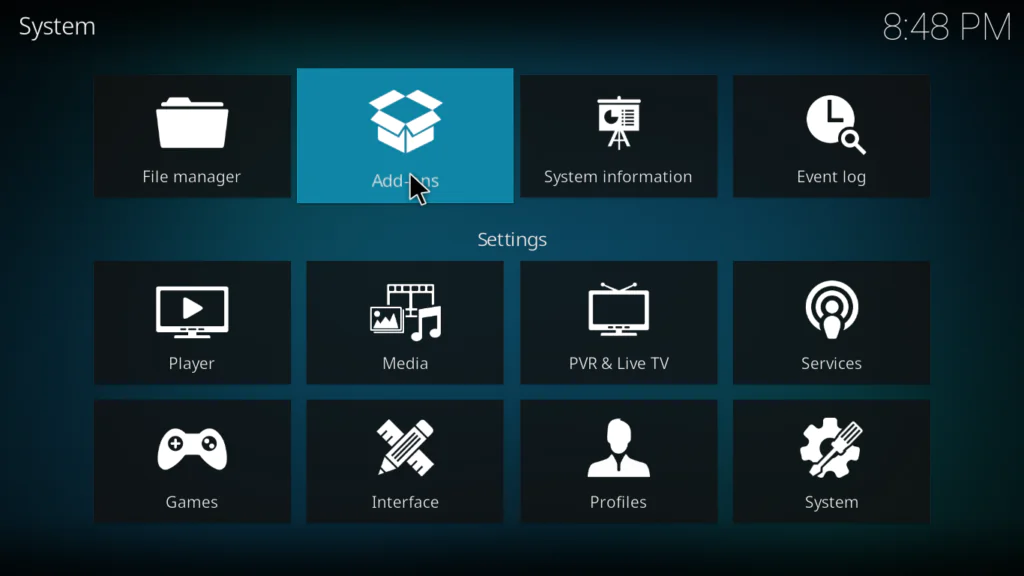
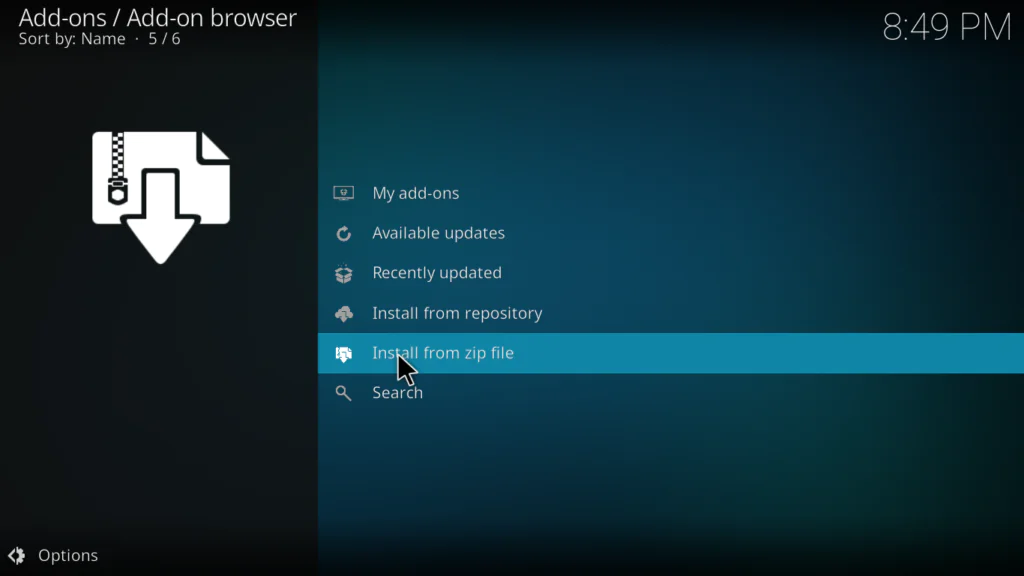
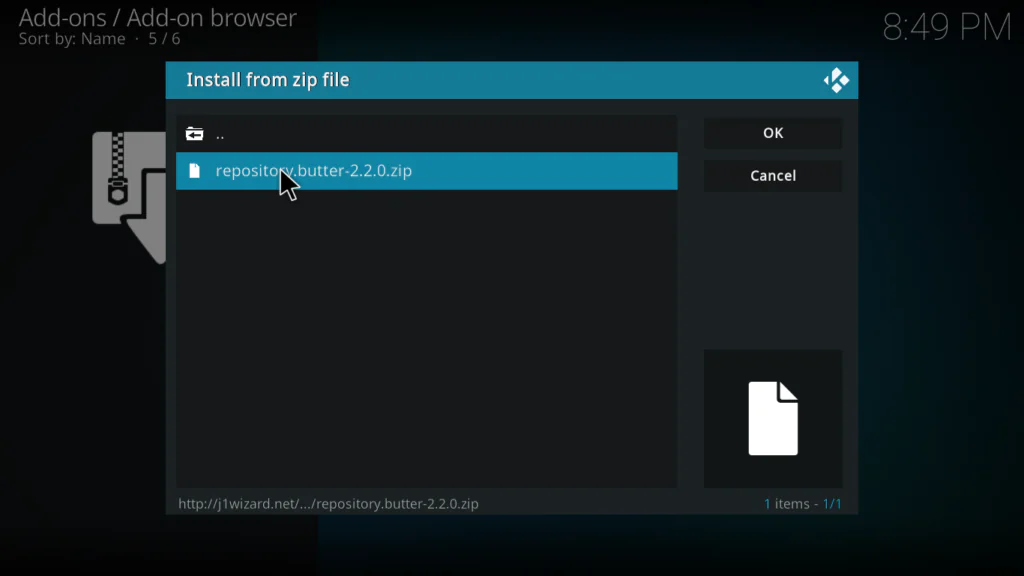
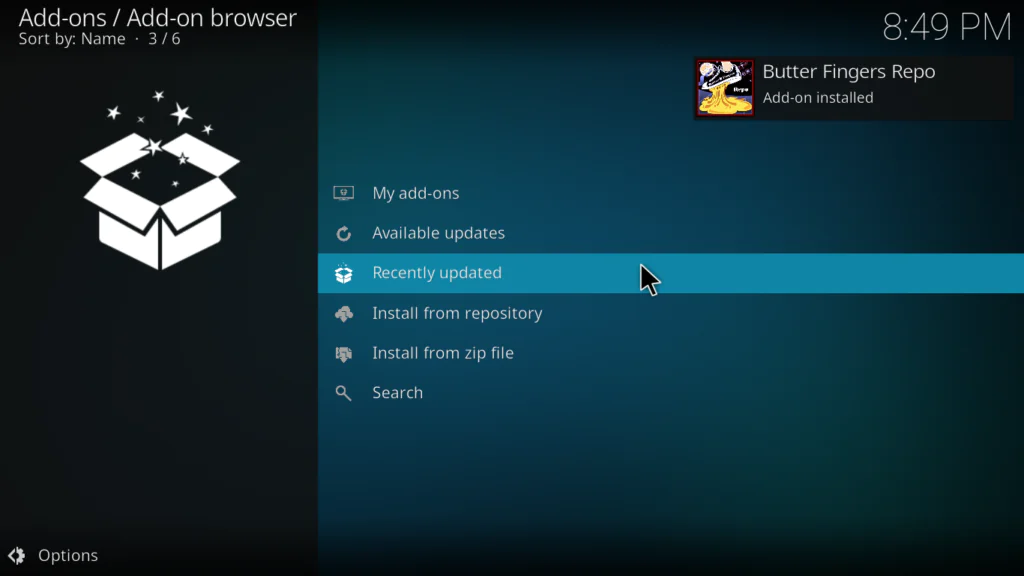
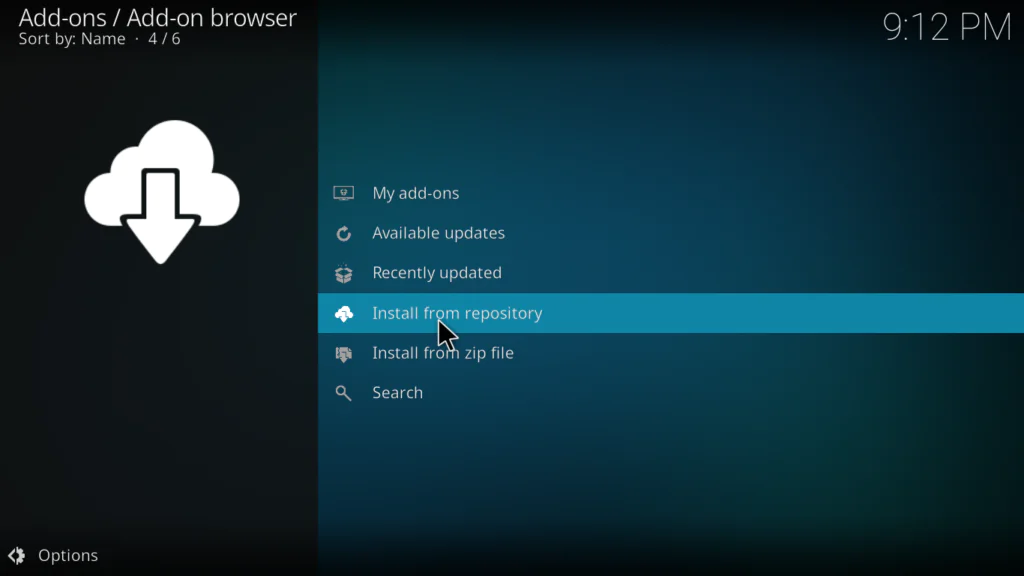
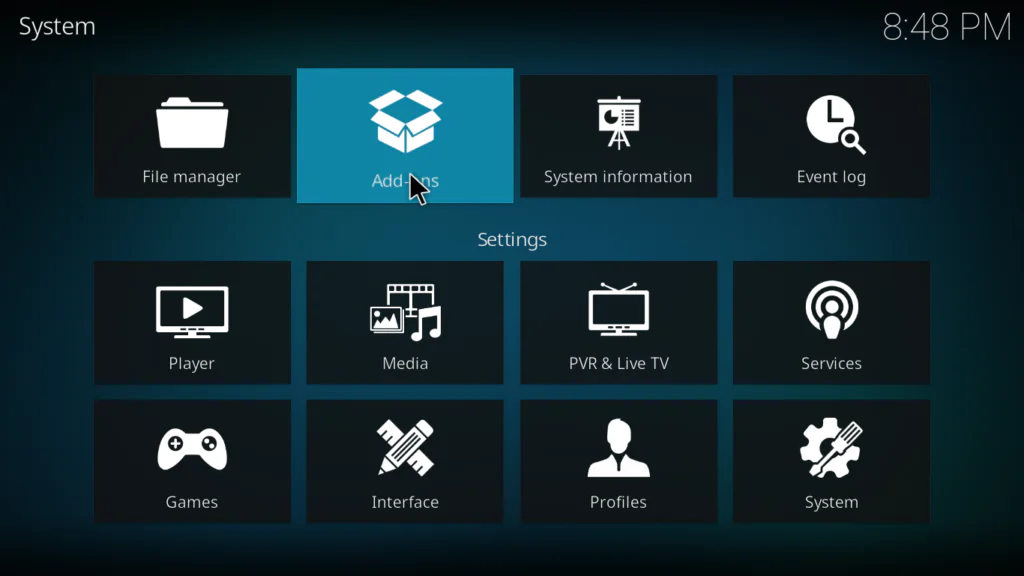
Go to Add-ons → click the open box icon → Install from zip file → select ButterFingers → select the repository ZIP file → wait for the “Add-on installed” notification.
Go to Add-ons
2. click the open box icon
3. Install from zip file
4. select ButterFingers
5. select the repository ZIP file
6. wait for the “Add-on installed” notification.
Step 4 — Install Butter Fingers Kodi from the Repository
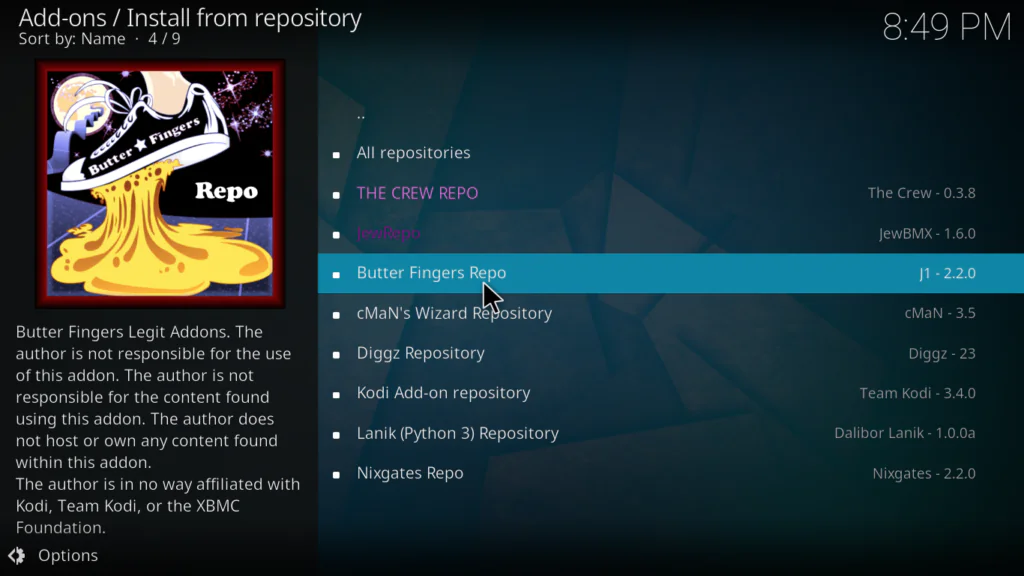
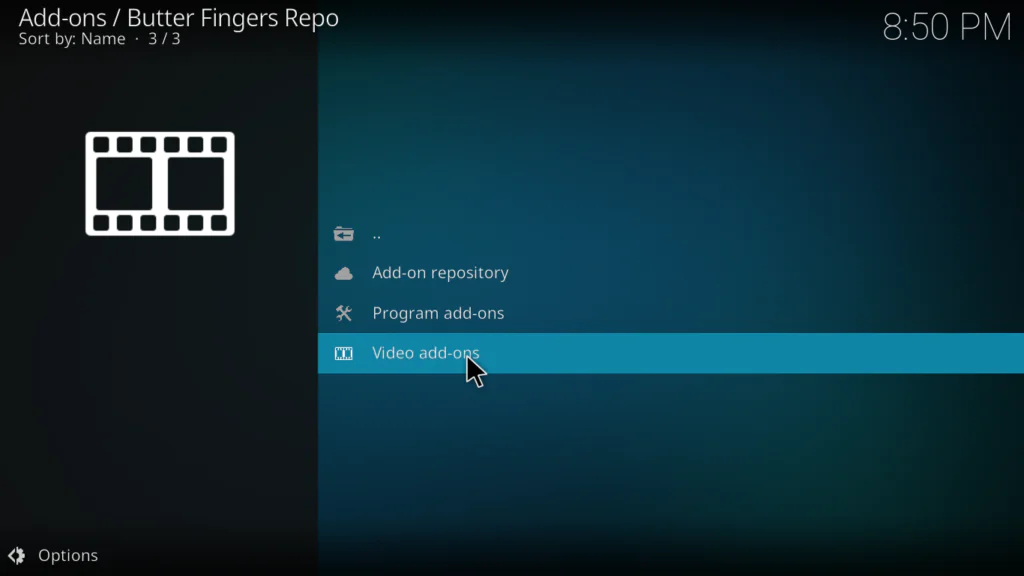
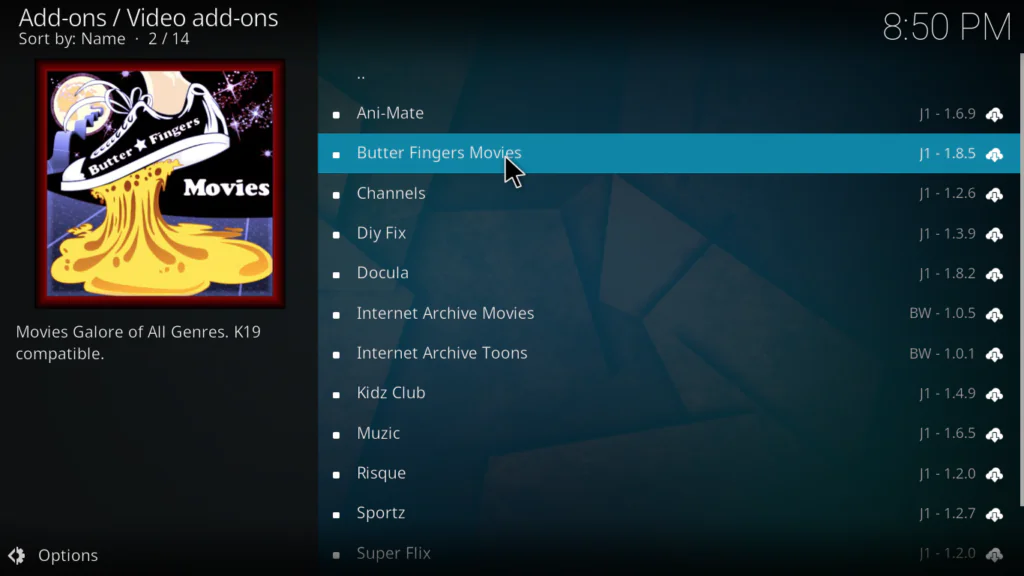
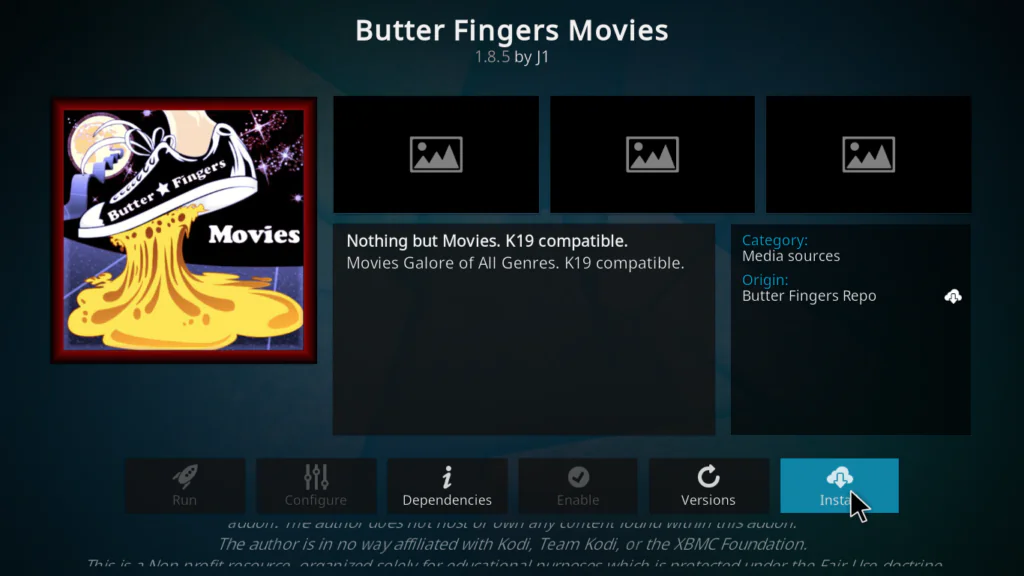
Still in the Add-on browser → Install from repository → select Butter Fingers Repository → Video add-ons → find Butter Fingers Movies → click Install.
Install from repository
2. select Butter Fingers Repository
3. Video add-ons
4. find Butter Fingers Movies
5. click Install.
Step 5 — Launch and Enjoy
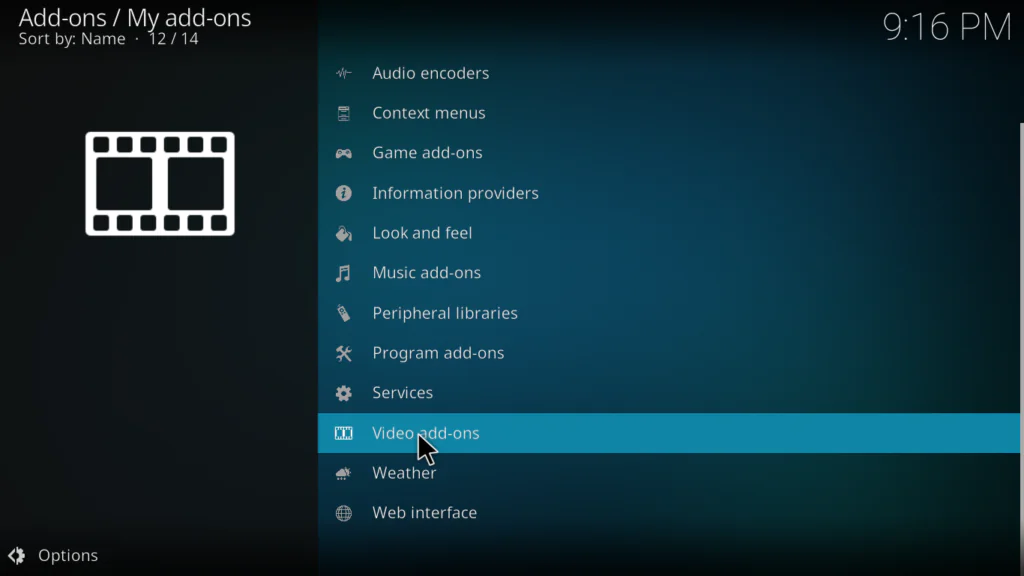
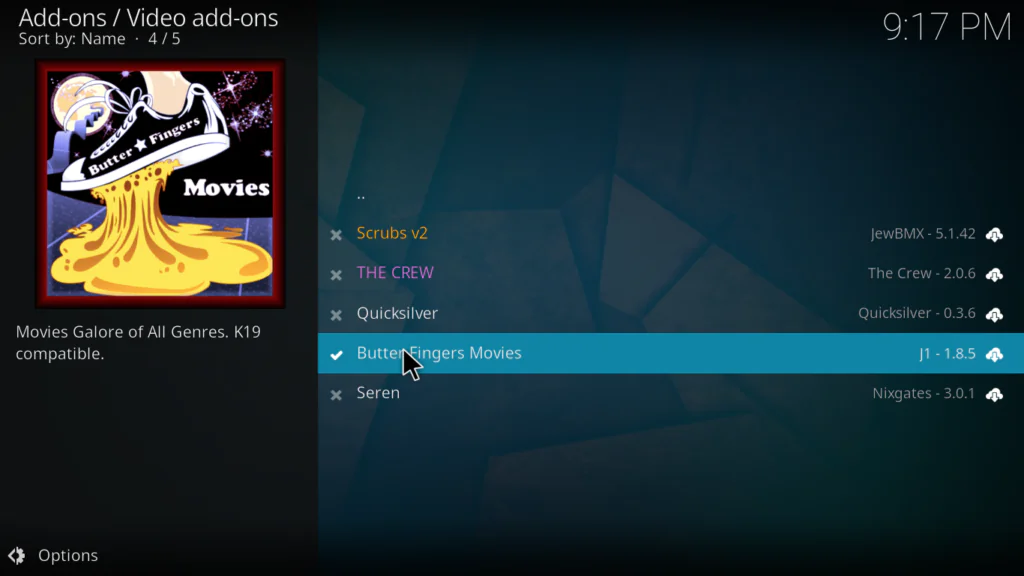
Wait for the “Butter Fingers Movies Add-on installed” notification → go to Add-ons → Video Add-ons → Butter Fingers Movies → start browsing.
“Butter Fingers Movies Add-on installed” notification
2. go to Add-ons
3. Video Add-ons
4. Butter Fingers Movies
5. click open
6. start browsing
That’s the full install done. No API keys. No debrid service. No account setup required.
I’ve tested a lot of Kodi addons, and the Butter Fingers Kodi addon surprised me in the best way.
Reliability: Because every stream comes from YouTube, playback is genuinely stable. No clicking through five dead links before finding one that works. You pick a title, it plays. That alone puts it ahead of most scraper-based alternatives.
Content: The Documentaries section is legitimately impressive. I found films I would have spent 30 minutes hunting for on YouTube manually. The Classics section is solid for older cinema fans.
Limitations: Don’t install this expecting new releases. The library reflects what’s officially on YouTube — so recent blockbusters won’t be here. Set that expectation correctly and you’ll enjoy it.
Speed: Menus load fast. Streams start quickly. Even on a basic Android TV box the experience is smooth.
Verdict: The Butter Fingers Kodi addon earns a permanent place in any Kodi setup — not as a replacement for premium addons, but as a reliable, zero-friction option you can always count on.
Pros and Cons
✅ Pros
❌ Cons
100% legal YouTube-sourced content
No new release movies
No Real-Debrid or accounts needed
Smaller library than premium addons
Stable, buffer-resistant streams
Outside official Kodi repository
Works on all Kodi devices
Video quality tied to YouTube uploads
Completely free forever
Repository URL may occasionally change
Beginner-friendly interface
Kodi 21 Omega recommended
Common Issues and Quick Fixes
Addon not appearing after install → Restart Kodi completely. If still missing, reinstall and watch for dependency errors during installation.
Repository URL not connecting → Check for typos in the URL. Visit the Kodi community forum if the URL has changed since this guide was published.
Video won’t play → That specific YouTube video may have been removed. Go back and choose a different title — this is rare but can happen as YouTube’s library changes.
Buffering → This is almost always a local connection issue, not the addon. Try a wired Ethernet connection and increase your Kodi cache via advancedsettings.xml.
Does Butter Fingers Kodi work on Fire Stick? Yes — Kodi runs on Fire Stick and Fire TV, and the Butter Fingers Kodi addon works on any device where Kodi is installed. The installation steps are identical regardless of device.
Is Real-Debrid required? No. The Butter Fingers Kodi addon streams entirely from YouTube, so no Real-Debrid, premium account, or resolver service is needed.
Why are there no new release movies? The addon pulls from YouTube, where studios release older and independent films for free. New blockbusters remain behind paid platforms. This is by design, not a flaw.
Will Butter Fingers Kodi work on older Kodi versions? The addon is built and tested for Kodi 21 Omega. For best results, use the current stable version from kodi.tv.
Conclusion
The Butter Fingers Kodi addon is one of the easiest recommendations in the Kodi ecosystem right now. It’s free, legal, requires zero accounts or debrid services, and streams reliably because it’s backed by YouTube’s infrastructure rather than random web hosters.
Install it in 5 steps, browse the Classics and Documentaries sections, and enjoy genuinely stable playback without any of the usual third-party addon headaches.