If you are looking for the Amlogic USB Burning Tool download, you are in the right place.
there is a good chance you will need the Amlogic USB Burning Tool at some point. Whether you are trying to flash a new firmware, recover a bricked device, or simply clean-install a fresh ROM, this is the tool that makes it all possible. It is the official flashing utility developed for Amlogic-based devices, and without it, there is no reliable way to push firmware directly from your PC to the box.
The Amlogic USB Burning Tool download is completely free and works on any Windows PC.
The tool works by connecting your TV box to a Windows PC via USB while the device is in USB Burning Mode. From there, you load a firmware image (.img file) and let the tool handle the rest. It is straightforward once you understand the process, and it works with a wide range of Amlogic chipsets including the S905W, S905X, S912, S922X, and more. If your box is running one of these chips — and most budget Android boxes do — this guide is exactly what you need.
Below you will find every available version of the Amlogic USB Burning Tool download, from the latest release all the way back to older versions that some legacy devices still require. Pick the right one for your setup, download it safely, and you will be ready to flash.
## Download Amlogic USB Burning Tool — All 36 Versions
All files listed below are compressed ZIP archives. Extract the folder after downloading and run the setup file inside to install the tool on your Windows PC.
| VERSION | SIZE | DOWNLOAD |
|---|---|---|
| v1.2.8.0817 | 12.6 MB | Link |
| v1.6.2.2 | 5.7 MB | Link |
| v1.6.2.0128 | 5.9 MB | Link |
| v1.6.28 | 5.8 MB | Link |
| v1.6.31 | 5.7 MB | Link |
| v2.0.0.140211 | 5.2 MB | Link |
| v2.0.0.140306 | 5.2 MB | Link |
| v2.0.1 | 5.2 MB | Link |
| v2.0.2 | 5.2 MB | Link |
| v2.0.4.3 | 6.7 MB | Link |
| v2.0.5.6 | 7.1 MB | Link |
| v2.0.5.15 | 6.2 MB | Link |
| v2.0.6.1 | 6.1 MB | Link |
| v2.0.7 | 6.1 MB | Link |
| v2.0.7.2 | 9.1 MB | Link |
| v2.0.8 | 7.0 MB | Link |
| v2.0.9 | 7.1 MB | Link |
| v2.1.0 | 8.2 MB | Link |
| v2.1.2 | 8.3 MB | Link |
| v2.1.3 | 8.3 MB | Link |
| v2.1.6 | 8.6 MB | Link |
| v2.1.6.5 | 8.6 MB | Link |
| v2.1.6.8 | 7.5 MB | Link |
| v2.1.7.0 | 7.7 MB | Link |
| v2.1.7.1 | 8.0 MB | Link |
| v2.1.7.3 | 8.0 MB | Link |
| v2.1.9 | 12.2 MB | Link |
| v2.2.0 | 8.0 MB | Link |
| v2.2.4 | 8.2 MB | Link |
| v3.1.0 | 25.0 MB | Link |
| v3.1.6 | 41.3 MB | Link |
| v3.1.8 | 37.5 MB | Link |
| v3.2.0 | 37.5 MB | Link |
| v3.2.8 | 37.7 MB | Link |
| v3.3.1 | 63.9 MB | Link |
| v3.3.4 | 52.8 MB | Link |
Why Different Versions Matter
Not every version of this tool works with every device — that is the main reason we keep all versions available here instead of just posting the latest one.
The v3.x series was built to support newer Amlogic chipsets like the S905X3, S905X4, S922X, and A311D. If you have a more recent TV box released in the last few years, this is almost certainly the version range you want to be in. The v3.3.4 is the latest and most stable release, and it is what I would recommend starting with for anything released after 2020.
The v2.x series, on the other hand, is still important for older devices. Boxes running on the original S905, S905W, S912, or even older S905X may actually have better compatibility with v2.1.9 or v2.2.4. Some users report that trying to flash older firmware with a v3.x tool causes the process to stall or fail entirely. If that happens to you, downgrading the tool is often the fix.
How to Choose the Right Version
This does not have to be complicated. Here is a simple way to think about it:
If your TV box was released in 2020 or later, start with v3.3.4. It is the most up-to-date version of the Amlogic USB Burning Tool and supports the widest range of current chipsets.
If your box is older — say, an X96 Mini, X96, or anything running an S905W or S912 — try v2.2.4 or v2.1.9 first. These versions were built during the time those chips were standard, so compatibility tends to be cleaner.
If the flash fails or the tool does not detect your device, try one version lower. This is a common troubleshooting step that fixes most detection issues. It is worth working your way down the v3.x list before jumping all the way back to v2.x.
One more thing: always match the tool version to the firmware you are flashing. If the firmware was packaged for a specific tool version, using a much newer or older tool can cause errors mid-flash.
Safety Tips Before You Download
Before you grab your Amlogic USB Burning Tool download, there are a few things worth keeping in mind.
Only download from trusted sources. Modified versions of this tool exist online, and some have been bundled with unwanted software. Stick to sites you know, and avoid random file-sharing platforms or obscure forums.
Scan the file before installing. Once you download the ZIP file, run it through Windows Defender or any antivirus of your choice before extracting. This takes ten seconds and is always worth it.
Do not use cracked or patched versions. Some sites distribute modified versions that claim to unlock extra features. There are no extra features to unlock — the tool is already free. Any modified version is unnecessary and potentially risky.
Back up your current firmware before flashing, if possible. Some Amlogic tools allow you to read and save the existing firmware before overwriting it. If anything goes wrong during the flash, having a backup means you can restore the original state without starting from scratch.
If you found this page useful, bookmark it — we keep the download table updated whenever new versions are released. Got a question about which version works with your specific box? Drop it in the comments and I will do my best to help.
Visite Also :
How to Update Firmware on X96 Mini
X96 Mini Firmware Download
📌 Related Guides
Amlogic: The Chipset Powering Most Android TV Boxes
Introduction: Why Your TV Box’s Chip Matters More Than You Think Ever wondered why two Android TV boxes…
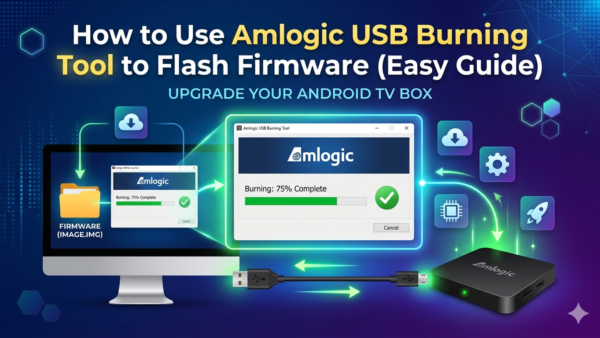
How to Use Amlogic USB Burning Tool to Flash Firmware (Ultimate Guide)
Learning how to use Amlogic USB Burning Tool is easier than most people think — and this guide…
How to Install Amlogic USB Burning Tool on PC (Step-by-Step Guide)
If your Android TV box is stuck, bricked, or you just want to flash a fresh firmware, the…