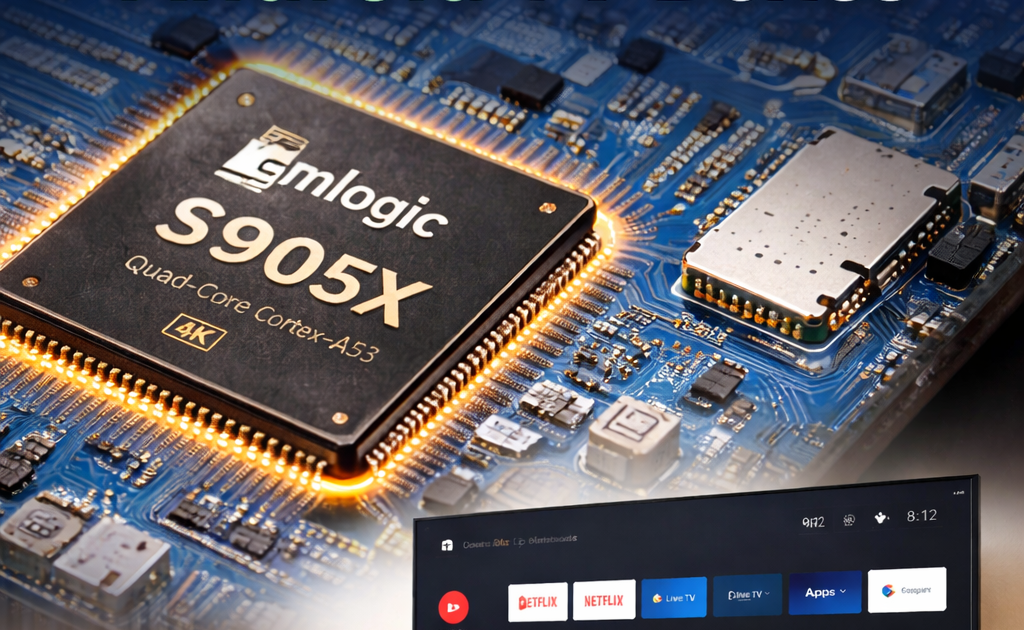
Introduction: Why Your TV Box’s Chip Matters More Than You Think
Ever wondered why two Android TV boxes that look almost identical perform so differently? 🤔
One streams 4K content without breaking a sweat. The other buffers every few minutes. One runs apps smoothly. The other freezes constantly. The difference almost always comes down to one thing — the chipset inside.
And when it comes to Android TV boxes, one name dominates the market more than any other: Amlogic.
Whether you’re buying your first TV box or trying to understand the one you already own, this guide will walk you through everything you need to know about the Amlogic chipset — in plain, simple language.
📌 If you already own an Android TV box and want to know which Amlogic chip is inside yours, check out our [Related Article: How to Check Your Android TV Box Specs].
What Is Amlogic?
Amlogic is a Chinese semiconductor company founded in 2004 and headquartered in Santa Clara, California (with R&D based in Shanghai, China). The company specializes in designing system-on-chip (SoC) processors built specifically for multimedia devices — especially Android TV boxes, smart TVs, and set-top boxes.
You can learn more about the company’s background on their official website or through the Amlogic Wikipedia page.
In simple terms: Amlogic makes the “brain” that runs most affordable Android TV boxes on the market today.
Unlike companies like Qualcomm or Apple that focus on smartphones and computers, Amlogic put all of its energy into media players and streaming devices. That sharp focus is a big part of why they dominate this space.
Their chips are found in hundreds of TV box models sold under different brand names — from budget devices all the way up to certified Android TV boxes like the Mecool KM2 Plus.
📌 Curious about a specific Amlogic-powered device? Read our [Related Article: Mecool KM2 Plus Deluxe Full Review].
Why Are Amlogic Chipsets So Popular?
Amlogic didn’t accidentally become the go-to Android TV box chipset. There are very real reasons why manufacturers keep choosing it — and why buyers keep benefiting from that choice.
⚡ Performance Where It Counts
Amlogic chips are built from the ground up to handle media playback. That means they are heavily optimized for:
- 4K video decoding
- HEVC (H.265) and AV1 compression formats
- HDR10, Dolby Vision, and HLG support
- Smooth IPTV and streaming app performance
For everyday TV box tasks, an Amlogic chip can outperform a technically “faster” general-purpose chip — because it’s doing exactly what it was designed to do.
💰 Affordable Price Point
Because Amlogic sells its chips in massive volume, the cost per unit is low. This lets manufacturers build feature-rich TV boxes at prices that won’t break your wallet. That’s why you’ll find solid Amlogic processors in boxes priced anywhere from $20 to $80.
🔌 Power Efficiency
Amlogic chips are designed to run cool and consume very little electricity. This is crucial for a device that might be plugged in 24/7. Less power draw means lower electricity bills and fewer overheating problems.
🤝 Broad Compatibility
Amlogic has built strong relationships with Android, Google, and major streaming platforms. Many of their newer chips are certified for Google Play, Netflix, Amazon Prime Video, and other popular services — which is not something every chip can claim.
Most Popular Amlogic Chipsets: Comparison Table
Here’s a breakdown of the most widely used Amlogic chipsets in Android TV boxes today:
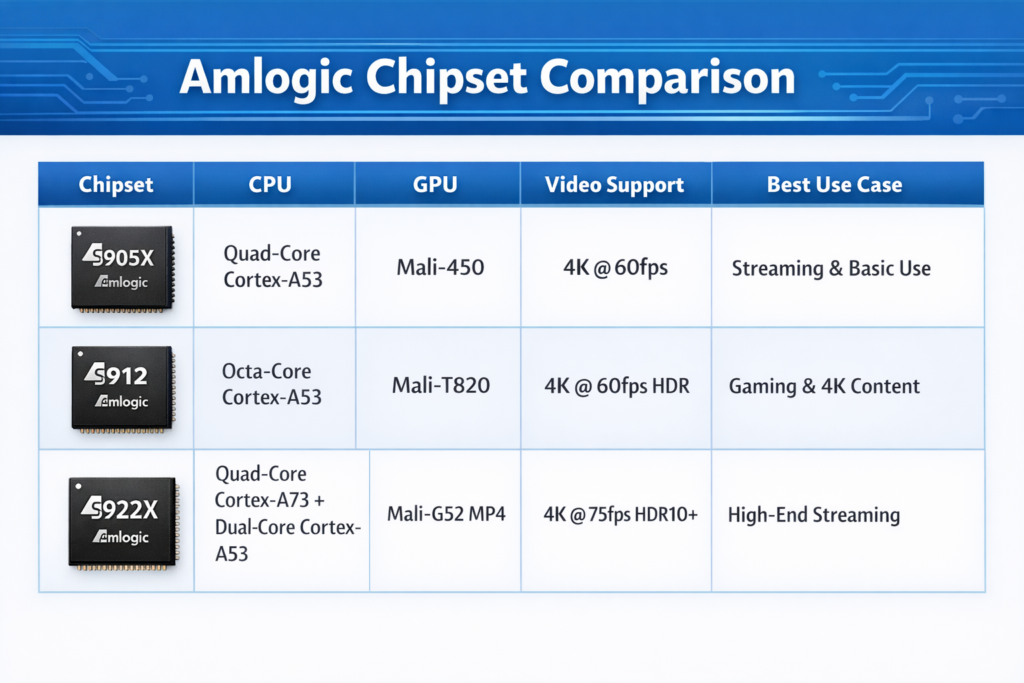
| Chipset | CPU | GPU | Max Video | Best Use Case |
|---|---|---|---|---|
| S905W | Quad-core A53 @ 1.2 GHz | Mali-450 | 4K @ 30fps | Basic streaming, IPTV |
| S905X | Quad-core A55 @ 1.5 GHz | Mali-450 | 4K @ 60fps | HD & 4K streaming |
| S905X3 | Quad-core A55 @ 1.9 GHz | Mali-G31 | 4K @ 60fps + AV1 | Advanced streaming, IPTV |
| S905X4 | Quad-core A55 @ 2.0 GHz | Mali-G31 | 4K @ 60fps + AV1 + Dolby | Premium streaming, Netflix 4K |
| S912 | Octa-core A53 @ 1.5 GHz | Mali-820 | 4K @ 30fps | Multi-tasking, light gaming |
| S922X | Hexa-core A73/A53 | Mali-G52 | 4K @ 75fps | Gaming, high-performance |
| S928X | Octa-core A55 @ 2.0 GHz | Mali-G57 | 4K @ 120fps | Latest flagship boxes |
📌 Want to know which of these chips is inside the X96 Mini? See our [Related Article: X96 Mini Full Specs and Review].
Focus Section: The Amlogic S905X Series — Why It’s Everywhere
If there’s one Amlogic chipset that truly defines the Android TV box market, it’s the S905X series.
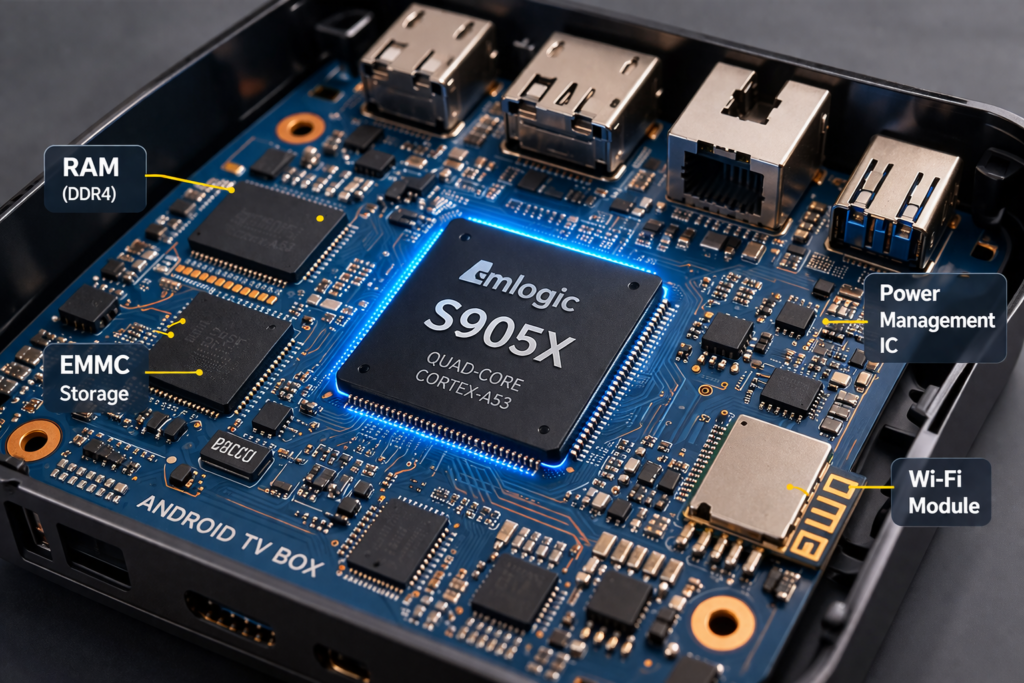
The S905X launched around 2016 and changed the game. Here’s why it became the most used chip in the industry:
- Affordable to manufacture — Kept box prices low for consumers
- Genuine 4K support — One of the first budget chips to offer real 4K @ 60fps
- Excellent Android compatibility — Works smoothly with Android 7.1 through Android 9
- Huge developer and firmware community — More custom ROMs and firmware updates exist for S905X devices than almost any other platform
Real-World S905X Performance
In everyday use, an S905X-powered box handles:
- ✅ Netflix, YouTube, and IPTV streaming — smoothly
- ✅ Kodi, TiviMate, and media apps — without lag
- ✅ Light gaming (emulators up to PS1/N64) — playable
- ✅ Basic web browsing — acceptable
- ❌ Heavy 3D gaming or 4K AV1 decoding — limited
The S905X3 and S905X4 improved on the original with faster CPUs, AV1 support, and better GPU performance — making them the go-to choice for mid-range boxes in 2024–2026.
📌 Running an S905X device? Read our [Related Article: How to Speed Up Your Android TV Box] for optimization tips.
Amlogic vs Other Chipsets: How Does It Stack Up?
The Android TV box chipset market isn’t just Amlogic. Two other major players compete for shelf space: Rockchip and Allwinner. Here’s an honest side-by-side look:
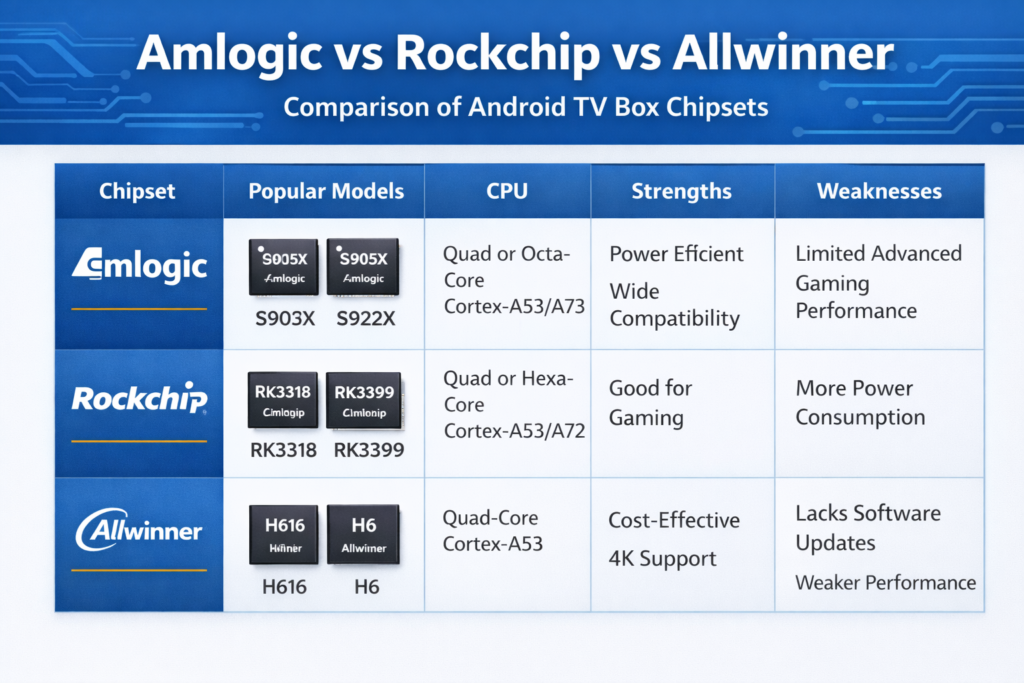
Amlogic vs Rockchip
| Feature | Amlogic | Rockchip |
|---|---|---|
| Media Optimization | ⭐⭐⭐⭐⭐ | ⭐⭐⭐⭐ |
| Gaming Performance | ⭐⭐⭐ | ⭐⭐⭐⭐ |
| Community & Firmware Support | ⭐⭐⭐⭐⭐ | ⭐⭐⭐⭐ |
| Price | ✅ Very affordable | ✅ Affordable |
| Google Certification | ✅ Many models | ⚠️ Limited |
Rockchip (like the RK3318 or RK3566) is a solid alternative, especially in mini PCs and ARM laptops. For pure TV box streaming, however, Amlogic typically wins due to better media decoding and stronger community support.
Amlogic vs Allwinner
Allwinner chips (like the H313 or H616) are found in ultra-budget boxes, often priced under $15. While they work for basic tasks, they generally have:
- Weaker GPU performance
- Limited 4K support
- Fewer firmware updates and less community backing
For most users, Amlogic is the better investment — even in the budget tier.
Pros and Cons of Amlogic Chipsets
✅ Pros
- Excellent media decoding for its price range
- Wide range of chips from basic to flagship
- Strong Android compatibility
- Large modding and firmware community
- Many models are Google-certified for streaming apps
- Low power consumption
- Dolby Vision and HDR10+ support on newer chips
❌ Cons
- GPU performance lags behind Rockchip for gaming
- Older chips (S905W, S912) lack AV1 support
- Some budget boxes use outdated firmware and rarely get updates
- Not all models support official Netflix HD/4K (check certification)
- Performance can vary widely between boxes using the same chip (depends on RAM, storage, and cooling)
Common Amlogic Issues and How to Fix Them
Even the best Amlogic processors can run into problems — usually because of how manufacturers build the boxes around them, not the chip itself.
📦 Storage Issues
Many budget boxes ship with slow eMMC storage or poor-quality flash memory. This causes apps to be slow to open and the system to feel sluggish.
Fix: Use a fast microSD card or USB 3.0 drive for app storage. Clear cache regularly. See our [Related Article: How to Fix Storage Issues on Your Android TV Box].
🌡️ Overheating
The S912, in particular, had a reputation for running hot. Overheating causes throttling — where the chip slows itself down to cool off, making your box feel slower.
Fix: Ensure your box has proper ventilation. Never place it inside a closed cabinet. Some users add small heatsinks or use the box vertically to improve airflow. See our [Related Article: How to Fix Android TV Box Overheating].
🔧 Firmware Problems
Outdated or poorly built firmware is the most common cause of bugs, app crashes, and poor performance on Amlogic devices.
Fix: Check for official firmware updates from your manufacturer. For popular chips like the S905X, custom firmware and community ROMs are often available. See our [Related Article: How to Update Firmware on Your Android TV Box].
Tips to Choose the Best Amlogic Device for Your Needs
Not every Amlogic-powered box is the same. Use this quick guide to match the right chip to what you actually do:
🎬 For Casual Streaming (Netflix, YouTube, IPTV)
Best chip: S905X3 or S905X4 Why: Handles 4K, HDR, and most streaming apps without issues. Many are Google-certified.
📺 For IPTV Power Users
Best chip: S905X3 or S922X Why: Stable performance, good network stack, handles high-bitrate streams without buffering.
🎮 For Retro Gaming / Emulation
Best chip: S922X Why: Stronger CPU cores handle emulators up to PS2 and GameCube level.
💸 For the Tightest Budget
Best chip: S905W or S905X Why: Still handles HD and basic 4K streaming at a fraction of the cost.
🏆 For Best Overall Experience
Best chip: S905X4 or S928X Why: Latest generation, full Dolby Vision, AV1 decoding, and fast performance across the board.
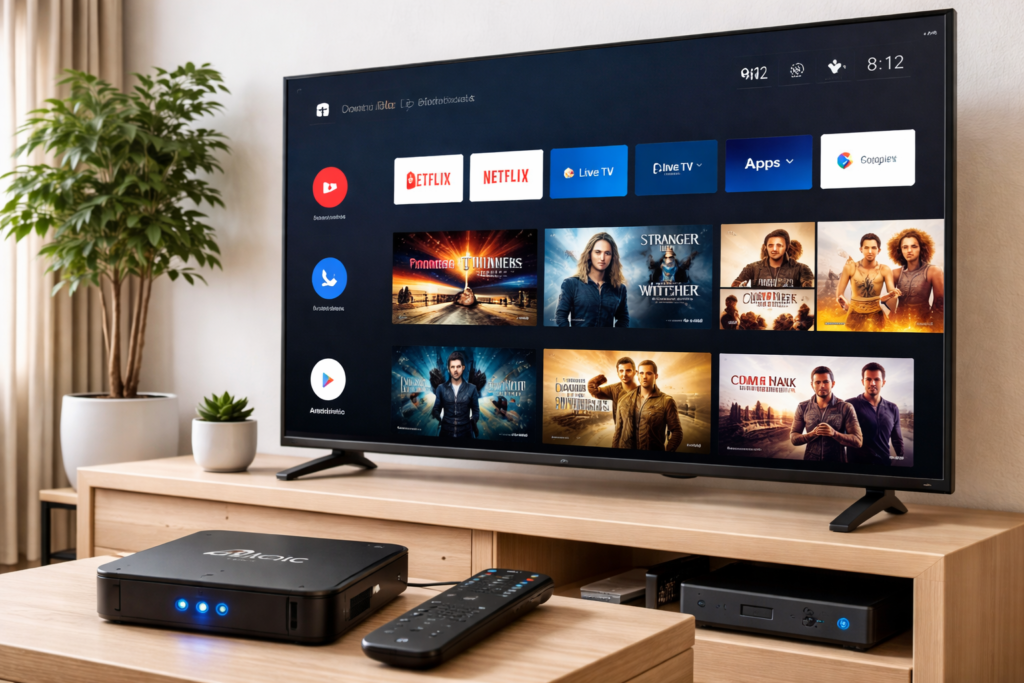
📷 [IMAGE 4] ALT text: Android TV box with Amlogic chipset connected to TV in a modern living room setup Caption: An Android TV box powered by an Amlogic chipset — a simple, affordable way to turn any TV into a smart streaming device.
✍️ Author’s Take
I’ve tested dozens of Android TV boxes over the years, and Amlogic-powered devices consistently offer the best balance of performance and value. The S905X3 hits a sweet spot I keep recommending — it’s fast enough for everything most people need, runs cool, and has excellent community support for firmware fixes and updates. If you’re buying a box today, I’d skip anything older than the S905X3 generation unless you’re on an extremely tight budget. The jump in features and reliability is absolutely worth a few extra dollars.
Conclusion
The Amlogic chipset is the backbone of the Android TV box world — and for good reason. It delivers reliable performance, strong media decoding, and broad compatibility at a price that makes sense for everyday users.
Whether you’re a casual streamer, an IPTV enthusiast, or a light gamer, there’s an Amlogic processor built for your needs. The key is knowing which chip matches your use case — and avoiding the traps of cheap boxes that pair a good chip with poor memory, bad firmware, or no Google certification.
Our recommendation: For most users in 2026, the S905X4 offers the best all-round experience. For budget-conscious buyers, the S905X3 is still a strong choice.
📌 Ready to find your perfect TV box? See our [Related Article: Best Android TV Boxes of 2026] for our top picks.
❓ FAQ — Amlogic Chipsets
Q1: What is an Amlogic chipset? An Amlogic chipset is a system-on-chip (SoC) processor designed by the company Amlogic, used primarily in Android TV boxes and smart media players. It combines the CPU, GPU, memory controller, and media decoder into a single chip.
Q2: Is Amlogic better than Rockchip? For media streaming and IPTV use, Amlogic generally performs better and has stronger community support. Rockchip has a slight edge in GPU performance for gaming. For a typical TV box user, Amlogic is the better choice.
Q3: Which Amlogic chipset is the best? In 2026, the Amlogic S905X4 and S928X are the top performers. The S905X4 is the sweet spot for most users, while the S928X is for those who want the latest flagship features.
Q4: Does Amlogic support Netflix 4K? Some Amlogic chips do — but only on certified devices. Boxes running S905X4-based hardware with Google certification (like the Mecool KM2 Plus Deluxe) can stream Netflix in 4K. Budget uncertified boxes, even with Amlogic chips, are typically limited to 1080p on Netflix.
Q5: Why does my Amlogic TV box overheat? Overheating is usually caused by poor ventilation design in the box itself, not the chip. Make sure your box is in an open, well-ventilated space. The older S912 chip was particularly known for running hot. See our [Related Article: How to Fix Android TV Box Overheating] for step-by-step solutions.
📌 Related Guides
How to Use Amlogic USB Burning Tool to Flash Firmware (Ultimate Guide)
Learning how to use Amlogic USB Burning Tool is easier than most people think — and this guide…
How to Install Amlogic USB Burning Tool on PC (Step-by-Step Guide)
If your Android TV box is stuck, bricked, or you just want to flash a fresh firmware, the…
Download Amlogic USB Burning Tool (36 Versions Available)
If you are looking for the Amlogic USB Burning Tool download, you are in the right place.there is…